Powershell Get List Of Printer Drivers Powershell Get List Of Drive Letters COD BOX Mini IT Astuces Powershell Exchange Online Can I Get A List Of All Mailboxes Win Mundo How To Find All Office 365 Groups Using PowerShell SharePoint Diary CUPS Adding Printer Fails With Unable To Get List Of Printer Drivers Install Rsat Windows 10 20h2 Powershell Excel How To Install And Update Oct 10 2020 nbsp 0183 32 To Check Status of BitLocker in PowerShell Note The Get BitLockerVolume command provides the following information about a drive on the PC VolumeType Data or
May 26 2021 nbsp 0183 32 How to Open Windows PowerShell in Windows 10 Windows 10 comes with Windows PowerShell 5 0 included Windows PowerShell is a task based command line shell Apr 27 2021 nbsp 0183 32 To Remove quot Microsoft Print to PDF quot Printer in PowerShell If you want to restore the quot Microsoft Print to PDF quot printer again after using this option you will need to disable and then
Install Rsat Windows 10 20h2 Powershell Excel How To Install And Update How To List Printers In Command Line SharePoint Online PowerShell To A Get List SharePoint Diary Printer Brands Breakdown Toner Buzz AdminDroid Distribution User Is Member Of Office 365 Reports TYPES OF PRINTER BLOGGING NERD Solved PowerShell Get List Of Folders Shared 9to5Answer 5 Cmdlets To Get You Started With PowerShell POWERSHELL Get List Of Scheduled Tasks In Properly Formatted CSV
Powershell Get List Of Printer Drivers
 Powershell Get List Of Printer Drivers
https://cod-box.net/wp-content/uploads/2022/04/Powershell-get-list-of-drive-letters-768x336.png
Sep 21 2023 nbsp 0183 32 How to Uninstall Desktop Apps and Windows Apps in Windows 10 If you no longer want or use an app then you could uninstall the app to remove it and free up space on the
Templates are pre-designed documents or files that can be used for various functions. They can save effort and time by offering a ready-made format and design for developing various kinds of content. Templates can be used for personal or expert tasks, such as resumes, invites, flyers, newsletters, reports, presentations, and more.
Powershell Get List Of Printer Drivers
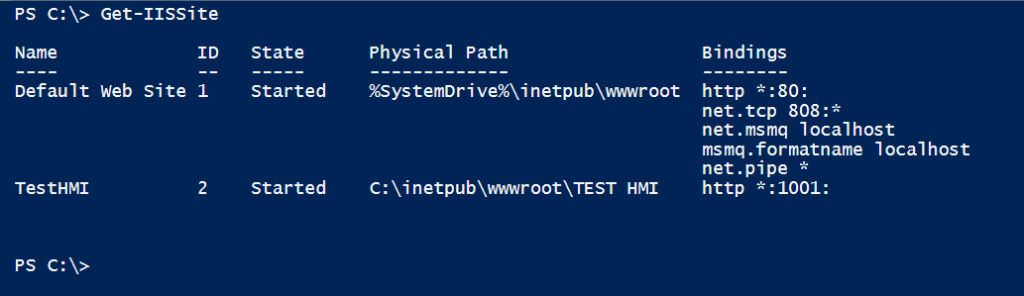
Using PowerShell IIS Get List Of Websites ShellGeek

How To List Printers In Command Line

SharePoint Online PowerShell To A Get List SharePoint Diary
Printer Brands Breakdown Toner Buzz

TYPES OF PRINTER BLOGGING NERD

Solved PowerShell Get List Of Folders Shared 9to5Answer

Jul 29 2022 nbsp 0183 32 1 Open an elevated PowerShell 2 Do step3 step 4 step 5 recommended step 6 or step 7 below for what DISM command you would like to use 3 To Use DISM CheckHealth

Nov 7 2019 nbsp 0183 32 How to Enable or Disable Windows PowerShell 2 0 in Windows 10 Windows PowerShell is a task based command line shell and scripting language designed especially for

Nov 7 2017 nbsp 0183 32 One of many PowerShell security features is that you can t run a script simply by double clicking it s icon on desktop or in a folder Doing so will by default open script in
Aug 11 2023 nbsp 0183 32 To Turn On or Off Windows Media Player in PowerShell 1 Open an elevated PowerShell 2 Copy and paste the command below you want to use into the elevated

Dec 6 2019 nbsp 0183 32 How to Install or Uninstall Windows PowerShell ISE in Windows 10 The Windows PowerShell Integrated Scripting Environment ISE is a host application for Windows
[desc-11] [desc-12]
[desc-13]