Powershell Create Scheduled Task Run Once At Startup Start PowerShell Script Hidden Via Task Scheduler Marte IT How To Run The Powershell Script In Scheduled Task With As Powershell Schedule PowerShell Script Using Task Scheduler Windows 10 Task Create Scheduled Task With PowerShell ALI TAJRAN Solved Create Schedule Task Via Invoke Expression Powershell powershell Create the scheduled task After assigning all the objects as variables pass each of these variables to the New ScheduledTask command to create a scheduled task object Task New ScheduledTask Action Action Trigger Trigger Settings Settings Register the scheduled task
To create a scheduled task with PowerShell on Windows 10 use these steps Open Start Search for PowerShell right click the top result and select the Run as administrator option Assuming the task you re running is a script you can add a line setting the Task itself to disabled as the script completes move C WINDOWS Tasks TEST TASK job C WINDOWS Tasks TEST TASK bak
Solved Create Schedule Task Via Invoke Expression Powershell powershell PowerShell Create A Scheduled Task YouTube Powershell Script With Arguments As A Scheduled Task Tips From A How To Create Scheduled Tasks With Command Prompt On Windows 10 PowerShell Scheduled Task How To Create PowerShell Scheduled Task How To Properly Schedule A Task To Run PowerShell Script Create Ad User Using Powershell Script How To Create Scheduled Tasks With PowerShell On Windows 10 Windows Run PowerShell Script In Task Scheduler
Powershell Create Scheduled Task Run Once At Startup
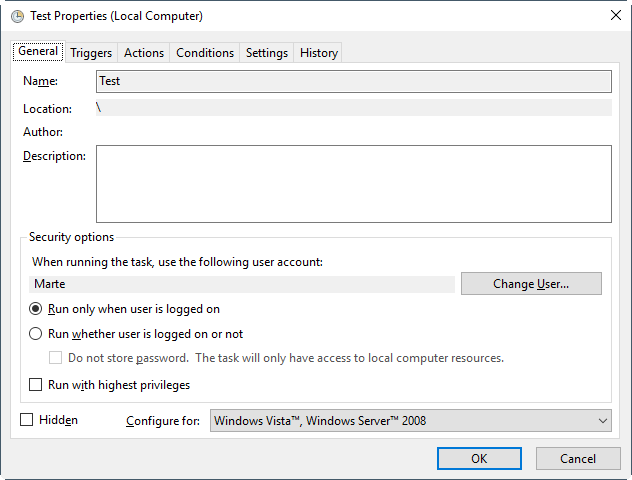 Powershell Create Scheduled Task Run Once At Startup
https://marte-it.at/wp-content/uploads/2020/08/2020-08-26-12_37_48-Test-Properties-Local-Computer.png
In modern versions of PowerShell starting with PowerShell 3 0 on Windows Server 2012 Windows 8 you can use the New ScheduledTaskTrigger and Register ScheduledTask cmdlets to create scheduled tasks Suppose we need to create a scheduled task that should run during startup or at a specific time and execute some PowerShell script or command
Templates are pre-designed documents or files that can be used for different purposes. They can conserve time and effort by providing a ready-made format and layout for developing various sort of content. Templates can be utilized for personal or expert tasks, such as resumes, invites, flyers, newsletters, reports, presentations, and more.
Powershell Create Scheduled Task Run Once At Startup

Run Once At Startup Intune Scloud

PowerShell Create A Scheduled Task YouTube

Powershell Script With Arguments As A Scheduled Task Tips From A

How To Create Scheduled Tasks With Command Prompt On Windows 10

How To Properly Schedule A Task To Run PowerShell Script
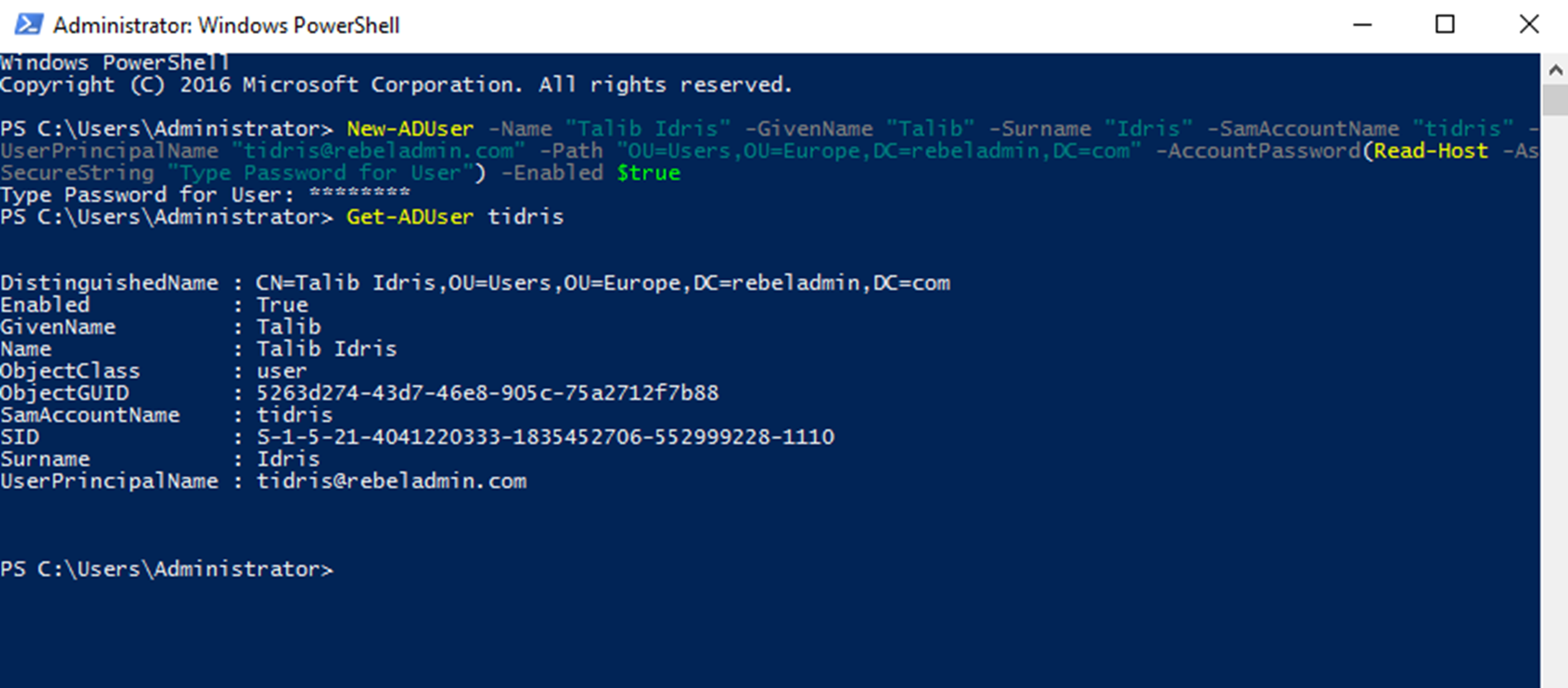
Create Ad User Using Powershell Script

Open Task Scheduler Click on Start and type Task scheduler to open it Or select it in the Start Menu under Windows Administrative Tools or Windows Tools when using Win 11 Create a new basic task Click on Create Basic Tasks in the action bar on the right side and give your task a name

I would like to be able to add a scheduled task to run a script program at next computer startup and only run once Using the GUI i can add a task to run at startup but it will run everytime the computer starts I only want it to run once Besides that i want to schedule this using powershell The easiest ways to distribute this kind of task is

Create the job trigger To create the job trigger open the Windows PowerShell console with admin rights by right clicking the Windows PowerShell icon on the Start page or from the task bar and then choosing Run as Administrator from the action menu Use the New JobTrigger cmdlet to create a startup trigger

Example 1 Start a registered scheduled task PowerShell PS C Start ScheduledTask TaskName ScanSoftware This command starts a task named ScanSoftware in the root folder Example 2 Start all tasks in a folder PowerShell PS C Get ScheduledTask TaskPath UpdateTasks UpdateVirus Start ScheduledTask

Creates a scheduled task instance Syntax PowerShell New ScheduledTask Action CimInstance Description String Principal CimInstance Settings CimInstance Trigger CimInstance CimSession CimSession ThrottleLimit Int32 AsJob CommonParameters Description
I need to have a script that will create a scheduled task at 3am the next day on a server For Server 2008 6 1 it works with the exception I m unable to get it to automatically delete For Server 2012 6 3 I m unable to get it to set the proper date time or automatically delete Here are the steps to schedule a PowerShell script with Task Scheduler in Windows 10 and 11 Open the Task Scheduler from the Start menu Click the Create Basic Task option Name the new scheduled task and click Next Choose When I log on and click Next Choose the Start a program option and click Next
Follow edited Jan 10 2022 at 15 44 TylerH 20 9k 69 77 102 asked May 30 2014 at 11 50 AK47 3 767 3 19 36 Add a comment 7 Answers Sorted by 126 Create the scheduled task and set the action to Program Script Powershell exe Arguments File C Users MyUser Documents ThisisMyFile ps1 Share Improve this answer Follow edited Aug 9 2019 at 11 15