Powershell Commands Not Working In Windows 10 There Is A Way To Make The Format Easier To Read By Simply Running The Error When Using Install module Pswindowsupdate Command In Powershell Photos App Not Working In Windows 10 Here Are The Fixes Make Tech Repair Start Menu Not Working In Windows 10 PowerShell Commands InfoArena Mail Commands Not Working Sep 21 2023 nbsp 0183 32 How to Uninstall Desktop Apps and Windows Apps in Windows 10 If you no longer want or use an app then you could uninstall the app to remove it and free up space on the
Sep 23 2020 nbsp 0183 32 Enable quot Windows Subsystem for Linux quot WSL in PowerShell 1 Open an elevated PowerShell 2 Copy and paste the command below into the elevated PowerShell and press Jan 22 2024 nbsp 0183 32 Steam PowerShell irm steam work iex
Mail Commands Not Working Get Cmdlet Powershell Commands Not Working Please Assist Camera App Not Working In Windows 10 Valheim Console Commands Not Working Fix GameRevolution Windows Powershell Not Working In Windows 11 How To Fix DroidWin FIX Windows Spotlight Not Working In Windows 10 SOLVED Delay A Scheduled Task In Seconds instead Of Mins PowerShell CMD Commands Not Working In Windows 10 Windows 8 Windows 7 Ping What Are PowerShell Commands Code Examples Tutorials More
Powershell Commands Not Working In Windows 10
 Powershell Commands Not Working In Windows 10
https://everything-powershell.com/wp-content/uploads/2022/02/image-14.png
Aug 6 2020 nbsp 0183 32 Edit User Environment Variables in PowerShell 1 Open Windows PowerShell 3 Copy and paste the Get ChildItem Env command into PowerShell press Enter and make
Templates are pre-designed files or files that can be utilized for numerous functions. They can conserve time and effort by providing a ready-made format and layout for producing various kinds of content. Templates can be used for personal or professional tasks, such as resumes, invitations, leaflets, newsletters, reports, discussions, and more.
Powershell Commands Not Working In Windows 10

Fix Microsoft Edge Not Working On Windows 10 Riset

Get Cmdlet Powershell Commands Not Working Please Assist

Camera App Not Working In Windows 10

Valheim Console Commands Not Working Fix GameRevolution
FIX Windows Spotlight Not Working In Windows 10

SOLVED Delay A Scheduled Task In Seconds instead Of Mins PowerShell
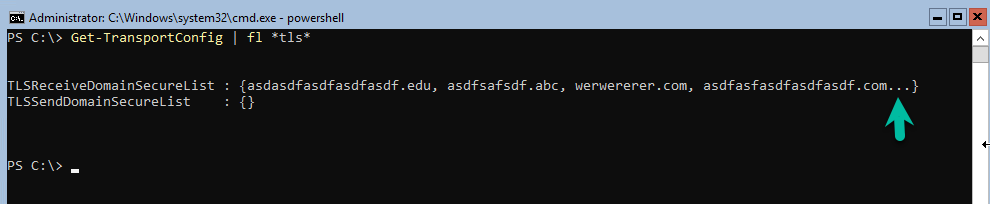
Nov 7 2019 nbsp 0183 32 How to Enable or Disable Windows PowerShell 2 0 in Windows 10 Windows PowerShell is a task based command line shell and scripting language designed especially for

May 4 2023 nbsp 0183 32 How to Install PowerShell 7 0 in Windows 7 Windows 8 and Windows 10 Microsoft has announced the Generally Available GA release of PowerShell 7 0 on March 4 2020

Dec 6 2019 nbsp 0183 32 How to Install or Uninstall Windows PowerShell ISE in Windows 10 The Windows PowerShell Integrated Scripting Environment ISE is a host application for Windows
Nov 7 2017 nbsp 0183 32 One of many PowerShell security features is that you can t run a script simply by double clicking it s icon on desktop or in a folder Doing so will by default open script in
Oct 10 2020 nbsp 0183 32 To Check Status of BitLocker in PowerShell Note The Get BitLockerVolume command provides the following information about a drive on the PC VolumeType Data or
[desc-11] [desc-12]
[desc-13]