Power Bi Get Data From Sharepoint Folder Power BI Get Data From A SharePoint Folder Or A SharePoint Excel File Sharepoint Get Data From SharePoint Folder Using Power BI YouTube Get Data In Excel Data From SharePoint Folder In Power BI YouTube Power BI Get Data From SharePoint UnoGeeks Power Bi Get Data From Sharepoint File Excel Why Excel Needs Power Bi Web Dec 19 2016 nbsp 0183 32 First things first we need to get the data and the Power BI Desktop makes it easier for us to get our data from either SharePoint or any O365 Group storage From the Get Data experience let s find the option for SharePoint Folder
Web Mar 7 2023 nbsp 0183 32 To create a Power BI dataset from a SharePoint list Open your SharePoint list In the actions bar select Export gt Export to Power BI Power BI will open and a dialog will ask you to name the dataset and choose a workspace to save it in By default the dataset will be given the same name as the SharePoint list and saved to My workspace Web File SharePoint Folder Database SQL Server Database Microsoft Access Database Analysis Services Database SQL Server Analysis Services Import Database Oracle Database IBM DB2 Database MySQL Database PostgreSQL Database Sybase Database Teradata Database SAP HANA Azure Azure SQL Database Azure Azure
Power Bi Get Data From Sharepoint File Excel Why Excel Needs Power Bi Power BI Desktop How To Upload The Data From SharePoint Folder YouTube Create A Report On A SharePoint List In Power BI Desktop Power BI Power Query SharePoint Folder Connector Power Query Microsoft Learn Excel Get Data From SharePoint List Missing Power BI Get Data From SharePoint List And Library Export Data To Csv File Using Php And Mysql Tuts Make Alternative Way Create A Pdf From A Sharepoint List Item With Power Automate Www No Limits 2 Coaster Auto Plant Grass Reportpassl
Power Bi Get Data From Sharepoint Folder
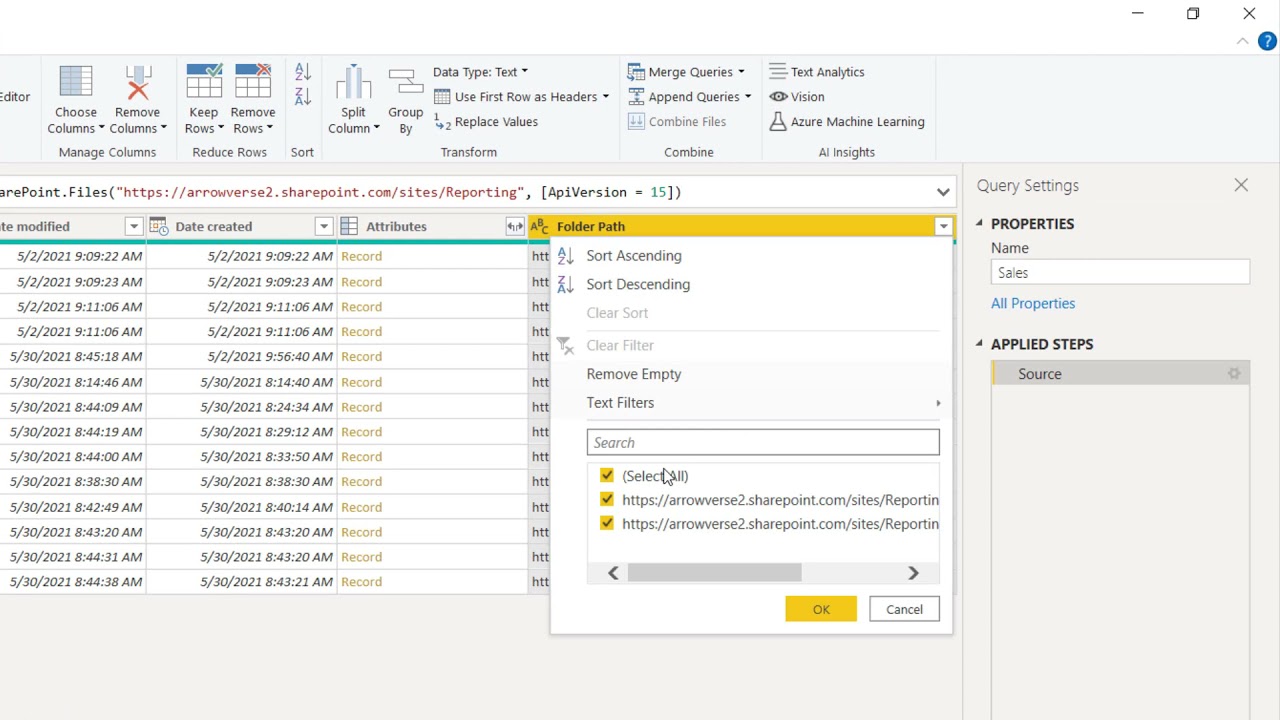 Power Bi Get Data From Sharepoint Folder
https://i.ytimg.com/vi/wXI3OH718OI/maxresdefault.jpg
Web Use Power Query to combine multiple files with the same schema stored in a single folder into one table For example each month you want to combine budget workbooks from multiple departments where the columns are the same but the number of rows and values differ in each workbook Once you set it up you can apply additional transformations
Pre-crafted templates provide a time-saving option for creating a varied variety of documents and files. These pre-designed formats and layouts can be utilized for various personal and professional projects, consisting of resumes, invites, leaflets, newsletters, reports, discussions, and more, simplifying the content production procedure.
Power Bi Get Data From Sharepoint Folder

Get Data From SharePoint invalid Credentials Power Platform Community
Power BI Desktop How To Upload The Data From SharePoint Folder YouTube
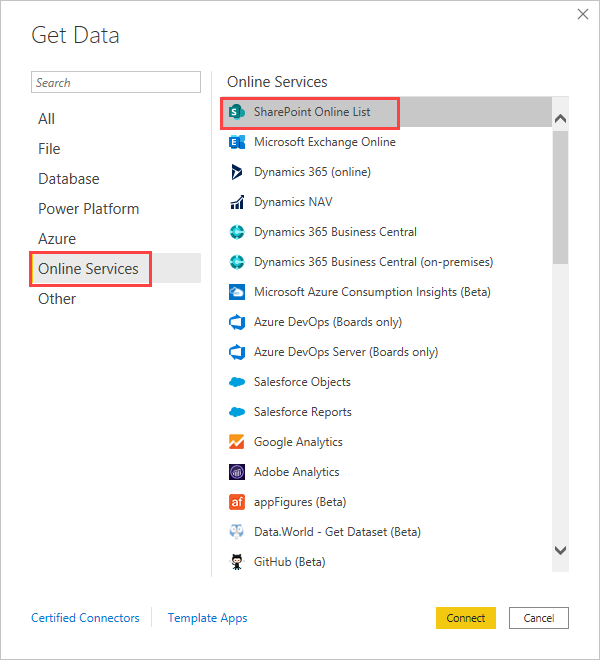
Create A Report On A SharePoint List In Power BI Desktop Power BI
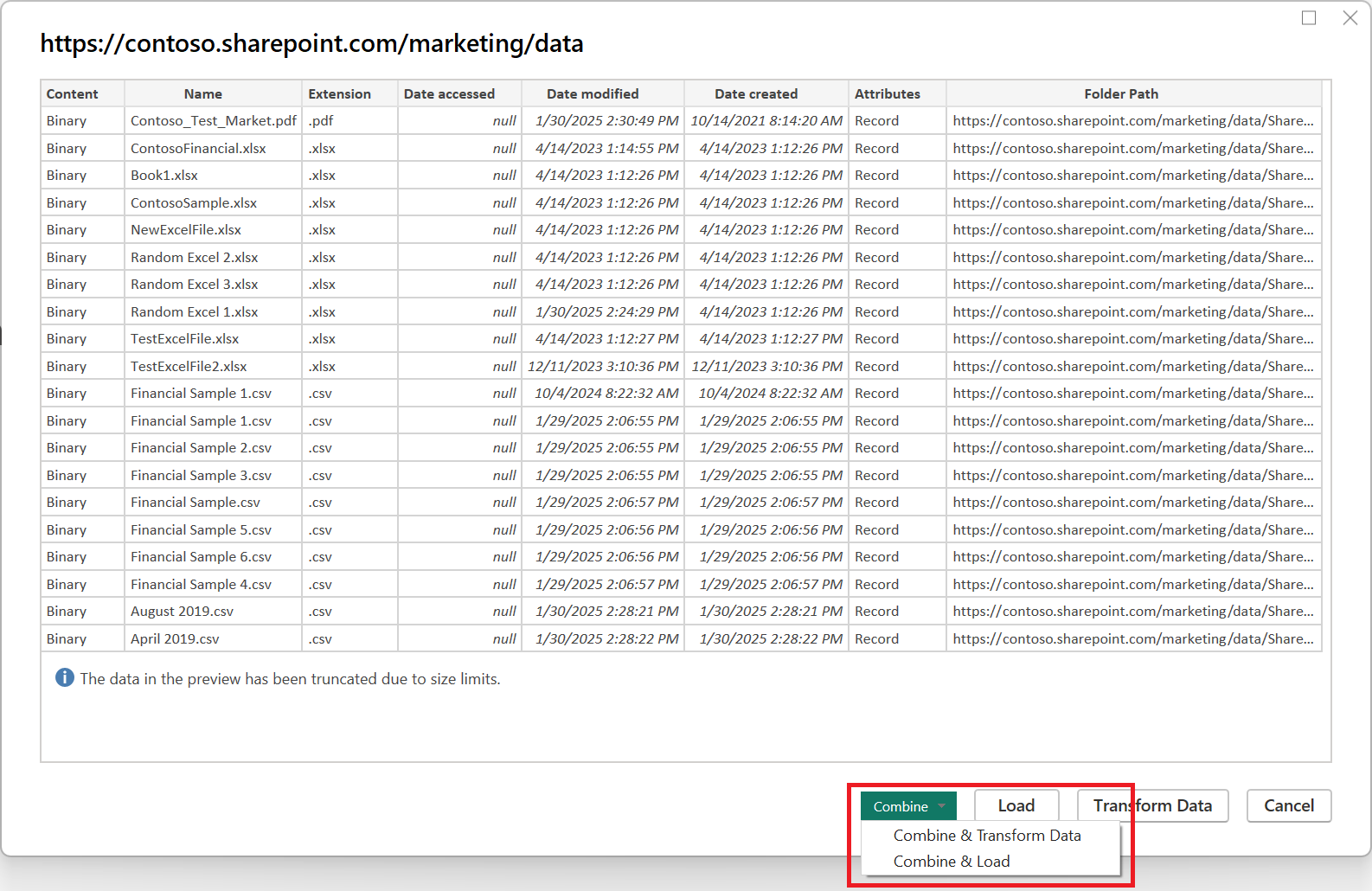
Power Query SharePoint Folder Connector Power Query Microsoft Learn

Power BI Get Data From SharePoint List And Library

Export Data To Csv File Using Php And Mysql Tuts Make Alternative Way

Web Sep 14 2018 nbsp 0183 32 After researching i haven t found any way to connect directly to Sharepoint Folder as you described A well known way is using quot Sharepoint Folder quot connector and selecting your desired folder from the displaying list of folders path Combining Excel Files hosted on a SharePoint folder with Power BI

Web Oct 5 2023 nbsp 0183 32 I do these steps in power query Here I am prompted to enter the base URL of my sharepoint site it is named folder though how can I get the URL I need to connect to my quot Test1 quot folder The folder structure can be seen below The quot Home quot URL is https sites XXXX sites LEKNR2 Labels General Comment Need Help Tutorial

Web Jan 22 2023 nbsp 0183 32 To connect to a data file stored in SharePoint in Power BI you will need the web address that you use to access your SharePoint site If you use Microsoft Teams to access your SharePoint files you can click on the ellipsis and then select Open in SharePoint to open it in a browser

Web Locate the specific folder containing the data you want to import into Power BI Step 2 Copy the Folder URL Click on the folder you want to access Copy the URL from your browser s address bar This URL will be used in Power BI to connect to the SharePoint folder Step 3 Open Power BI Desktop Launch Power BI Desktop on your computer

Web Feb 21 2023 nbsp 0183 32 Part 1 Connect to your SharePoint List If you don t have it already download and install Power BI Desktop Open Power BI Desktop and in the Home tab of the ribbon select Get data gt More Select Online Services and then select SharePoint Online List Select Connect
[desc-11] [desc-12]
[desc-13]