Power Automate Set Variable To Current Date Power Automate Tres Tria Limited Power Automate Set Filename By Variable In Add Row To Excel Action Power Automate Formatdatetime with Real Examples SPGuides 2023 Power Automate Set Variable 9 Examples EnjoySharePoint Microsoft Announces Power Automate Desktop October 2020 Update How To Let s get started Step 1 Add the Initialize Variable Action When using Power Automate the first step to obtaining the current date is to incorporate the Initialize Variable action Open your flow in Power Automate Select the Initialize Variable action from the available actions list
Power Automate has a built in workflow expression function to help you get the current date utcNow The utcNow function will return the current date and time in Universal Time Coordinated UTC UTC is a 24 hour time standard most commonly used as a basis for comparing timezones A time zone will be defined as its offset from UTC Select initialize variable action then provide the variable name and type as a string power automate set variable to current date Now we can set the variable to the current date so click on the Next step Select Set variable action then selects a variable name and set the value with the below expression which returns the current date utcNow
Microsoft Announces Power Automate Desktop October 2020 Update How To Automate Using Impressive Microsoft Power Automate 2020 RPABOTS WORLD Power Automate Flow How To Set Variable YouTube Passing Variable Values Into Power Automate Desktop Flows YouTube Power Automate Set Filename By Variable In Add Row To Excel Action Power Automate Capitol Presence Power Automate AddDays Function Manuel T Gomes Power Automate Desktop Module 9 Variable Actions 2 Increase Power Automate Get Microsoft Forms Data Includin Power Platform
Power Automate Set Variable To Current Date
 Power Automate Set Variable To Current Date
https://www.trestria.co.uk/media/1877/powerautomate2.png
Date and Time Formatting with utcNow The Current Time action format is as previously shown with the Convert Time Zone The utcNow function requires some more input to format the date and time correctly utcNow dd This will display the current day in a numerical value i e 01 for the 1st of the month
Templates are pre-designed files or files that can be used for various functions. They can conserve time and effort by supplying a ready-made format and layout for developing various type of content. Templates can be utilized for individual or professional jobs, such as resumes, invitations, leaflets, newsletters, reports, discussions, and more.
Power Automate Set Variable To Current Date
Power Automate Set Variable 9 Examples EnjoySharePoint

Automate Using Impressive Microsoft Power Automate 2020 RPABOTS WORLD

Power Automate Flow How To Set Variable YouTube

Passing Variable Values Into Power Automate Desktop Flows YouTube

Power Automate Capitol Presence
Power Automate AddDays Function Manuel T Gomes

2 ACCEPTED SOLUTIONS vecerpa Memorable Member 04 09 2018 07 02 AM Hi Anonymous Yes it is possible to work with datetime from list for example below I used created on item of sharepoint list

Variables produced Exceptions This action doesn t include any exceptions Subtract dates Finds the time difference between two given dates in days hours minutes or seconds To subtract a given date from another one use the Subtract dates action Input a valid date in the From date property to use as a base to subtract the other date from

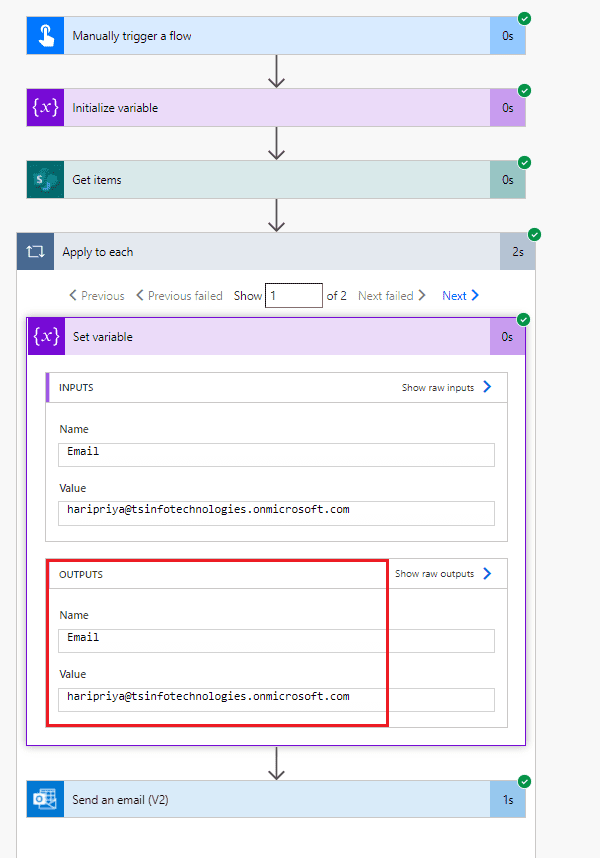
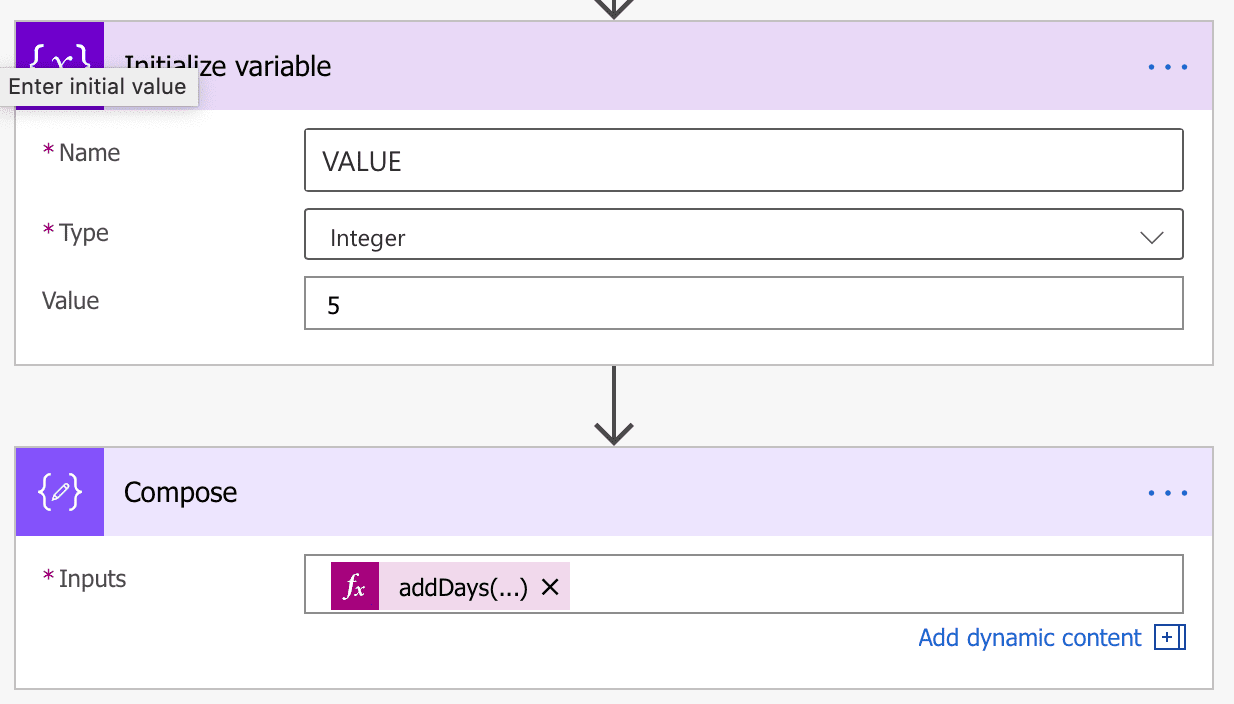
To achieve this follow the below instructions Create a Power Automate Instant cloud flow Then Click on New step under Manually trigger a flow and add Initialize variable action Enter the properties of the Initialize variable as mentioned below Name It is a mandatory required field Type Select the datatype as a string

Get the variable s value Show 5 more This article shows how to create and work with variables to store values in your cloud flows For example variables can help you track the number of times a loop runs To iterate over an array or check an array for a specific item you can use a variable to reference the index number apply to each array item

When working with date and time values in a Power Automate flow you might find that the date and time format isn t what you expected or you might want to customize the format of the output You can do this by passing format strings to the formatDateTime function Format strings
Once we have the dates as date variables we can convert them into any text format we wish using the Convert datetime to text action to be used as variables later in our PAD flow For the text Initialize a new string variable with the name todaysDate Use the below expression as the value of the todaysDate string variable to get the date in DateTime format utcNow Add a new Compose step to format todaysDate variable to dd MM yyyy format in Power Automate Microsoft Flow Use the below expression to format the date
First Power Automate provides 2 ways to get the current date and time Use either a Compose action with the utcNow function or the Current time action In my opinion the Current time action is the easiest The Current time action will provide both the date and time From here I recommend converting to your local time zone using the