Pivot Table Count Calculated Field Use Calculated Fields In A Google Sheets Pivot Table To Count Rows Pivot Table Count By Month Exceljet Calculated Field Sum Divided By Count In Pivot Table ExcelDemy Stationnaire Propre Carotte Insert Calculated Field In Pivot Table Pivot Table Calculated Field Step By Step Excel Solutions Basic Hot 1 Here s a snapshot of my pivot table I want to create a calculated field that displays the percentage from the Responded column C over the Ticket column B as in column G The Ticket column is a column of value text strings e g 413456 464313 and the Responded column is a list of 1 s and 0 s
In PivotTables you can use summary functions in value fields to combine values from the underlying source data If summary functions and custom calculations do not provide the results that you want you can create your own formulas in calculated fields and calculated items Subtotal row and column fields The sum of the values This is the default function for numeric data The number of data values The Count summary function works the same as the COUNTA function Count is the default function for data other than numbers The average of the values
Pivot Table Calculated Field Step By Step Excel Solutions Basic Hot Create A Calculated Field In Excel Pivot Table YouTube Add A Calculated Field In A Pivot Table In Excel Google Sheets How To Update Formula In Calculated Field Pivot Table Brokeasshome How Many Calculated Fields In A Pivot Table Tutorial Pics Ms Excel Pivot Table Calculated Field If Statement Elcho Table How To Use Calculated Field In Excel Pivot Table 8 Ways ExcelDemy Excel Pivot Table Calculated Field How To Insert Edit ExcelDemy How To Add A Calculated Field To A Pivot Table YouTube
Pivot Table Count Calculated Field
 Pivot Table Count Calculated Field
https://i.stack.imgur.com/2Ewku.png
To show the bonuses follow the steps below to add a calculated field to the pivot table To start select any cell in the pivot table Next on the Excel Ribbon go to the PivotTable Analyze tab In the Calculations group click Fields Items Sets Then in the drop down menu click the Calculated Field command
Templates are pre-designed files or files that can be utilized for numerous purposes. They can save time and effort by offering a ready-made format and layout for creating different type of content. Templates can be utilized for individual or professional projects, such as resumes, invitations, flyers, newsletters, reports, presentations, and more.
Pivot Table Count Calculated Field
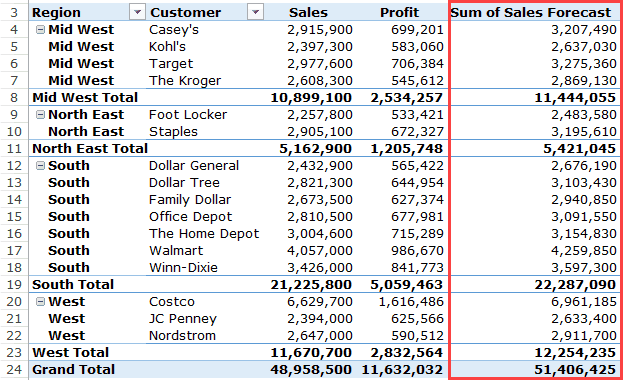
How To Add And Use An Excel Pivot Table Calculated Field
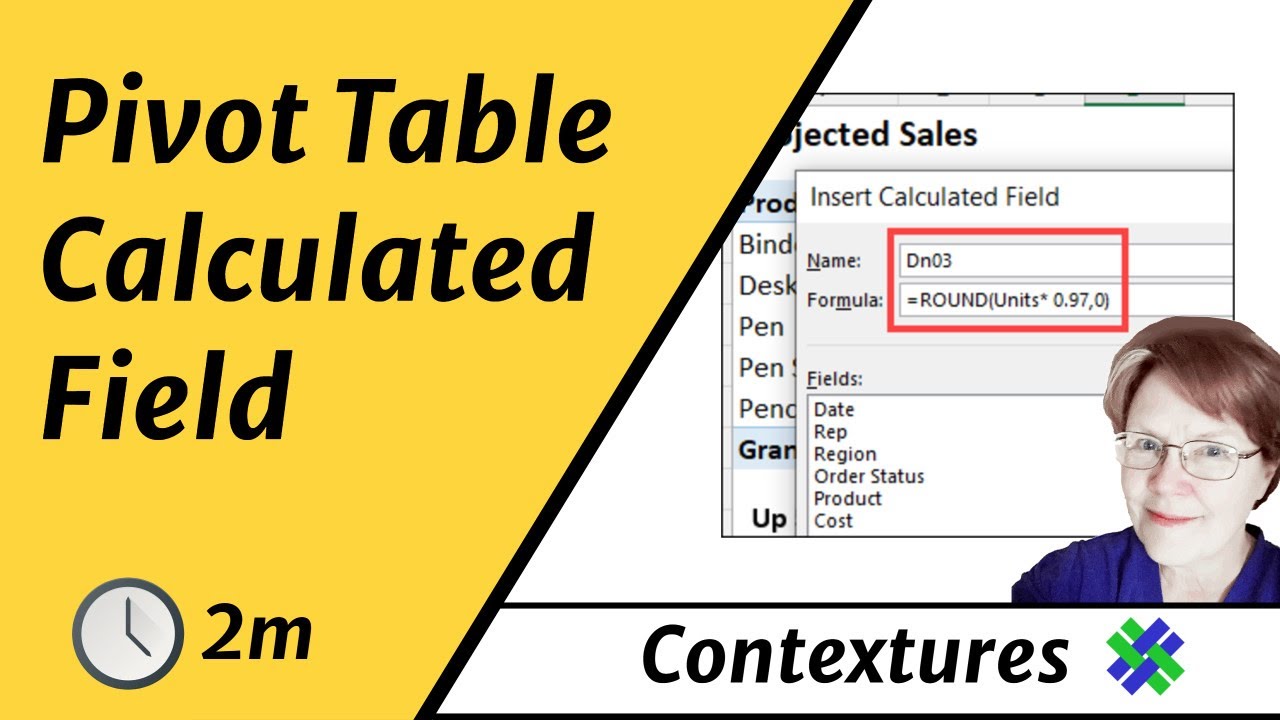
Create A Calculated Field In Excel Pivot Table YouTube
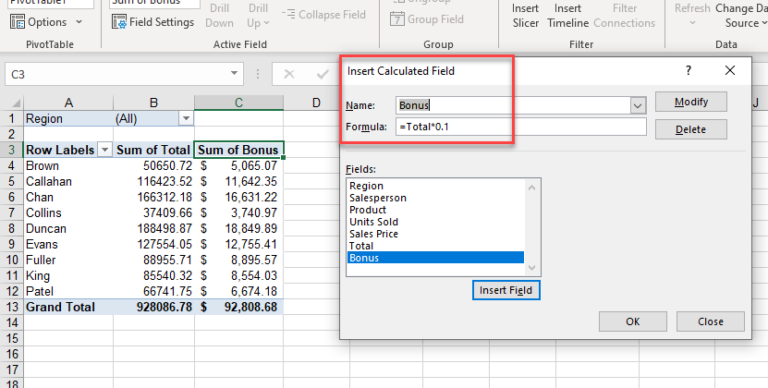
Add A Calculated Field In A Pivot Table In Excel Google Sheets

How To Update Formula In Calculated Field Pivot Table Brokeasshome
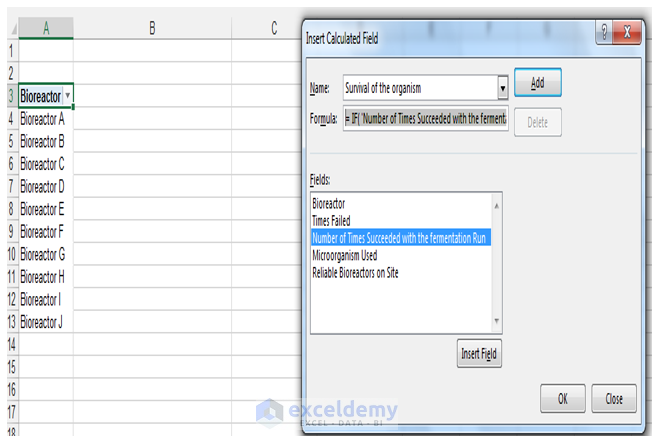
Ms Excel Pivot Table Calculated Field If Statement Elcho Table
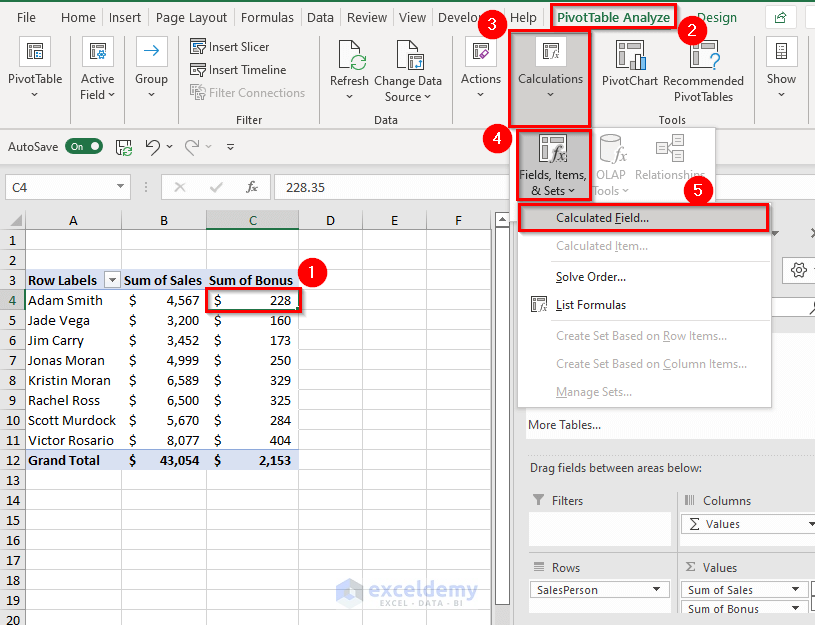
How To Use Calculated Field In Excel Pivot Table 8 Ways ExcelDemy

A pivot table calculated field always uses the SUM of other fields even if those values are displayed with another summary function such as COUNT This tutorial shows a workaround to fix that problem so you can get a COUNT in the calculated field SUM Function Only Video Use Count in a Calculated Field Use a Count in a Calculated Field
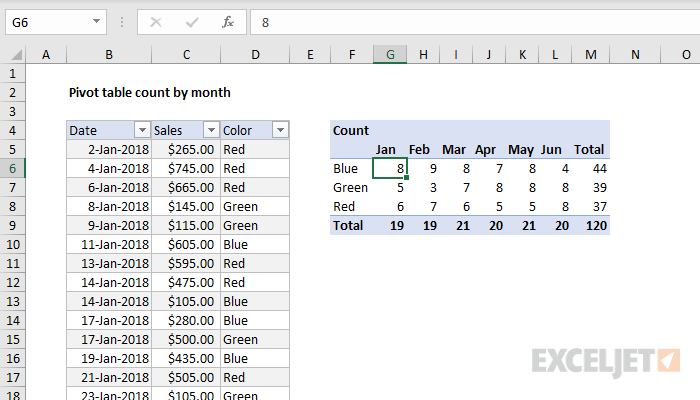
In addition to using fields from the source data you can create calculated fields in a pivot table to add your own formulas For example add a field that multiplies the total sales by 3 to show a Bonus amount You can learn the basics of Calculated Fields on my Contextures website Problems With Fields Shown as COUNT

What is the Calculated Field in Pivot Table For any dataset or range of data we can insert a Pivot Table by going simply to the Insert tab selecting Pivot Table from the Tables section In the Pivot Table all the entries are either in text or number values If we place the cursor on any of the entries the PivotTable Analyze ribbon shows up

Using a Pivot Table Calculated Field This is the most efficient way to use existing Pivot Table data and calculate the desired metric Consider Calculated Field as a virtual column that you have added using the existing columns from the Pivot Table There are a lot of benefits of using a Pivot Table Calculated Field as we will see in a minute

A calculated field is created by using formulas in the Pivot Table In this article I m going to explain how you can use the calculated field in Pivot Table To make the explanation understandable I m going to use a sample dataset that represents the sales information of a particular salesperson
The pivot table displays the calculated unit price for each product in the source data Note data ends on row 18 so the calculation is as follows 1 006 75 739 1 36 Fields The source data contains three fields Product Quantity and Sales A fourth field called Unit Price is a calculated field The calculated field was created by Pivot tables are an easy way to quickly count values in a data set In the example shown a pivot table is used to count the names associated with each color Fields The pivot table shown is based on two fields Name and Color The Color field is configured as a row field and the name field is a value field as seen below
To insert a Calculated Field execute the following steps Click any cell inside the pivot table On Options or Analyze tab in the Calculations group click Fields Items Sets and click Calculated Field The Insert Calculated Field dialog box appears Enter Name of Calculated Field