Pip Help Install Windows How To Install Pip On Windows Server 2022 HostAdvice Windows 11 PIP Windows python pip pip CHINOSAMA windows pip Pip pip Install ERROR You Must Give At Least One Requirement To Install see pip Help Ensure you have a working pip As a first step you should check that you have a working Python with pip installed This can be done by running the following commands and making sure that the output looks similar Linux python version Python 3 N N python m pip version pip X Y Z from python 3 N N MacOS Windows
Pip install has several stages Identify the base requirements The user supplied arguments are processed here Resolve dependencies What will be installed is determined here Build wheels All the dependencies that can be are built into wheels Install the packages and uninstall anything being upgraded replaced Upon download locate your Downloads directory and double click on the downloaded executable Follow along the steps provided in the window and install your version of Python as shown below Now that Python has been downloaded and installed let s open the terminal again and provide the following command PS C python version Python 3 9 5
ERROR You Must Give At Least One Requirement To Install see pip Help How To Install PIP On Windows 10 pip 51CTO pip How To Install PIP For Python On Windows PhoenixNAP KB How To Install PIP On Windows In 4 Quick Steps ServerGuy Pip Python How To Install PIP To Manage Python Packages On Windows MyTechMint Installing Pip With Embeddable Zip Python In Windows Roy Tutorials How Miniconda IT
Pip Help Install Windows
 Pip Help Install Windows
https://cdn.hostadvice.com/2022/03/how-to-install-pip-on-windows-server-2022---samreena-5.png
We can do this two ways Go to https bootstrap pypa io get pip py and save this file as get pip py in the same folder where Python is located By default the Python installation is stored in the folder AppData The entire path could look like the following C Users User AppData Local Programs Python Python310
Pre-crafted templates provide a time-saving solution for producing a varied series of documents and files. These pre-designed formats and layouts can be made use of for different personal and expert jobs, including resumes, invitations, leaflets, newsletters, reports, presentations, and more, simplifying the content development procedure.
Pip Help Install Windows
Pip pip Install

How To Install PIP On Windows 10

pip 51CTO pip
How To Install PIP For Python On Windows PhoenixNAP KB

Pip Python

How To Install PIP To Manage Python Packages On Windows MyTechMint

Method 1 Using cURL in Python Curl is a UNIX command that is used to send the PUT GET and POST requests to a URL This tool is utilized for downloading files testing REST APIs etc It downloads the get pip py file Follow these instructions to install pip
2748 pip is a replacement for easy install But should I install pip using easy install on Windows Is there a better way python windows pip Share Follow edited Sep 18 2023 at 23 21 community wiki 53 revs 20 users 45 mit 23 From PyCon 2011 blip tv pycon us videos 2009 2010 2011 The dirty secret is that pip is a wrapper for easy install

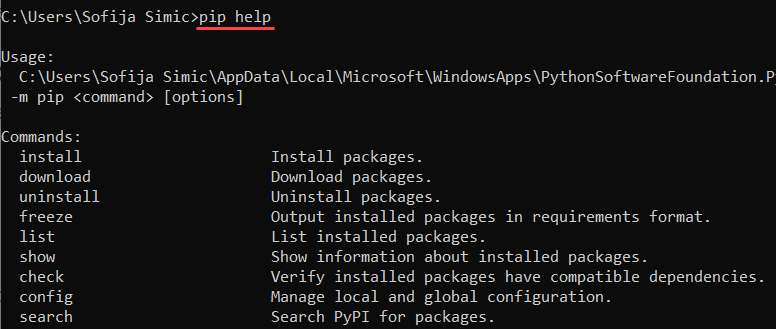
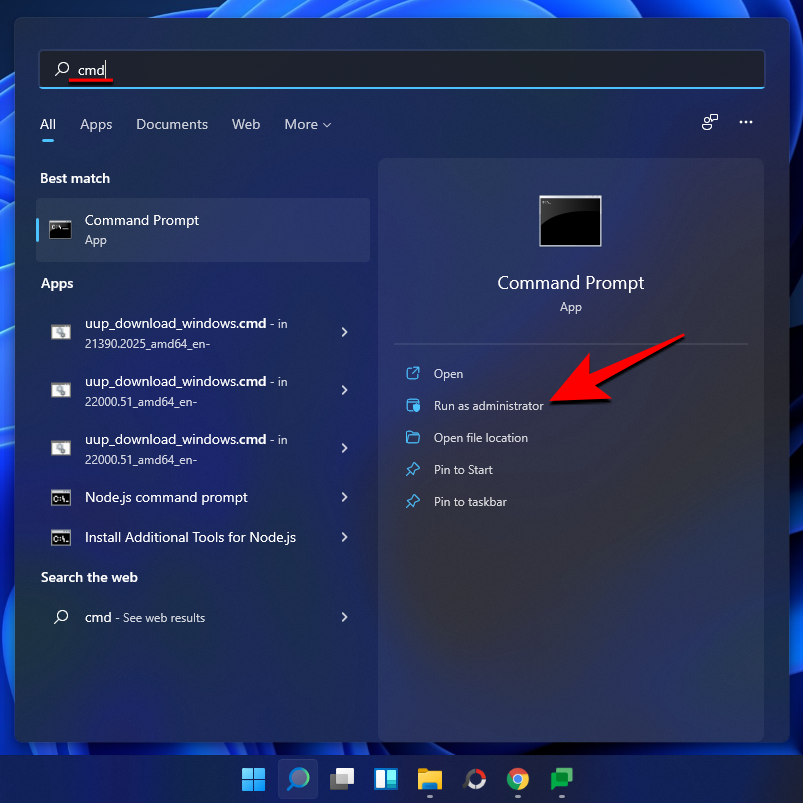
1 Launch the command prompt window by pressing Windows Key X and clicking Run 2 Type in cmd exe and hit enter Alternatively type cmd in the Windows search bar and click the Command Prompt icon 3 Type the following command in the command prompt pip help
Windows Installing Packages pip supports installing from PyPI version control local projects and directly from distribution files The most common scenario is to install from PyPI using Requirement Specifiers Unix macOS

Pip is the preferred installer program Starting with Python 3 4 it is included by default with the Python binary installers A virtual environment is a semi isolated Python environment that allows packages to be installed for use by a particular application rather than being installed system wide
The simplest way to test for a Python installation on your Windows server is to open a command prompt Once a command prompt window opens type python and press Enter If Python is installed correctly you should see an output similar to what is shown below Method 01 Install PIP while installing upgrading Python 3 Download python from here Once downloaded run the setup file Then click on Customize installation Here make sure there s a tick next to pip to ensure that it gets installed
Open Command Prompt or Windows Terminal Enter either of the following commands depending on whether you are using Python 2 7 or Python 3 x respectively pip versionpip3 version If you see