Pdf Turn Off Protected Mode Internet Explorer Support How To Enable And Disable Protected Mode In How To Turn Off Protected Mode In Internet Explorer YouTube Turn Off Protected View In Excel Protected View Excel Regular Expressions Overview Lab on CMOS An In vitro Diagnostic IVD Tool For A Healthier Society Enable enhanced security Acrobat and Acrobat Reader enable enhanced security by default Adobe recommends that you enable enhanced security if it isn t already enabled and that you bypass restrictions only for trusted content Choose Preferences From the Categories on the left select Security Enhanced
1 Turn off protected view mode for current PDF file in the bubble pop up When you open a PDF file under protected view mode a bubble message would appear at the upper right corner of the document area as shown below Click on Enable All Features to turn off protected view mode temporarily for the PDF file opened in current tab Auto suggest helps you quickly narrow down your search results by suggesting possible matches as you type
Lab on CMOS An In vitro Diagnostic IVD Tool For A Healthier Society Edge Turn Off Protected Mode In Internet Explorer Mode Microsoft Brainworx Plugins Bundle V2 0 0 Hereifil How To Turn Off Protected View In Excel Excel Tips And Tricks 09 Internet Explorer Protected Mode Turn On Or Off Tutorials How To Disable Protected Mode In Internet Explorer How To Turn On Protected Mode In Internet Explorer KillBills Browser How To Turn Off Protected Mode On Amplifier NetDocument Adobe Add In Spiceworks
Pdf Turn Off Protected Mode
 Pdf Turn Off Protected Mode
http://3.bp.blogspot.com/_vMlgx0nq3zs/TUwY8ez4bNI/AAAAAAAAAJE/6rlmaSi3ess/s1600/a2.jpg
How to remove security from a PDF file Ask Question Asked 13 years 3 months ago Modified 20 days ago Viewed 492k times 110 I am trying to fill out some docs but the provided PDFs are SECURED meaning I can t use FoxIt s typewriter tools Is there any way to remove the security security pdf Share Improve this question
Templates are pre-designed documents or files that can be used for various functions. They can conserve time and effort by supplying a ready-made format and layout for creating various type of content. Templates can be used for personal or expert tasks, such as resumes, invitations, leaflets, newsletters, reports, presentations, and more.
Pdf Turn Off Protected Mode
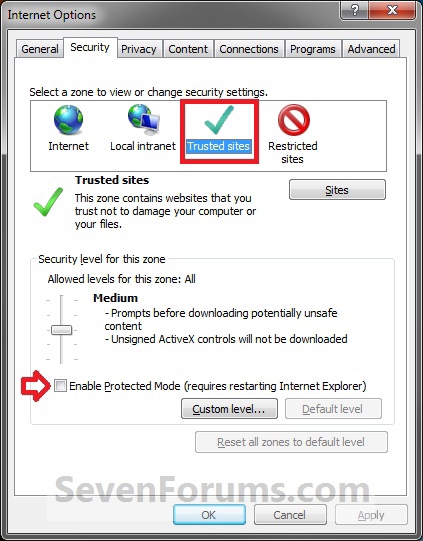
Internet Explorer Protected Mode Turn On Or Off Tutorials
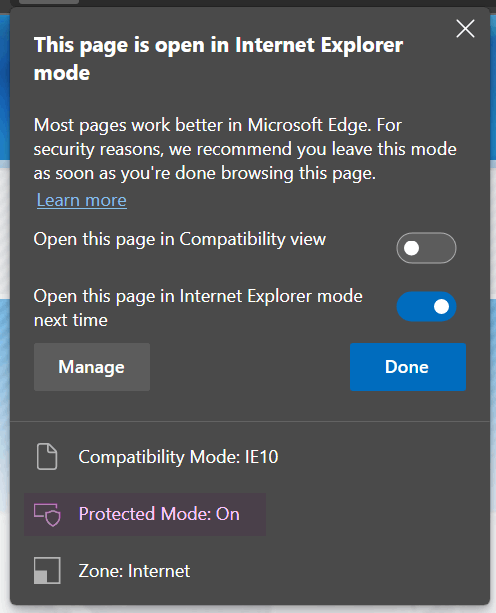
Edge Turn Off Protected Mode In Internet Explorer Mode Microsoft

Brainworx Plugins Bundle V2 0 0 Hereifil

How To Turn Off Protected View In Excel Excel Tips And Tricks 09

How To Disable Protected Mode In Internet Explorer

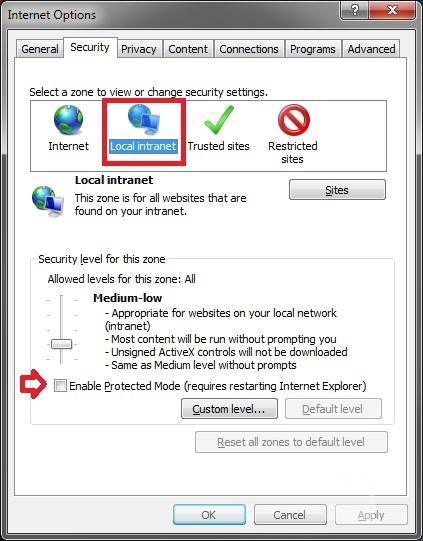
How To Turn On Protected Mode In Internet Explorer KillBills Browser
What is Protected Mode Protected Mode is Adobe s primary defense in depth security strategy for mitigating and preventing security vulnerabilities It protects you by limiting what malicious files can do and access Protected Mode is enabled by default in Acrobat Reader It runs silently in the background while protecting your hardware and data

1 Correct answer EnterpriseHelp Adobe Employee Jan 05 2018 It s a good idea to leave Protected Mode enabled It should be transparent to users and not impact any workflows

Adobe Acrobat Reader includes a similar restricted environment called Protected Mode For information about Reader Protected Mode see Reader Help When Protected View is enabled only basic navigation is allowed For example you can open PDFs scroll through pages and click links
Can t turn off protected mode bs81477053 New Here Oct 25 2018 Hi I installed acrobat reader and everytime I open a pdf a window appears with this message AC Reader cannot open the file in protected mode due to a problem with your system config I tried to disable protected mode but I can t because the program blocked to disable the feature
PV leverages Reader s sandboxing implementation Protected Mode to protect your applications data and machine by limiting what malicious files can do and access This document lists what Protected View does not support To learn more about sandboxing and Protected View see the online Help or check out the other resources
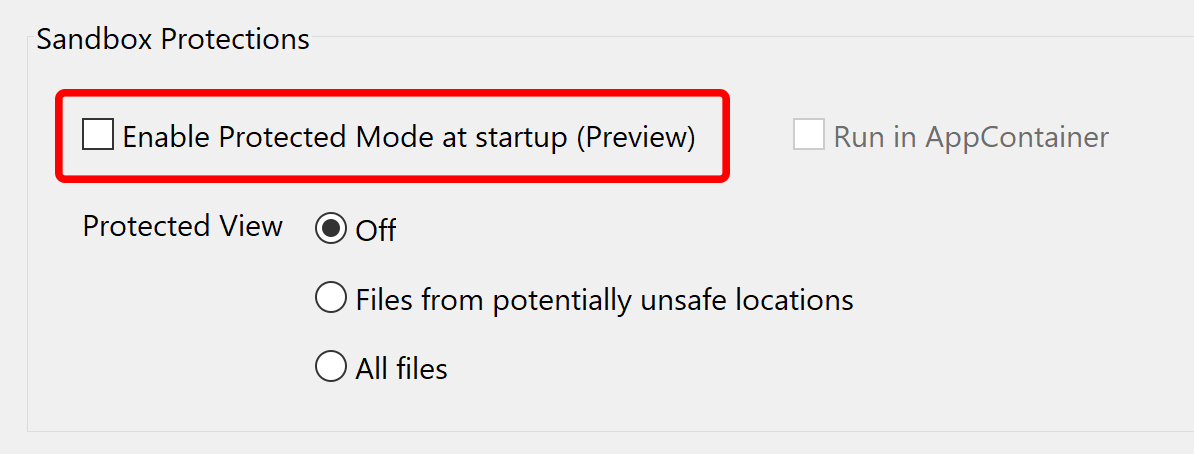
Open Adobe Acrobat or Adobe Reader Click Edit Select Preferences Ensure you are on the General tab Select Security Enhanced Uncheck Enable Protected Mode at startup Click OK Close the Adobe program Open Adobe Acrobat or Adobe Reader again Protected view has three modes OFF This is the default state Protected View is disabled All Files Protected View is enabled Files from potentially unsafe locations Protected View will be enabled unless the PDF is opened from a Privileged Location Audience
Once the user restarts the app process Protected Mode read restrictions will again be in place The idea is that rather than having the user turn Protected Mode completely off to use these index search or desktop search features it is better to turn off just read restrictions temporarily The dialog appears in the following scenarios