Pdf Preview Not Working Windows 10 Pdf Preview Not Working Windows 10 Depotbilla Windows 10 File Explorer Pdf Preview Not Working Madehooli PDF Preview Not Working Correctly In Outlook Microsoft Community Top 8 Fixes For Preview Pane Not Working In Windows 10 Guiding Tech Outlook PDF Preview Not Working When PDF Preview Is Enabled Githubmemory I have multiple users Windows 10 updated run sfc scan updated Adobe Acrobat Adobe Cloud updated as well Office updated all 64bit apps complaining that pdf files can not be previewed in Windows explorer preview pane anymore All users are getting the message File can not be previewed Now for all other file types preview works just fine
Value 1 Close the Registry Editor Open the Task Manager in Windows by doing one of the following Right click on the taskbar at the bottom of the screen and choose Task Manager Press Ctrl Alt Delete keys on your keyboard and then choose Task Manager In the Task Manager window choose the Windows Explorer process and then click Restart If the Preview pane isn t working in the Explorer on your Windows PC try out the solutions below Let s start 1 Enable Preview Pane You might have accidentally turned off the Preview
Outlook PDF Preview Not Working When PDF Preview Is Enabled Githubmemory Windows 10 File Explorer Pdf Preview Not Working Ulsdvp Fix Microsoft Outlook Cannot Preview PDF Attachments Winhelponline Railworks 3 Train Simulator 2012 Crack Free Download Norgreat Microsoft Print To Pdf Not Working Windows 10 Watchesgost Cortana Not Working Windows 10 Braintaia Megaman X11 Pc Masapharmacy Como Atualizar Pr visualiza es De Miniaturas Da Barra De Tarefas Do Outlook PDF Preview Not Working R Outlook
Pdf Preview Not Working Windows 10
 Pdf Preview Not Working Windows 10
https://www.repairwin.com/wp-content/uploads/2020/07/image.png
1 Ensure the Preview Pane Isn t Disabled The absence of the preview option in File Explorer indicates that the feature has been disabled Your first step should be to enable it To do so follow these steps Right click on the Windows Start button in the bottom left corner Open File Explorer Go to the View tab
Pre-crafted templates offer a time-saving solution for developing a varied variety of documents and files. These pre-designed formats and designs can be made use of for various personal and professional projects, including resumes, invites, flyers, newsletters, reports, discussions, and more, enhancing the content production procedure.
Pdf Preview Not Working Windows 10

Fix Microsoft Outlook Cannot Preview PDF Attachments Winhelponline

Windows 10 File Explorer Pdf Preview Not Working Ulsdvp
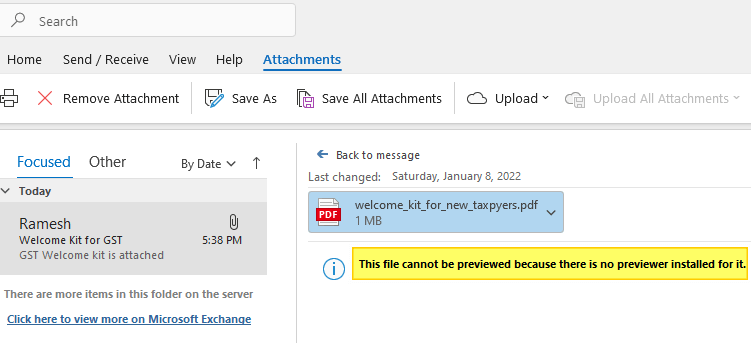
Fix Microsoft Outlook Cannot Preview PDF Attachments Winhelponline

Railworks 3 Train Simulator 2012 Crack Free Download Norgreat

Cortana Not Working Windows 10 Braintaia

Megaman X11 Pc Masapharmacy

WINDOWS 10 Preview for PDF in EXPLORER stopped working jp91306 Community Beginner Jun 19 2020 I am subscribing to ACROBAT PRO DC It is fully updated today When I am using WINDOWS 10 Explorer I see THUMBNAILS of PDFs properly I can NOT see a PDF Preview in the PREVIEW pane of Windows10 Explorer
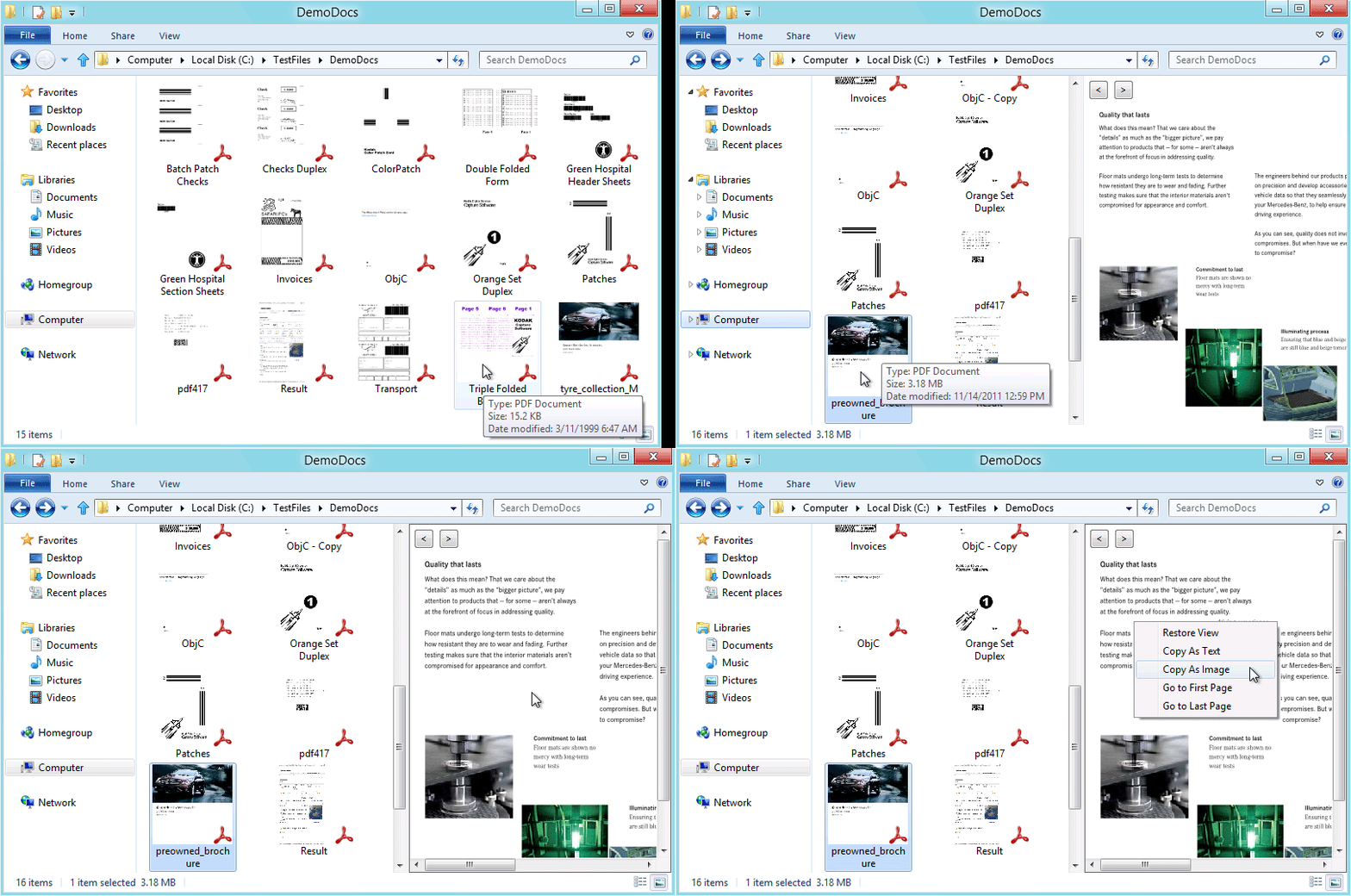
Steps Open Acrobat or Acrobat Reader Select the hamburger menu Preferences In the Preferences dialog box choose General in the Categories list and then select the Enable PDF thumbnail previews in Windows Explorer check box Note

Open Folder Options Enable Show preview handlers in preview pane Uncheck Always show icons never thumbnails Click OK and close Folder Options If thumbnail and preview functionality is still missing for PDF file types proceed to the next step Using Microsoft PowerToys

Thank you ever so much Anand The repair worked and my previews are now working again Thank you so much Now if I can only get my Windows 10 to open PDFs with my Adobe Acrobat 9 Pro I ll really be happy But for now preview works and I am thrilled Thanks again Arlene

Go to its menu Choose from the list of options displayed Then under the section on the right locate the Enable PDF thumbnail previews in the Windows Explorer entry Check the box next to it to
2 In the Windows File Manager open the Folder Options make sure the option Always show icons never thumbnails option is off and the option Show preview handlers in preview pane is on 3 In the Windows File Manager change the view layout to Medium icons or larger If info above makes no difference please refer to the link to register Step 1 Open Acrobat Reader and go to Menu Preferences Step 2 In the Preferences menu go to General and enable the checkbox associated with Enable PDF thumbnail previews in Windows Explorer Step 3 Scroll down to the Application Startup section and click Select As Default PDF Handler Step 4 Follow the on screen instructions to make
If yes let s find out how to fix the preview pane not working for pdf files in Windows 10 operating systems It happens to most of us sometimes and if you are also one of those users facing the issue of the preview pane not working for PDF files in Windows 10 operating systems and wish to enable thumbnail preview for pdf files then this is