Password Expiration Policy Powershell Microsoft 365 How To Set A 365 Password Expiration Policy YouTube Cloud Password Expiration Policy With Synchronized Users O365 How To Set Microsoft 365 Password To Never Expire O365info Set Password To Never Expire Using PowerShell On Windows Server 2016 Microsoft Is Considering Dropping Its Windows Password Expiration Example 1 Get the default domain password policy from the logged on user domain PowerShell PS C Get ADDefaultDomainPasswordPolicy Current LoggedOnUser
PowerShell Get ADUserResultantPasswordPolicy AuthType Credential Identity Partition Server PowerShell Get ADFineGrainedPasswordPolicy AuthType Credential LDAPFilter Properties ResultPageSize
Microsoft Is Considering Dropping Its Windows Password Expiration Get Password Expiration Date Using Powershell The Sysadmin Channel Report Microsoft 365 Groups Expiration Policy PATCHED Office 365 Set Password Expiration Policies Password Expiration Policy Zistemo Knowledge Base Change Office 365 Password Expiration Policy Thomas Maurer Password Expiration Policy Classter Support New Password Expiration Policy For Tulane Student Accounts Ottieni La Data Di Scadenza Password Di Utenti AD Mediante PowerShell
Password Expiration Policy Powershell
 Password Expiration Policy Powershell
https://i.ytimg.com/vi/iKwH6-dsp0g/maxresdefault.jpg
This article is for people who set password expiration policy for a business school or nonprofit Microsoft 365 organization n As the admin you can make user passwords
Pre-crafted templates use a time-saving service for creating a varied series of documents and files. These pre-designed formats and designs can be made use of for different personal and expert tasks, including resumes, invitations, flyers, newsletters, reports, presentations, and more, improving the material development process.
Password Expiration Policy Powershell

Change Office 365 Password Expiration Policy Thomas Maurer
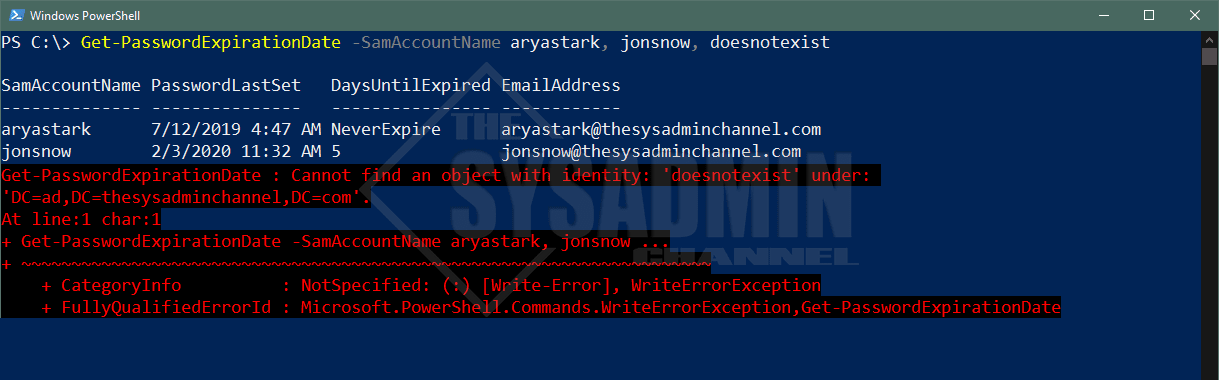
Get Password Expiration Date Using Powershell The Sysadmin Channel

Report Microsoft 365 Groups Expiration Policy
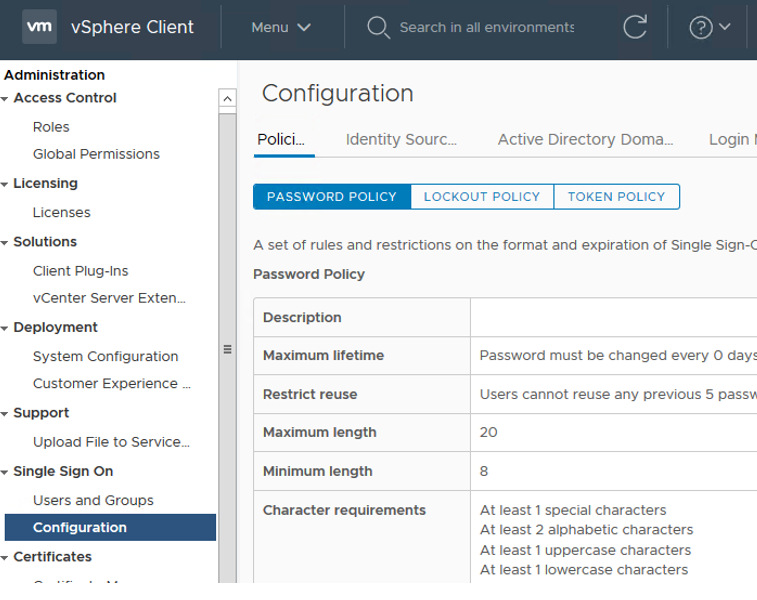
PATCHED Office 365 Set Password Expiration Policies

Change Office 365 Password Expiration Policy Thomas Maurer
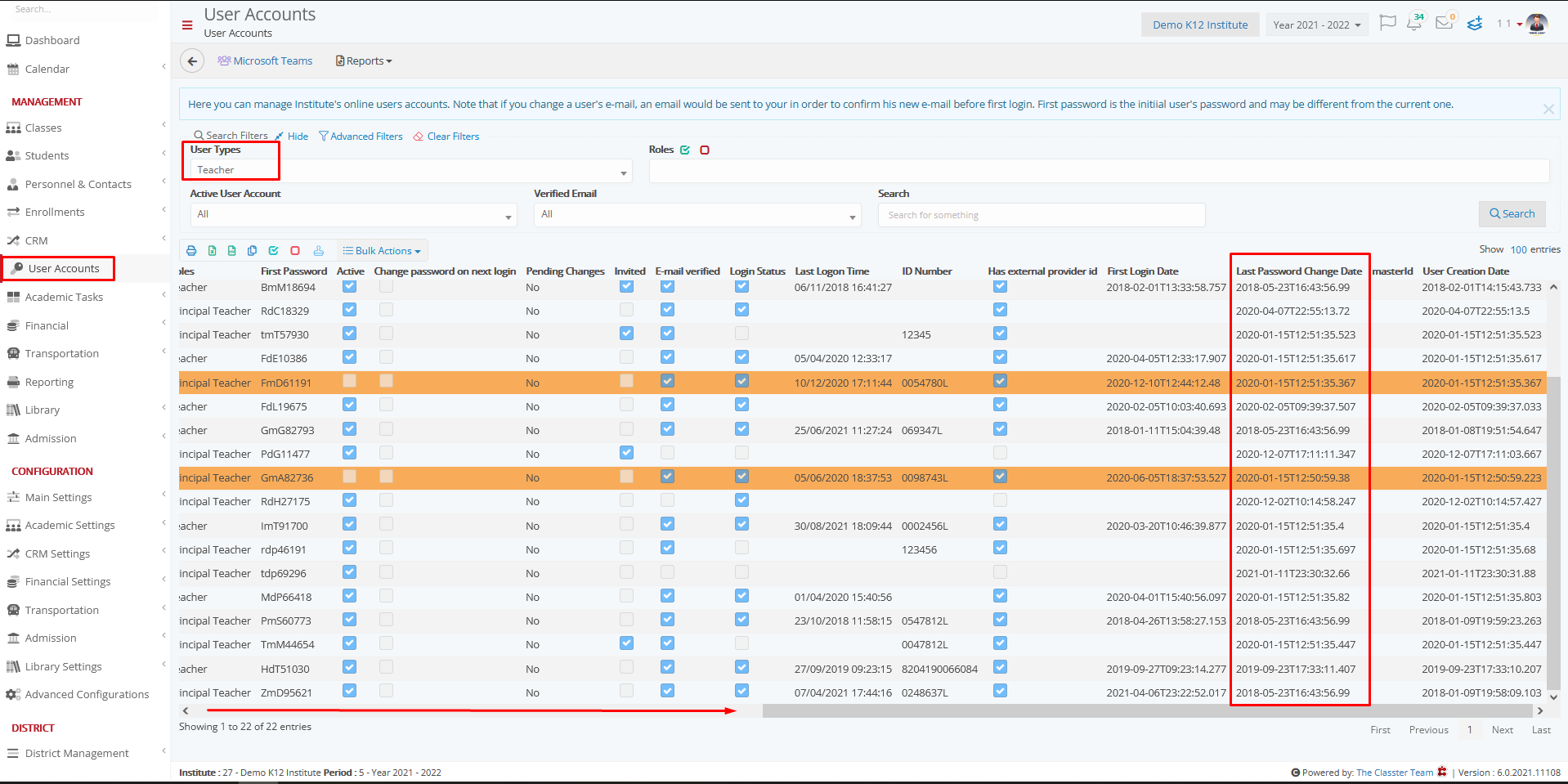
Password Expiration Policy Classter Support

To see the Password never expires setting for all users run the following cmdlet Get MGuser All Property UserPrincipalName PasswordPolicies Select
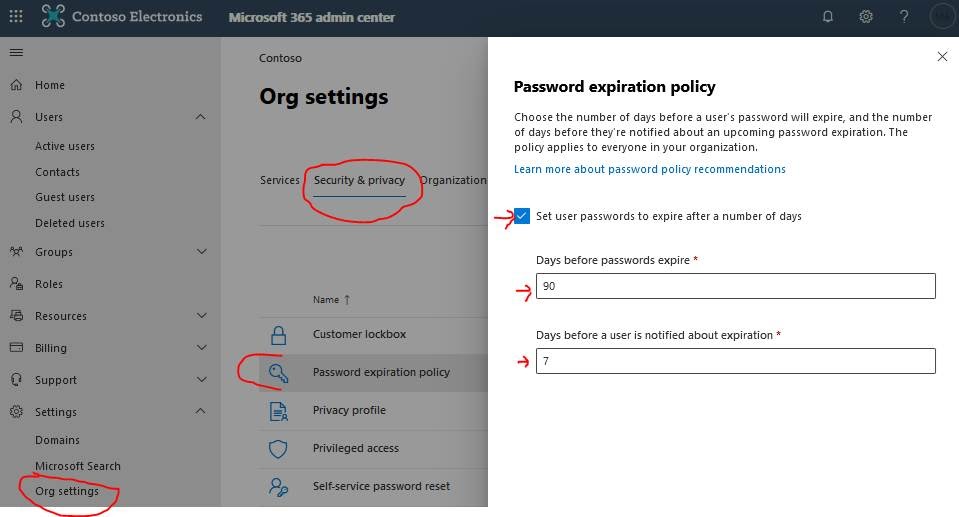
PowerShell PS C Set MsolPasswordPolicy ValidityPeriod 60 NotificationDays 14 DomainName contoso This command updates the policy on the domain

Description The Get MsolPasswordPolicy cmdlet gets the values associated with the Password Expiry window or Password Expiry Notification window for a tenant or

Run the PowerShell command to determine a user s password expiration date Replace alpha with the username you re getting Get ADUser Identity alpha Properties msDS

PowerShell Workaround First you need to make sure the MSOnline module is installed on your computer and then imported into your Powershell session To do
We can also use PowerShell to enable password expiration in Microsoft 365 For this we are going to need the Msol module in PowerShell make sure that you Set the Maximum Password Age via Windows PowerShell If your computer runs Windows 10 Home you have to use the PowerShell or command prompt
Displaying the password expiry date If you just want to generate a list of user names with their expiry dates and the times of the last password change you can run this