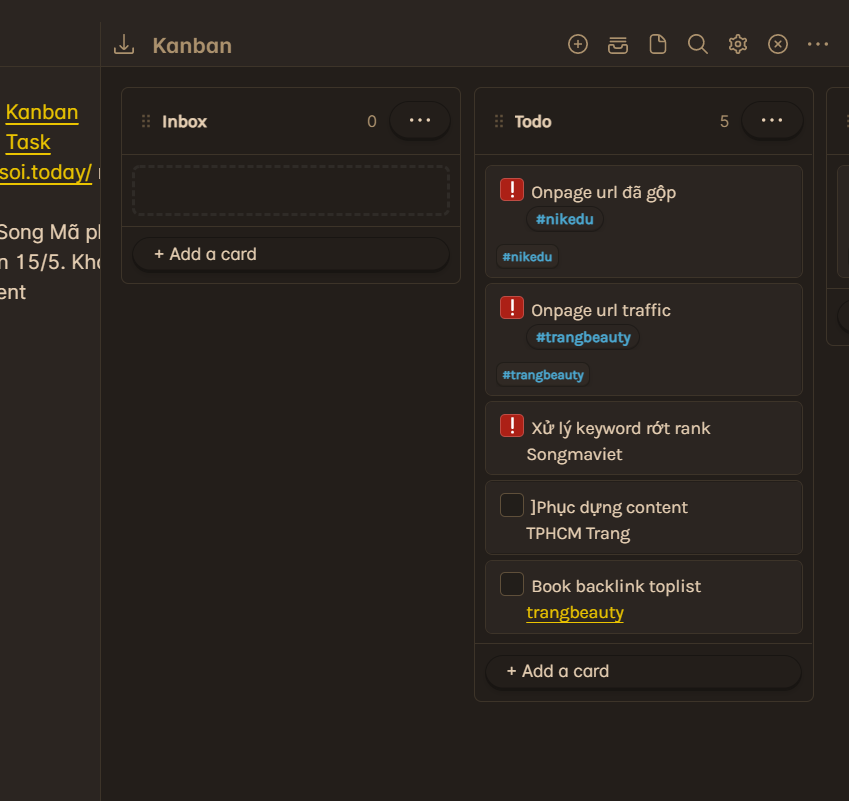
Pandas Read Excel Parse Date Format 4 Tricks You Should Know To Parse Date Columns With Pandas Read csv Excel Split Cells Multiple Lines Into Separate Lasopaexcellent Kanban Plugin 201 By Govsat1 Share Showcase Obsidian Forum Python Pandas Read Excel Worksheet Code Snippet Example How To Parse String And Format Dates On DataFrame Spark By Examples We can use the pandas module read excel function to read the excel file data into a DataFrame object If you look at an excel sheet it s a two dimensional table The DataFrame object also represents a two dimensional tabular data structure 1 Pandas read excel Example Let s say we have an excel file with two sheets Employees and
Pandas read excel is a function in the Python Pandas library that allows us to read Excel files in Python and convert them into a DataFrame object The read excel function can import Excel files with different extensions such as xls xlsx xlsm and ods Table of Contents hide 1 The engine parameter 2 Read an Excel Sheet 3 Read multiple sheets By default Pandas will not parse date columns We need to set which columns to be parsed as dates import pandas as pd df pd read csv data csv parse dates Date This dataframe will have Date columns which are of type datetime64 ns The read dataframe Date Value 0 2023 01 01 5 1 2023 01 02 15 2 2023 01 03 25
How To Parse String And Format Dates On DataFrame Spark By Examples Python Pandas Read excel Date parser Gets The Year Wrong Despite Python Python Pandas read excel Thinbug Laravel 9 How To Parse Date Format Example Tutorial How To Parse Data In Microsoft Excel 2022 Guide Bollyinside Dynamically Parse The Excel Without Having Sheet Index Or Sheet Name Pandas ExcelFile Parse All You Need To Know AskPython Kanban Plugin 201 By Govsat1 Share Showcase Obsidian Forum Pandas Read excel How To Read Excel File In Python
Pandas Read Excel Parse Date Format
 Pandas Read Excel Parse Date Format
https://miro.medium.com/max/1200/1*3OJ85IkmwOiQstV0ZzzrQA.jpeg
To read the Xlsx file you can use the pd read excel function provided by the Pandas library This function takes the path to the Xlsx file as its first argument Here s an example of how to read an Xlsx file named data xlsx data pd read excel data xlsx data pd read excel data xlsx sheet name Sheet2 Step 4 Explore the data
Templates are pre-designed documents or files that can be used for numerous purposes. They can save effort and time by providing a ready-made format and layout for creating various type of material. Templates can be used for individual or expert projects, such as resumes, invitations, flyers, newsletters, reports, discussions, and more.
Pandas Read Excel Parse Date Format
Python Parse Date In Pandas With Unit D Stack Overflow

Python Pandas Read excel Date parser Gets The Year Wrong Despite

Python Python Pandas read excel Thinbug

Laravel 9 How To Parse Date Format Example Tutorial

Dynamically Parse The Excel Without Having Sheet Index Or Sheet Name

Pandas ExcelFile Parse All You Need To Know AskPython

Read an Excel file into a pandas DataFrame Supports xls xlsx xlsm xlsb odf ods and odt file extensions read from a local filesystem or URL Supports an option to read a single sheet or a list of sheets Parameters iostr bytes ExcelFile xlrd Book path object or file like object Any valid string path is acceptable
For non standard datetime parsing use to datetime after read csv Note A fast path exists for iso8601 formatted dates infer datetime format bool default False If True and parse dates is enabled pandas will attempt to infer the format of the datetime strings in the columns and if it can be inferred switch to a faster method of
Returns DataFrame or dict of DataFrames DataFrame from the passed in Excel file Examples df pd DataFrame 1 2 3 4 5 6 columns A B C df to excel myfile xlsx file pd ExcelFile myfile xlsx file parse previous pandas ExcelFile close next pandas ExcelFile book

Pandas can parse most dates formats using import pandas as pd pd to datetime df name of your date column You can also cast the desired column to datetime64 which is Numpy dtype df df astype column name datetime64 Share Improve this answer Follow answered Jul 14 2020 at 12 52 Adam Oudad 1 063 7 10

1 Reading date columns from a CSV file By default date columns are represented as object when loading data from a CSV file For example data 1 csv date product price 1 1 2019 A 10 1 2 2020 B 20 1 3 1998 C 30 The date column gets read as an object data type using the default read csv df pd read csv data data 1 csv
Dict e g foo 1 3 parse columns 1 3 as date and call result foo If a column or index contains an unparseable date the entire column or index will be returned unaltered as an object data type For non standard datetime parsing use pd to datetime after pd read csv Note A fast path exists for iso8601 formatted dates Step 1 Import the required module and read data from the Excel file Python3 import pandas as pd import re data pd read excel date sample data xlsx print Original DataFrame data Output Step 2 Make an extra column for a new date Python3 data new Date None data Output Step 3 Set Index for searching Python3
I am trying to read an excel file that has two columns using pandas This is how the data looks in excel file DT Values 2019 11 11 10 00 28 9 2019 11 11 10 01 56 25 2019 11 11 10 02 2 45 2019 11 11 10 03 96 3 2019 11 11 10 04 18 4 2019 11 11 10 05 78 9 This is how it looks when I read using pandas