Pandas Delete All Rows Delete Column row From A Pandas Dataframe Using drop Method Pandas 04 DataFrame Add Delete Column YouTube How To Use The Pandas Drop Technique Sharp Sight Pandas Tutorials 2 How To Add And Delete Rows And Columns In Pandas Pandas Iterate Over A Pandas Dataframe Rows Datagy Method 2 Using the drop Function Pandas drop function has another way to remove rows from a DataFrame This method requires a bit more setup than Boolean indexing but it can be more intuitive for some users First we need to identify the index values of the rows we want to drop
When using the drop method to delete a column specify the column name for the first argument labels and set the axis argument to 1 Starting from version 0 21 0 the columns argument is also available Use a list to delete multiple columns at once The inplace argument can be used as well as for rows Delete a single row using Pandas drop Image by author Note that the argument axis must be set to 0 for deleting rows In Pandas drop the axis defaults to 0 so it can be omitted If axis 1 is specified it will delete columns instead Alternatively a more intuitive way to delete a row from DataFrame is to use the index argument A more intuitive way df drop index 1
Pandas Iterate Over A Pandas Dataframe Rows Datagy How To Iterate Over Rows In Pandas And Why You Shouldn t Real Python Delete Rows And Columns In Pandas Data Courses Bank2home Pandas Drop Rows From DataFrame Examples Spark By Examples Drop Rows With Negative Values Pandas Printable Forms Free Online Delete Column row From A Pandas Dataframe Using drop Method Python Pandas Delete Rows Based On Condition Top Answer Update Delete Rows Columns In DataFrames Using Pandas Drop Pandas Delete Last Row From DataFrame Spark By Examples
Pandas Delete All Rows
 Pandas Delete All Rows
https://re-thought.com/content/images/size/w2000/2020/01/hans-reniers-DELDTYAjPrg-unsplash.jpg
Delete column with pandas drop and axis 1 The default way to use drop to remove columns is to provide the column names to be deleted along with specifying the axis parameter to be 1 data data drop labels deaths deaths per million axis 1 Note that the labels parameter is by default the first so
Pre-crafted templates use a time-saving service for producing a diverse variety of documents and files. These pre-designed formats and designs can be utilized for numerous individual and professional tasks, including resumes, invitations, leaflets, newsletters, reports, presentations, and more, streamlining the content development process.
Pandas Delete All Rows

Appending Rows To A Pandas DataFrame Accessible AI

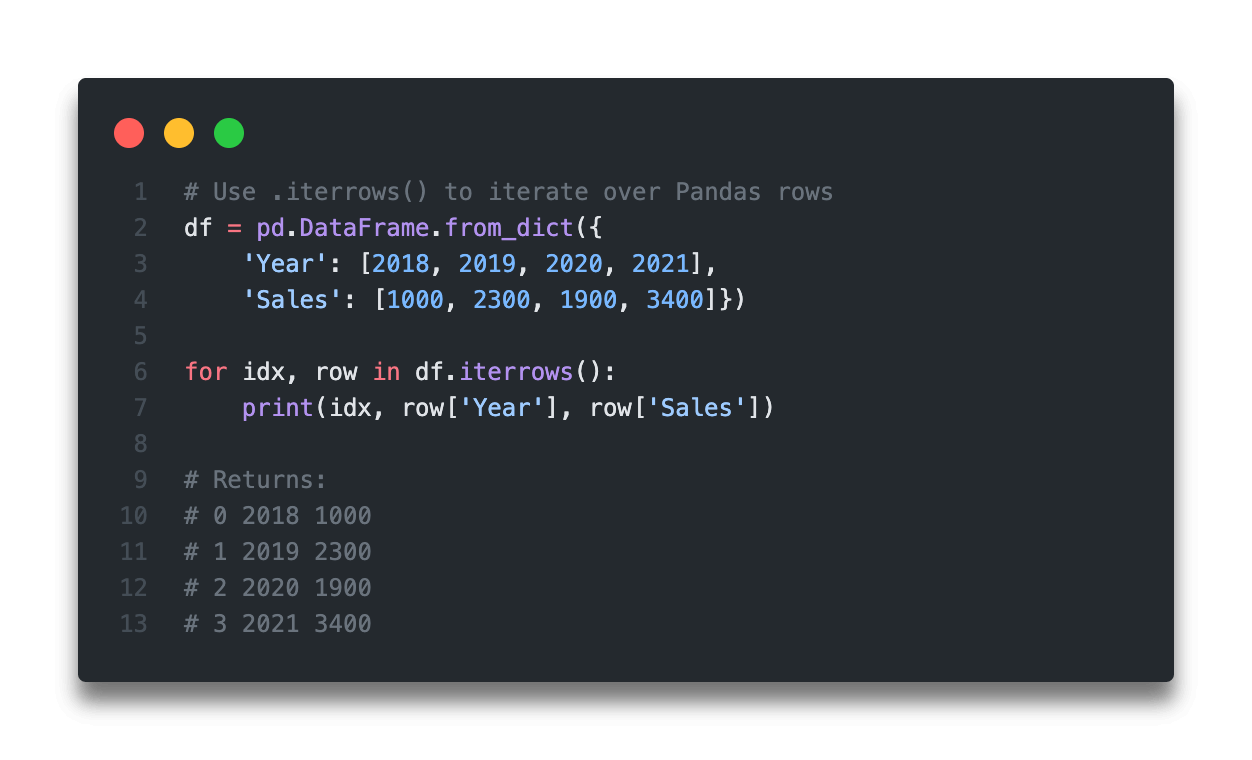
How To Iterate Over Rows In Pandas And Why You Shouldn t Real Python
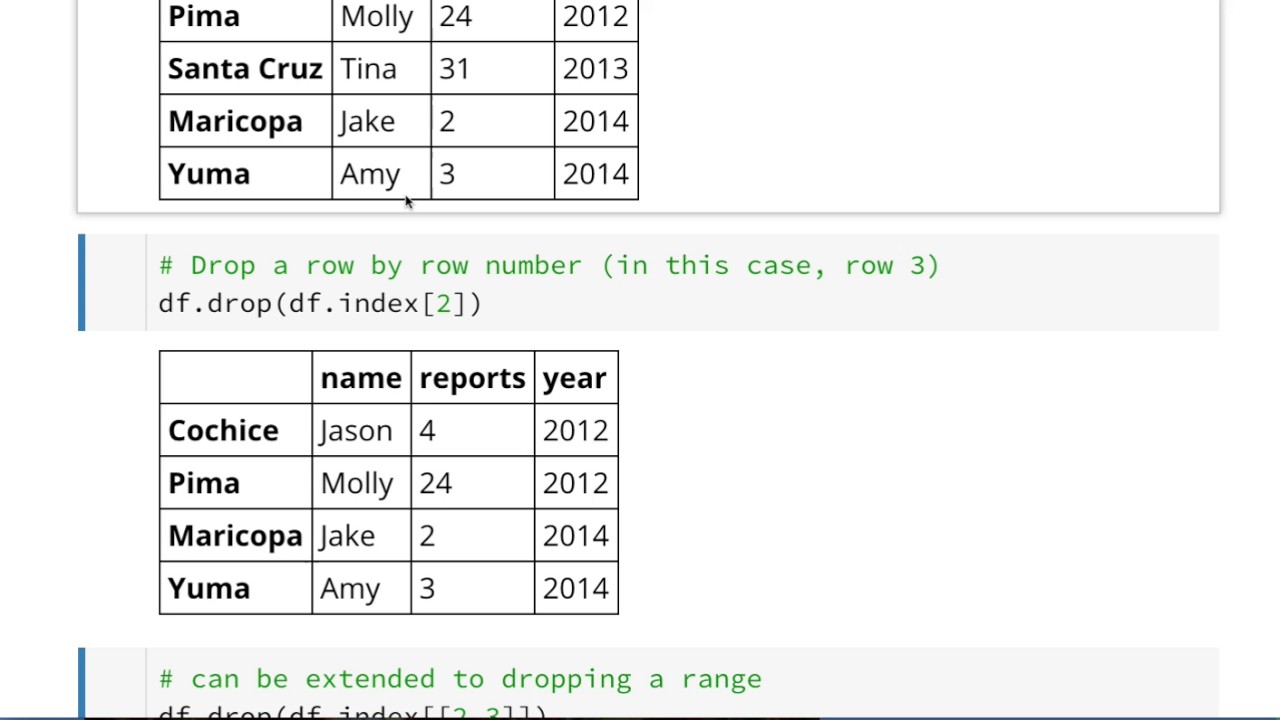
Delete Rows And Columns In Pandas Data Courses Bank2home

Pandas Drop Rows From DataFrame Examples Spark By Examples
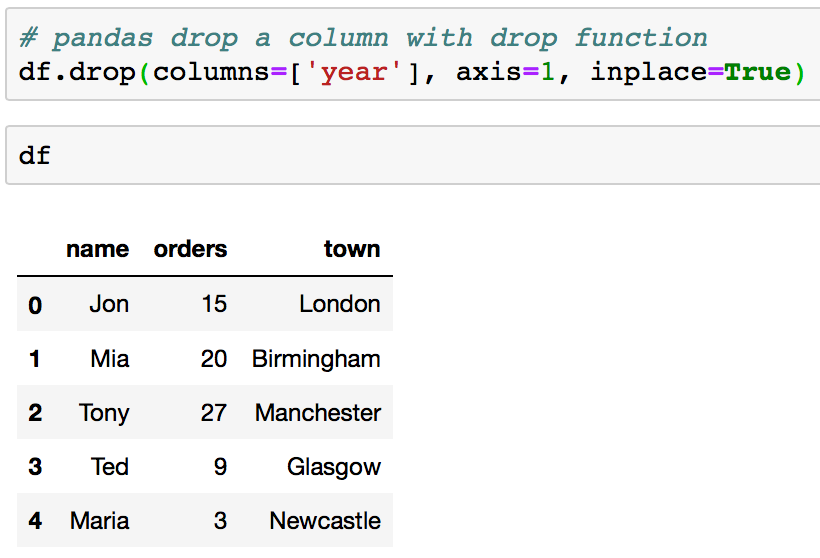
Delete Column row From A Pandas Dataframe Using drop Method

Python Pandas Delete Rows Based On Condition Top Answer Update

DataFrame drop labels None axis 0 index None columns None level None inplace False errors raise source Drop specified labels from rows or columns Remove rows or columns by specifying label names and corresponding axis or by directly specifying index or column names When using a multi index labels on different levels can be

The given examples with the solutions will help you to delete all the rows of Pandas DataFrame Method 1 Delete all rows of Pandas DataFrame Import the required libaries import pandas as pd Create a DataFrame df pd DataFrame col 1 30 83 89 91 col 2 30 38 28 28 col 3 39 86 18 23 Display the DataFrame print

To drop all rows in a Pandas DataFrame Call the drop method on the DataFrame Pass the DataFrame s index as the first parameter Set the inplace parameter to True How to remove Time from DateTime in Pandas 5 Ways Create Date column from Year Month and Day in Pandas Pandas ValueError Cannot index with multidimensional key

To drop a row from a DataFrame we use the drop function and pass in the index of the row we want to remove python df drop 1 Drop the row with index 1 This will output bash name age city 0 John 28 0 New York 2 Peter NaN Chicago 3 Linda 45 0 NaN 4 James 30 0 Houston
Pandas provide data analysts with a way to delete and filter data frames using dataframe drop method Rows or columns can be removed using an index label or column name using this method Syntax DataFrame drop labels None axis 0 index None columns None level None inplace False errors raise Parameters labels String or list of
2 This indeed is correct answer using in data search and drop Adding more explanation here df line race 0 index This will find the row index of all line race column having value 0 inplace True this will modify original dataframe df You can use the following syntax to drop one row from a pandas DataFrame by index number drop first row from DataFrame df df drop index 0 And you can use the following syntax to drop multiple rows from a pandas DataFrame by index numbers drop first second and fourth row from DataFrame df df drop index 0 1 3
In this article you ll learn how to drop rows of a pandas DataFrame in the Python programming language The tutorial will consist of this 1 Example Data Add On Packages 2 Example 1 Remove Rows of pandas DataFrame Using Logical Condition 3 Example 2 Remove Rows of pandas DataFrame Using drop Function index Attribute