Page Size In Google Docs C mo Configurar Un Tama o De P gina Personalizado En Google Docs How To Change Paper Size In Google Docs Quickly 5 Steps Support How To Change Paper Size In Google Docs Masteryourtech How To Change The Page Size In Google Docs How To Change The Paper Size In Google Docs 2019 The Graphic Home Web May 13 2019 nbsp 0183 32 you can customize the size of your paper using the add on for Docs called Page Sizer You can get it by going to Add ons in the tool bar gt Get add ons and then searching for it by name Once you find it just press the blue Free button to add it to Docs You can then access it by clicking on Add ons in the tool bar to display all the add ons
Web Jun 15 2020 nbsp 0183 32 How To Change Page Size in Google Docs YouTube 0 00 0 37 Intro How To Change Page Size in Google Docs SlurpTech 14 7K subscribers Subscribe 313 views 3 years ago googledocs tutorial Web Page Sizer is a utility allowing you to specify custom page sizes in Google Docs Sizes may be specified in points inches or millimeters Page Sizer is an open source project
How To Change The Paper Size In Google Docs 2019 The Graphic Home How To Change Page Size In Google Docs Turbo Gadget Reviews How To Change Paper Size In Google Docs Master Your Tech How To Set A Document Paper Size In Google Docs YouTube How To Change Page Size In Google Docs YouTube How To Change The Page Size In Google Docs How To Set Custom Page Size In Google Docs The Indie Geek How To Change Margins In Google Docs In 3 Easy Ways Tech Baked C mo Configurar Un Tama o De P gina Personalizado En Google Docs
Page Size In Google Docs
 Page Size In Google Docs
https://www.addictivetips.com/app/uploads/2021/12/page-size-in-Google-Docs-1024x585.jpg
Web Google Docs Editors 169 2023 Google Privacy Policy Terms of Service Community Policy Community Overview Send feedback about our Help Center Google Help Help Center
Templates are pre-designed documents or files that can be utilized for numerous functions. They can conserve effort and time by supplying a ready-made format and layout for developing different sort of content. Templates can be utilized for personal or professional jobs, such as resumes, invitations, leaflets, newsletters, reports, discussions, and more.
Page Size In Google Docs

Different Page Sizes In Google Docs When To Use Which MadelinekruwGlass
How To Change Page Size In Google Docs Turbo Gadget Reviews

How To Change Paper Size In Google Docs Master Your Tech
How To Set A Document Paper Size In Google Docs YouTube

How To Change The Page Size In Google Docs

How To Set Custom Page Size In Google Docs The Indie Geek
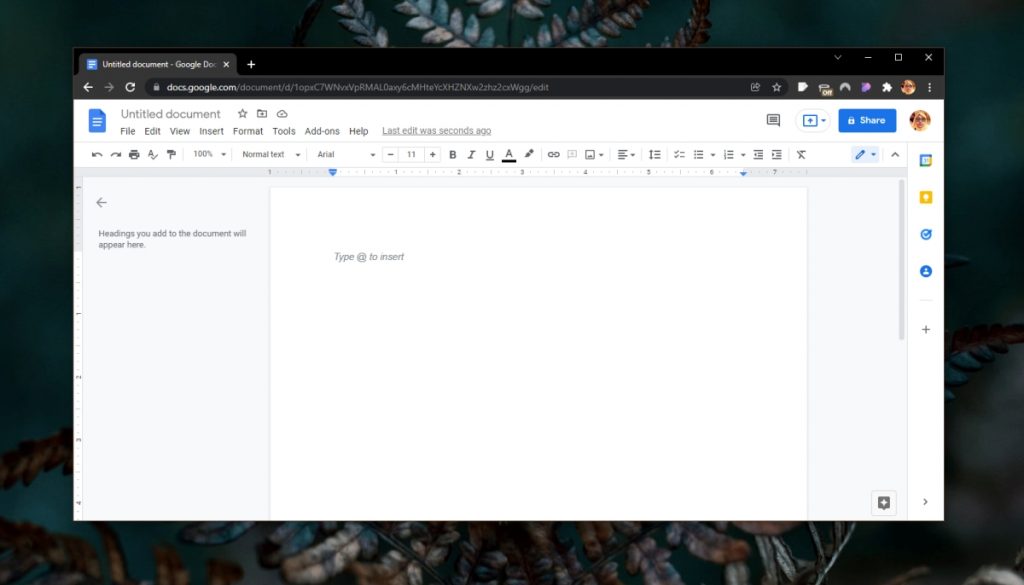
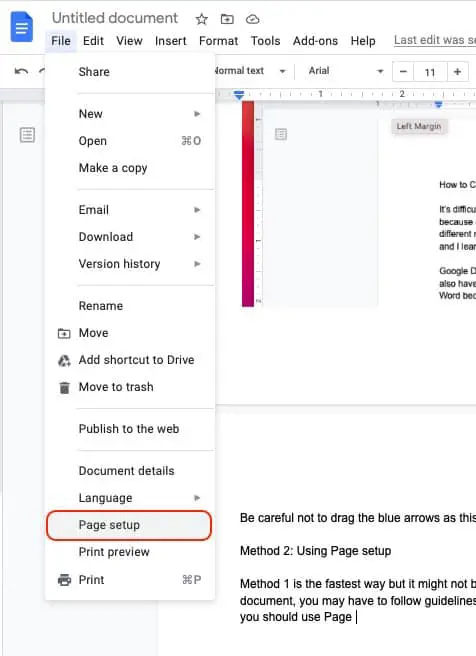
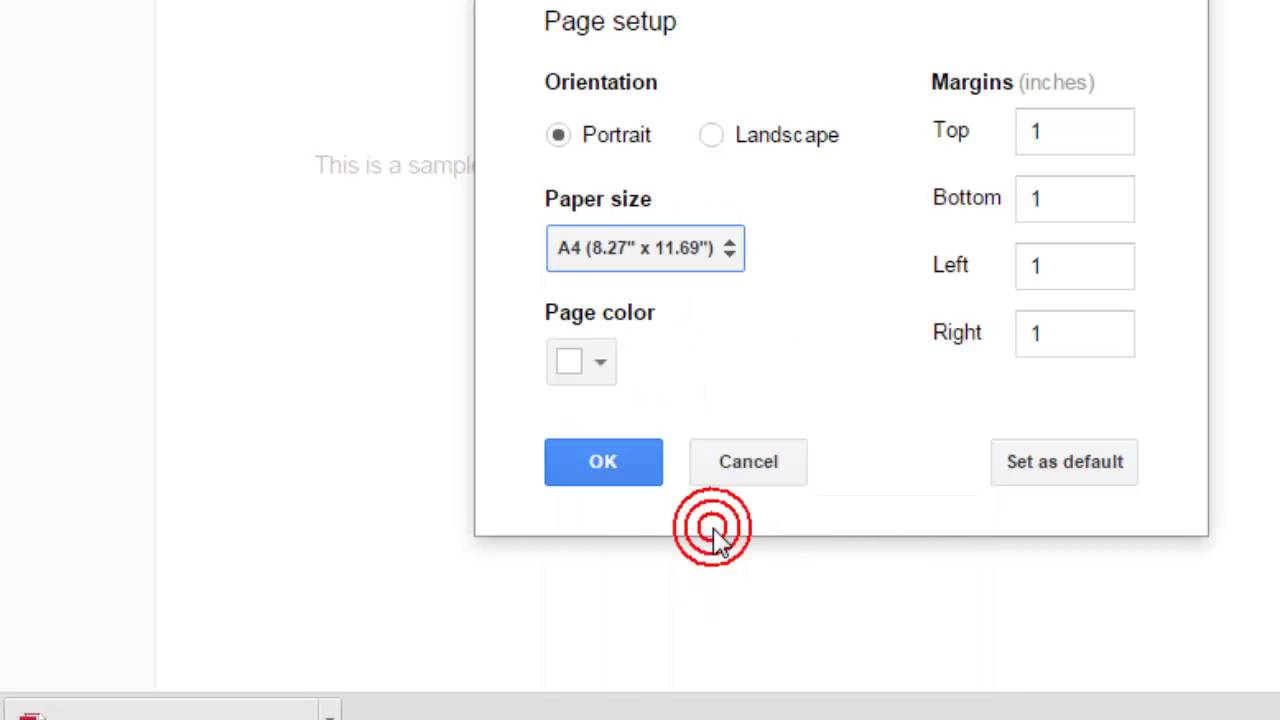
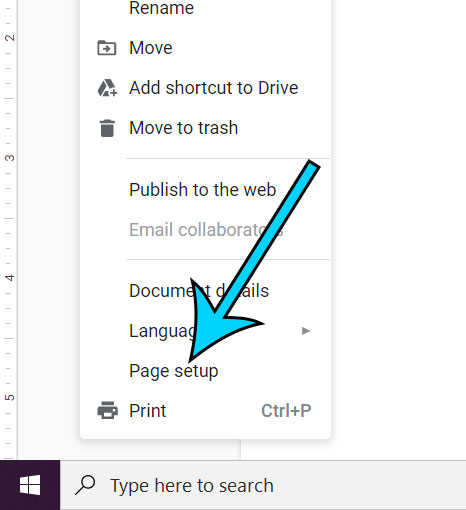
Web On your computer open a document in Google Docs In the toolbar click File Page setup At the top of the dialog window select Pages Go to the setting you want to change Orientation

Web Jan 4 2021 nbsp 0183 32 Method 1 Look at the available page sizes and choose one that is similar to the one you want This isn t a method for customising the page size of your Google Doc In this method you first look at the existing options for page sizes If you find one that matches your desired page size or is similar to it you can choose it
Web Pages Set up your Google Doc with pages and page breaks In this setting you can add elements like headers and footers page numbers and more You can also adjust page settings

Web Oct 19 2023 nbsp 0183 32 Device Links Chromebook Like any other word processor Google Docs has a few default settings One such setting is the page size which is A4 or Letter However document specifications
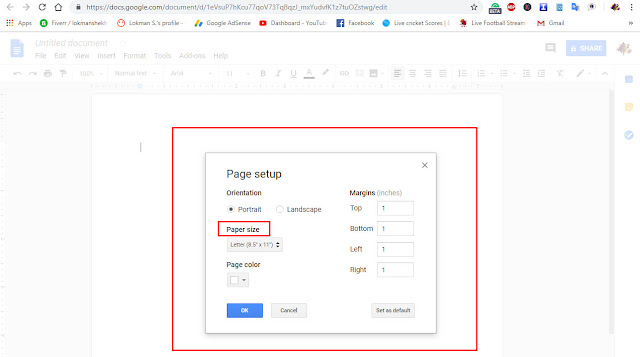
Web Dec 7 2021 nbsp 0183 32 Custom page size Google Docs Google Docs allows users to change the page size for any document that they create To do so follow these steps Open the Google Doc document that you want to change the page size for Go to File gt Page Setup In the window that opens select the page orientation Open the Page size dropdown
Web Here s our step by step guide on how to adjust page size in Google Docs Step 1 First open the document you want to change the page size of Step 2 In the File menu click the Page setup option Step 3 In the Page setup dialog box click on the Paper size option to reveal a dropdown menu of paper size options Web On your computer open a document in Google Docs Click in a header or footer At the top left click Format Headers amp footers More options Under quot Apply to quot choose a section or the entire
Web Jun 30 2022 nbsp 0183 32 Adjust Margins in Google Docs by Using Page Setup If you d like to manually and precisely specify your page margins use the Page Setup method as explained here Start by launching Google Docs on your computer Then select the document in which you want to change the margins