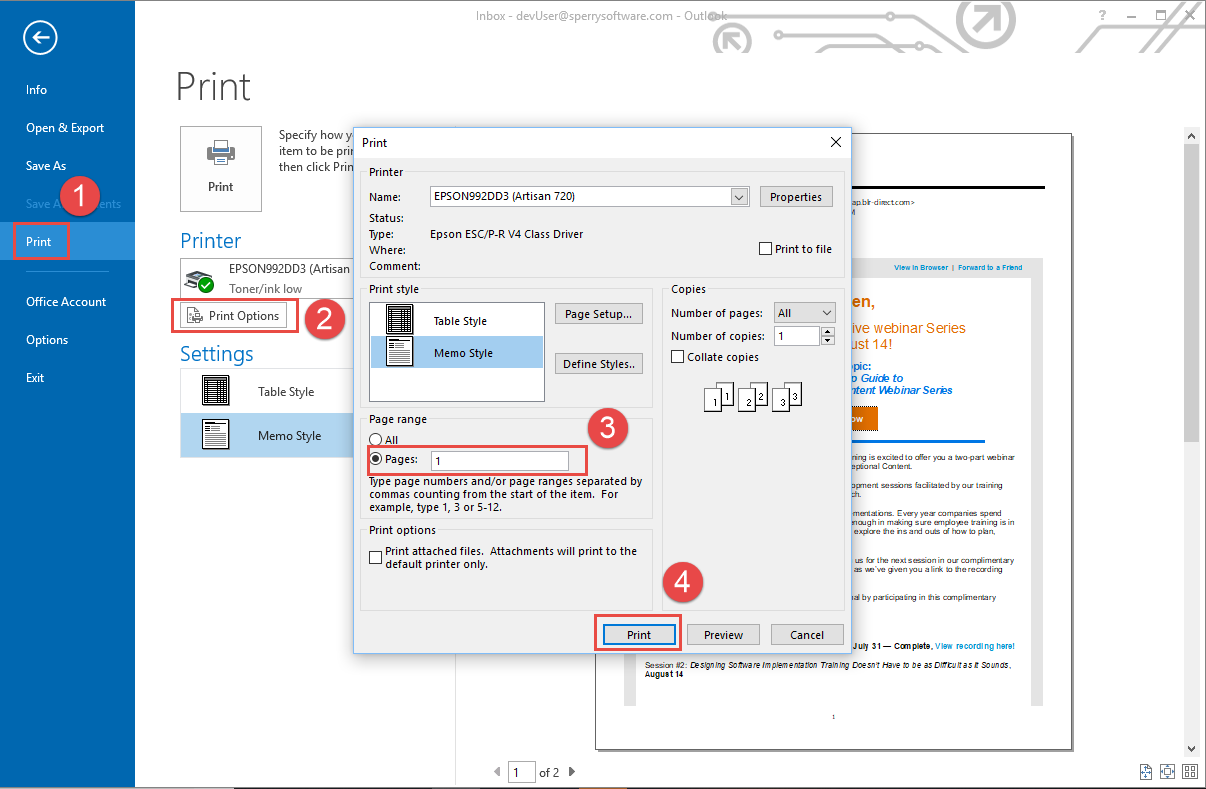
Outlook Pdf Settings Outlook PDF Preview Bug With Microsoft PowerToys Windows 10 Forums Outlook pdf DocDroid Outlook PDF Preview Handler Error Unix Server Solutions How To Save Published Online PDF On Your Computer Download 2007 Outlook Pdf Previewer Loverprogs Web Sep 19 2022 nbsp 0183 32 In Outlook open the message you want to convert to PDF Click the File tab and select Print Under Printer click the drop down menu and select Microsoft Print to PDF Click Print In the Save Print Output As dialog box navigate to the folder where you want to save the PDF file
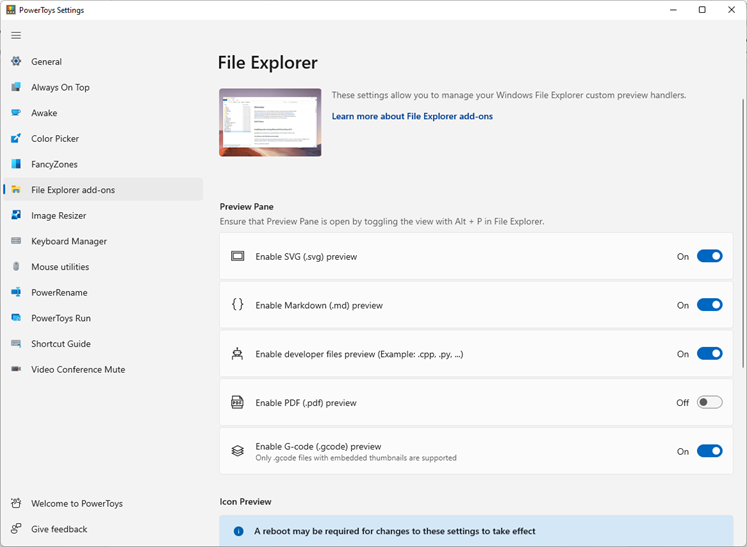
Web Apr 9 2022 nbsp 0183 32 In Outlook find and double click the email you want to save as a PDF On your email s full window from the ribbon at the top select the File gt Print option Alternatively press Ctrl P on Windows or Command P on Mac This opens the Web Mar 18 2022 nbsp 0183 32 Microsoft PowerToys is installed and has overridden the PDF Preview setting From the Windows Start Menu search for PowerToys App and open it Select File Explorer Add ons and disable Enable PDF pdf preview
Download 2007 Outlook Pdf Previewer Loverprogs Save Outlook Emails As PDF With Attachments In Bulk PDF Settings Altium Designer 17 1 User Manual Documentation Microsoft outlook Outlook PDF Erro De Manipulador De Visualiza o Saving Outlook Email To Pdf With Messageexport Youtube My XXX Hot Girl LINENBERGER OUTLOOK PDF How To Set Pdf Default Ms Outlook 2016 Hooliforyou How To Convert Outlook Emails To PDF Tutorial Office 365 Outlook Out Of Office Templateskaser
Outlook Pdf Settings
 Outlook Pdf Settings
https://support.content.office.net/en-us/media/280433d1-6eb5-4b2c-b0b7-7ca177b93c41.png
Web Jan 4 2019 nbsp 0183 32 My default app settings in Windows 10 version 1809 are set to open pdf files in Adobe Acrobat XI Pro This works when opening them from a folder but when I receive a pdf attachment in Outlook it consistently gives me the dialog box quot How do you want to open this file quot with the list of potential apps Adobe Acrobat XI Pro being the top one
Pre-crafted templates provide a time-saving solution for producing a varied variety of files and files. These pre-designed formats and designs can be utilized for various personal and expert jobs, consisting of resumes, invites, flyers, newsletters, reports, presentations, and more, simplifying the material production procedure.
Outlook Pdf Settings

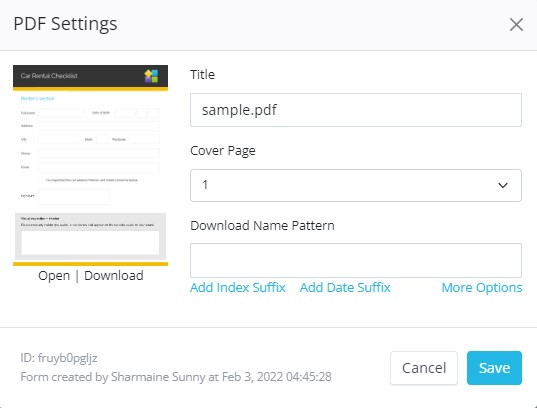
PDF Settings Explained Web to print And Dynamic Imaging Help

Save Outlook Emails As PDF With Attachments In Bulk

PDF Settings Altium Designer 17 1 User Manual Documentation

Microsoft outlook Outlook PDF Erro De Manipulador De Visualiza o
LINENBERGER OUTLOOK PDF
How To Set Pdf Default Ms Outlook 2016 Hooliforyou

Web Choose Programs gt Make a file type always open in a specific program If you don t see Programs choose Default Programs gt Associate a file type or protocol with a program In the Set Associations tool select the file type you want to change the program for then choose Change program
Web May 7 2023 nbsp 0183 32 Click on the quot Trust Center Settings quot button Select the quot Attachment Handling quot menu Click on the quot Attachment and Document Previewers quot button Locate the quot PDF PreviewHandler quot option from the quot File Previewing Options quot list related to the program that you have installed that Outlook is currently using to preview file

Web In Outlook select File gt Options gt Trust Center gt Trust Center Settings and then select Attachment Handling Note In Outlook 2007 select Tools gt Trust Center gt Attachment Handling To turn off all attachment previewers click Turn off Attachment Preview
Web Mar 5 2019 nbsp 0183 32 I have gone into Windows settings and set the default assocation for PDF files to Adobe Acrobat but still no luck This is incredibly frustrating given the frequency at which I have to open PDFs from Outlook Any solutions
Web 183 Was this reply helpful Yes No When in Outlook and I receive an email with a pdf attachment I want to use adobe to open the attachment However it appears that quot microsoft s pdf quot package is being used Adobe gives me more
Web Created on June 29 2022 Adjusting Outlook View PDF Settings When printing or otherwise viewing an email from Outlook is there a way to show the full email of the last sender For example if at the top of an email chain it lists the sender as quot John xxx quot could I adjust the settings so it depicts quot johnxxx at gmail quot instead Web Oct 18 2023 nbsp 0183 32 1 To set Foxit PDF Editor as the default PDF viewer for Outlook follow these steps a Ensure Foxit PDF Editor is installed on your computer b Open Windows Control Panel by clicking on the Start button and typing quot Control Panel quot in the search bar then press Enter c Click on quot Programs quot in the Control Panel then select quot Default
Web Jan 4 2022 nbsp 0183 32 Launch Outlook and open the email you want to save as a PDF Click the File tab on the left side of the menu bar at the top of the screen On the left side menu you will find the entry Print To open the print overview click on it Click on the small arrow under Printer to open the drop down menu where you can see all