Outlook Message Forwarding Rule Not Working Catalog Price Rule Not Working On Live Site Magento Cloud Hosting Outlook Rule Not Working As Expected Microsoft Community Relay Rule Not Working Rule Machine Hubitat Lighting Rule Not Working As Expected Rule Machine Hubitat Iphone Text Message Forwarding Not Working Says No Activation Code On Mac WEB Cause Rules run automatically on messages only as you receive or send them Solution Manually apply a rule to messages that you have already received At the bottom of the navigation pane click Mail
WEB Jan 24 2024 nbsp 0183 32 If you encounter an issue that s related to Inbox rules in Microsoft Outlook or Outlook on the web select the applicable issue from the following list Rule to redirect email messages doesn t work Rule to forward email messages doesn t work Rule to forward new or updated meeting requests doesn t work WEB May 18 2021 nbsp 0183 32 I tried looking up for the solutions on the web given by others but it does not seem to be working I have 5 forward rules to forward the email to different group of individual and it does not seem to be working I have already Recreate the rules Delete and redo the rules Check the stop processing more rule part
Iphone Text Message Forwarding Not Working Says No Activation Code On Mac SOLVED Transport Rule Not Working For External Email MS Exchange IP Override Rule Not Working Fortinet Community Call Forwarding Not Working Lync Action Forex Weekly Outlook Super Important AMC STOCK UPDATE Why Is AMC Continue To Sell Off Why Is The SSR Rule Not Outlook Forwarding Rule Not Working Microsoft Community Forwarding Rule Not Working R Outlook Firewall Rule Not Working Netgate Forum Mail Christopher Read Outlook Best Free Email Outlook Powerpoint Word
Outlook Message Forwarding Rule Not Working
 Outlook Message Forwarding Rule Not Working
https://i.stack.imgur.com/lR40m.png
WEB Mar 8 2023 nbsp 0183 32 1 Ensure Your Outlook Rules Are Enabled 2 Fix Outlook s Corrupt SRS File 3 Reduce the Space Used by Your Outlook Rules Shorten Your Rule Names Delete Old Outlook Rules Combine Multiple Outlook Rules 4 Turn Off Outlook s Stop Processing More Rules Option 5 Repair Outlook s Corrupt OST or PST File 6
Pre-crafted templates use a time-saving solution for developing a varied range of files and files. These pre-designed formats and layouts can be made use of for various personal and professional tasks, consisting of resumes, invitations, flyers, newsletters, reports, presentations, and more, enhancing the material creation process.
Outlook Message Forwarding Rule Not Working

Asus Merlin Port Forwarding Not Working ZTech

SOLVED Transport Rule Not Working For External Email MS Exchange
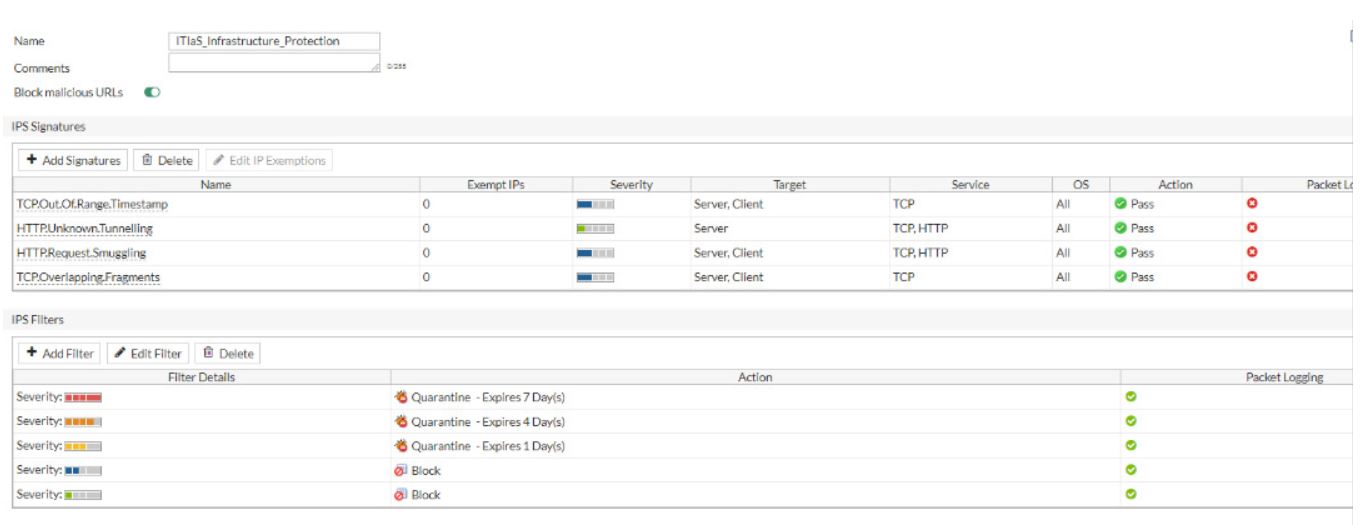
IP Override Rule Not Working Fortinet Community

Call Forwarding Not Working Lync Action Forex Weekly Outlook

Outlook Forwarding Rule Not Working Microsoft Community

Forwarding Rule Not Working R Outlook

WEB Jan 10 2020 nbsp 0183 32 If rule was created from Outlook client we recommend to delete it and create new Inbox rule from Outlook web app and check if it helps If rule was created from Outlook Web app check Stop processing more rule option is selected or not If its disable select this option and check if it helps to resolve your issue

WEB Jan 24 2024 nbsp 0183 32 Your Inbox rule that has an action forward messages doesn t work in Microsoft 365 Cause This behavior is by design when the rule is forwarding messages to 10 or more individual recipients This is a result of the forwarded limit in Microsoft 365 which is described at Exchange Online Limits Workaround
WEB Moreover if any forwarding rules doesn t work for people outside of your organization It might be your admin restrict or control automatically forwarded messages to external recipients recipients outside of your organization You may contact your Office 365 admin to further check this issue

WEB Apr 30 2022 nbsp 0183 32 To set up an Outlook message rule right click a message and select Rules gt Create Rule Choose a condition and an action to take and select OK To make email rules in Outlook go to Settings gt View all Outlook Settings gt

WEB When you create a forward or redirect rule you can add more than one address to send to The number of addresses you can send to may be limited depending on the settings for your account If you add more addresses than are allowed your rule won t work If you create a rule with more than one address test it to be sure it works
WEB At the top of the page select Settings Select Mail gt Forwarding Select Enable forwarding enter the forwarding email address and select Save Note If you want a copy of the original message to remain in your mailbox select Keep a copy of forwarded messages Automatically forward email messages to another email account WEB Oct 13 2017 nbsp 0183 32 Outlook forwarding rules when outlook is not running Ask Question Asked 6 years 6 months ago Modified 1 year 9 months ago Viewed 10k times 0 Do the email forwarding rules on outlook work if the outlook itself isn t running Are the rules server side or client side by default if I m using Exchange Server microsoft outlook
WEB Dec 9 2022 nbsp 0183 32 To Repair or Rebuild Please refer to the below MS articles https support microsoft en us office repa In addition it can be caused by the corruption of the Send Receive settings You can find the setting file in C Users username AppData Roaming Microsoft Outlook Then change the srs file