Outlook Junk Mail Settings Kamm Sprich Mit Transfer Yahoo Spam Filter Deaktivieren Shampoo How To Disable Junk Email Filter In Outlook Mail Outlook 4 Ways To Stop Junk Mail In Outlook On PC Or Mac WikiHow Evaluable Subrayar Rey Lear Carpeta De Correo No Deseado En Outlook How To Control Junk Spam Email In Microsoft Outlook 2013 TeachUComp Web Manage your junk email At the top of the screen select Settings gt Mail Under Options select Block or allow Below are the block or allow settings for managing email addresses and domains Safe senders and recipients Safe senders are people and domains you always want to receive email messages from
Web Mar 31 2023 nbsp 0183 32 Under Home select Junk gt Junk email options From there choose whichever filter you prefer How to stop junk email that makes it to your inbox If junk mail is arriving in your inbox consider opting for a more vigilant filter setting If it still gets through you can always mark specific email addresses as junk Web To block someone in Outlook select the messages or senders you want to block From the top toolbar select then Block gt Block sender Select OK The messages you select will be deleted and all future messages will be blocked from your mailbox
How To Control Junk Spam Email In Microsoft Outlook 2013 TeachUComp How To Configure Junk Email Filter In Outlook Crazy Domains Support How To Control Junk Spam Email In Microsoft Outlook 2013 TeachUComp How To Handle Junk Mail In Microsoft Outlook 2010 TeachUcomp Inc Microsoft Outlook Junk Email Filter And Its Functions Junk Email Options In Outlook YouTube Configure Outlook Junk Mail Filter To Stop Fake E mail HeelpBook Set The Outlook Junk Mail Filter To Standard How Do I Stop Emails From Going To Junk In Outlook 365 MAILTOH
Outlook Junk Mail Settings
 Outlook Junk Mail Settings
https://www.lifewire.com/thmb/4GlrHmEEChZc5BFEp0iJ3y6-gmk=/1368x862/filters:no_upscale():max_bytes(150000):strip_icc()/Capture-285a1af9bbce4ec1bf9ac037b9a3eb66.JPG
Web To enable disable junk mail settings in Outlook 2010 2016 please follow these steps 1 From within Outlook select the Home tab 2 Select the Junk drop down from the Delete section 3 Select Junk E mail Options 4 Choose the level of protection desired
Pre-crafted templates offer a time-saving service for creating a diverse series of files and files. These pre-designed formats and designs can be used for different personal and expert projects, including resumes, invites, flyers, newsletters, reports, discussions, and more, simplifying the material production process.
Outlook Junk Mail Settings

Set The Outlook Junk Mail Filter To Standard
How To Configure Junk Email Filter In Outlook Crazy Domains Support
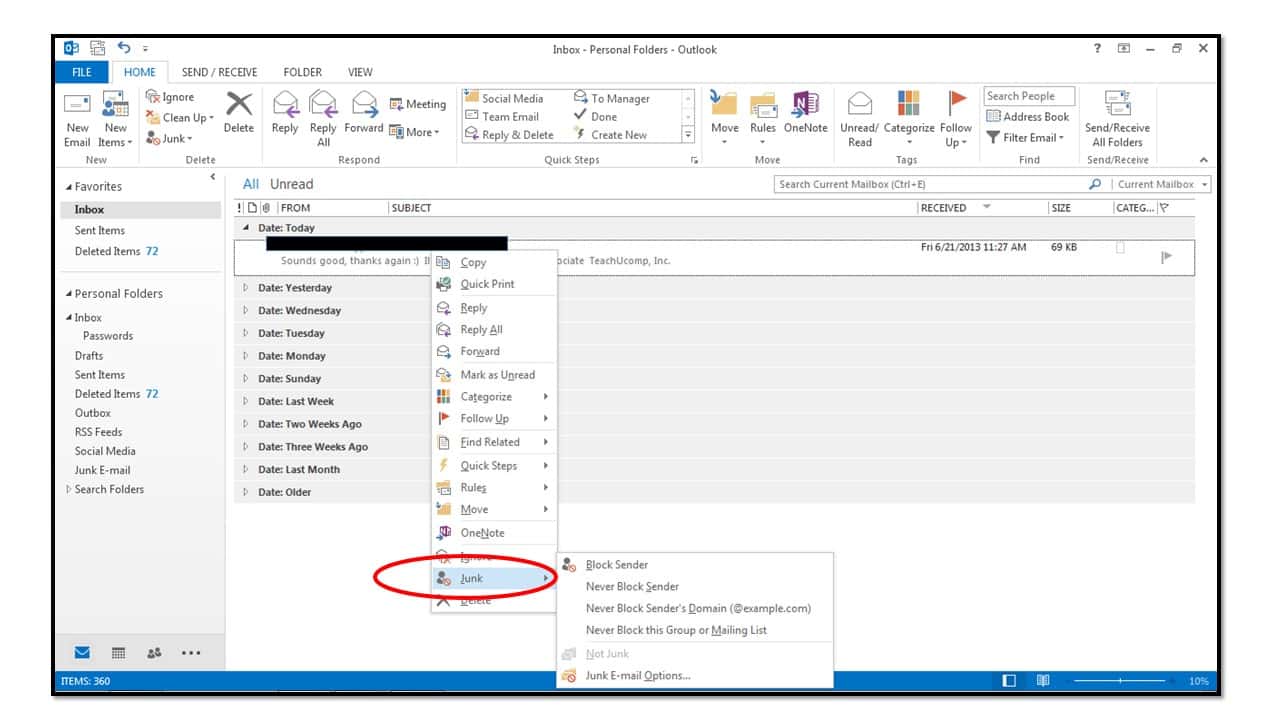
How To Control Junk Spam Email In Microsoft Outlook 2013 TeachUComp

How To Handle Junk Mail In Microsoft Outlook 2010 TeachUcomp Inc
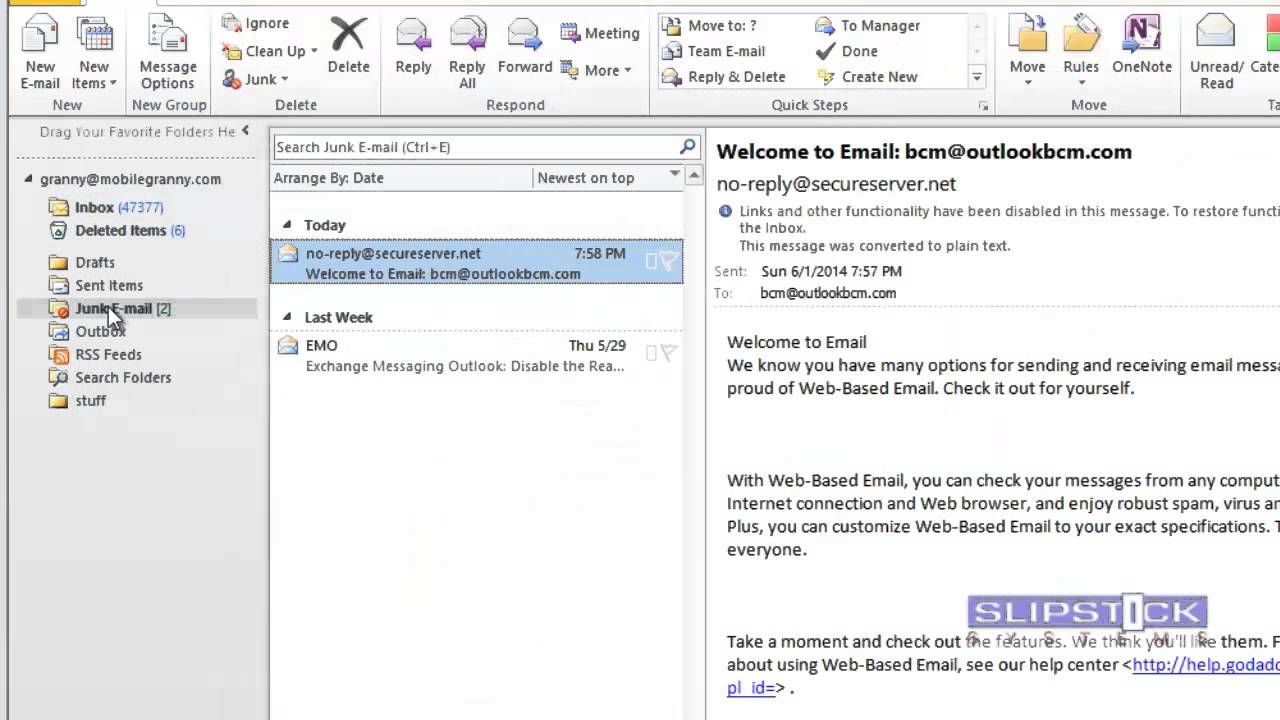
Junk Email Options In Outlook YouTube

Configure Outlook Junk Mail Filter To Stop Fake E mail HeelpBook

Web Change the level of junk email protection Click Home gt Delete group gt Junk gt Junk E mail Options Choose the level of protection you want No Automatic Filtering Although this turns off the automatic Junk Email Filter messages are still evaluated by using the domain names and email Low If you

Web Apr 3 2019 nbsp 0183 32 Junk Email is the folder where Outlook sends mail it thinks is spam You can customize Outlook s spam filter to block or whitelist senders or domains or crank up the automatic filtering and delete spam automatically Let s see how Accessing Junk Email Options You can access the Junk Email options by clicking Home gt Junk

Web Add any email address or domain to your blocked senders list to send these emails directly to your Junk Email folder At the top of the page select Settings gt Mail gt Accounts gt Block or allow Under Block or allow select Automatically filter junk email
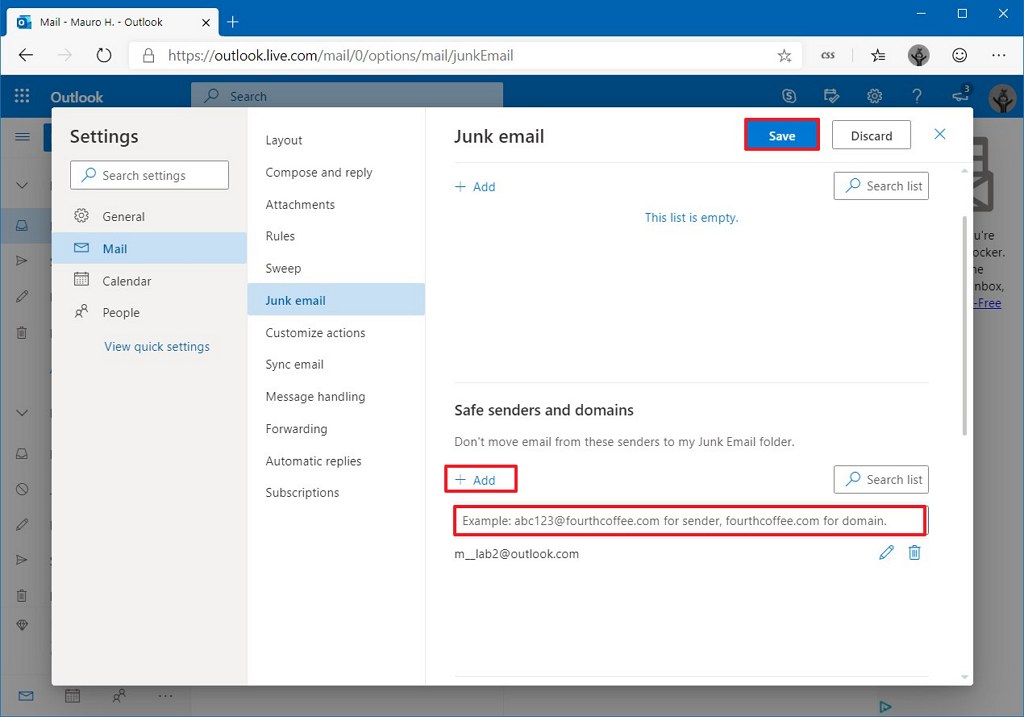
Web The Junk Email Filter evaluates each incoming message based on several factors These can include the time when the message was sent and the content of the message To change the options for the Junk Email Filter do the following Click Home gt Junk gt

Web To get to the Junk Email page from the main Outlook Web App page go to the upper corner and choose Options then choose Junk Email from the list in the navigation pane Turn junk email filtering on or off
[desc-11] [desc-12]
[desc-13]