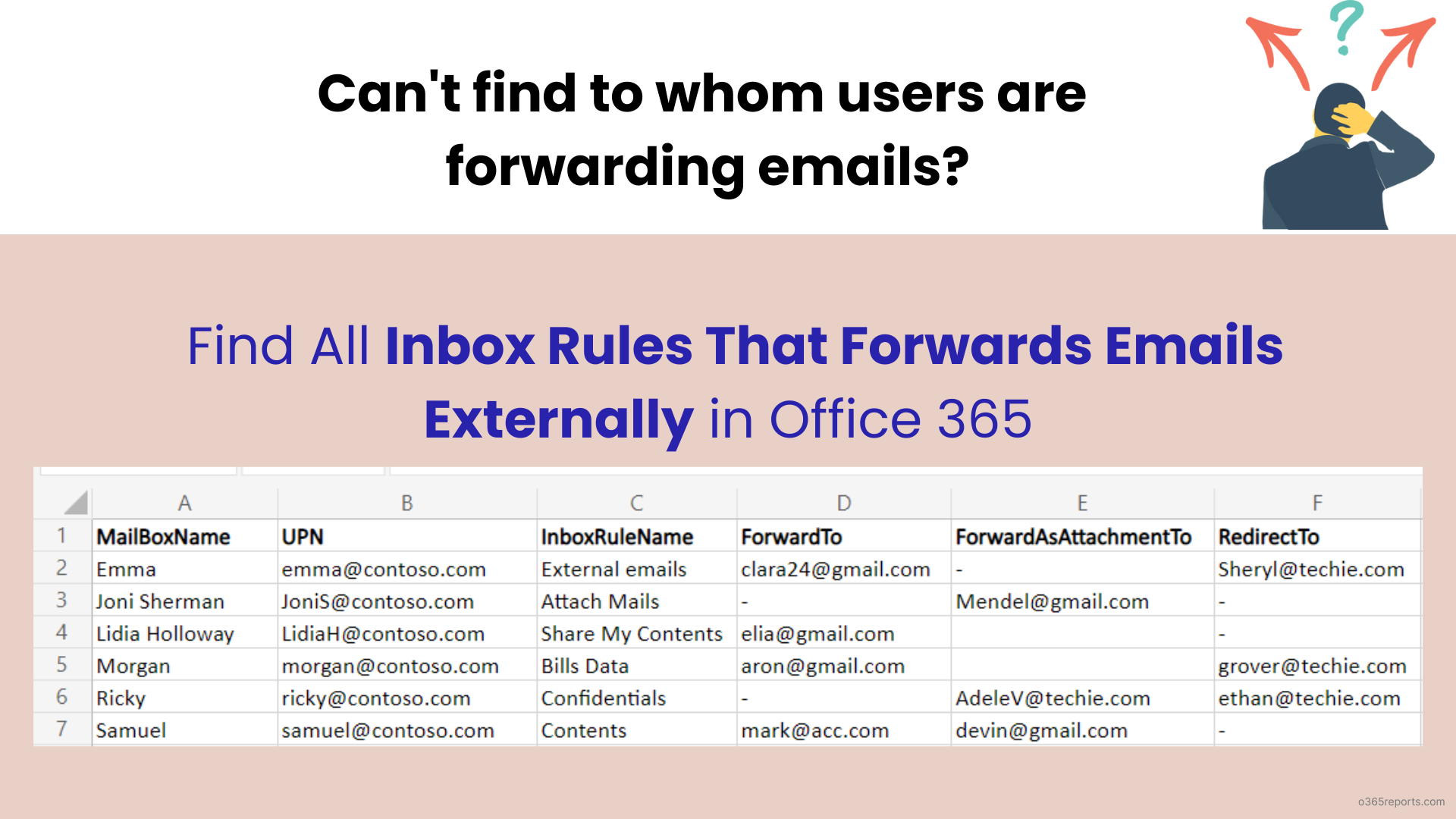
Outlook 365 Forwarding Rules How To Set Up Forwarding Rules In Office365 How To Send An Email At A Specific Time In Outlook Web App Lasopasummer Find All Inbox Rules That Forwards Emails Externally In Office 365 How To Set Up Forwarding Rules In Office365 Office 365 List All Email Forwarding Rules PowerShell Geeks Hangout The following types of automatic forwarding are available in Microsoft 365 Users can configure Inbox rules to automatically forward messages to external senders Admins can configure mailbox forwarding also known as SMTP forwarding to automatically forward messages to external recipients
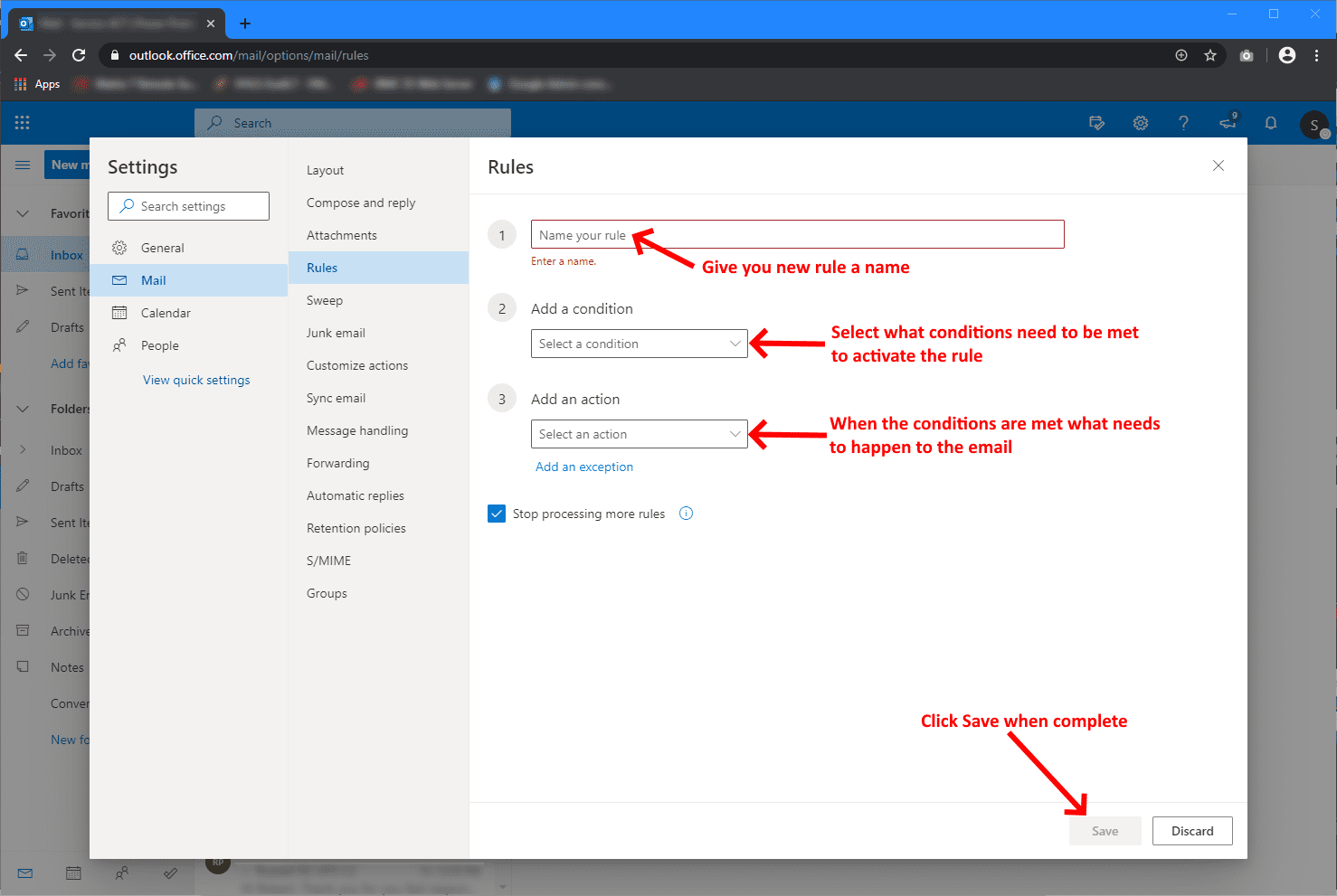
Problem Solution How to set it up Other automatic forwarding use cases Blocking auto forwarding to external addresses What is email forwarding Hate myself for writing the obvious part but here it goes Email forwarding is sending an email that reached you to another email address To create a forwarding rule in the Microsoft 365 Outlook Web App Go to https www office and login with your SU email and password Select Outlook from the list of applications Choose Options in the upper right corner Select Forwarding check mark the Enable Forwarding box and enter an email address to receive your forwarded email
Office 365 List All Email Forwarding Rules PowerShell Geeks Hangout How To Forward Incoming Email Messages To HelpDesk Address In Office365 Auto Forward Your Incoming Outlook 365 Emails CosmoLex Support Enable External Email Forwarding In Microsoft 365 Office 365 Forward From Microsoft 365 Outlook Web Access OWA Fluent Support Office 365 List All Email Forwarding Rules PowerShell Geeks Hangout Office 365 Outlook Out Of Office Templateskaser How To Automatically Forward An E mail In Outlook Remove Email Forwarding In Office 365 Using PowerShell
Outlook 365 Forwarding Rules
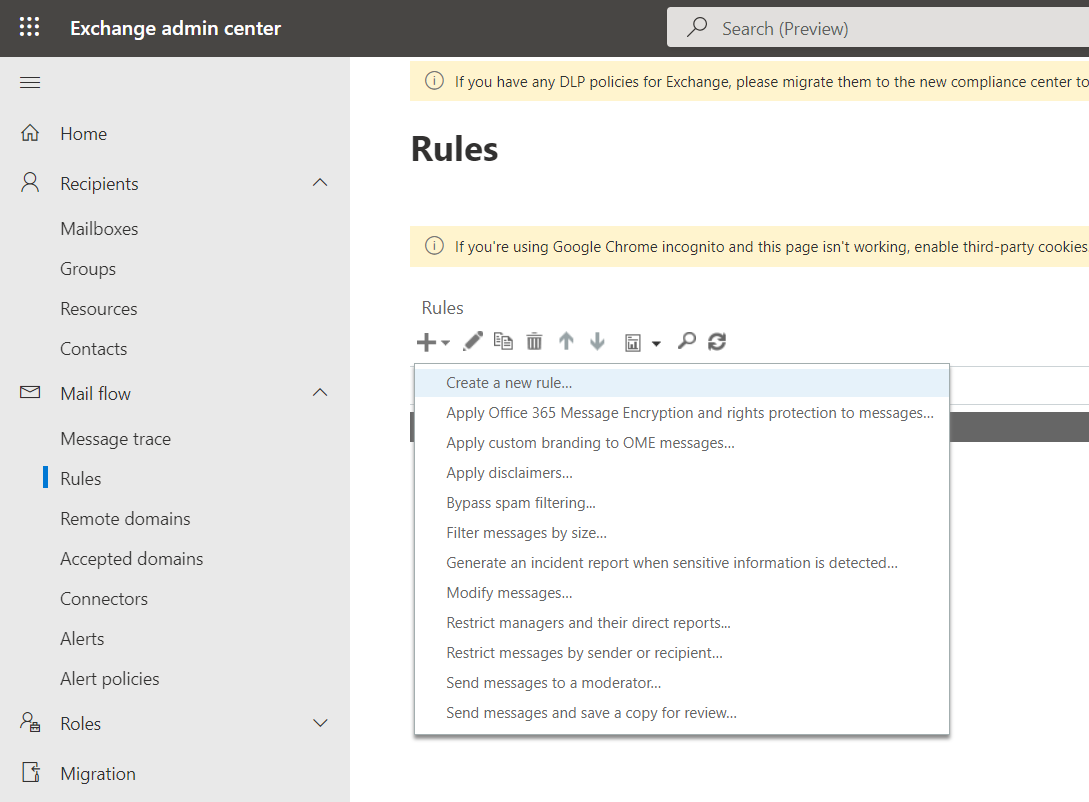 Outlook 365 Forwarding Rules
https://www.desk365.io/wp-content/uploads/2022/05/creating-a-rule-in-exchange-admin-center.png
UAL Example New rule generated through the Microsoft 365 Outlook Portal via the Forwarding option The ClientIP records a Microsoft IP address the Parameters shows where emails are forwarded to The UserId contains the creator of the rule Based on the combination of the ObjectIdand the UserId we can see that this was configured by a different user than the owner of the mailbox
Templates are pre-designed files or files that can be utilized for numerous purposes. They can conserve effort and time by offering a ready-made format and design for developing different kinds of material. Templates can be used for personal or professional jobs, such as resumes, invites, flyers, newsletters, reports, discussions, and more.
Outlook 365 Forwarding Rules
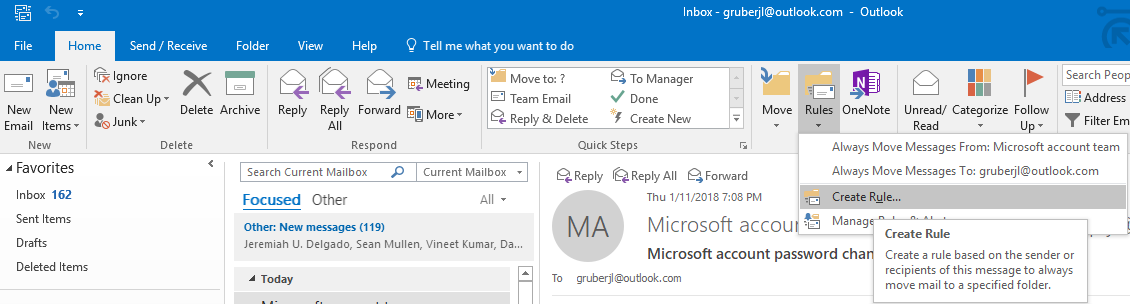
How To Automatically Forward Email From Office 365 To Another Email Address

How To Forward Incoming Email Messages To HelpDesk Address In Office365

Auto Forward Your Incoming Outlook 365 Emails CosmoLex Support
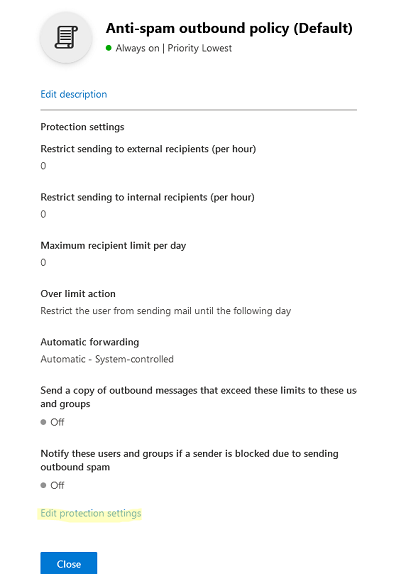
Enable External Email Forwarding In Microsoft 365 Office 365
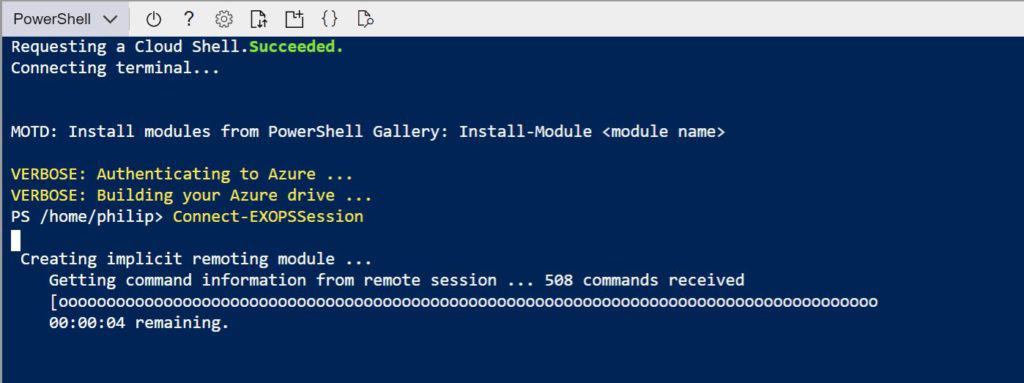
Office 365 List All Email Forwarding Rules PowerShell Geeks Hangout
Office 365 Outlook Out Of Office Templateskaser

Select Mail on the far left and then Forwarding to the right Check the box to Enable Forwarding Then enter the email address you want to forward messages to in the box Optionally you can check the box to Keep a Copy of Forwarded Messages Then click Save when you finish

File Automatic Replies Out of Office Rules Add Rule Forward To option Note that although OOF replies are sent only once per sender this rule will forward emails for every message as long as OOF is enabled Using Outlook on the web OWA the user can also set the ForwardingSmtpAddress parameter on the mailbox
Do one of the following To turn on forwarding select Enable forwarding enter the forwarding email address and select Save Note Select the Keep a copy of forwarded messages check box if you want a copy of the original message to remain in your mailbox To turn off forwarding clear Enable forwarding and select Save Still need help

Double click the forward link select the boss s email address and click OK I ll use the same email address to keep things simple on my part but you ll be working with two email

Select File Manage Rules Alerts New Rule Select a template For example to flag a message Select Flag messages from someone for follow up Edit the rule description Select an underlined value choose the options you want and then select OK Select Next Select the conditions add the relevant information and then select OK Select Next
Navigate to Email collaboration Policies rules Threat policies Under Policies click Anti spam Click Anti spam outbound policy Default and Edit protection settings Under the Automatic forwarding rules select On Forwarding is enabled and click Save Now external forwarding is enabled for all users in your Microsoft Created on December 31 2020 Enable forwarding rule for external domain Hi We using Microsoft 365 for our organization and as a part of an integration with another product Not Microsoft I have to use a forward rule for all my emails in one of the mails in my organization not admin user to an external domain
When we receive Creation of forwarding redirect rule alerts from the Microsoft 365 Security Center there is a link in the message that takes us to a list of all similar events The list is interactive and additional details can be gleaned from each item