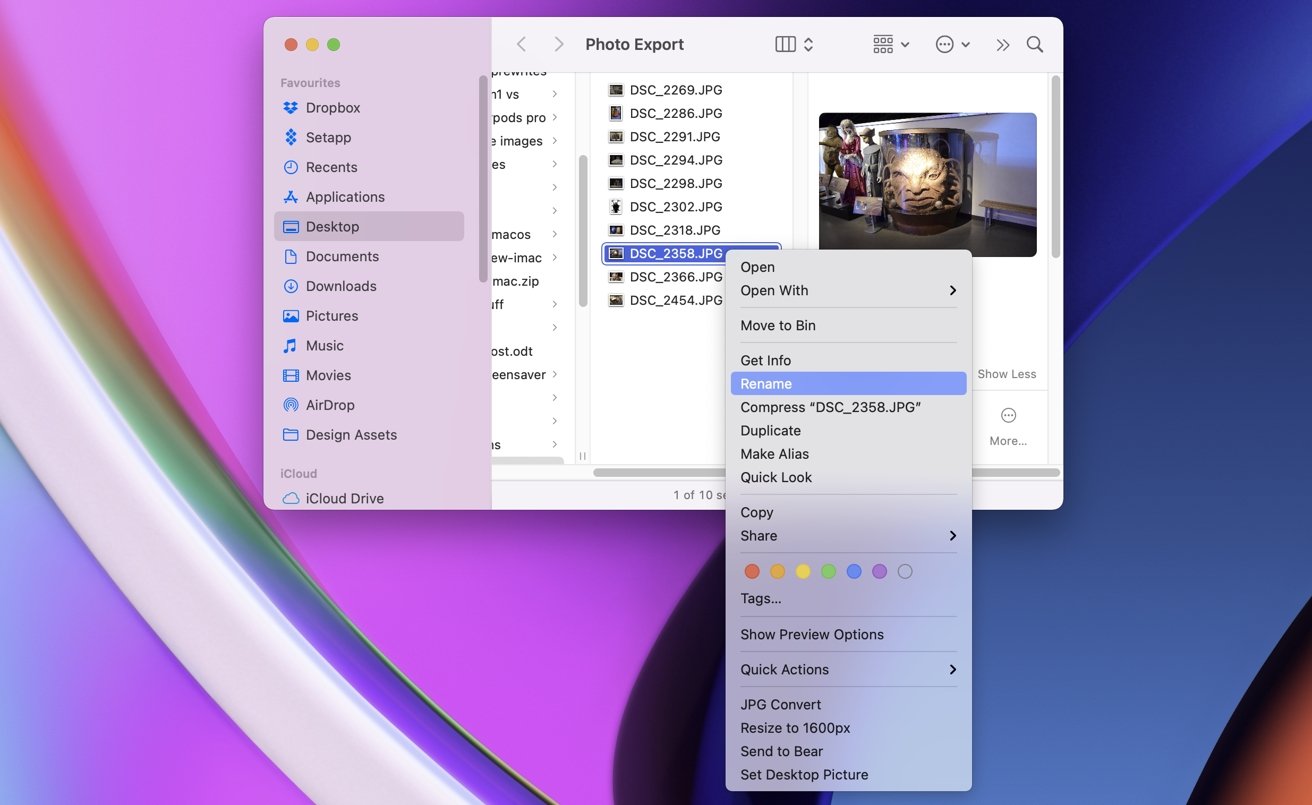
Os Rename Vs Replace atomic file replacement (os.rename vs os.replace) (intermediate) anthony explains #264 - YouTube Rename/Replace white space in files in entire directory recursively - Linux Tutorials - Learn Linux Configuration How-To: Quickly rename multiple files on your Mac using Finder - 9to5Mac How to batch rename files in macOS | AppleInsider How to batch rename files in macOS | AppleInsider Web Dec 28 2022 nbsp 0183 32 On Windows os replace supports replacing an existing destination file and os rename does not They both call MoveFileExW with or without the flag
Web The os rename method is used to rename a file or a directory with a specified source and destination Syntax os rename src dst src dir fd None dst dir fd None Web A new fin could be created causing os rename to fail on Windows os replace is guaranteed atomic fin will contain the complete old or new data period In a crash state
How to batch rename files in macOS | AppleInsider Rename files using Python: How to implement it with examples How to Easily Rename Files in Linux - Make Tech Easier How to rename multiple files on Linux - Linux Tutorials - Learn Linux Configuration Why You Should Start Using Pathlib as an Alternative to the OS Module | by Ahmed Besbes | Towards Data Science Rename multiple files using Python - GeeksforGeeks Solved: Is there a way to batch rename a folder full of fi... - Adobe Support Community - 10791119 macOS Hidden Treasures: Batch-Rename Items in the Finder - TidBITS Bulk Rename Utility 3.4.4.0 Download | TechSpot
Os Rename Vs Replace
 Os Rename Vs Replace
https://i.ytimg.com/vi/U-Zq8bURfKc/maxresdefault.jpg
Web os replace src dst src dir fd None dst dir fd None 182 Rename the file or directory src to dst If dst is a non empty directory OSError will be raised If dst exists and is a file
Templates are pre-designed files or files that can be utilized for numerous functions. They can save effort and time by supplying a ready-made format and design for producing different type of material. Templates can be utilized for individual or professional jobs, such as resumes, invitations, flyers, newsletters, reports, discussions, and more.
Os Rename Vs Replace
GitHub - jeffijoe/total-rename: Utility to replace strings in files and paths.

Rename files using Python: How to implement it with examples

How to Easily Rename Files in Linux - Make Tech Easier
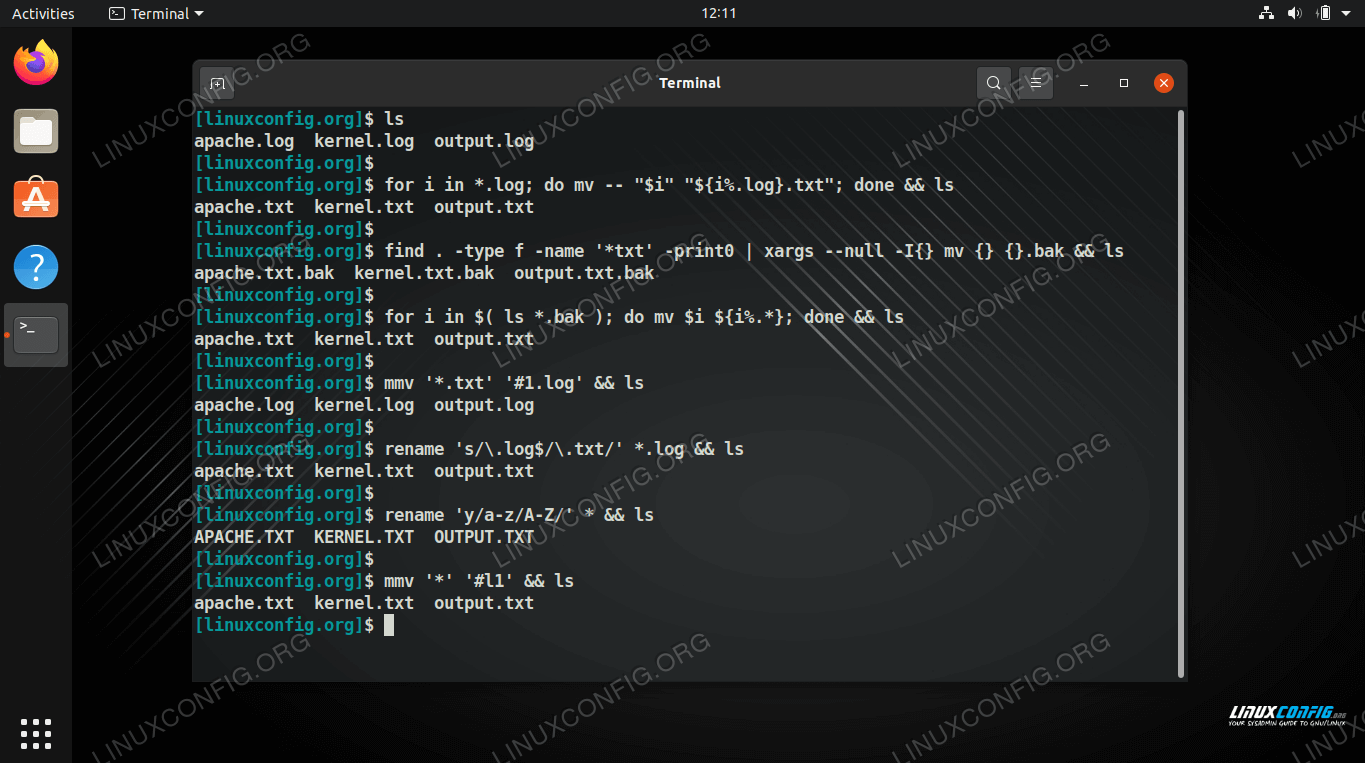
How to rename multiple files on Linux - Linux Tutorials - Learn Linux Configuration

Rename multiple files using Python - GeeksforGeeks

Solved: Is there a way to batch rename a folder full of fi... - Adobe Support Community - 10791119

Web Mar 24 2021 nbsp 0183 32 169 2024 Google LLC today I talk about how to write an atomic file replacement I also show two common bugs and how to address them what is atomicity https youtu be tmlmC

Web Oct 21 2021 nbsp 0183 32 os replace method in Python is used to rename the file or directory If destination is a directory OSError will be raised If the destination exists and is a file it

Web Nov 16 2022 nbsp 0183 32 In order to rename a file with Python you can use the os rename function Simply pass in both the source path to the file and the updated file path that you want to use If the renamed file path already
Web Oct 30 2023 nbsp 0183 32 Example Codes os replace vs os rename Method in Python We see that in the os replace method we have renamed the file by passing the source and

Web Jan 23 2020 nbsp 0183 32 1 Getting the File Path of the File we Want to Rename With Python 2 Copy the Path of the File to Rename 3 Importing the os Module 4 Renaming the File How to Rename Multiple Files in Python
Web 01 18 For moving or renaming because really the two are essentially equivalent you have two options one with the shutil module and one with os 01 27 shutil move it Web Jan 18 2024 nbsp 0183 32 In this article we have covered using os rename function to rename a file or directory in Python This is a very easy and straightforward way of renaming a file or
Web Issue 27886 Docs the difference between Path rename and Path replace is not obvious Python tracker Issue27886 This issue tracker has been migrated to GitHub