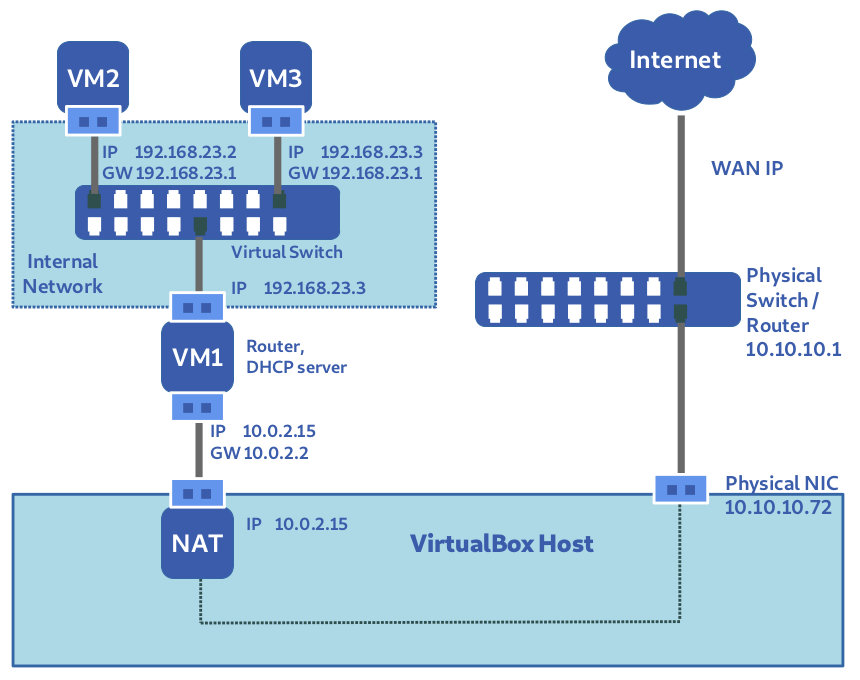
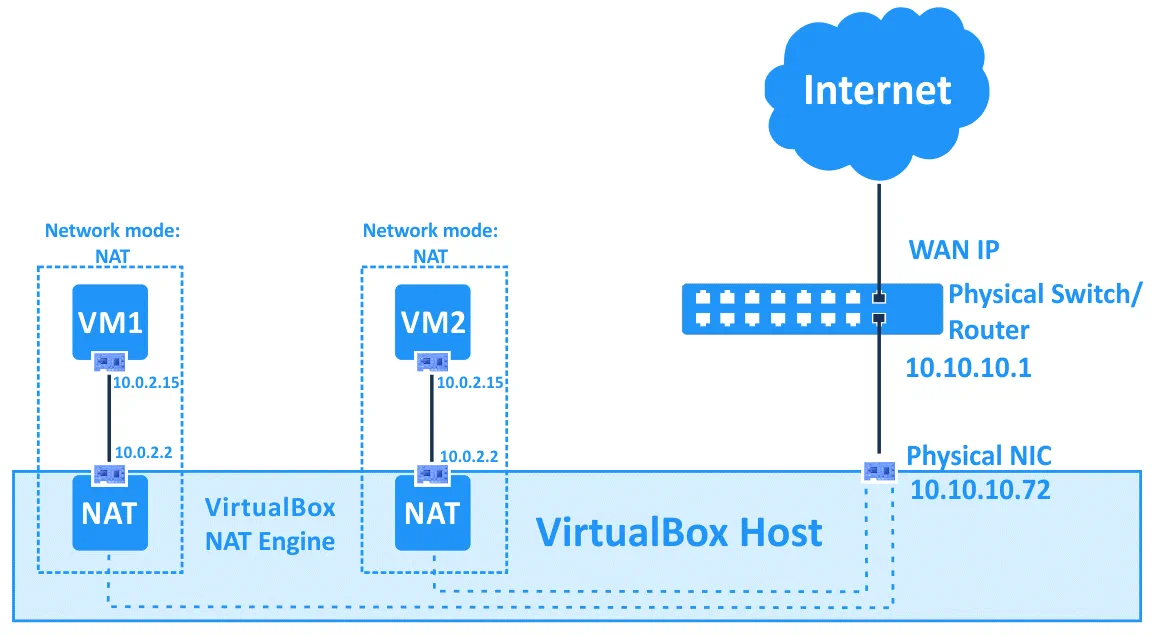
Oracle Virtualbox Nat Network Not Working How To Use Virtualbox And Access The Internet Weathervse Virtualbox Solved Virtualbox NAT Network Not Connecting To The 9to5Answer How To Create And Use NAT Network In VirtualBox Techbeatly How To Create And Use NAT Network In VirtualBox Techbeatly WEB The network frames sent out by the guest operating system are received by Oracle VM VirtualBox s NAT engine which extracts the TCP IP data and resends it using the host operating system
WEB In 16 04 and probably 14 04 the NAT Network feature of the main packaged version of VirtualBox 5 0 36 is bugged Check it You can check it yourself if the ls usr lib virtualbox VBoxNetNAT executable is present then WEB Network Address Translation NAT is the simplest way of accessing an external network from a virtual machine Usually it does not require any configuration on the host network and guest system For this reason it is the default networking mode
How To Create And Use NAT Network In VirtualBox Techbeatly Creating A Virtual Environment For OpenShift Using Oracle VirtualBox VirtualBox With NAT And Host Only Network Configuration By Da Lin How To Configure The VirtualBox NAT Network VBox Network Address Vbox Virtualbox DNS NAT Network Mode NOT Working Rtt IT Resource VirtualBox Networking Erkl rt AMIS Data Driven Blog Oracle 3 Nat Networking In VirtualBox YouTube VirtualBox Network Topology Back To The Basics VirtualBox Add NAT Network YouTube
Oracle Virtualbox Nat Network Not Working
 Oracle Virtualbox Nat Network Not Working
https://1.bp.blogspot.com/-0rS0EzupA0o/YGhfjvp7npI/AAAAAAAADfs/xCQGOdUyh0EOyV846bpb1FlXz8CVAo7XgCNcBGAsYHQ/s0/vbox_internal_network_diagram_300dpi_860_680.jpg
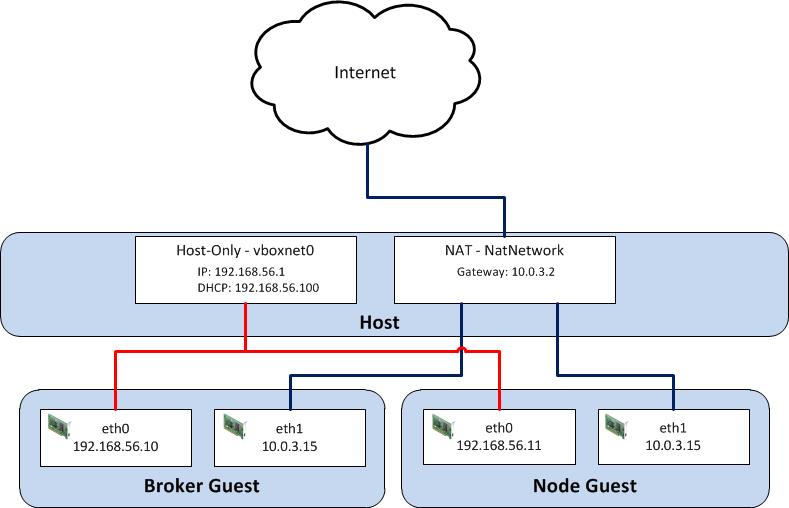
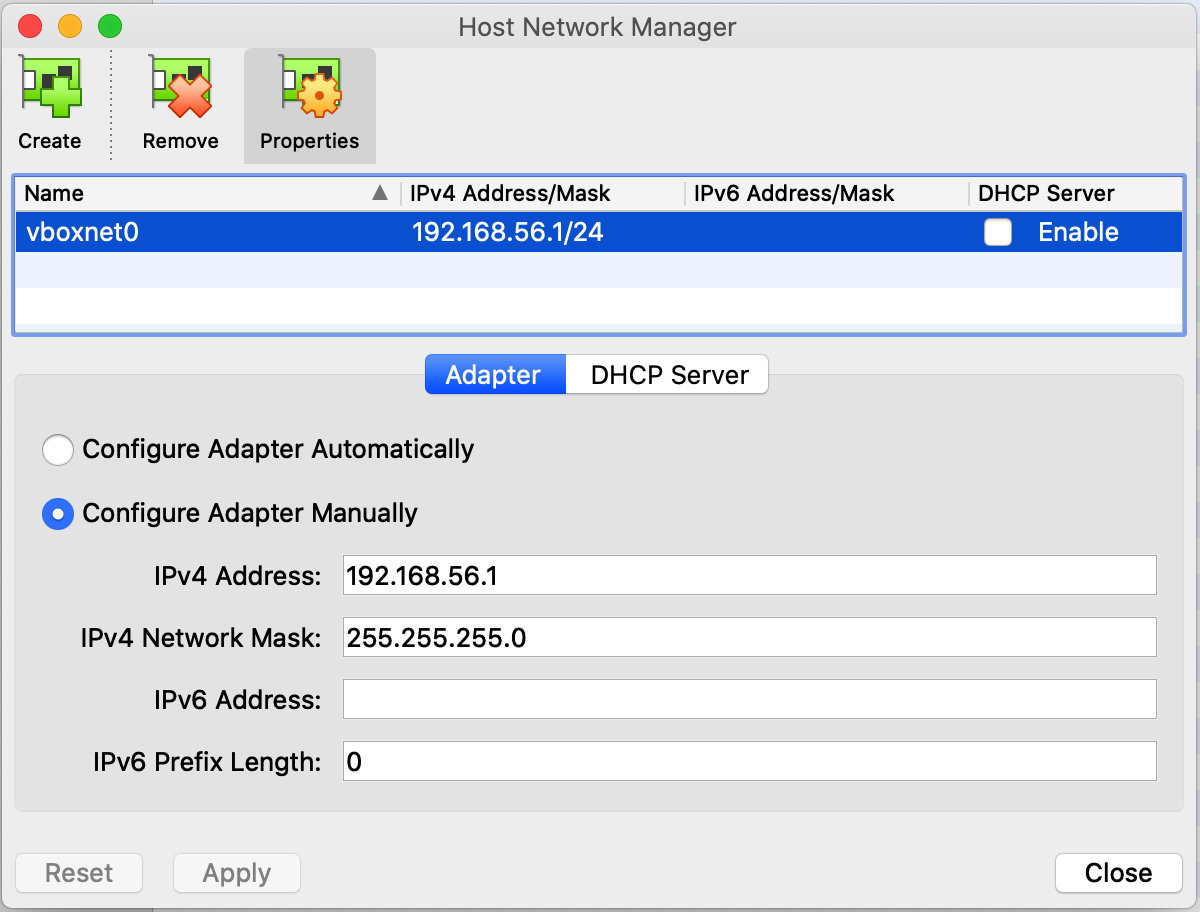
WEB May 16 2015 nbsp 0183 32 I am having trouble connecting my CentOS 7 guest to the internet My VirtualBox Network configuration is as follows Adapter 1 NAT Adapter 2 Host Only vboxnet0 vboxnet0 is connected set up with DHCP with default VirtualBox parameters
Pre-crafted templates use a time-saving solution for developing a varied range of documents and files. These pre-designed formats and designs can be made use of for different individual and expert jobs, consisting of resumes, invites, flyers, newsletters, reports, presentations, and more, enhancing the content creation process.
Oracle Virtualbox Nat Network Not Working
VirtualBox Networking Erkl rt AMIS Data Driven Blog Oracle
Creating A Virtual Environment For OpenShift Using Oracle VirtualBox
VirtualBox With NAT And Host Only Network Configuration By Da Lin
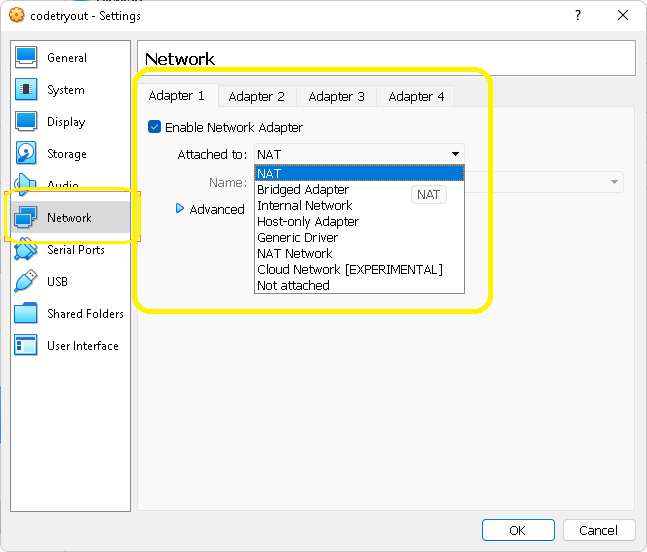
How To Configure The VirtualBox NAT Network VBox Network Address
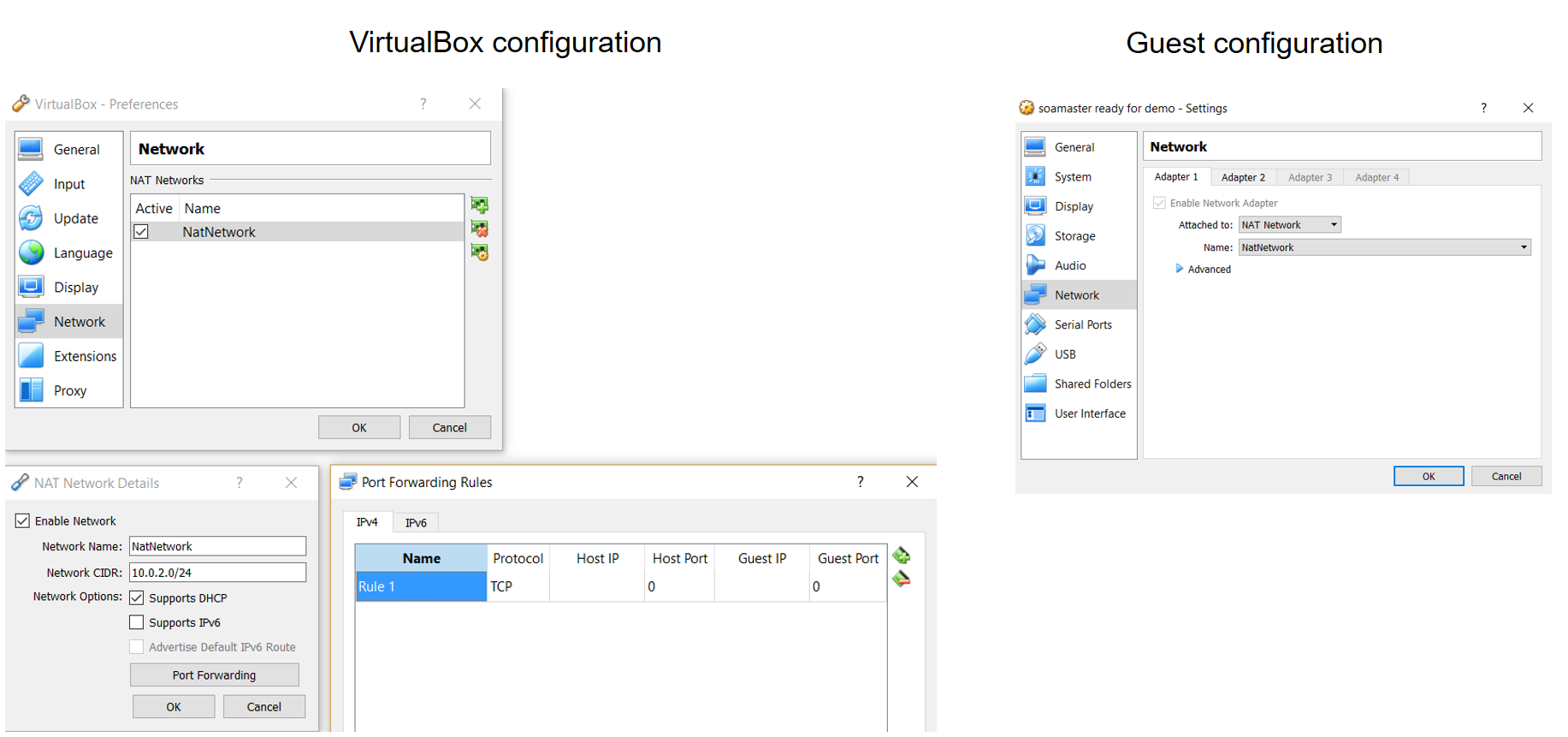
VirtualBox Networking Erkl rt AMIS Data Driven Blog Oracle
3 Nat Networking In VirtualBox YouTube

WEB Jan 21 2020 nbsp 0183 32 It s difficult to say There are port forwarding settings under the advanced NAT options However it the more likely culprits might be An incorrectly configured VM i e the OS itself Your hosts firewall The network your attached to blocking communication Or even some combination of all three
WEB Jan 6 2020 nbsp 0183 32 I am using Vbox Version 6 0 4 r128413 Qt5 6 2 with windows 7 and windows 10 as vm but nat network config is not working for me I am not able to access internet on any of the vms but when I am switching to nat bridge internet is working can someone pls suggest what I have missed

WEB This video shows how to fix the nat network issue with virtual box Virtual box should automatically create a Nat Network for you if you don t see one when

WEB If I change the network adapter to quot Bridge quot access to internet works fine and if I go back to quot NAT quot the VMs says again it access to Internet but actually any try fails again The Host is a W10 1909 Pro

WEB Oct 23 2017 nbsp 0183 32 If you get this working then you can update your post and we can try to figure out what was wrong with the quot NAT Network quot configuration Also you might want to try downloading a preconfigured VM from the Virtual Boxes website
WEB On Windows 10 host go to Control Panel Network and Internet Network Connections right click the physical device that you are trying to bridge to on your guest OS VM and make sure that quot VirtualBox NDIS6 Bridged Networking WEB Jan 27 2024 nbsp 0183 32 If your VM only needs to get internet and communication with the host but not with the rest of the LAN then you can set two networks in the VM one to NAT to get internet into the VM and the other Host Only to get communication between host and VM
WEB Sep 18 2017 nbsp 0183 32 I installed Ubuntu Server 16 04 3 in two Virtualbox virtual machines and then I created a NAT network and a DHCP server with the following commands from the host machine vboxmanage natnetwork add netname testlab network quot 10 10 10 0 24 quot