Oracle Linux 8 5 Reset Root Password CrownCloud Wiki Reset Root Password On Kvm How To Reset The Root Password In An Oracle Linux Server 7 System How To Reset Forgotten Root Password In Ubuntu Ubuntu Linux MySQL 8 Root Linux How To Reset Root Password In Ubuntu Fedingo This video explains how to reset the root password in Oracle Linux This will come in handy if you forget the root password for some reason or an employee leaves the company and neglected
Oracle Linux How to Reset root Password in Rescue Mode Doc ID 2536479 1 Last updated on JANUARY 24 2023 Applies to Linux OS Version Oracle Linux 5 0 to Oracle Linux 9 0 Release OL5 to OL9 Linux x86 64 Goal Reset root password in rescue mode on Oracle Linux Solution In this Document Goal Solution References How To Change Lost Root Password On Oracle Linux 5 6 How To Change Lost Root Password On Oracle Linux 5 6 Doc ID 2180957 1 Last updated on OCTOBER 08 2022 Applies to Linux OS Version Oracle Linux 5 0 to Oracle Linux 6 9 Release OL5 to OL6U9 Oracle VM Version 2 1 1 to 2 1 1 Release OVM211
How To Reset Root Password In Ubuntu Fedingo How To Reset The Root Password In Linux Make Tech Easier How To Reset Forgotten Root Password In Ubuntu Linux How To Reset A Forgotten Root Password In Linux Mint ubuntu Reset Root Password Ubuntu Linux Without CD Wang1144 How To Reset Root Password In MySQL 8 On Ubuntu Linux OSTechNix Reset Lost Root Password In Windows Subsystem For Linux Password Recovery How To Reset Root Password In Oracle Linux Server 7 YouTube Configure Local Yum Repository Oracle Linux 8 Mona Yates Gossip
Oracle Linux 8 5 Reset Root Password
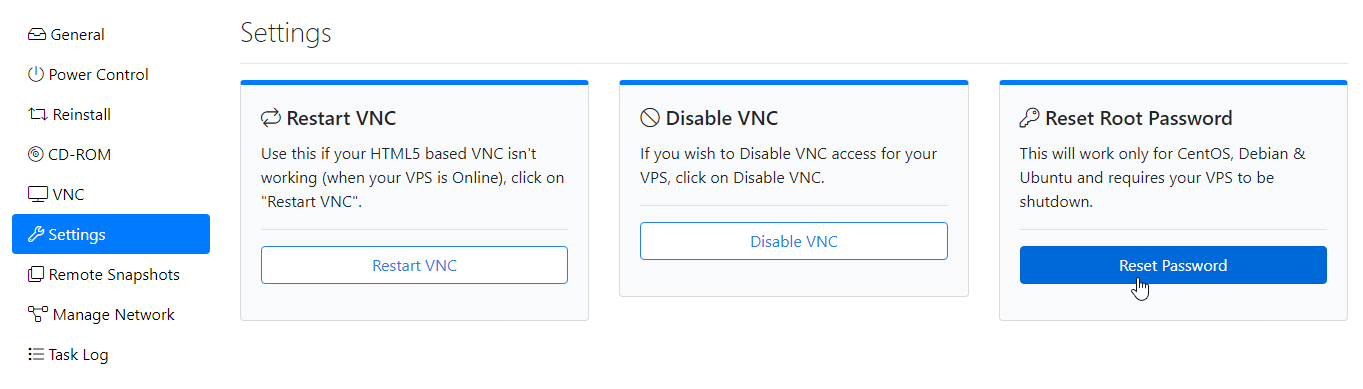 Oracle Linux 8 5 Reset Root Password
https://wiki.crowncloud.net/images/reset_root_password_on_kvm/2.png
Click to get started In this Document Goal Solution My Oracle Support provides customers with access to over a million knowledge articles and a vibrant support community of peers and Oracle experts Oracle Cloud Infrastructure Version N A and later Oracle Linux How to Reset Root Password in Oracle Linux 7
Templates are pre-designed files or files that can be utilized for different functions. They can save time and effort by providing a ready-made format and layout for creating various sort of content. Templates can be used for individual or professional projects, such as resumes, invites, flyers, newsletters, reports, discussions, and more.
Oracle Linux 8 5 Reset Root Password
How To Reset Root Password Kali Linux 2021 2 YouTube

How To Reset The Root Password In Linux Make Tech Easier
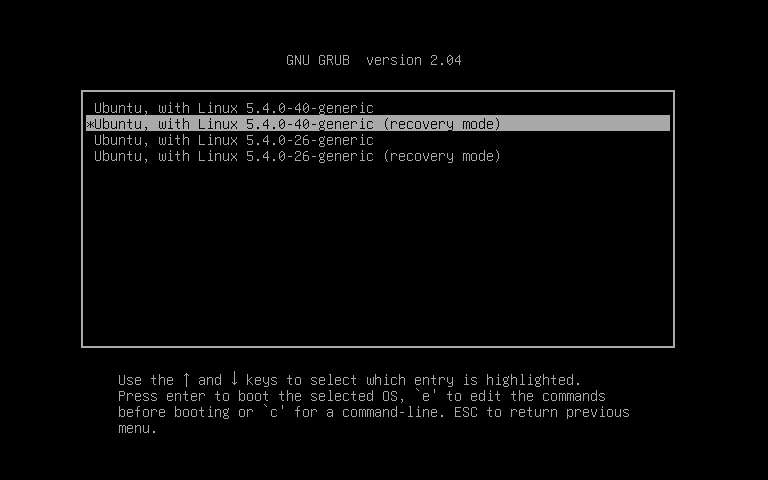
How To Reset Forgotten Root Password In Ubuntu Linux
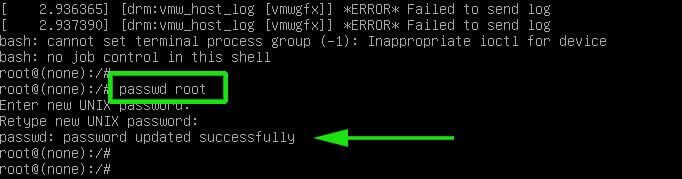
How To Reset A Forgotten Root Password In Linux Mint
How To Reset Root Password In MySQL 8 On Ubuntu Linux OSTechNix
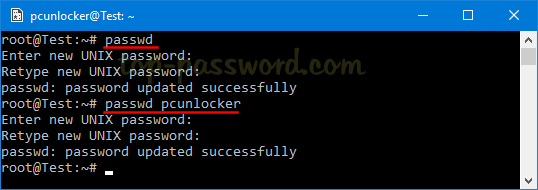
Reset Lost Root Password In Windows Subsystem For Linux Password Recovery
3061 Views 0 Comments Feb 24 2023 3 06PM edited Feb 24 2023 3 06PM It is possible to reset the root password systems running Oracle Linux 7 or higher without knowing the current root password by booting the server into rescue mode via systemd

Reset root password on Oracle Linux 8 Reset Tips Reboot the system and access the GRUB boot loader menu Find the line that begins linux and scroll to the very end of the line Add the following parameter rd break to the end of this line Press Ctrl X to start your system Shell prompt switch root Type the following commands
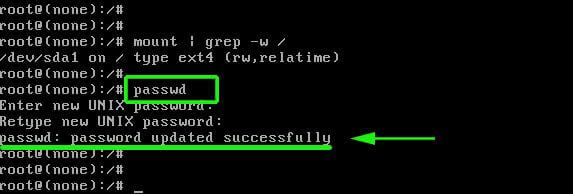
How to reset Root user password from boot on Oracle Linux 8 5 LinuxHelp 29 9K subscribers Subscribe 23 Share 2 2K views 1 year ago Learn Concept on Oracle Linux 8 5 Grub is

Recover forgotten root password Follow along with the steps below to reset your root password by entering GRUB recovery mode In the screenshots below we are using Ubuntu Linux for an example but the instructions will apply to any distro In some cases you may have to adapt them a little
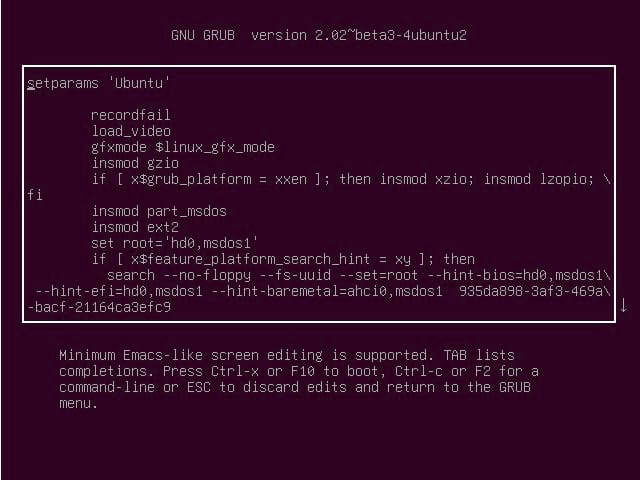
This video explains how to reset forgotten root passwords of Oracle Linux 7 8 and 9 instances using the OCI serial console Related topic https communit
Use the passwd command to set a new root password Please note that when typing a new password the characters you type will not be visible Simply keep typing Set new root password using the passwd command Step 1 Open a Terminal Window Right click the desktop then left click Open in terminal Alternately you can click Menu Applications Accessories Terminal Step 2 Change Your Root Password In the terminal window type the following sudo passwd root
An addition if you have root access but not the oracle user login as root then su oracle and follow Paul s instructions Also try all the default oracle passwords Last option is to look at OUTLN and DBSNMP accounts and Oracle hacks around that