Openvpn Server Config File Ubuntu Penetration Testing Dropbox Part 2 VPN Infrastructure Sprocket Security Basic Ubuntu 20 04 OpenVPN Client Server Connection Setup LinuxConfig Need Help OpenVPN Server client Config For Home Network Behind Double Internet Connection Using OpenVPN On Linux Ubuntu Free Download Software OpenVPN Configuring A Windows Client Or Server Opengear Help Desk At the end of the file add crl verify crl pem Save and exit sudo systemctl restart openvpn server Restart the Server to implement the changes Step by step guide to create a virtual private network with OpenVPN on Linux Ubuntu 20 04 You will find all the instructions to configure a VPN on your server
Start the OpenVPN server by specifying your configuration file name as an instance variable after the systemd unit file name The configuration file for your server is called etc openvpn server conf so add server to end of your unit file when calling it sudo systemctl start openvpn server openvpn ubuntu install sh Desktop or Mobile client configuration When VPN server configuration done we can create a desktop client VPN configuration file You will be prompted for a client name and then client configuration will be available on OpenVPN Server start stop restart OpenVPN server on Ubuntu server systemctl status email
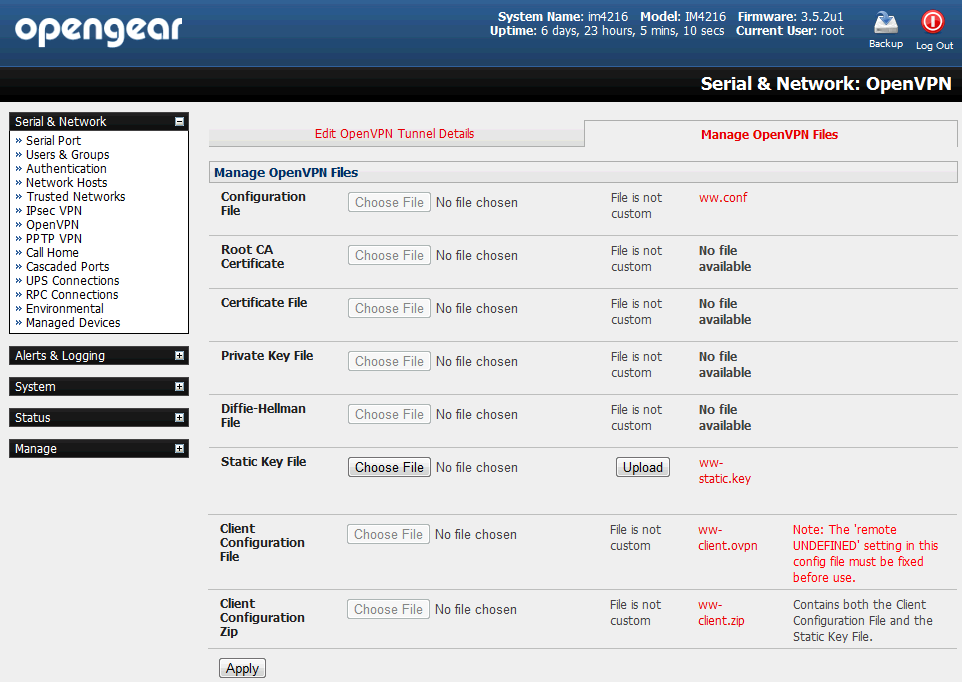
OpenVPN Configuring A Windows Client Or Server Opengear Help Desk How To Install OpenVPN On Windows How To Configure OpenVPN On Ubuntu Linux VPN PPTP SSTP L2TP And How To Configure OpenVPN On Ubuntu Linux VPN PPTP SSTP L2TP And Ubuntu 22 04 DHCP SegmentFault OpenVPN How To Install And Configure Adam In Tech SaevolGo Multi Site OpenVPN Interconnect Server Client Mode GRE OpenVPN Config Generator GETPCGAMESET OpenVPN How To Set Up OpenVPN Server On Debian 10 Buster
Openvpn Server Config File Ubuntu
 Openvpn Server Config File Ubuntu
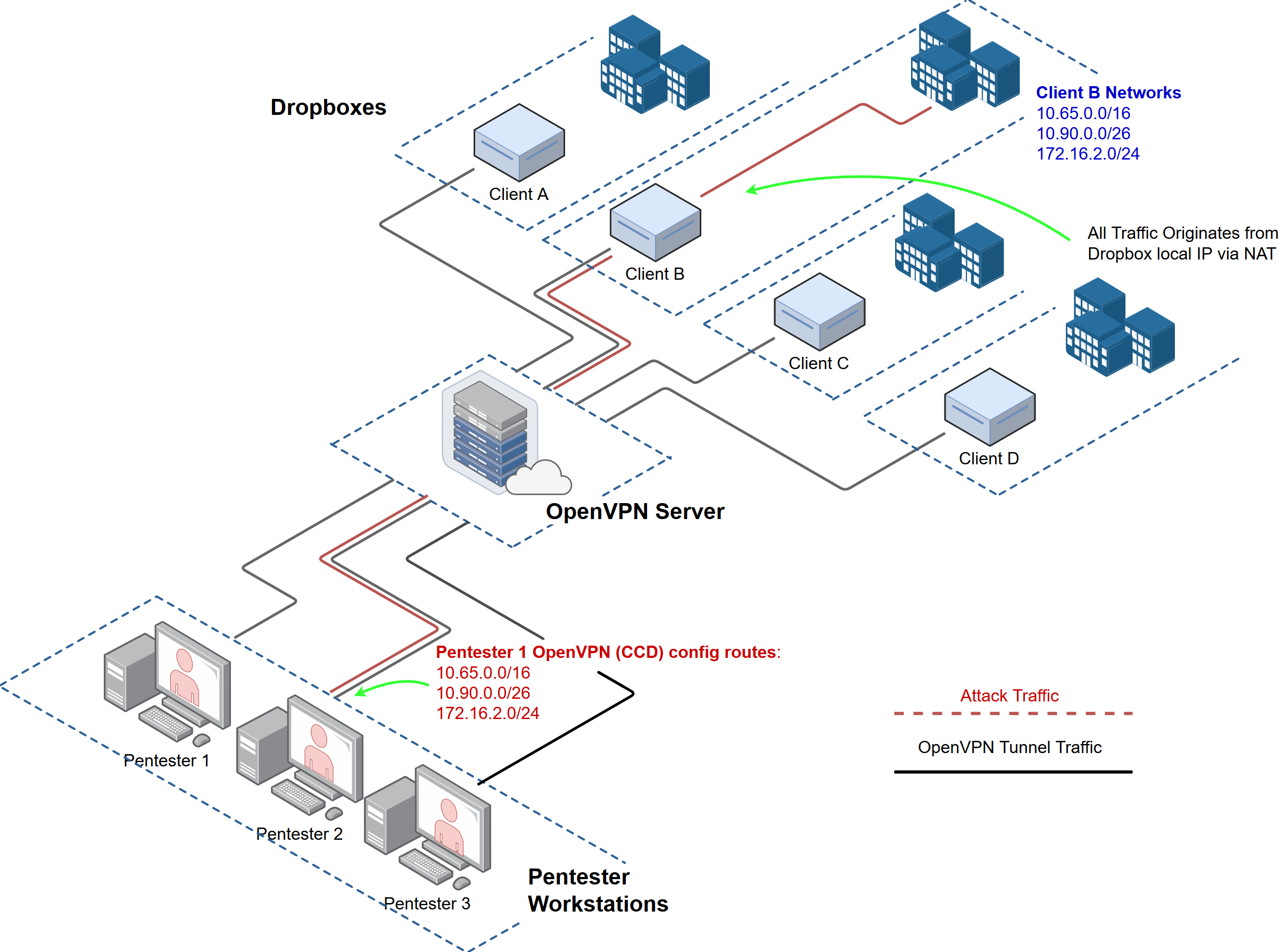
https://assets.sprocketsecurity.com/blog/dropbox-architecture.png
Every bit helps Join Patreon Find and note down your public IP address Download openvpn install sh script Run openvpn install sh to install OpenVPN server Connect an OpenVPN server using iOS Android Linux Windows client Verify your connectivity NOTE You need at least Ubuntu Linux 18 04 LTS or higher is needed to complete this tutorial
Pre-crafted templates provide a time-saving service for creating a varied series of files and files. These pre-designed formats and layouts can be made use of for various individual and professional tasks, including resumes, invitations, flyers, newsletters, reports, discussions, and more, simplifying the material creation process.
Openvpn Server Config File Ubuntu

OpenVPN Config File How To Understand It University Of South Wales

How To Install OpenVPN On Windows

How To Configure OpenVPN On Ubuntu Linux VPN PPTP SSTP L2TP And

How To Configure OpenVPN On Ubuntu Linux VPN PPTP SSTP L2TP And

OpenVPN How To Install And Configure Adam In Tech
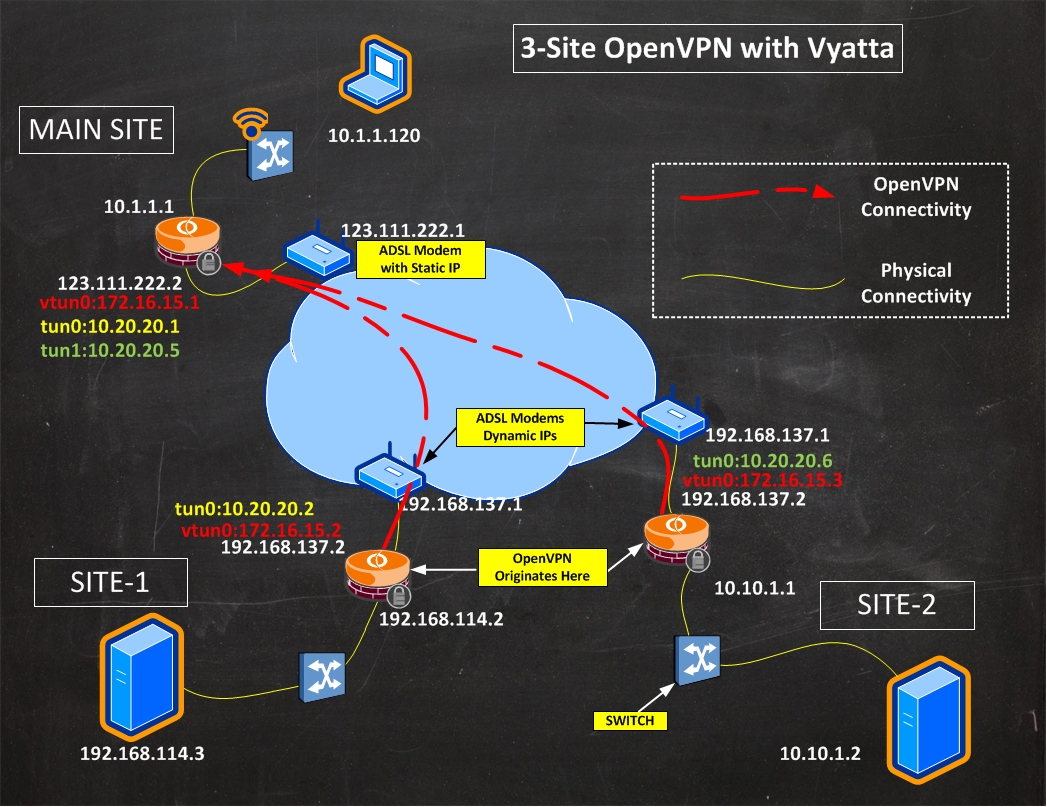
SaevolGo Multi Site OpenVPN Interconnect Server Client Mode GRE

1 First connect to your Ubuntu Debian server either via SSH or other method that you favorite Then grab the script by wget wget https git io vpn O openvpn install sh In case wget command does not exist install via sudo apt install wget 2 After downloaded the script add executable permission via command chmod u x openvpn install sh 3

Step 1 Generation of the Certificate Authority CA The first step in our journey consists into the creation of the Certificate Authority on the dedicated machine We will work as an unprivileged user to generate the needed files Before we start we need to install the easy rsa package sudo apt get update sudo apt get y install easy rsa

Start Menu All Programs OpenVPN OpenVPN Sample Configuration Files Note that on Linux BSD or unix like OSes the sample configuration files are named server confclient conf On Windows they are named server ovpnclient ovpn Editing the server configuration file
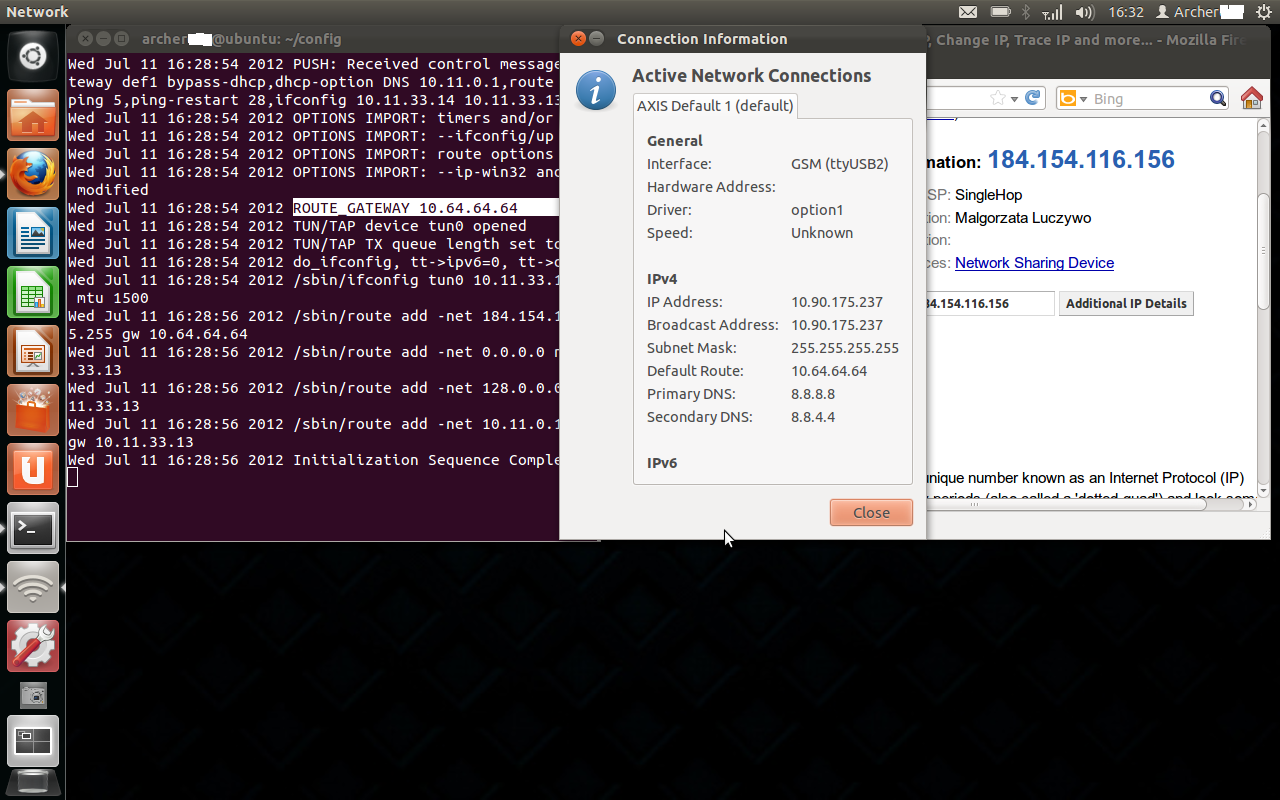
In our tutorial we will install OpenVPN on a Ubuntu 22 04 server configure it to be accessible from a client machine and create a VPN connection between them to redirect all the traffic from the client through the OpenVPN server Prerequisites A server running Ubuntu 22 04 supporting both IPv4 and IPv6 connections
The easiest method is to find an existing binary RPM file for your distribution You can also build your own binary RPM file rpmbuild tb openvpn version tar gz Once you have the rpm file you can install it with the usual rpm ivh openvpn details rpm
Copy the ovpn file to the OpenVPN config folder Users Name OpenVPN Config or Program Files OpenVPN config Launch the OpenVPN application Right click on the OpenVPN system tray icon and the name of OpenVPN configuration file you copied will be listed on the menu Click Connect Android iOS By default the OpenVPN package is available in Ubuntu 20 04 so you can install it by just running the following command apt get install openvpn y Once the installation has been completed you can proceed to the next step Step 3 Build the Certificate Authority
OpenVPN is a Virtual Private Networking VPN solution provided in the Ubuntu Repositories It is flexible reliable and secure It belongs to the family of SSL TLS VPN stacks different from IPSec VPNs This page refers to the community version of the OpenVPN server Setup examples are also provided on the OpenVPN community website