Open Teamviewer Command Line TeamViewer Auto Open Devices TeamViewer Support Uninstall Teamviewer Command Caqwemister Ubuntu Start Teamviewer Command Line Pnapatient How To Launch TeamViewer Using The Command Prompt Omnisphere 2 5 Size Zinetree Launching Teamviewer remotely through SSH May 10 2021 List of TeamViewer commands References Teamviewer is a wonderful tool to access your
0 There s an official TeamViewer Help page that provides a couple of startup switches to create a shortcut to a particular host Teamviewer usr bin teamviewer etc teamviewer Now run this command to get the list of commands user home machine usr bin teamviewer help TeamViewer 8 0 17147
Omnisphere 2 5 Size Zinetree How To Install Teamviewer On Ubuntu 20 04 Via Command Line Teamviewer Remote Windows Open With Scrollbars TeamViewer Support Restart Teamviewer Command Line Mac Postsrenew Startallback Key Free Allyras How To Remotely Control A Mac With TeamViewer TechRepublic Uninstall Teamviewer Command Line Mac Namebright Uninstall Teamviewer Command Line Mac Namebright Open Teamviewer In Mac Treecases
Open Teamviewer Command Line
 Open Teamviewer Command Line
https://us.v-cdn.net/6032394/uploads/JAM7XN8KQDKY/image.png
1 Logmein Pro has a command line only option for remote connection Luke Jan 4 2021 at 18 28 Add a comment 1 Answer Sorted by 3 PS remoting should
Pre-crafted templates use a time-saving solution for developing a varied variety of documents and files. These pre-designed formats and layouts can be used for numerous individual and expert projects, including resumes, invitations, leaflets, newsletters, reports, presentations, and more, simplifying the content creation process.
Open Teamviewer Command Line

Serato Dj Scratch Live Download Cashnew
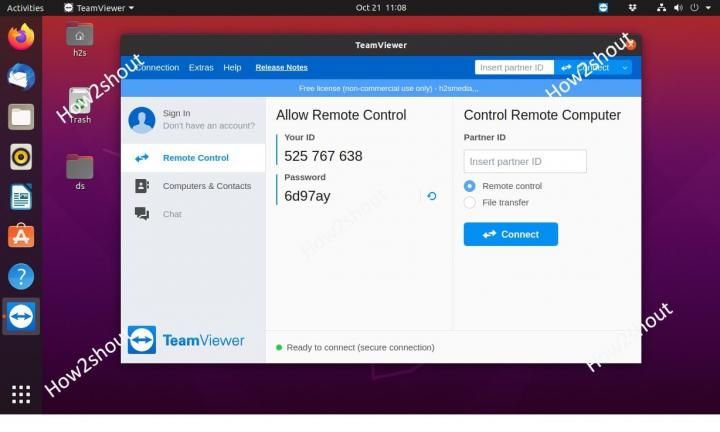
How To Install Teamviewer On Ubuntu 20 04 Via Command Line

Teamviewer Remote Windows Open With Scrollbars TeamViewer Support

Restart Teamviewer Command Line Mac Postsrenew

How To Remotely Control A Mac With TeamViewer TechRepublic
Uninstall Teamviewer Command Line Mac Namebright

To access the remote Command Prompt please follow the instructions below Open TeamViewer Classic and log in to your TeamViewer account Access the

November 2022 Answer Hi DavidEklove Welcome to the TeamViewer Community Yes you can launch a connection from the command line using these
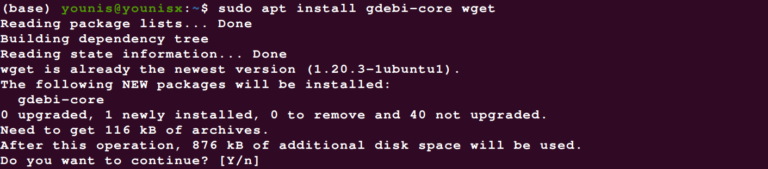
Get direct access to the remote terminal of your Windows macOS and Linux devices Provide unobtrusive support without establishing a screen sharing session

You can click the Search icon near the Start button or press Win R instead and type in cmd without quotes When the command prompt opens type in Start TeamViewer and press Enter If Windows cannot

How to assign a device via command line Open the CMD Navigate to your TeamViewer installation folder Enter the following command indicated below into
Using TeamViewer To connect to a remote computer launch TeamViewer on yours In GNOME press the Super key usually located between Ctrl and Alt on the Open the Terminal either through the system Dash or the Ctrl Alt T shortcut First you need to download the TeamViewer repository key as we will install
Get GPG Key To make sure whatever the packages we will download and install for Team Viewer will be authentic and from the original source thus we add the