Okta Verify Compatibility Okta Verify Adding Okta Account To Google Authenticator Or Okta Verify On Multiple QR iOS Okta Verify Re enroll An Okta Verify Account On Windows Devices Okta Troubleshooting Okta Verify Known Issues On IOS Devices Okta Okta Verify maintains ongoing support for any specific operating system version for a limited time If you re troubleshooting issues with Okta Verify functionality review the
Seamless Integration Okta s compatibility with various university systems and applications means that users will have a more integrated and seamless experience Okta Verify is a mobile app that you use to verify your identity so you can securely sign in to your Okta protected resources Learn how to get started with Okta Verify sign in to
Troubleshooting Okta Verify Known Issues On IOS Devices Okta Reset Okta Verify App New Phone New York USA 1 June 2021 Okta Verify Mobile App Logo On Phone Okta IOS Okta Verify Enrolling In OKTA Verify Accreditation Support Okta Okta Get Started With Okta Verify On MacOS Devices Okta
Okta Verify Compatibility
 Okta Verify Compatibility
https://s3.amazonaws.com/icamsupport.state.gov/Logos/DOS_logo.png
Overview With the embedded SDK your app can verify a user s identity using the email authenticator You can integrate the email enrollment and challenge in your app and
Templates are pre-designed files or files that can be used for various purposes. They can conserve time and effort by supplying a ready-made format and layout for producing different type of material. Templates can be utilized for individual or expert tasks, such as resumes, invitations, flyers, newsletters, reports, presentations, and more.
Okta Verify Compatibility

Adding Okta Account To Google Authenticator Or Okta Verify On Multiple

Reset Okta Verify App New Phone

New York USA 1 June 2021 Okta Verify Mobile App Logo On Phone

Okta
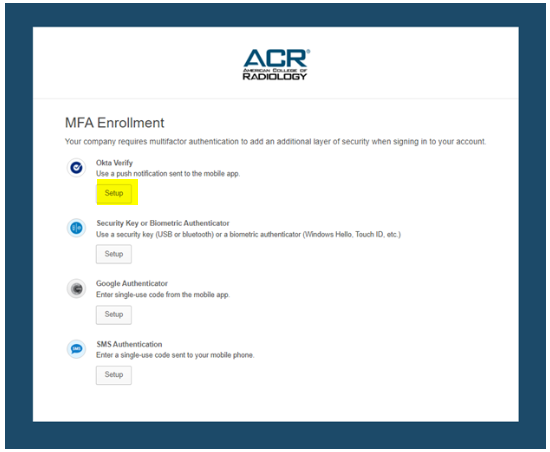
Enrolling In OKTA Verify Accreditation Support
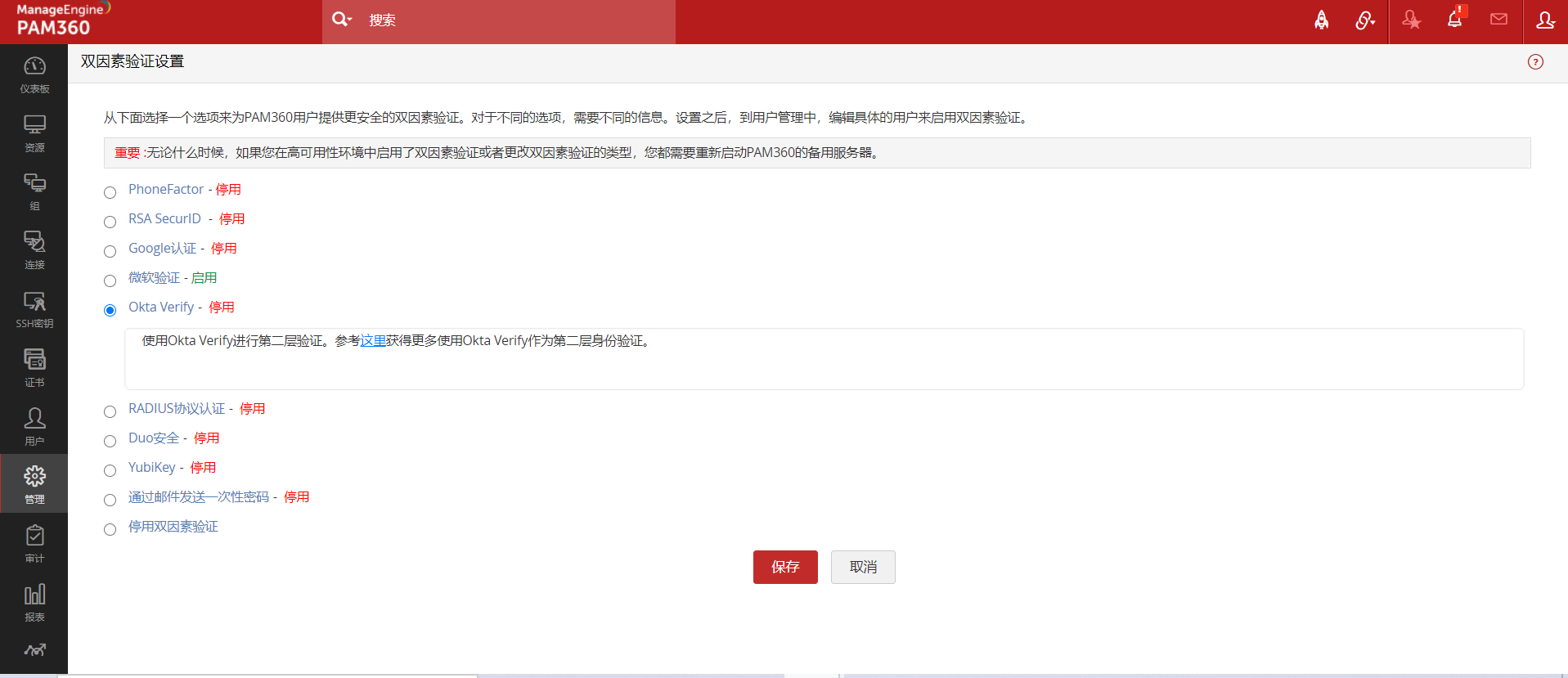
Okta
Open your organization s Okta account on your desktop go to SettingsExtra VerificationOkta Verify click Set up and then select your device type A QR code

If you re troubleshooting issues with Okta Verify functionality review the current platform compatibility matrix and ensure that the following requirements are met You ve

Manage settings Configure Windows Hello manage the display theme or join beta to test new app versions Troubleshoot Okta Verify problems and learn how to report issues

Description Okta Verify is a lightweight app that is used to register your device to Okta Registering your device to Okta gives you passwordless authentication to apps strong device level security and more

Choose your task Set up Okta Verify on your Android device by using a QR code Set up Okta Verify on your Android device by signing in to your apps dashboard Set up Okta
Overview Okta provides features like authentication authorization and social login for web mobile or API services Additionally it has robust support for the Spring Solution The following video shows how to set up Okta Verify on a new device Note If unable to log in or access the settings below because the use of Okta Verify is required
On your computer screen you will see menu that asks you to set up your Multifactor Authentication On your computer screen click Setup under Okta Verify to begin the