Nuget Package Manager Vs Code Install And Manage Packages In Visual Studio Using The NuGet Package Manager Microsoft Learn Compile And Build TypeScript Code Using NuGet Visual Studio Windows Microsoft Learn Install And Manage Packages In Visual Studio Using The NuGet Package Manager Microsoft Learn visual studio code Install A Nuget Package In Visual Studio Code SyntaxFix NuGet Package List For The Windows UI Library Windows Apps Microsoft Learn Web Aug 11 2023 nbsp 0183 32 Installing NuGet Packages in Visual Studio Code Scott Robinson Introduction In this Byte we ll show you how to install NuGet packages in Visual Studio Code NuGet is a popular NET package manager and in this article we ll explore different methods of installing NuGet packages directly within VS Code
Web vscode nuget package manager An extension for Visual Studio Code that lets you easily add or remove NET Core 1 1 package references to from your project s csproj or fsproj files using Code s Command Palette Features Search the NuGet package repository for packages using either partial or full package name or another search term Web Aug 21 2023 nbsp 0183 32 The Package Manager Console is built into the Package Manager for Visual Studio on Windows Visual Studio Code and Visual Studio for Mac don t include the console Visual Studio for Mac has a UI for managing NuGet packages and the equivalent console commands are available through the NuGet CLI
NuGet Package List For The Windows UI Library Windows Apps Microsoft Learn Nuget Package Not Available In This Source But VS Still Knows About It NuGet Package Manager Console Nuget Tutorial Install Syncfusion Windows Forms NuGet Packages Syncfusion Enable Nuget Package Restore C Install NuGet Packages With Visual Studio Azure Artifacts Microsoft Learn DotNet Basic Advance Tutorial MVC Part 21 Install And Manage Packages In Visual Studio Using The NuGet Package Manager Microsoft Learn How To Add Sitecore s NuGet Repository To Visual Studio Fishtank Consulting
Nuget Package Manager Vs Code
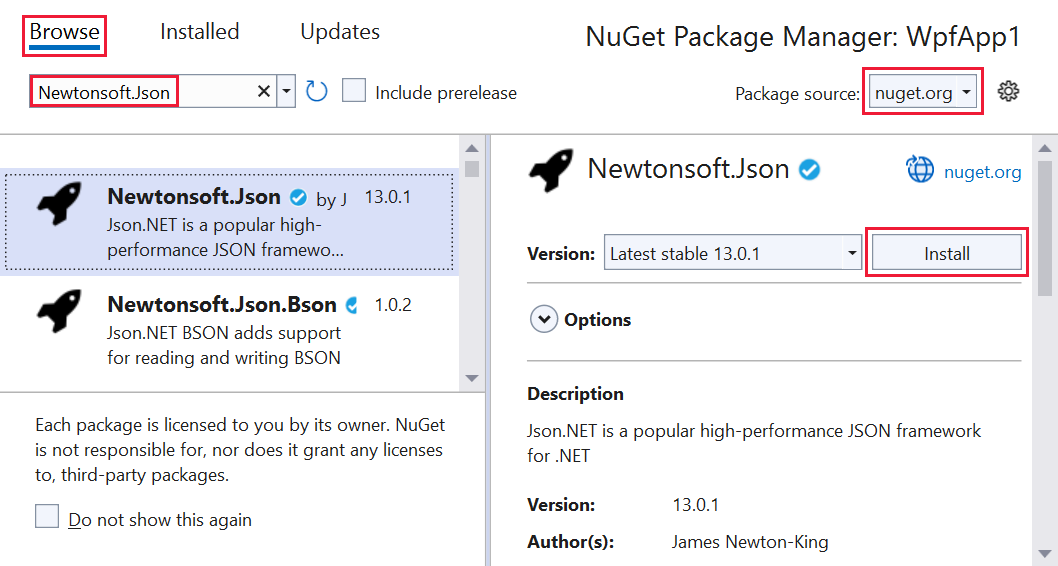 Nuget Package Manager Vs Code
https://learn.microsoft.com/en-us/nuget/consume-packages/media/package-manager-install-tab.png
Web Aug 9 2022 nbsp 0183 32 Switch to the Browse tab search for the package name select it then select Install nuget exe CLI nuget update command For all packages delete the package folder then run nuget install For a single package delete the package folder and use nuget install lt id gt to reinstall the same one
Templates are pre-designed files or files that can be utilized for various purposes. They can conserve effort and time by offering a ready-made format and layout for developing different sort of material. Templates can be used for personal or expert projects, such as resumes, invitations, flyers, newsletters, reports, discussions, and more.
Nuget Package Manager Vs Code
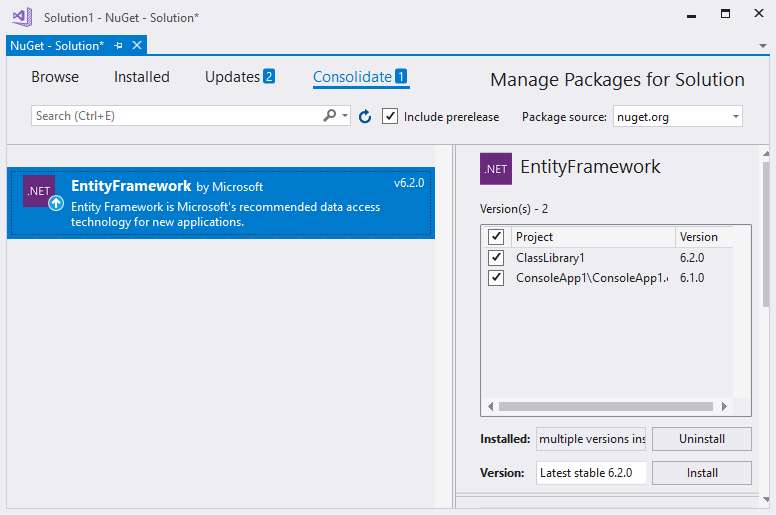
Install And Manage Packages In Visual Studio Using The NuGet Package Manager Microsoft Learn

Nuget Package Not Available In This Source But VS Still Knows About It
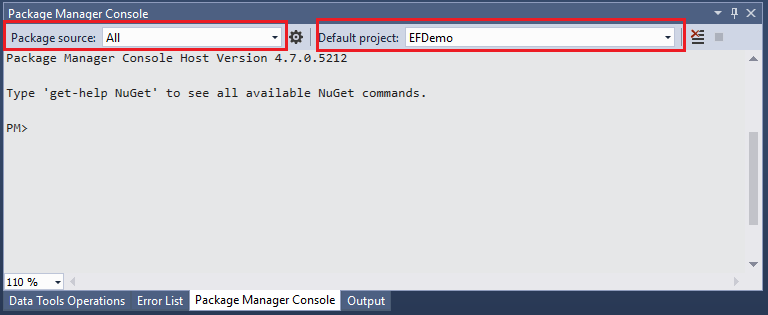
NuGet Package Manager Console Nuget Tutorial
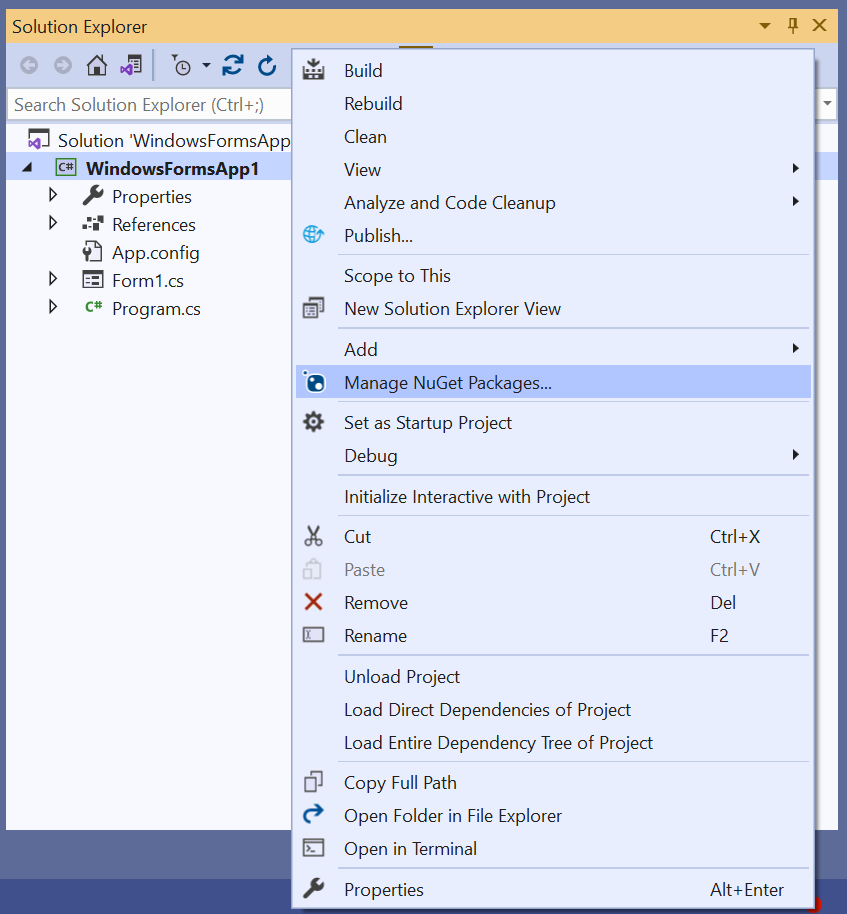
Install Syncfusion Windows Forms NuGet Packages Syncfusion
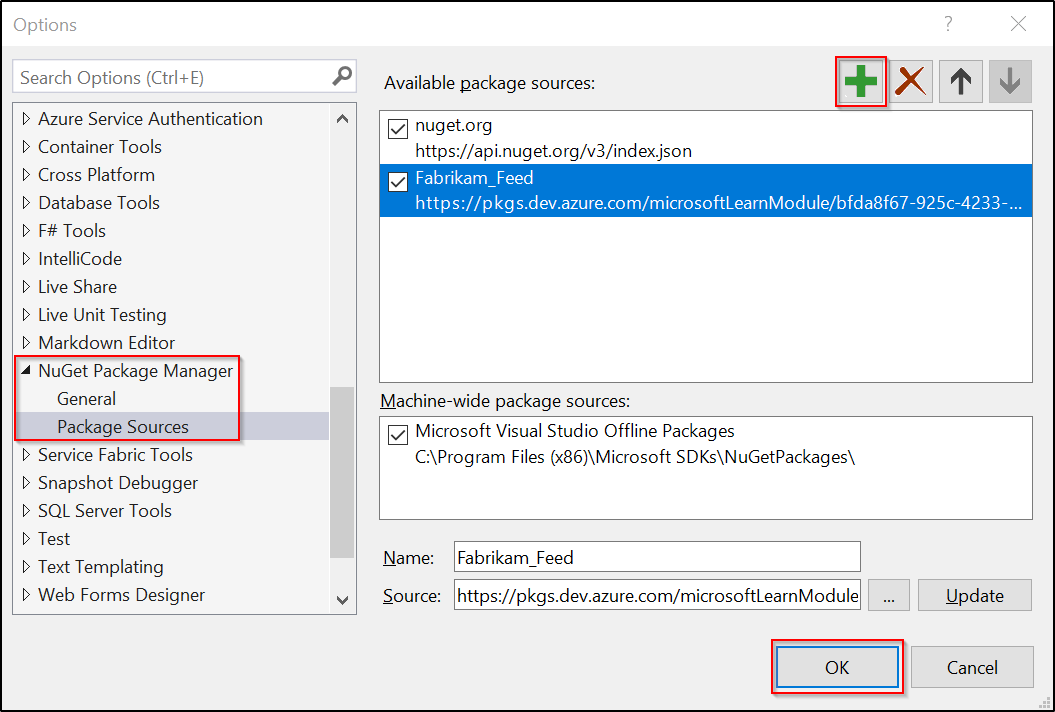
Install NuGet Packages With Visual Studio Azure Artifacts Microsoft Learn
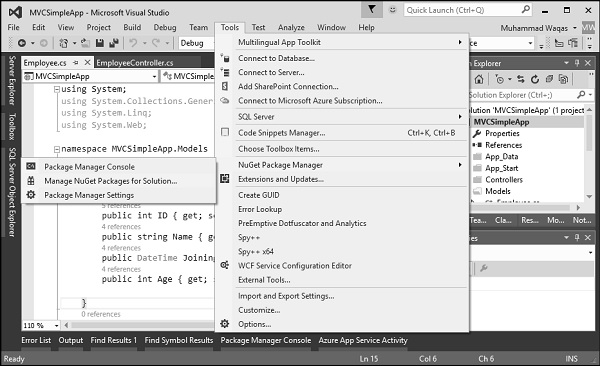
DotNet Basic Advance Tutorial MVC Part 21
Web Dec 17 2017 nbsp 0183 32 You can do it easily using quot vscode nuget package manager quot Go to the marketplace and install this After That Press Ctrl P or Ctrl Shift P and skip 2 Type quot gt quot Then select quot Nuget Package Manager Add Package quot Enter package name Ex Dapper select package name and version Done
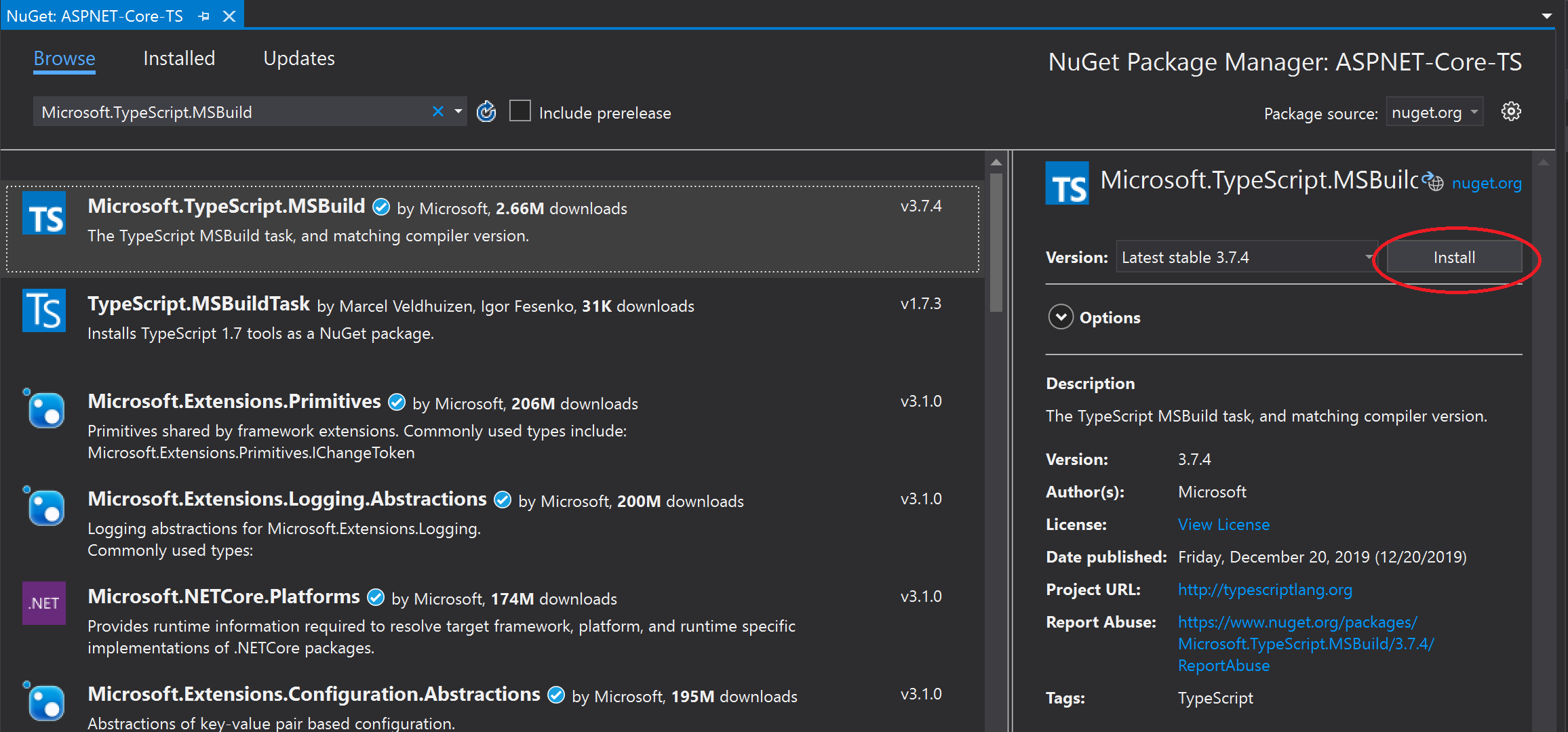
Web NuGet Package Manager GUI For VSCode An extension for Visual Studio Code that lets you easily update remove install packages from NuGet public private servers for NET Core Net 5 projects Features Simple amp Fast An easy user interface Handles workspaces with multiple csproj or fsproj files Update all packages with one click
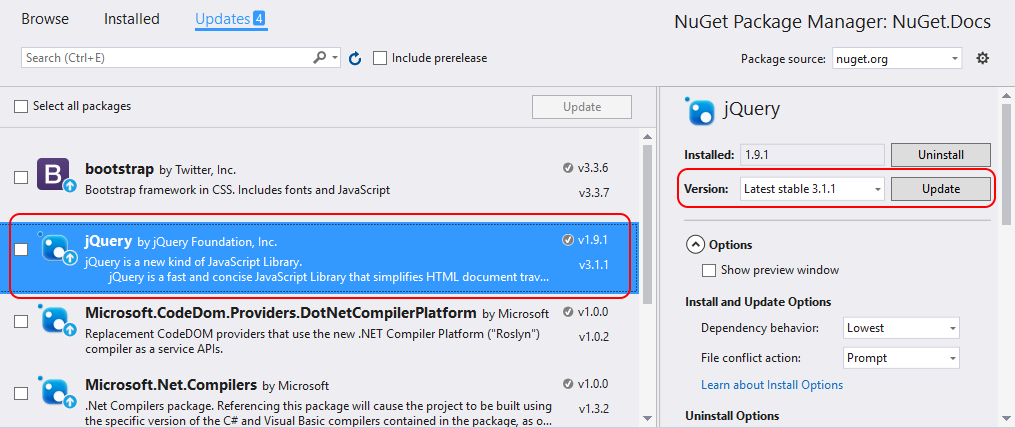
Web Aug 21 2023 nbsp 0183 32 The NuGet Package Manager UI in Microsoft Visual Studio for Windows allows you to easily install uninstall and update NuGet packages in projects and solutions The article is for Windows users only If you re using Visual Studio for Mac see Including a NuGet package in your project Prerequisites

Web Apr 26 2023 nbsp 0183 32 Using NuGet Package Manager GUI to install a NuGet package in Visual Studio Code Using the NuGet Gallery Extension to install packages in VS Code Using a different extension to install a NuGet package in VS Code How to install a NuGet package in Visual Studio Code There are multiple ways to install a NuGet package in

Web Feb 21 2023 nbsp 0183 32 Install on Visual Studio 2017 and newer Starting in Visual Studio 2017 the installer includes the NuGet Package Manager with any workload that employs NET
[desc-11] [desc-12]
[desc-13]