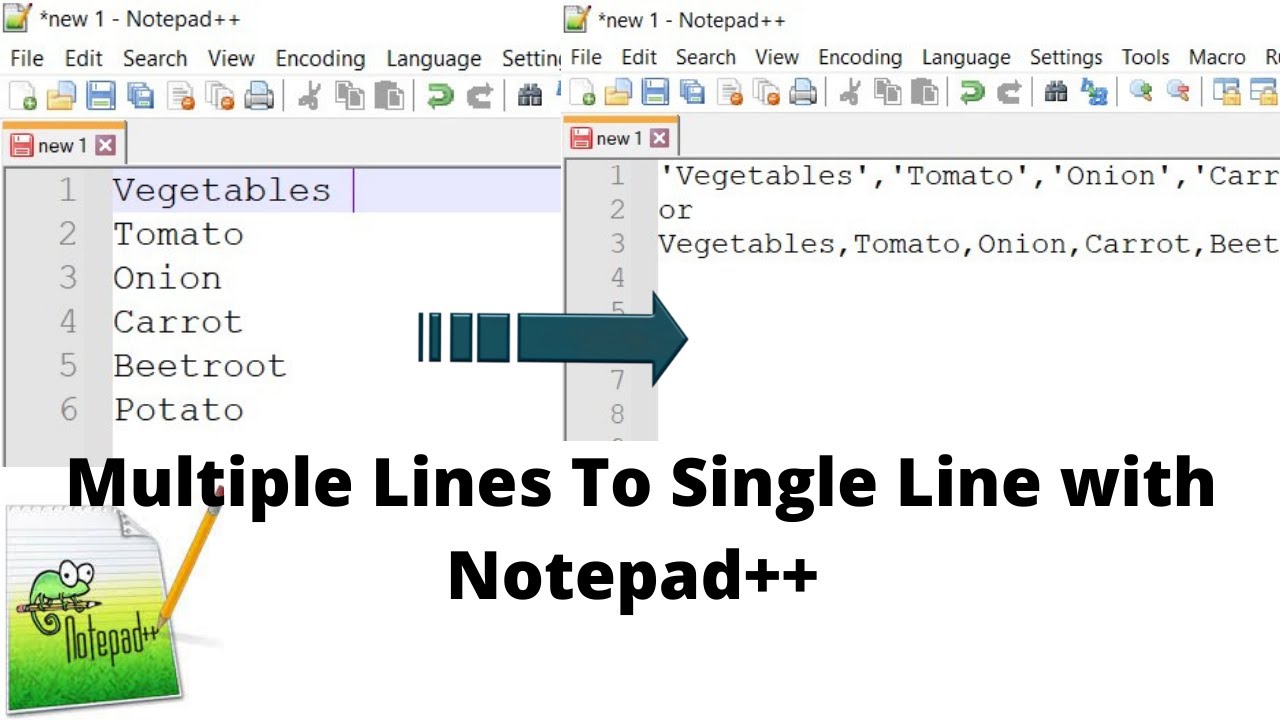
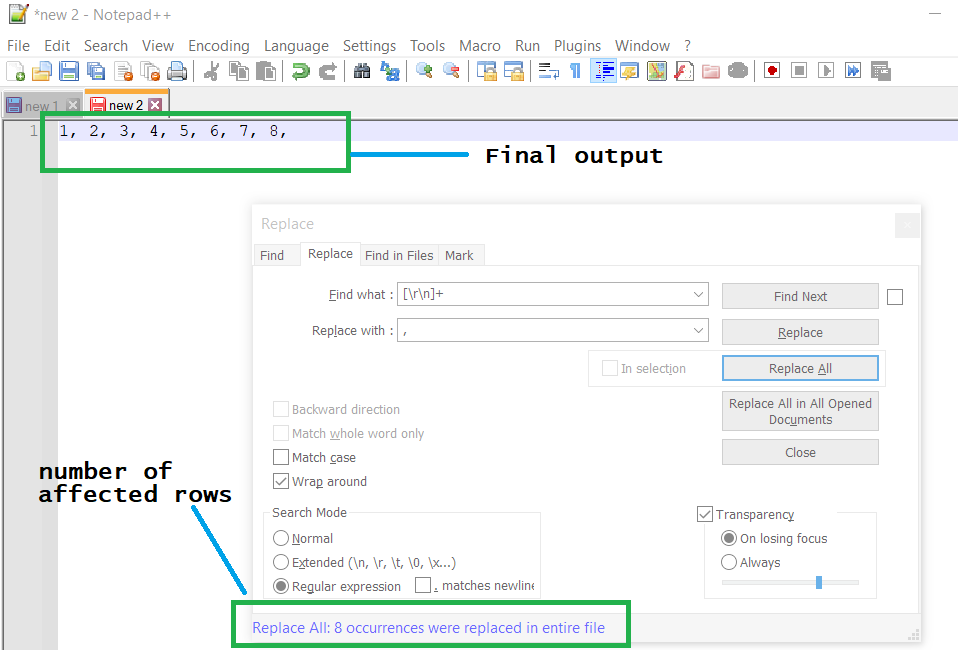
Notepad Multiple Lines To Single Line How To Get Multiple Lines In Single Line With Comma Seperated L Solved Convert Multiple Lines To Single Line Using RStudio Text Editor R How To Find The Line Number In Notepad Notepad Get The Line Count How To Bring Multiple Lines To Single Line In Notepad Printable Templates Replacing Some Text In Multiple Lines Notepad Stack Overflow Press Ctrl H and on Find what type r n and on Replace with type with white space white space is needed if need to have a space in between the data See image below Regular Expression must be selected and click Replace All once done This is the image after clicking replace all if everything works fine
10 Answers Sorted by 9 I m afraid there is no such behaviour in Notepad but you can do Find Replace here is a way to go Open your file in Notepad Open the Replace dialog Ctrl H Check the Wrap around option Choose the Regular expression search mode Fill in the regex h R in the Find what zone Fill in the regex x20 in the
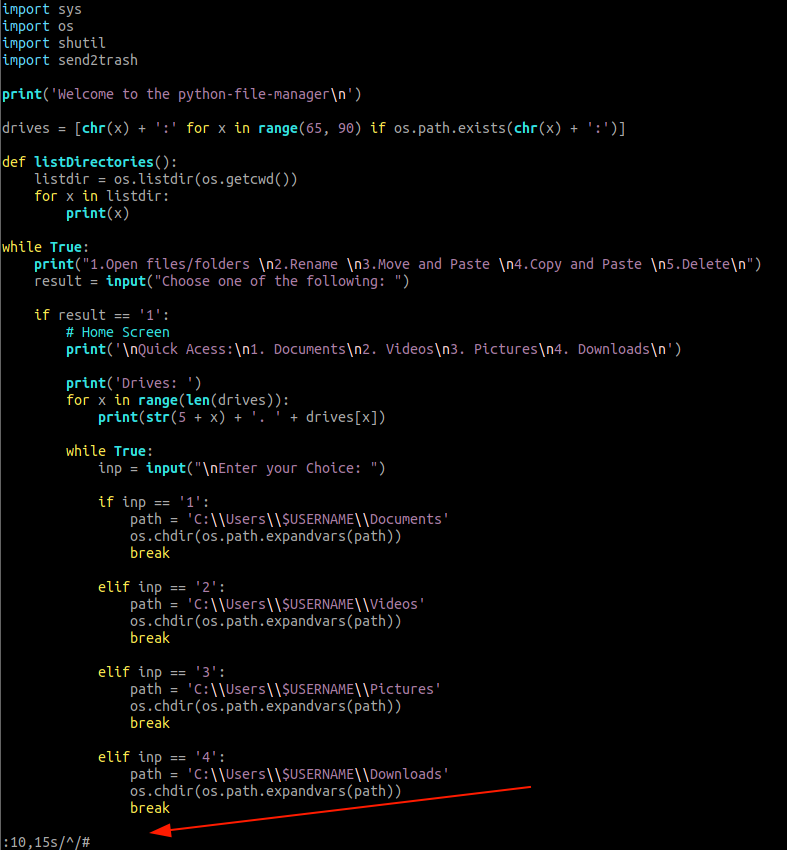
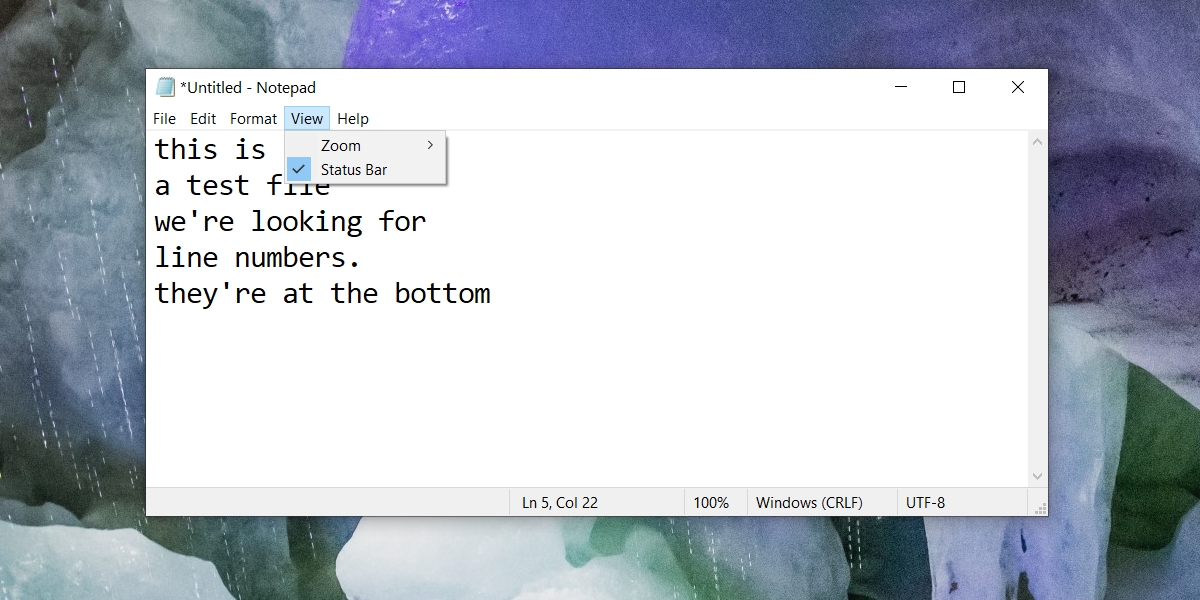
Replacing Some Text In Multiple Lines Notepad Stack Overflow How To Comment Multiple Lines At Once In Vim DevsDay ru How To Comment Multiple Lines At Once In Vim DevsDay ru How To Get Line Numbers In Notepad On Windows 10 Notepad Convert Multiple Lines To A Single Line And Vice Versa Notepad Convert Multiple Lines To A Single Line And Vice Versa How To Bring Multiple Lines To Single Line In Notepad Printable Templates Classic Clipboard With Notepad Fixed Width Notepad How To Display Multiple Vertical Lines Super User
Notepad Multiple Lines To Single Line
 Notepad Multiple Lines To Single Line
https://i.ytimg.com/vi/B-h_g__1j_Y/maxresdefault.jpg
You can do a find for with Serach Mode Regular expression selected r n r n r n r n And replace with 1 2 3 4 Press Replace All This will cut out the 1st and 2nd line breaks leaving the 3 lines together and then leave in place the next two the empty line and the start of a new record Share
Templates are pre-designed documents or files that can be utilized for numerous purposes. They can conserve effort and time by offering a ready-made format and design for creating various sort of content. Templates can be used for personal or professional jobs, such as resumes, invites, flyers, newsletters, reports, discussions, and more.
Notepad Multiple Lines To Single Line

Insert Multiple Rows After Other Multiple Rows In Notepad Stack
How To Comment Multiple Lines At Once In Vim DevsDay ru
How To Comment Multiple Lines At Once In Vim DevsDay ru
How To Get Line Numbers In Notepad On Windows 10
Notepad Convert Multiple Lines To A Single Line And Vice Versa
How To Bring Multiple Lines To Single Line In Notepad Printable Templates
ReadFile file read split n Set a new variable so you can concatinate a string text Loop through the list of rows for i in range 0 len readFile 1 Concatinate the each row into one string and add a comma and a space text text readFile i Print the text

4 Answers Sorted by 27 No regex required in this case Edit Blank Operations Trim leading Space Replace All r n with make sure Extended Search Mode is selected Share Improve this answer edited Jun 12 2020 at 13 48 Community Bot 1 answered May 17 2015 at 20 06 Karan 56 5k 20 119 194 Awesome works perfect
A There are a few ways to convert multiple lines to a single line in Notepad Use the Join Lines command To do this select the lines you want to join then click on the Edit menu and select Join Lines Use the TextFX plugin The TextFX plugin has a Join Lines function that you can use to convert multiple lines to a single line

If you do want hard breaks in lines of text you can use this regexp find replace all Find

Highlight the lines you want to join or use Ctrl A to select everything Choose Edit Line Operations Join Lines from the menu or press Ctrl J It will put in spaces automatically if necessary to prevent words from getting stuck together As an alternative you can press Ctrl H In Search Mode pick Extended Find r n Replace
You could use R if you want to deal with any kind of line break ie r or n or r n Find what R Replace with 1 This will replace multiple line breaks of any kind with a single one To convert multiple lines to a single line in Notepad follow the steps below Open Notepad and load the text file containing the multiple lines Press Ctrl H to open the Replace dialog box In the Find what field enter r without the quotes This code represents the newline character in Windows style text files
2 Answers Sorted by 2 Ctrl H Find what r n K R R Replace with a single space CHECK Wrap around CHECK Regular expression Replace all Explanation