Notepad Find All Lines Not Containing String DOS Equivalent Of GREP Andy Madge How Can I Remove All Lines Not Containing Email password In Notepad How To Delete Lines Not Containing In Notepad 2 Solutions Regular Expression Not Containing String 2 Solutions YouTube How To Find The Line Number In Notepad Notepad Get The Line Count How can one automatically reload modified files in Notepad The confirmation step is annoying and is completely unnecessary in some situations
Nov 3 2021 nbsp 0183 32 Slight variation worked for me after 22H2 W11 feature update Menu has changed no three dot pop up menu Select use quot set defaults by file type quot Select txt change default app Consider the scenario where you have a specific string that you want to find and replace You want to replace it with a new string that contains a newline character or character sequence
How To Find The Line Number In Notepad Notepad Get The Line Count Blank Notepad Blank Lines Notepad Ad Blank notepad lines ad How To Get Line Numbers In Notepad On Windows 10 Add Copy append And Cut append To Notepad Super User Regex How Can I Find The Next Following Line Containing A Specific Solved 1 Implement Chapter 7 Programming Project 2 From Chegg Find And Replace Multiple Lines In Notepad Printable Templates Free SOLUTION Osdc Cheatsheet Grep Studypool Find And Replace In Notepad How To Find String With Regular
Notepad Find All Lines Not Containing String
 Notepad Find All Lines Not Containing String
https://www.andymadge.com/assets/images/header-images/IMG_8437_w2500.jpeg
Jun 7 2018 nbsp 0183 32 I would like to split the Notepad window so that I can edit two files side by side How can I do this in Notepad
Pre-crafted templates use a time-saving service for developing a varied series of files and files. These pre-designed formats and designs can be made use of for numerous personal and expert tasks, including resumes, invitations, flyers, newsletters, reports, presentations, and more, simplifying the content creation process.
Notepad Find All Lines Not Containing String

Regex Word Boundary Discoverypikol

Blank Notepad Blank Lines Notepad Ad Blank notepad lines ad
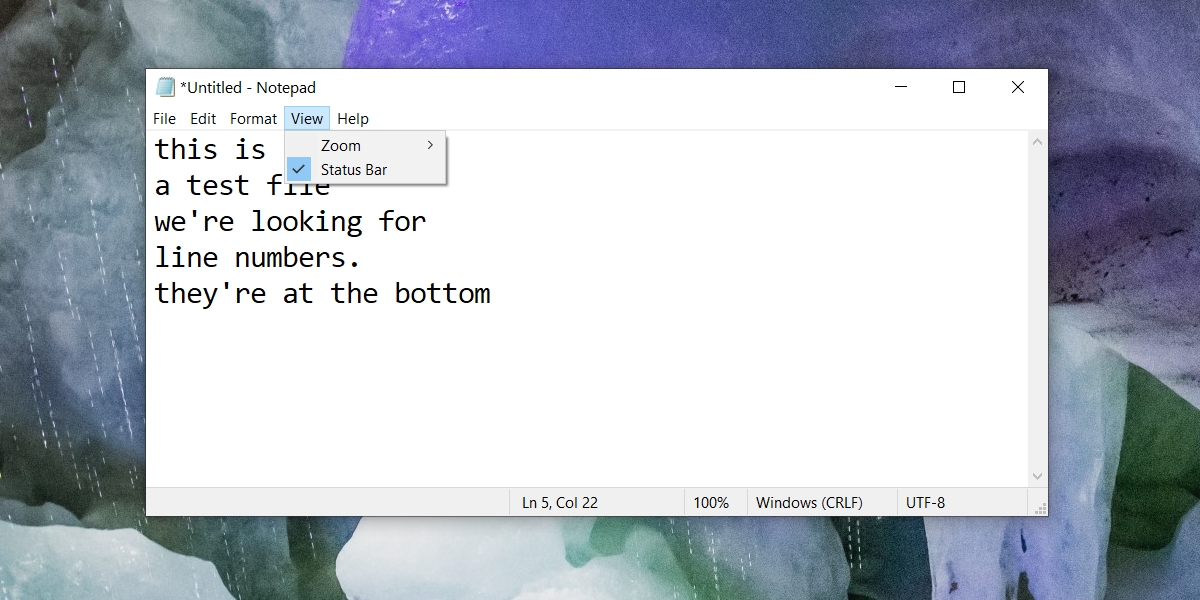
How To Get Line Numbers In Notepad On Windows 10

Add Copy append And Cut append To Notepad Super User
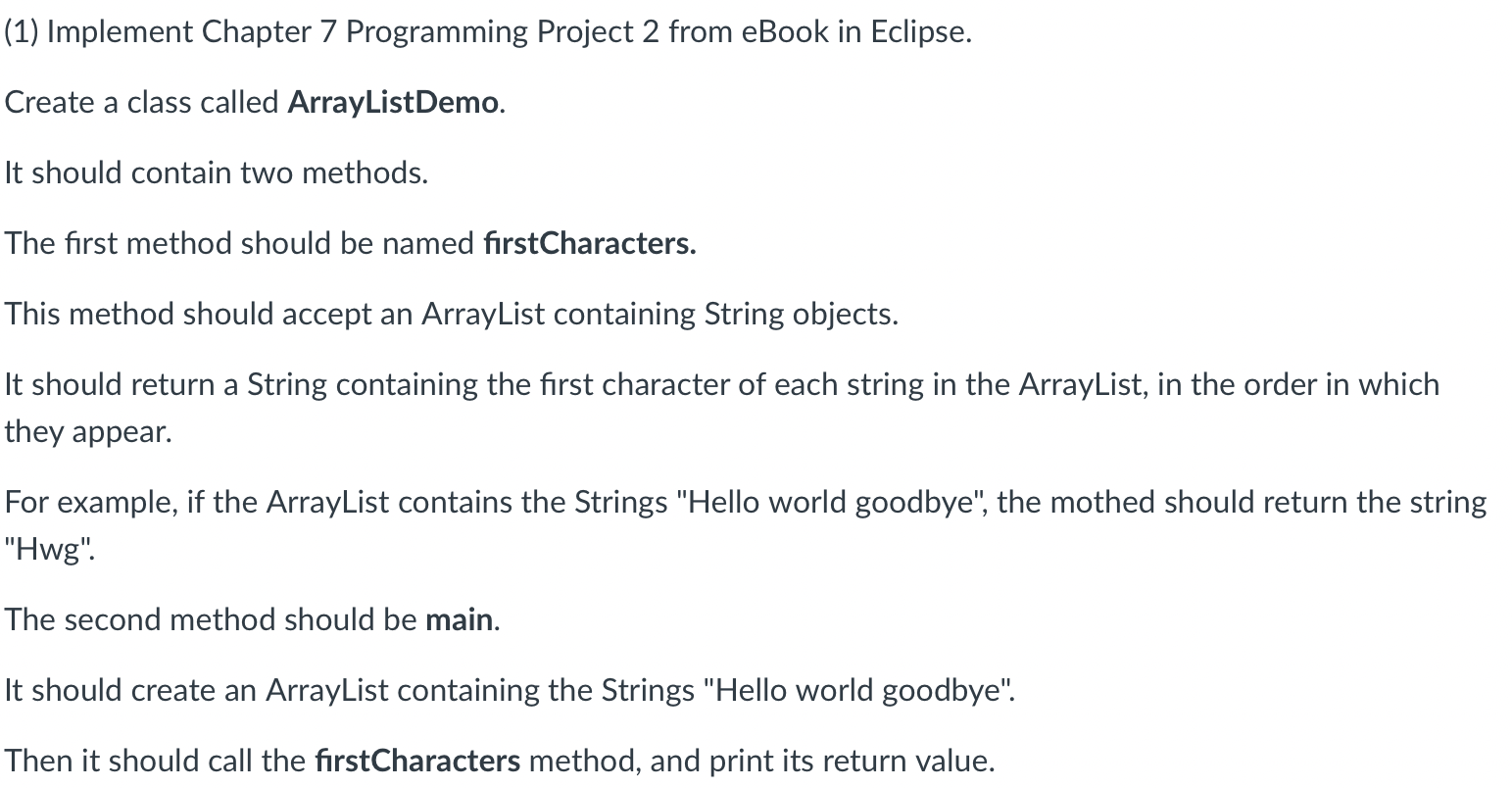
Solved 1 Implement Chapter 7 Programming Project 2 From Chegg

Find And Replace Multiple Lines In Notepad Printable Templates Free
Dec 18 2024 nbsp 0183 32 Note that you will get redirected to the new Notepad if you run any of those from their normal location on a system that has new Notepad installed That won t happen in the

Sep 20 2015 nbsp 0183 32 When was the quot Session snapshot and periodic backup quot feature introduced In version 6 6 x As a reminder the main feature of v6 6 x is Session snapshot amp periodic backup

Feb 26 2014 nbsp 0183 32 Suppose I have these lines A B C D E I want remove empty lines and the spaces before the letter too like this A B C D E How can I achieve this in Notepad

Feb 15 2014 nbsp 0183 32 I had text just like OP in my notepad and it worked Where it would literally say something like Hello World r nHello World to be Hello World With my version of Notepad
Nov 26 2015 nbsp 0183 32 In Notepad select from the end of a line clicking SHIFT Right arrow key you can t see it but the newline character is now selected Now go to quot Replace quot and replace with
[desc-11] [desc-12]
[desc-13]