Notepad Compare 2 Files And Save Differences How To Make Notepad Compare Two Files With A Plugin Notepad Compare Plugin How To Compare 2 Files In Notepad Excellence How To Compare Files In Notepad YouTube How To Make Notepad Compare Two Files With A Plugin Useful Life Feb 15 2014 nbsp 0183 32 I tried the top voted answer but I couldn t get it to work for my newer version of Notepad I had to reverse what they did So Press CTRL h and the Replace dialog will
Apr 29 2020 nbsp 0183 32 I change settings a lot Now I think I ve played with Notepad too much Now how can I reset the settings btw I don t want to uninstall then install again that s not so I usually use Notepad for programming but recently I started doing some writing in it as well Writing usually involves long paragraphs with no line breaks and currently those are displayed
How To Make Notepad Compare Two Files With A Plugin Useful Life Compare 2 Files In VS Code QA With Experts Notepad Alternatives Competitors Similar Software GetApp SOLVED How To Compare Two Files In Notepad V7 8 1 Or Higher Check How To Make Notepad Compare Two Files With A Plugin 2022 Notepad Compare Plugin Download Install And How To Use How To Compare Two Excel Sheets For Differences Riset Michael s TechBlog Compare Two Text Files With Notepad Step by Step Guide Comparing Two Files In Notepad With English
Notepad Compare 2 Files And Save Differences
 Notepad Compare 2 Files And Save Differences
https://static1.makeuseofimages.com/wp-content/uploads/2019/07/compare-two-files-notepad.jpg
Sep 20 2015 nbsp 0183 32 I had to immediate shut down and I lost about 20 unsaved tabs is there any way to recover these
Templates are pre-designed files or files that can be utilized for various purposes. They can save effort and time by providing a ready-made format and layout for producing various kinds of material. Templates can be utilized for individual or professional projects, such as resumes, invitations, flyers, newsletters, reports, discussions, and more.
Notepad Compare 2 Files And Save Differences

How To Compare Two Excel Files For Differences Online Riset
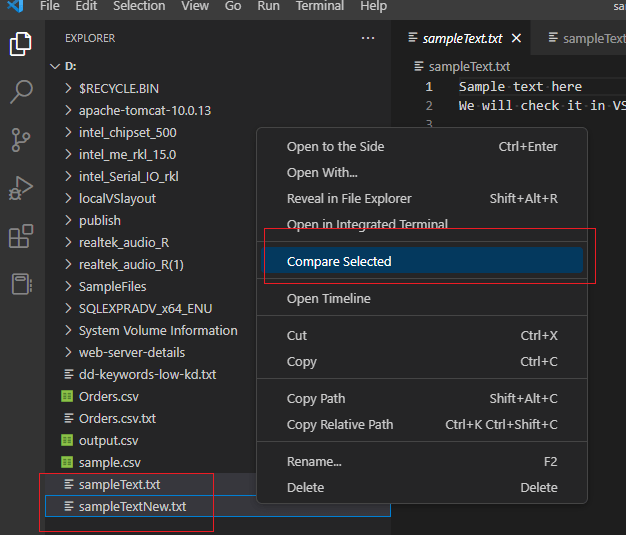
Compare 2 Files In VS Code QA With Experts
Notepad Alternatives Competitors Similar Software GetApp

SOLVED How To Compare Two Files In Notepad V7 8 1 Or Higher Check
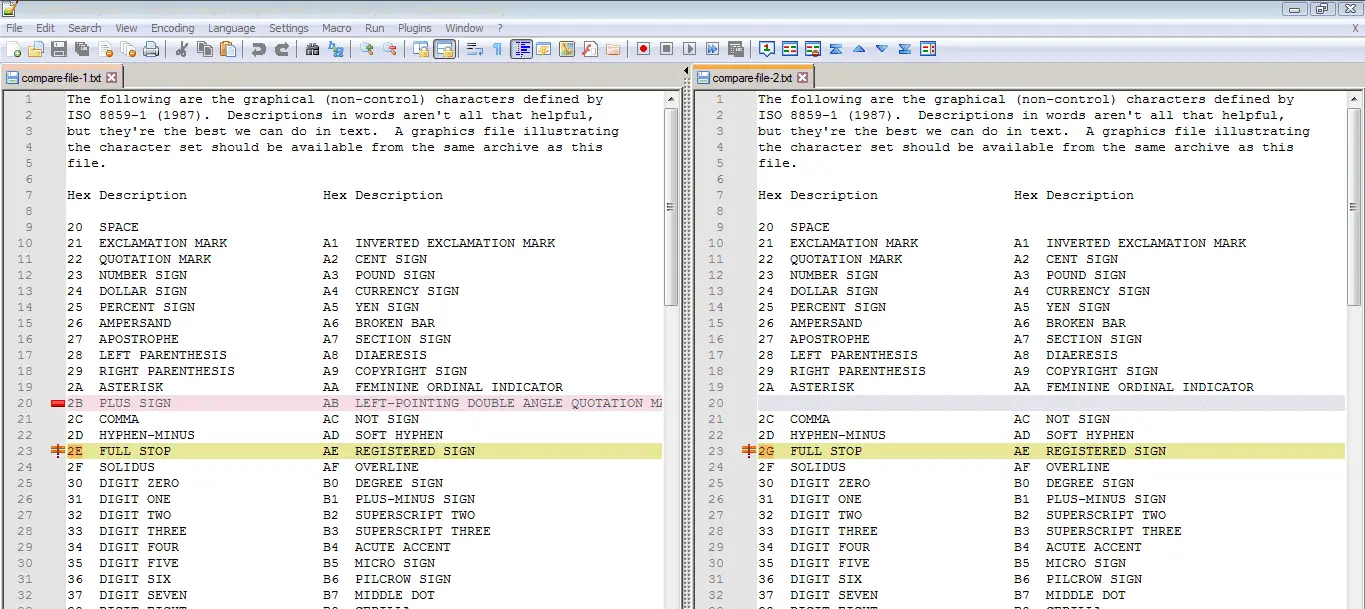
Notepad Compare Plugin Download Install And How To Use
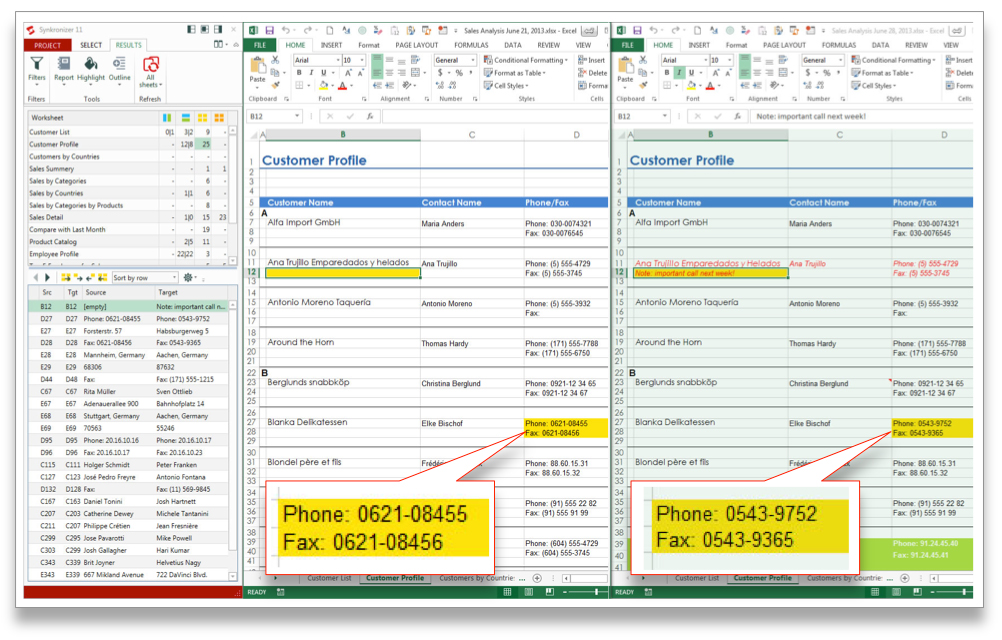
How To Compare Two Excel Sheets For Differences Riset

Dec 18 2024 nbsp 0183 32 Due to Notepad now being a UWP on all supported versions of Windows it will be difficult to just copy the executable into Sandbox

Consider the scenario where you have a specific string that you want to find and replace You want to replace it with a new string that contains a newline character or character sequence

Nov 17 2024 nbsp 0183 32 Temporarily stuck with Notepad I d like to know if there is any better or quicker way of selecting from here to the end of the file than moving the mouse to the bottom of the
This can easily be done in Linux with a variety of tools split being one I m assuming you are using Windows however as you mentioned Notepad I don t think theres native Windows

Sep 18 2013 nbsp 0183 32 My question is pretty straight forward is there a way in Notepad to expand and collapse blocks with keyboard shortcut I already know about the alt 0 and alt shift 0 to
[desc-11] [desc-12]
[desc-13]