Node Red Configuration Custom Component For Node Red Contrib Home Assistant Otosection Huawei SUN 2000 Obt n Los Datos De Tu Inversor Solar Con Node Red Node RED Configuration Nodes And Project Management Manage Your Node RED Configuration In Git CodeREVUE Manage Your Node RED Configuration In Git CodeREVUE By default the Node RED editor is not secured anyone who can access its IP address can access the editor and deploy changes This is only suitable if you are running on a trusted network This guide describes how you can secure Node RED The security is split into three parts Enabling HTTPS access Securing the editor and admin API
A Node Red node for setting global and flow context properties at startup and during runtime This node allows you to store configuration information in a central location and use it to set global and flow context properties at startup initialization phase or during runtime Node red uses a settings file called settings js located in in the user node red dot node red folder in their home directory You can create your own settings file and customise it either by copying the existing file or using the file available from Github here
Manage Your Node RED Configuration In Git CodeREVUE Why Does This Node red Configuration For Websockets Work Stack Overflow MQTT In Node RED HowTo Application Development The Things Network Setting Global Configuration Node Properties From Within A Flow EXAMPLE Set Brightness For A Dimmer Using Node RED And MQTT Issue Node Red And Telegram Home Automation With Home Assistant And Node Red Connect Home Assistant To Node Red Part 2 Integrate Telegraf With Home Node RED Install Thanoskoutr Blog Using ModbusTCP With Node Red To Control IO Brainboxes
Node Red Configuration
 Node Red Configuration
https://i0.wp.com/ytimg.googleusercontent.com/vi/4ClOiL5GNf0/maxresdefault.jpg?resize=160,120
The Node RED configuration file You can find details about the Node RED configuration file in the Node RED documentation On the Raspberry Pi the location of the configuration file is home pi node red In the hidden node red directory Node RED stores your flows nodes and of course its configuration file
Templates are pre-designed files or files that can be utilized for various functions. They can conserve effort and time by providing a ready-made format and layout for developing various sort of material. Templates can be utilized for personal or professional tasks, such as resumes, invites, leaflets, newsletters, reports, discussions, and more.
Node Red Configuration

Getting Configuration From The Environment For A Node RED Application

Why Does This Node red Configuration For Websockets Work Stack Overflow
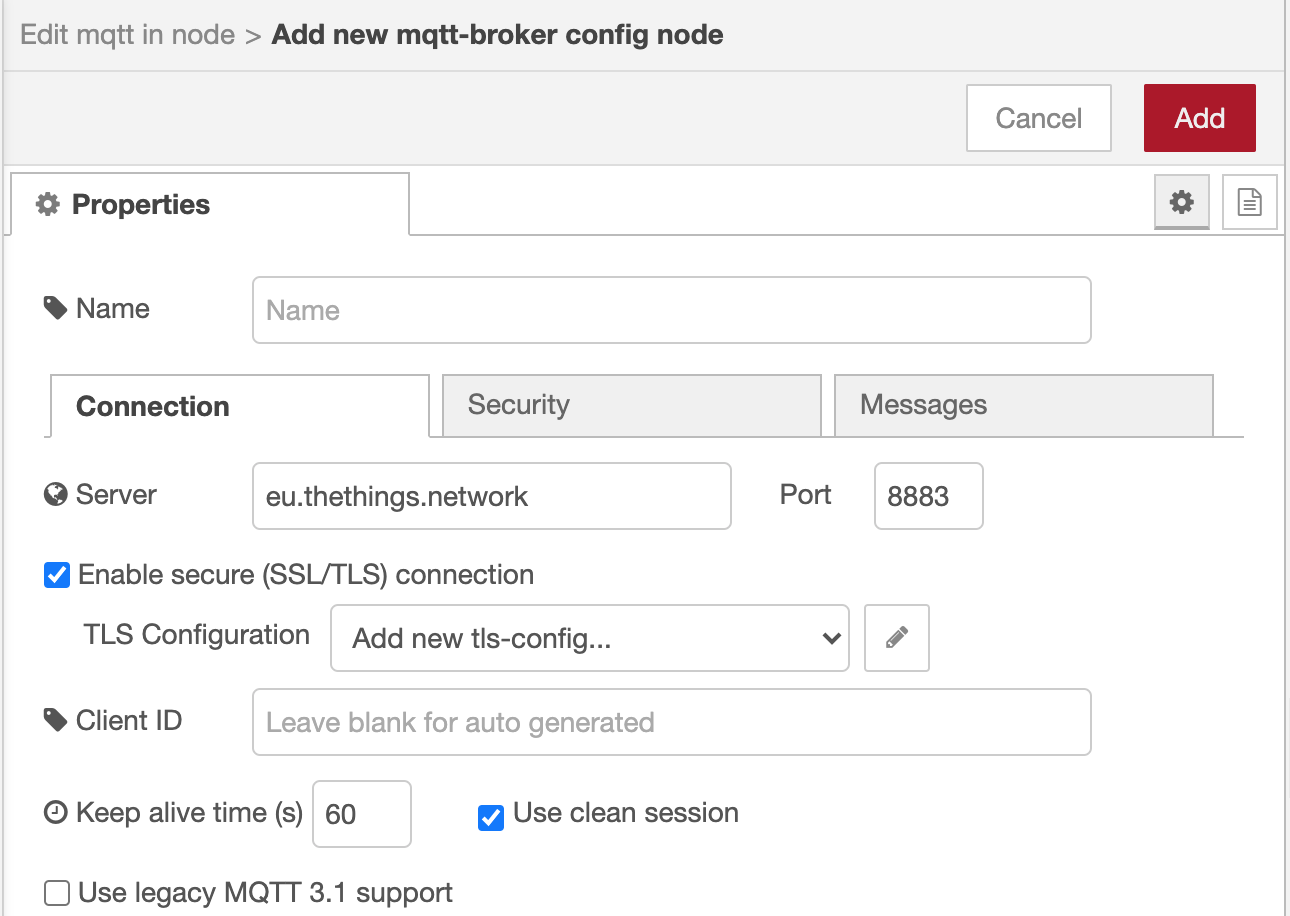
MQTT In Node RED HowTo Application Development The Things Network

Setting Global Configuration Node Properties From Within A Flow
Node Red And Telegram Home Automation With Home Assistant And Node Red

Connect Home Assistant To Node Red Part 2 Integrate Telegraf With Home

User Guide Getting Started Installing Node RED Creating your first flow Node RED Concepts Configuring Node RED The Settings file Configuration options Securing Node RED Logging Using Node RED Using the Node RED Editor The core nodes Adding nodes to the palette Using the Function node Working with context Working with messages

A configuration node is defined in the same way as other nodes There are two key differences its category property is set to config the edit template input elements have ids of node config input propertyname remote server html script type text javascript RED nodes registerType remote server category
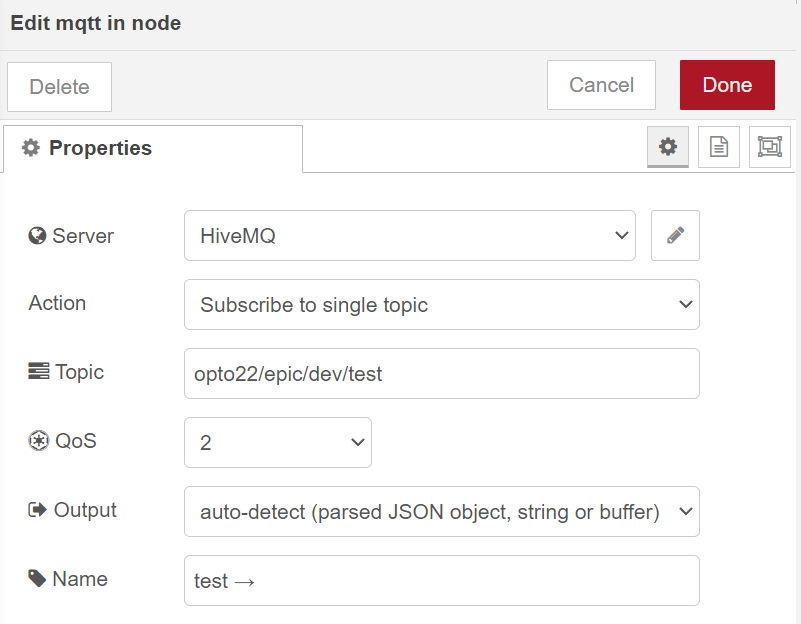
You can configure Node RED using a settings file Where is my settings file When Node RED starts it looks for a file called settings js in your Node RED user directory node red If it does not find one there it will copy in a default settings file to that directory and use it
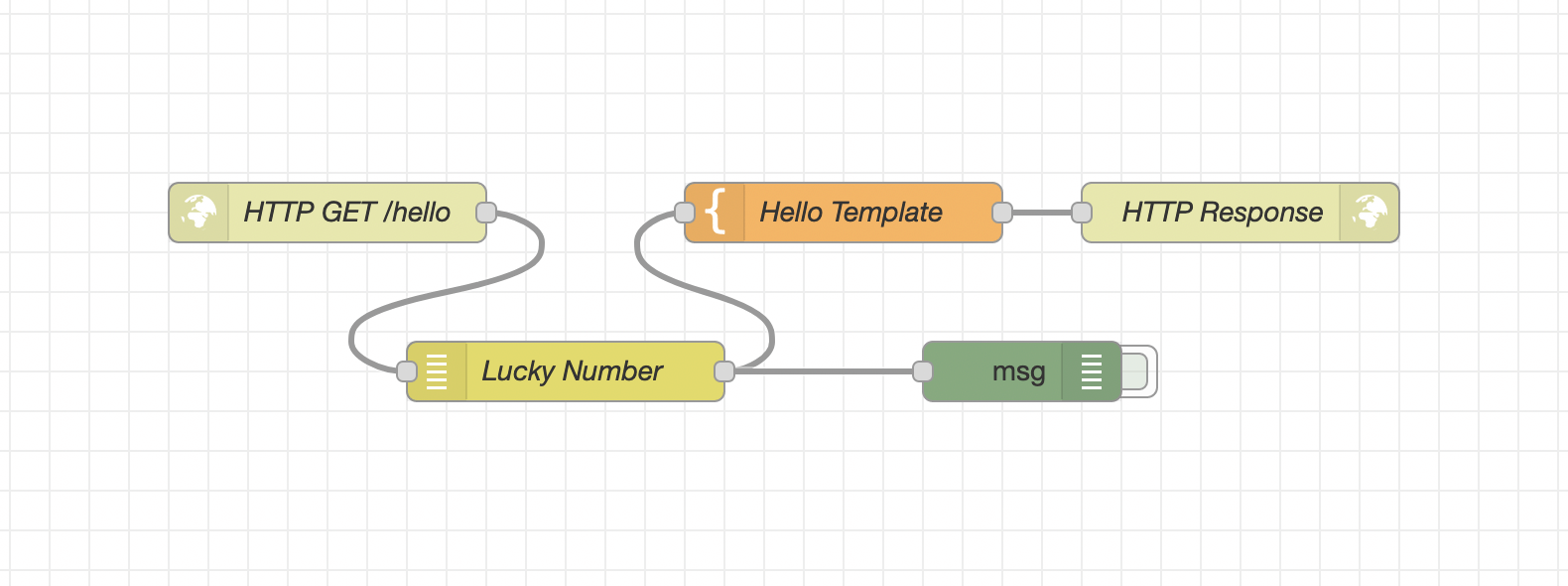
Getting Started This guide will help you get Node RED installed and running in just a few minutes Pick where you want to run Node RED whether on your local computer a device such as a Raspberry Pi or in the cloud and follow the guides below Running locally Installing Node RED on your local computer Raspberry Pi
Once installed open a command prompt and run the following command to ensure Node js and npm are installed correctly Using Powershell node version npm version Using cmd node version npm version You should receive back output that looks similar to v18 15 9 5 0 2 Install Node RED
To reveal the properties of any node double click on the node This will reveal the edit pane Depending on what kind of node it is the properties tab will have its own configuration options and set of widgets that you can interact with toset up the node The debug node allow us to send a string of text to the debug pane that you can see in May 9 2022 Node RED is an open source project for low code event driven programming It s built on NodeJS and allows you to define automation flows with pre made or custom made nodes as well as inline JavaScript functions It s design was originally guided by the IoT use case so the workflow configurations are stored as un versioned flat files
OptoBlog Node RED Configuration Nodes and Project Management Posted by Terry Orchard on Mar 1 2023 9 45 00 AM Learn best practices for managing Node RED projects on groov devices It s important to be able to manage Node RED projects for recovery version control copying flows to other devices and sharing code