Mysql Change User Password Command Line Simplest Way To Reset MySQL Root Password Change MySQL User Password Using Command Line Using Ubuntu MYSQL How To Change User Password Souvenirs D but Partager Mysql Select Database Console Emp cher Como Alterar A Senha Raiz Do MySQL Ou MariaDB No Linux Update user set password PASSWORD NEWPASSWORD where User root Instead of NEWPASSWORD you have to enter a new password and then run
1 Open your favorite text editor In this example we use vim sudo vim 2 Next add the following line in the file ALTER USER root Update user set password PASSWORD your new password where User root Step 4 Finally reload the privileges with the following command
Como Alterar A Senha Raiz Do MySQL Ou MariaDB No Linux MySQL Change A User Password Command Line TecAdmin How To Set Or Change User Password In Linux NixCraft Nick Frostbutter Change MySQL Root Password From The Command Line Windows Archives TECHSimpl MySQL Archives TecAdmin MySQL Change A User Password Command Line TecAdmin Skill Rifle Retreat Set Password For Root Mysql Identity Messenger MySQL Change User Password LinuxConfig
Mysql Change User Password Command Line
 Mysql Change User Password Command Line
https://proprogramming.org/wp-content/uploads/2017/05/reset-mysql-root-password.jpg
Change MySQL User Password mysql USE mysql mysql UPDATE user SET authentication string PASSWORD jtp12345 WHERE user peter AND host localhost
Templates are pre-designed documents or files that can be utilized for different purposes. They can conserve time and effort by providing a ready-made format and layout for producing different sort of content. Templates can be used for individual or professional jobs, such as resumes, invitations, leaflets, newsletters, reports, discussions, and more.
Mysql Change User Password Command Line
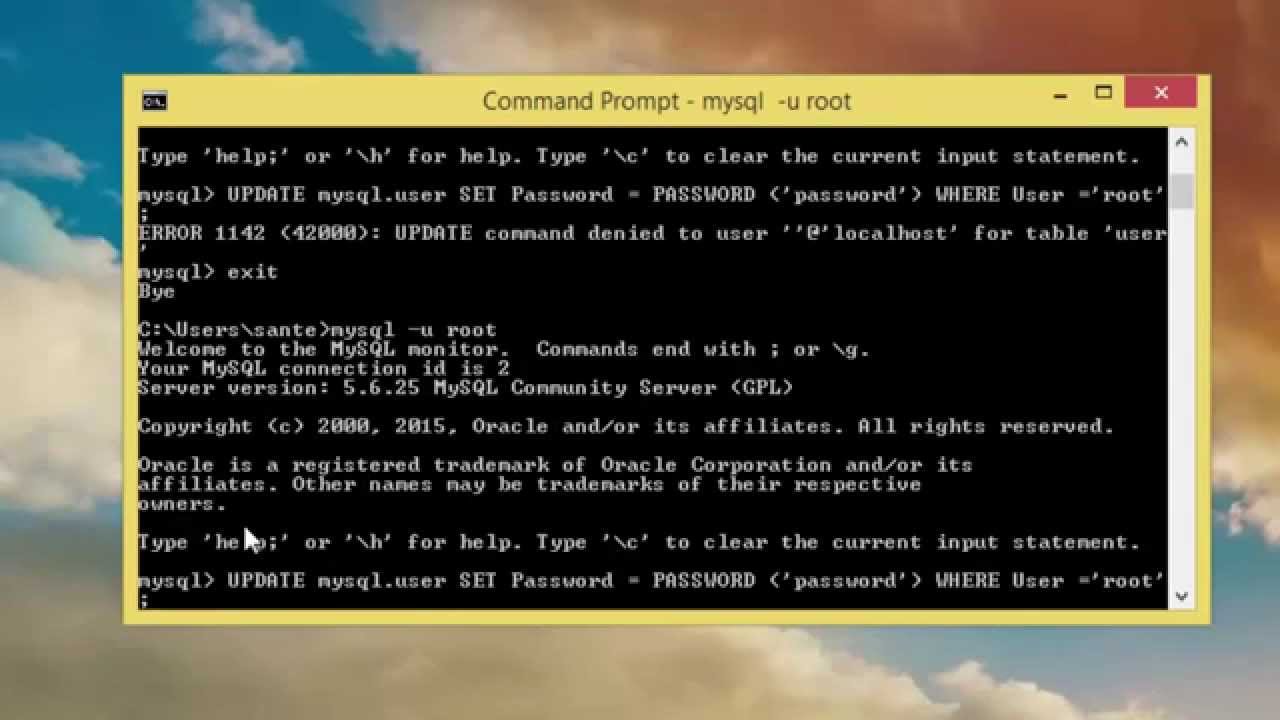
Mysql Update Root User Password On Command Line YouTube
MySQL Change A User Password Command Line TecAdmin

How To Set Or Change User Password In Linux NixCraft
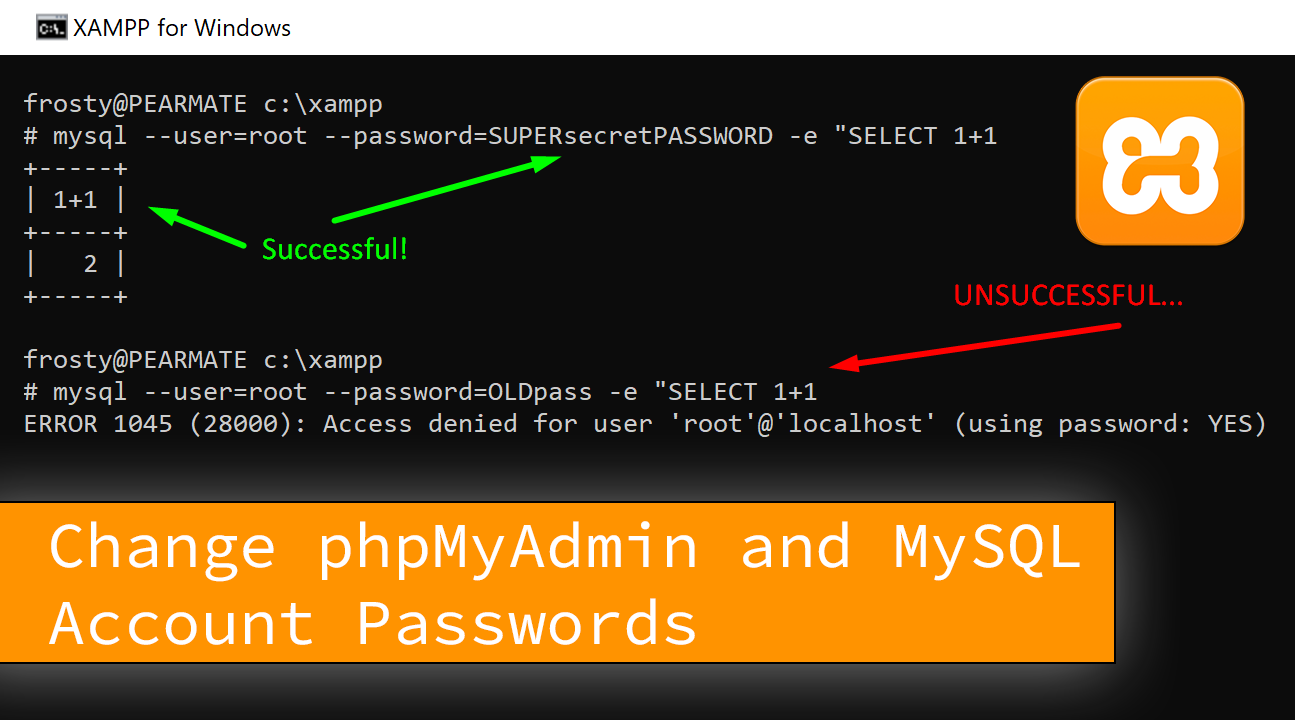
Nick Frostbutter Change MySQL Root Password From The Command Line
MySQL Archives TecAdmin

MySQL Change A User Password Command Line TecAdmin

1 Login to the MySQL shell as root 2 Set the MySQL user password 3 Verify the new password

With a FOR user clause the statement sets the password for the named account which must exist SET PASSWORD FOR jeffrey localhost auth string

In this tutorial you will learn how to change MySQL user password by using the UPDATE SET PASSWORD and ALTER USER statements
Here s a brief summary of the MySQL change user password command ALTER USER username localhost IDENTIFIED BY new password

Changing MySQL User Password First of all check for the existing user and corresponding host SELECT Use the ALTER USER to change MySQL user
Change MySQL User Password Start by logging into MySQL as the root user and switch to the mysql database mysql u root p mysql use mysql To change the root password type the following at the MySQL MariaDB command prompt ALTER USER root localhost IDENTIFIED BY MyN3wP4ssw0rd flush
Step 1 Step 2 upstart sudo service mysql stop SysV init etc init d mysql server stop Step 3 Step 4 ALTER USER root localhost