Multiple Lookup Function In Excel video Vlookup Function In Excel Excel Vlookup Vlookup With If Function In Excel How To Use Vlookup With If Function Vlookup Vs The Lookup Function Explained Excel Microsoft Excel Lookup Function In Excel Tutorial Examples How To Use Www vrogue co Exploring excel On Instagram You Can Easily Calculate EMI Using The The XLOOKUP function searches a range or an array and then returns the item corresponding to the first match it finds If no match exists then XLOOKUP can return the closest approximate match XLOOKUP lookup value lookup array return array if not found match mode search mode Examples
To set up a multiple criteria VLOOKUP follow these 3 steps Add a helper column and concatenate join values from columns you want to use for your criteria Set up VLOOKUP to refer to a table that includes the helper column The helper column must be the first column in the table Step 1 In an empty row provide a list of unique names The names are entered in cells B13 B15 in this example Step 2 Enter the following formula in the cell IFERROR INDEX C 5 C 10 SMALL IF B15 B 5 B 10 ROW C 5 C 10 4 COLUMN 2 To make sure as an array condition press Ctrl Shift Enter simultaneously Step 3
Exploring excel On Instagram You Can Easily Calculate EMI Using The How To Use IMAGE Function In Excel Splaitor How To Use ROUNDUP Function In Excel With Examples ExcelTutorial IF Function Excel IF Function In Excel Logical Comparisons Are The Comprehensive Guide Utilizing VLOOKUP Function In Excel VLOOKUP IN EXCEL The LOOKUP Function Is One Of Excel s Most Versatile And Useful How To Use The VLOOKUP Function In Excel Step By Step LOOKUP Function XL N CAD
Multiple Lookup Function In Excel
 Multiple Lookup Function In Excel
https://i.ytimg.com/vi/8FU4r6Q9ung/maxresdefault.jpg
First create an INDEX function then start the nested MATCH function by entering the Lookup value argument Next add the Lookup array argument followed by the Match type argument then specify the column range Then turn the nested function into an array formula by pressing Ctrl Shift Enter Finally add the search terms to the worksheet
Templates are pre-designed files or files that can be utilized for numerous purposes. They can save time and effort by providing a ready-made format and layout for producing various sort of material. Templates can be used for personal or professional projects, such as resumes, invites, leaflets, newsletters, reports, presentations, and more.
Multiple Lookup Function In Excel
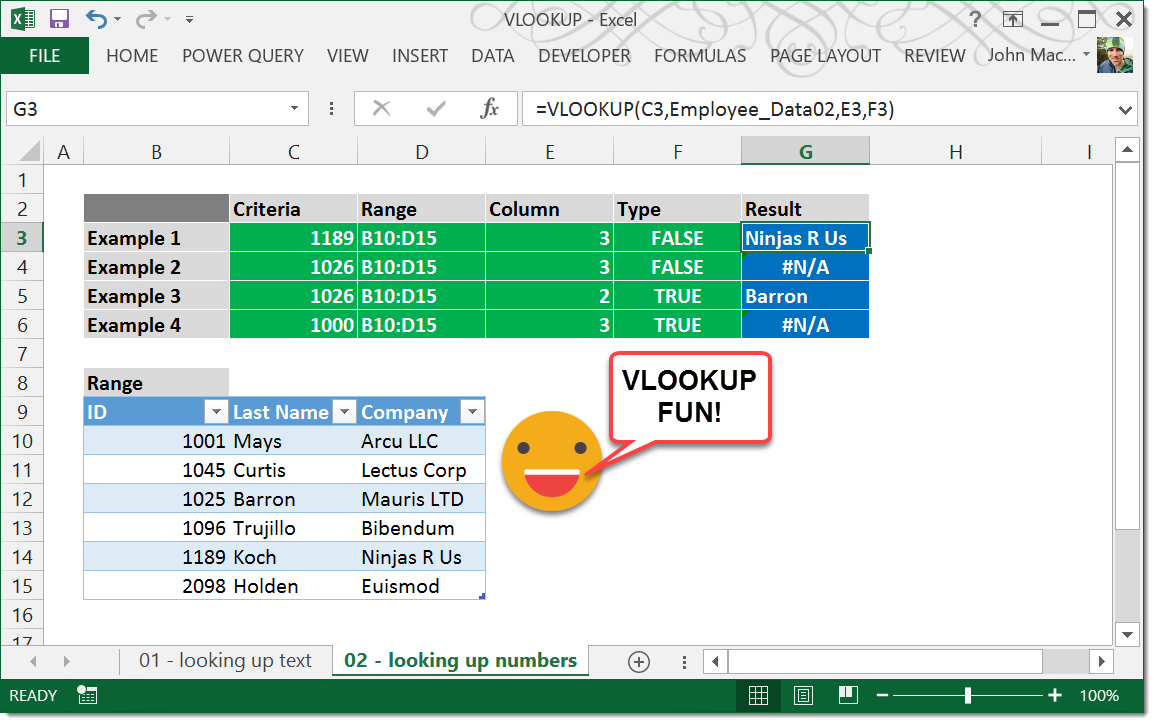
VLOOKUP Function How To Excel

How To Use IMAGE Function In Excel Splaitor

How To Use ROUNDUP Function In Excel With Examples ExcelTutorial
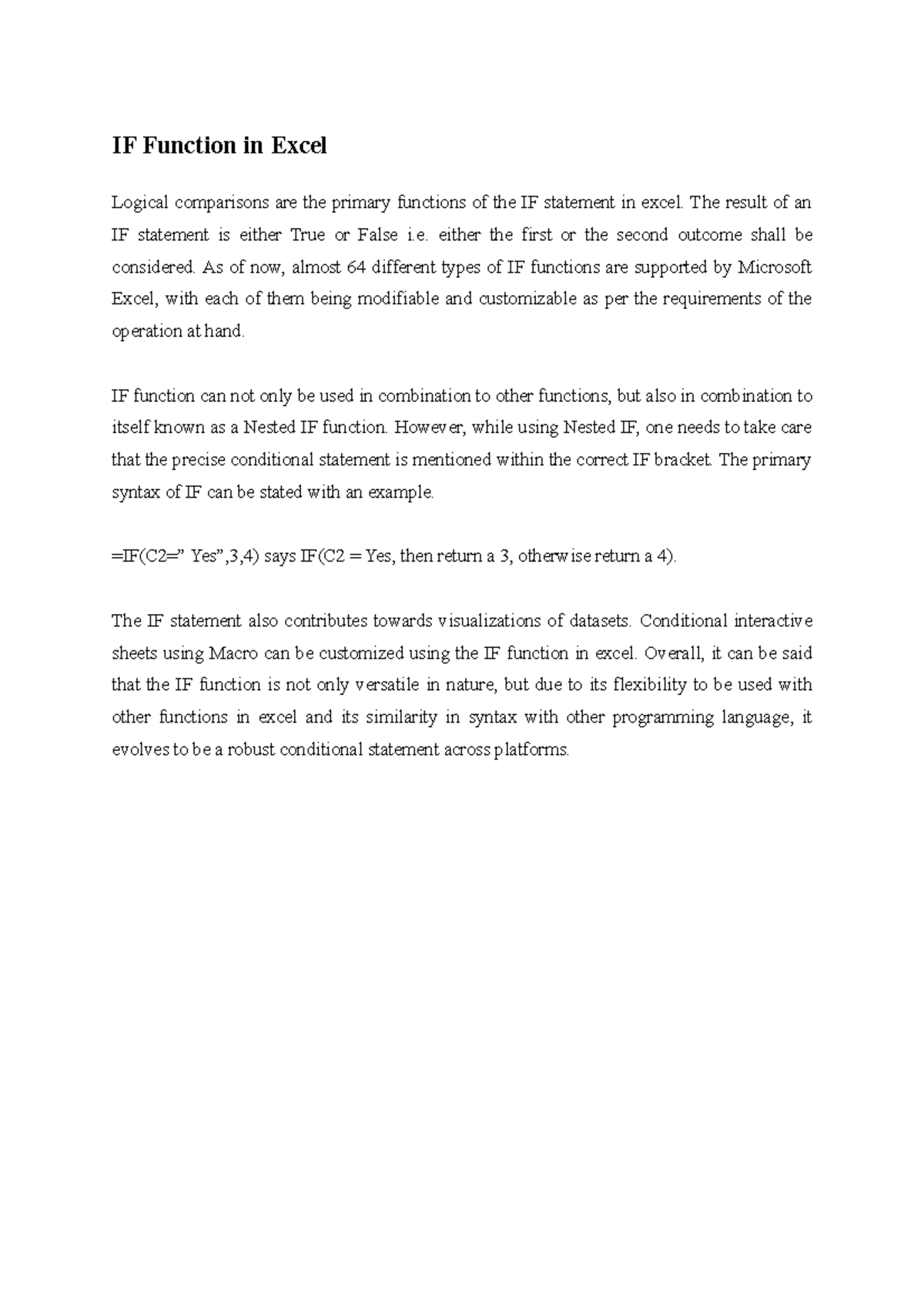
IF Function Excel IF Function In Excel Logical Comparisons Are The

VLOOKUP IN EXCEL

The LOOKUP Function Is One Of Excel s Most Versatile And Useful

1 Lookup with Multiple Criteria of AND Type in Excel First of all let s try to look up some multiple criteria of AND type Here AND type multiple criteria means one value has to satisfy all the criteria to be selected Let s try to find an employee with an ID greater than 400 and a salary greater than 40000

Formula 1 VLOOKUP with two criteria Suppose you have a list of orders and want to find the quantity based on 2 criteria Customer name and Product A complicating factor is that each customer ordered multiple products as shown in the table below

It s actually quite easy to do with a lookup function The VLOOKUP and HLOOKUP functions together with INDEX and MATCH are some of the most useful functions in Excel Note The Lookup Wizard feature is no longer available in Excel Here s an example of how to use VLOOKUP VLOOKUP B2 C2 E7 3 TRUE

How to Vlookup multiple values in Excel with criteria by Svetlana Cheusheva updated on March 20 2023 The tutorial shows a few ways to Vlookup multiple matches in Excel based on one or more conditions and return multiple results in a column row or single cell

Use the LOOKUP function to search one row or one column In the above example we re searching prices in column D Tips Consider one of the newer lookup functions depending on which version you are using Use VLOOKUP to search one row or column or to search multiple rows and columns like a table It s a much improved version of LOOKUP
Here are the steps Insert a Helper Column between column B and C Use the following formula in the helper column A2 B2 This would create unique qualifiers for each instance as shown below Use the following formula in G3 VLOOKUP F3 G 2 C 2 D 19 2 0 Copy for all the cells How does this work For the formula to return multiple matches you enter it in the first cell F2 press Ctrl Shift Enter and then copy the formula to other cells down the column For the detailed explanation of the above formula and other ways to return multiple values please see How to Vlookup to return multiple results
Excel allows a user to do a multi column lookup using the INDEX and MATCH functions The MATCH function returns a row for a value in a table while the INDEX returns a value for that row This step by step tutorial will assist all levels of Excel users in learning tips on performing a multi column lookup Figure 1 The final result of the formula