Multiple Conditions In If Statement Using Multiple If Statements In Excel Formula Printable Templates C Else If If Else C C If By Microsoft Award MVP C C Excel Multiple If Then Formula Dasdr How To Use Multiple if Statements In Microsoft Excel MS Excel Tips How To Write If Condition In Excel Thesistemplate Web Fc2 Com Riset Web Oct 17 2023 nbsp 0183 32 Excel nested IF statement multiple conditions in a single formula by Svetlana Cheusheva updated on October 17 2023 The tutorial explains how to use multiple IF in Excel and provides a couple of nested If formula examples for
Web Mar 16 2023 nbsp 0183 32 Excel IF with multiple AND conditions Nested IF AND in Excel Case sensitive IF AND function IF AND OR statements IF AND statement in Excel In order to build the IF AND statement you obviously need to combine the IF and AND functions in one formula Here s how IF AND condition1 condition2 value if true value if false Web The Excel IF function runs a logical test and returns one value for a TRUE result and another for a FALSE result For example to quot pass quot scores above 70 IF A1 gt 70 quot Pass quot quot Fail quot More than one condition can be tested by nesting IF functions The IF function can be combined with logical functions like AND and OR to extend the
How To Write If Condition In Excel Thesistemplate Web Fc2 Com Riset Comparing Multiple Conditions In An If Else Conditional Statement YouTube If Then Formula Multiple Conditions Wayskop JavaScript 11 Multiple If Statements YouTube Multi Conditional If Statement In Python Explained AskPython C Tutorial 8 Using Multiple If Else Conditional Statements YouTube Using If Function In Excel With Multiple Conditions Part 1 Useful Combine Multiple Conditions In If Statement In PowerShell Java2Blog Excel If Function Examples Include If Statement Nest And Combine
Multiple Conditions In If Statement
 Multiple Conditions In If Statement
https://www.wikihow.com/images/a/ae/Use-Multiple-IF-Statements-in-Excel-Step-3.jpg
Web To evaluate several options with a nested IF statement one approach is to use a separate IF per line to show the result of each set of logical tests By adding line breaks after each IF function the formula becomes self documenting This is a common technique to handle multiple conditions Let s take a look This worksheet shows a class
Templates are pre-designed documents or files that can be used for various purposes. They can conserve time and effort by supplying a ready-made format and design for creating different sort of content. Templates can be utilized for personal or expert projects, such as resumes, invitations, flyers, newsletters, reports, discussions, and more.
Multiple Conditions In If Statement
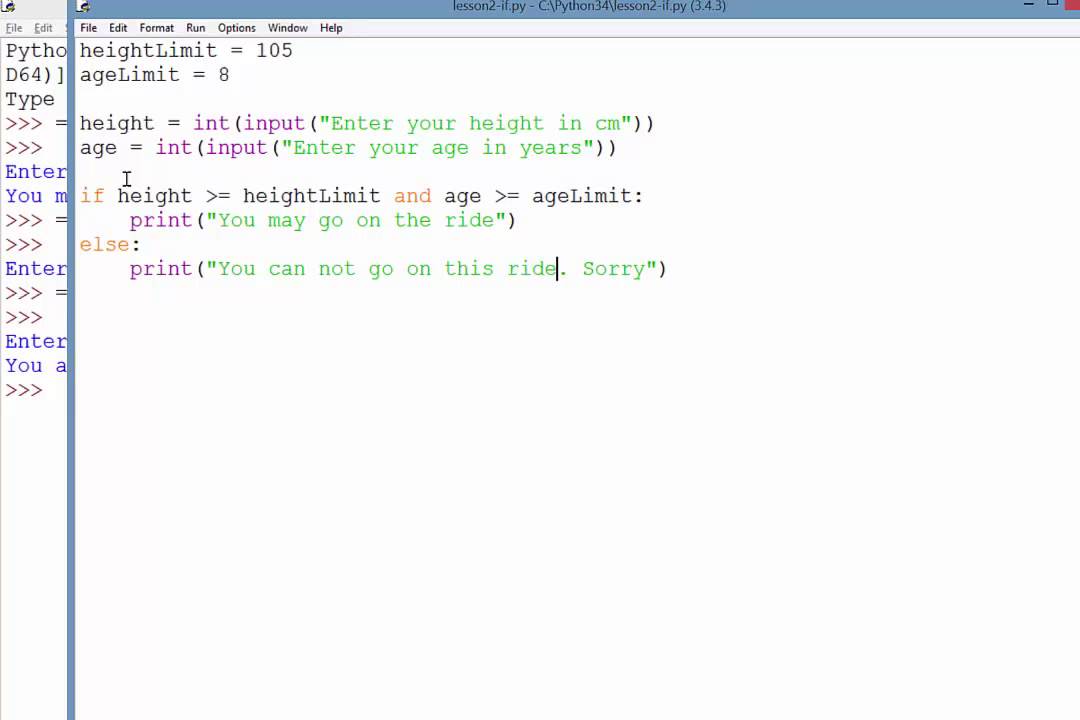
6 Multiple Conditions In An If Statement Using And YouTube
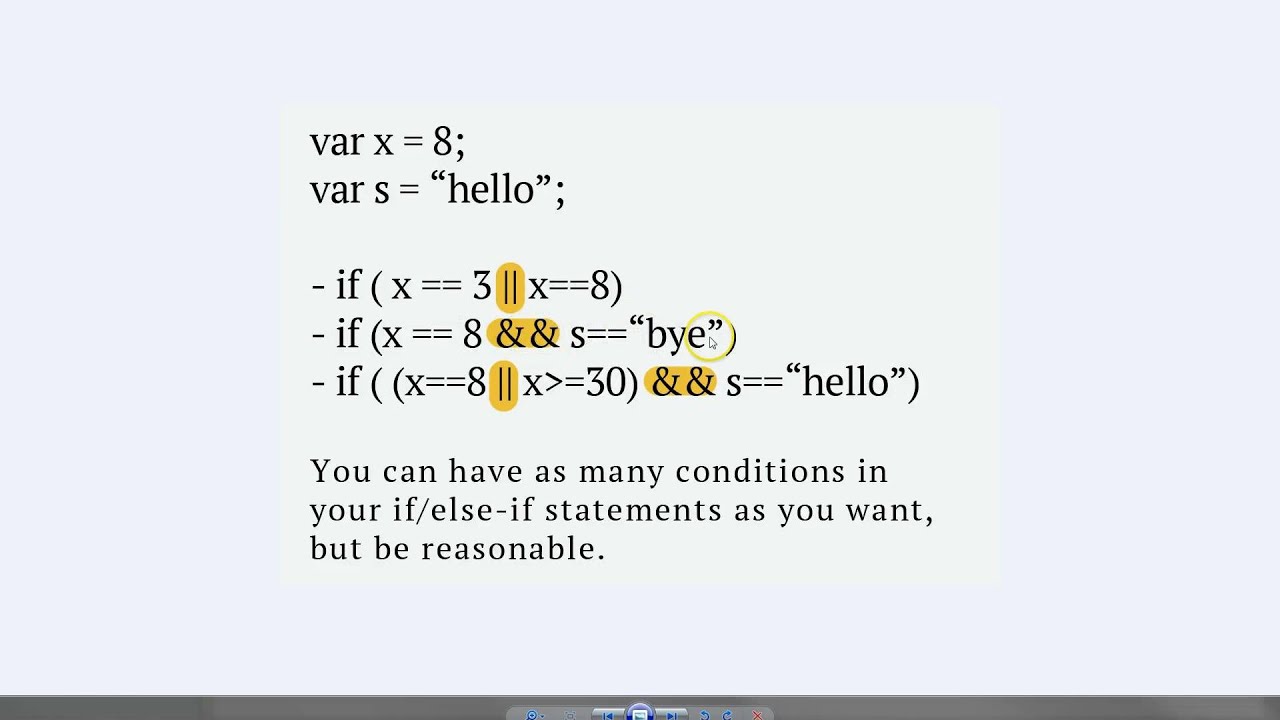
Comparing Multiple Conditions In An If Else Conditional Statement YouTube
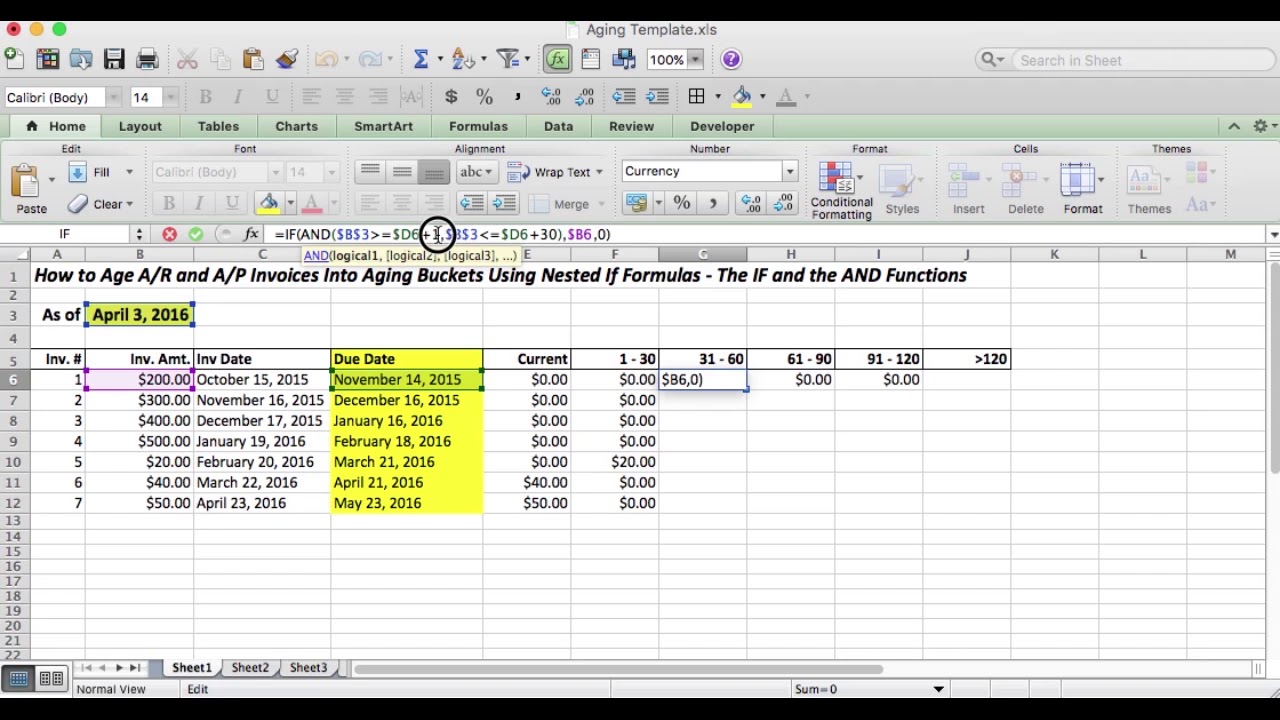
If Then Formula Multiple Conditions Wayskop
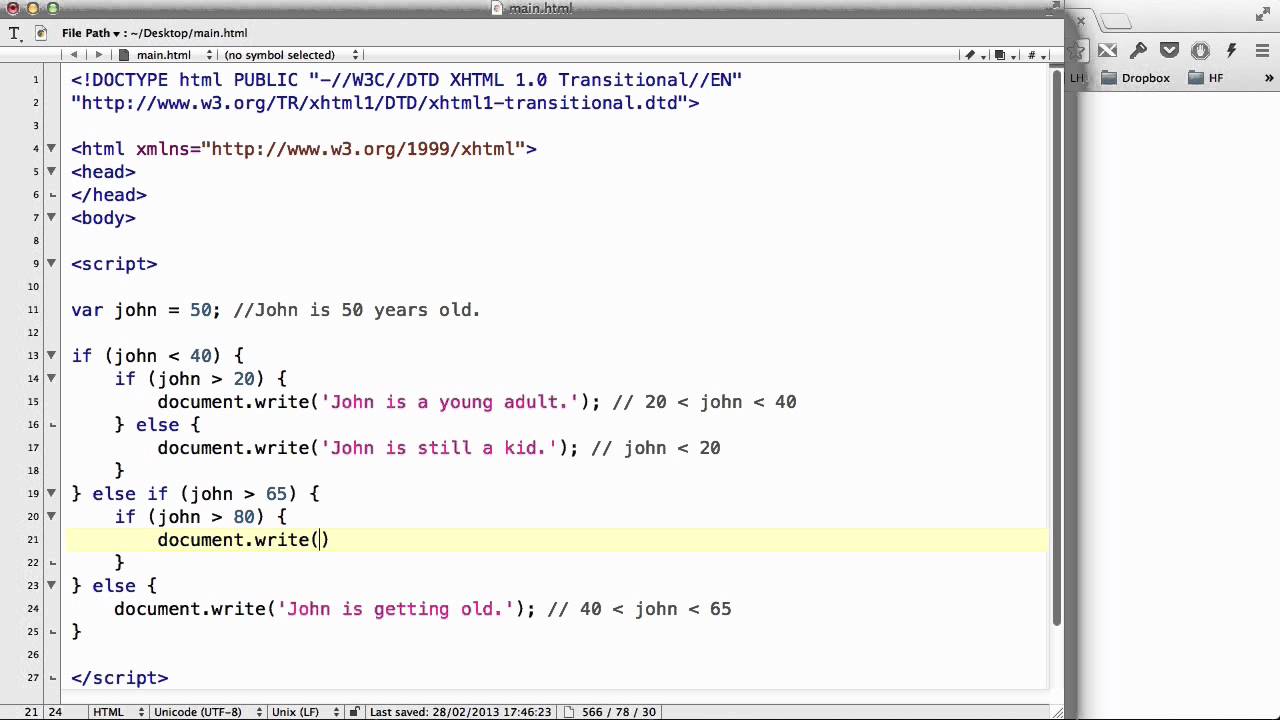
JavaScript 11 Multiple If Statements YouTube
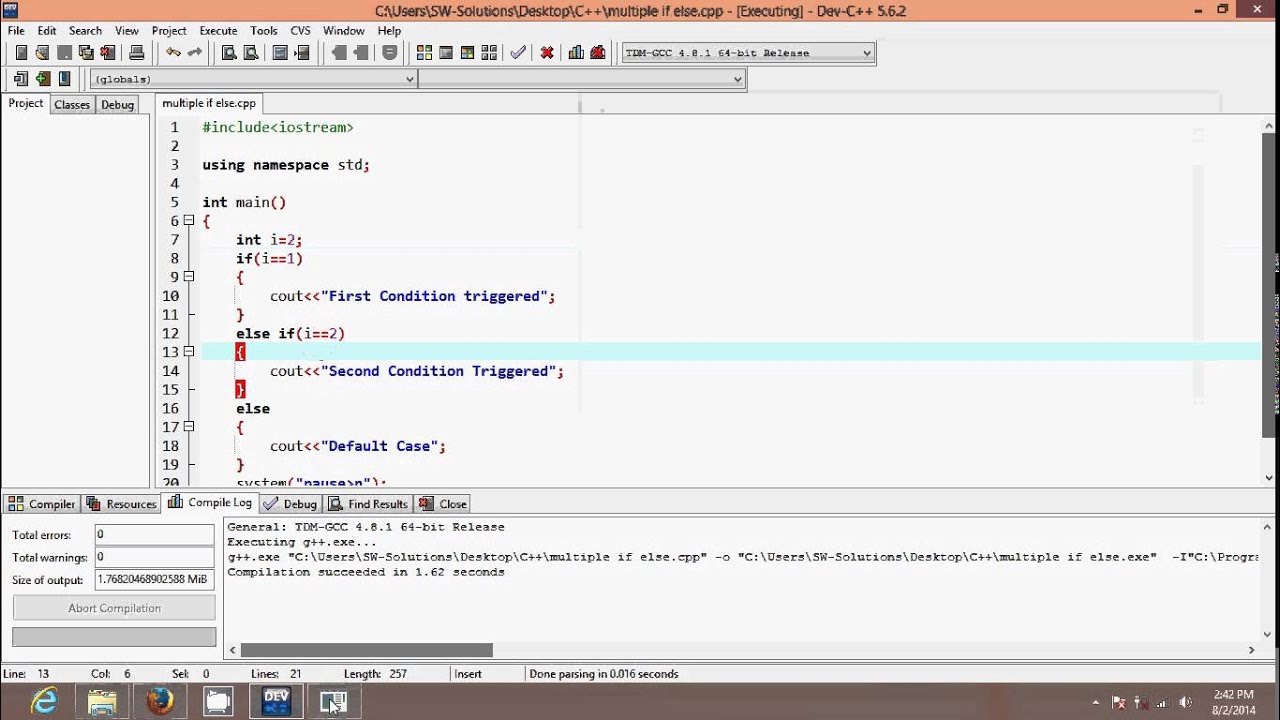
C Tutorial 8 Using Multiple If Else Conditional Statements YouTube
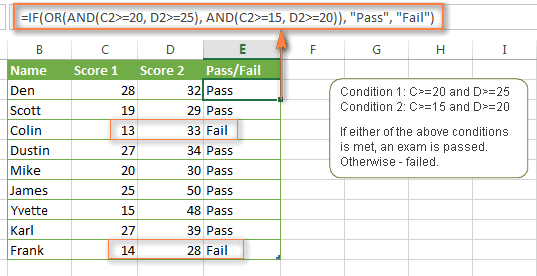
Using If Function In Excel With Multiple Conditions Part 1 Useful

Web Use the IF function along with AND OR and NOT to perform multiple evaluations if conditions are True or False Syntax IF AND IF AND logical1 logical2 value if true value if false
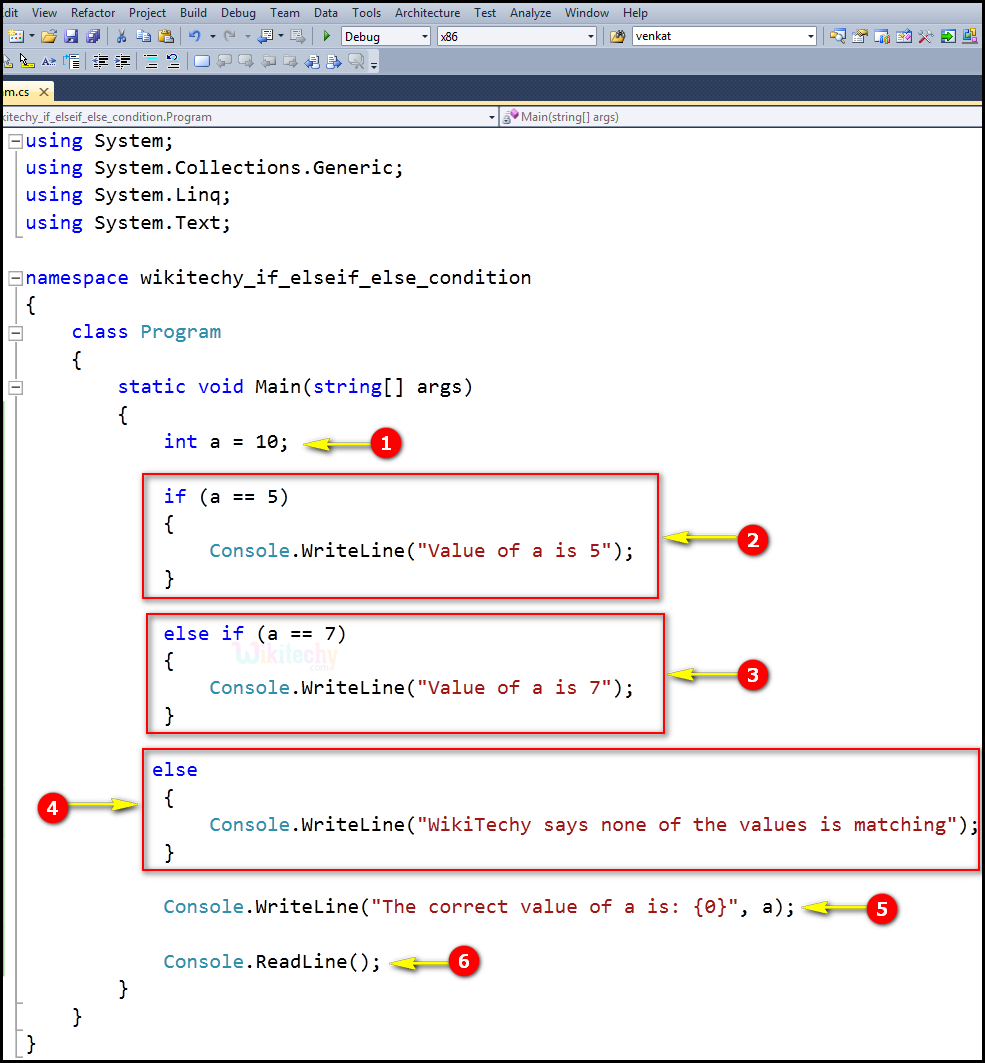
Web However we use multiple or nested IF statements when evaluating numerous conditions in a specific order to return different results This tutorial shows four examples of using nested IF statements in Excel and gives five alternatives to using multiple IF statements in Excel Table of Contents
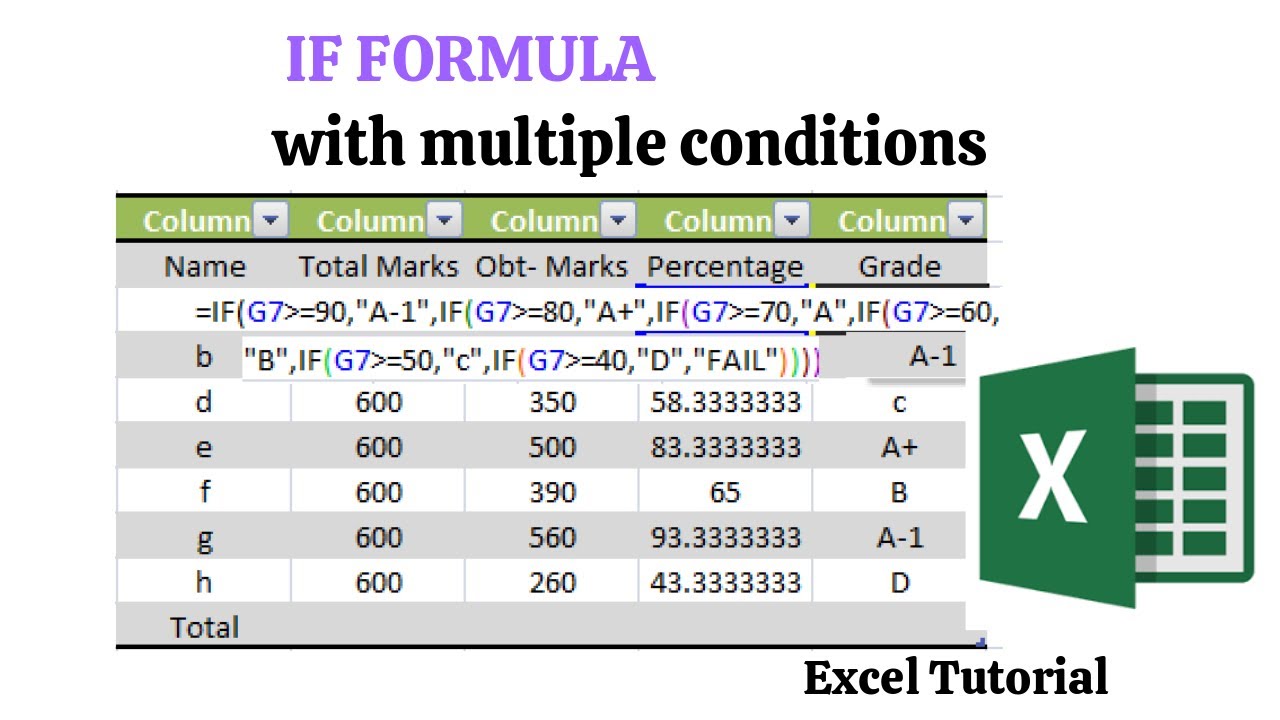
Web Multiple IF functions can be nested together to allow for multiple criteria The Excel IF function statement allows you to make a logical comparison between a value and what you expect by testing for a condition and returning a result if True or False

Web If you want to test data based on several multiple conditions then you have to apply both And amp Or functions at a single point in time For example Situation 1 If column D gt 20 and column E gt 60 Situation 2 If column D gt 15 and column E gt 60 If any of the situations met then the candidate is passed else failed

Web Apr 25 2023 nbsp 0183 32 How do you put 3 conditions in if Excel To put three conditions in an IF formula in Excel you can use nested IF functions or use the IFS function instead To nest multiple IF functions use the following format IF logical test1 IF logical test2 IF logical test3
[desc-11] [desc-12]
[desc-13]