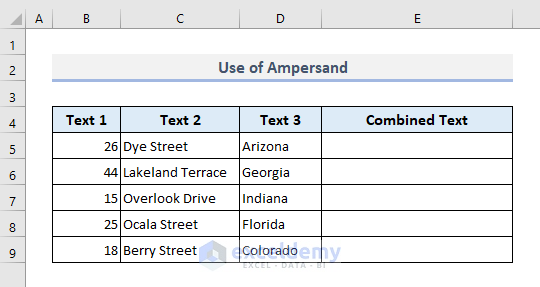
Multiple Columns In Excel To One Column Columns Into One Column Excel Combine Multiple Columns Into One Column In Excel ExcelDemy Excel Vlookup Multiple Columns Formula Example Coupler io Blog Excel SUMIF Multiple Columns With One Or More Criteria Combine Multiple Columns Into One Column In Excel ExcelDemy Verkko 10 tammik 2022 nbsp 0183 32 1 Double click the cell in which you want to put the combined data and type 2 Click a cell you want to combine type amp and click the other cell you wish to combine If you want to include more
Verkko Select the quot Sales Rep quot column and then select Home gt Transform gt Split Column Select Choose the By Delimiter Select the default Each occurrence of the delimiter Verkko 28 toukok 2022 nbsp 0183 32 We can create the comma separated list seen above using the following formula TEXTJOIN quot quot TRUE F2 H2 You can make your own copy of the spreadsheet above using the link attached
Combine Multiple Columns Into One Column In Excel ExcelDemy How To Sort Multiple Columns In Excel Dependently Versam Excel Split Cells Semicolon Onlydase How To Compare Two Columns In Excel To Find Differences Excel Split Cells Into Two Adventuresgawer How To Rotate Columns In Excel Shareslop Compare Two Columns In Excel Different Sheets Lokimn How To Use Multiple Columns On X Axis Plotly Python Plotly Riset Split Excel Column At Space Hot Sex Picture
Multiple Columns In Excel To One Column
 Multiple Columns In Excel To One Column
https://blog.golayer.io/uploads/images/builder/image-blocks/_w916h515/How-to-Combine-Multiple-Excel-Columns-Into-One-Screenshot-2.png
Verkko 10 helmik 2022 nbsp 0183 32 As you may know Excel has a Merge Cells feature Unfortunately when you use this option only the data in the first far left cell is retained So if you
Pre-crafted templates use a time-saving option for creating a varied variety of documents and files. These pre-designed formats and layouts can be made use of for different individual and expert projects, including resumes, invites, flyers, newsletters, reports, presentations, and more, enhancing the material creation process.
Multiple Columns In Excel To One Column
Combine Multiple Columns Into One Column In Excel ExcelDemy
How To Sort Multiple Columns In Excel Dependently Versam
Excel Split Cells Semicolon Onlydase
How To Compare Two Columns In Excel To Find Differences
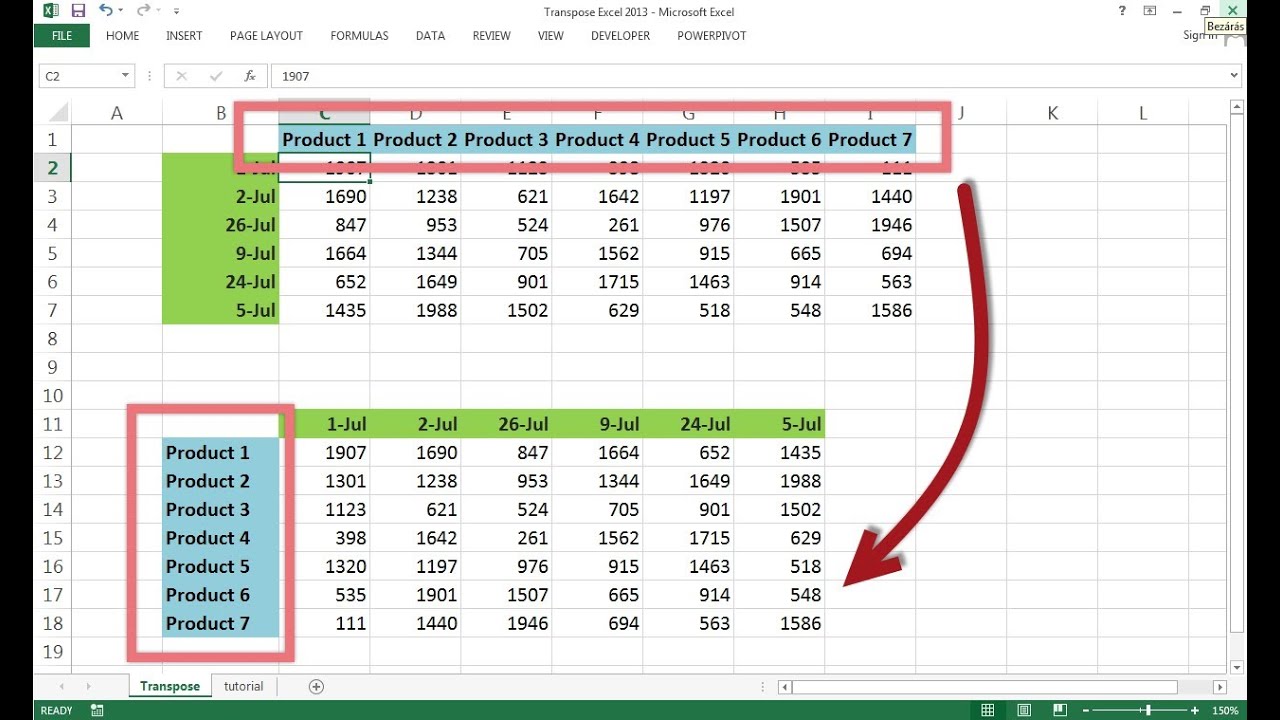
How To Rotate Columns In Excel Shareslop
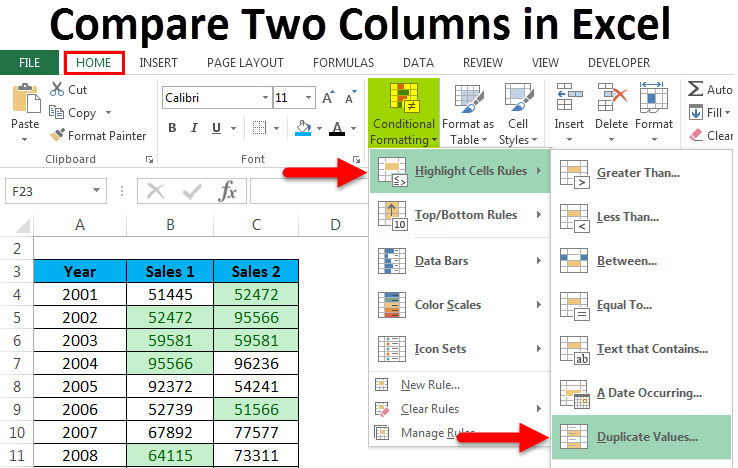
Compare Two Columns In Excel Different Sheets Lokimn

Verkko 19 syysk 2023 nbsp 0183 32 1 Use Excel Formula to Transpose Multiple Columns into One Column 1 1 Combine INDEX INT MOD ROW and COLUMNS Functions In our

Verkko 2 kes 228 k 2023 nbsp 0183 32 For example we could use the following formula to stack multiple columns into one column when there are a different number of values in each column VSTACK A1 A7 B1 B3 C1 C5 The

Verkko Combine data with the Ampersand symbol amp Select the cell where you want to put the combined data Type and select the first cell you want to combine Type amp and use
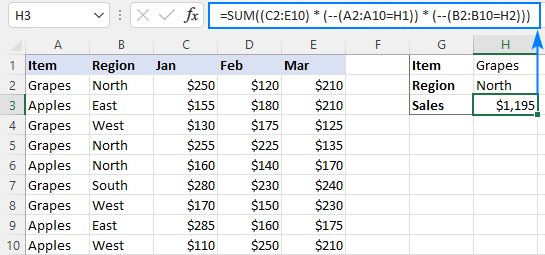
Verkko 26 marrask 2019 nbsp 0183 32 I would like to suggest simple multi stage Index formula help you to merge multiple columns into one Formula in cell T2 fill it down IFERROR INDEX O 2 O 6 ROWS T1 T 1

Verkko 27 jouluk 2012 nbsp 0183 32 Example 1 Assume these are the values in the two columns that you want to combine into one 2 Corresponding to the first row of values click on the cell where you want the concatenated value
Verkko 23 tammik 2020 nbsp 0183 32 Microsoft Excel includes a special feature that allows you to split up extra long columns It does this by separating columns using delimiters like commas Verkko Stack multiple columns into one with VBA Here is a VBA code that can help you too 1 Press Alt F11 keys to display Microsoft Visual Basic for Applications window 2 Click
Verkko 5 kes 228 k 2010 nbsp 0183 32 Excel Combine multiple columns into one column Ask Question Asked 13 years 5 months ago Modified 6 months ago Viewed 138k times 11 I have