Ms Forms Branching How To Add Branching In Microsoft Forms Very Easy Method Crazy Tech What s New In Microsoft Forms Pro Survey Designer Microsoft Tech Microsoft Forms Branching YouTube Use Branching In Microsoft Forms Office Support How To Add Branching In Microsoft Forms Very Easy Method Crazy Tech Web Nov 10 2022 nbsp 0183 32 Here s how to set up branching in Microsoft Forms You can create more than simple one dimensional forms surveys and quizzes in Microsoft Forms With branching logic you can tailor the
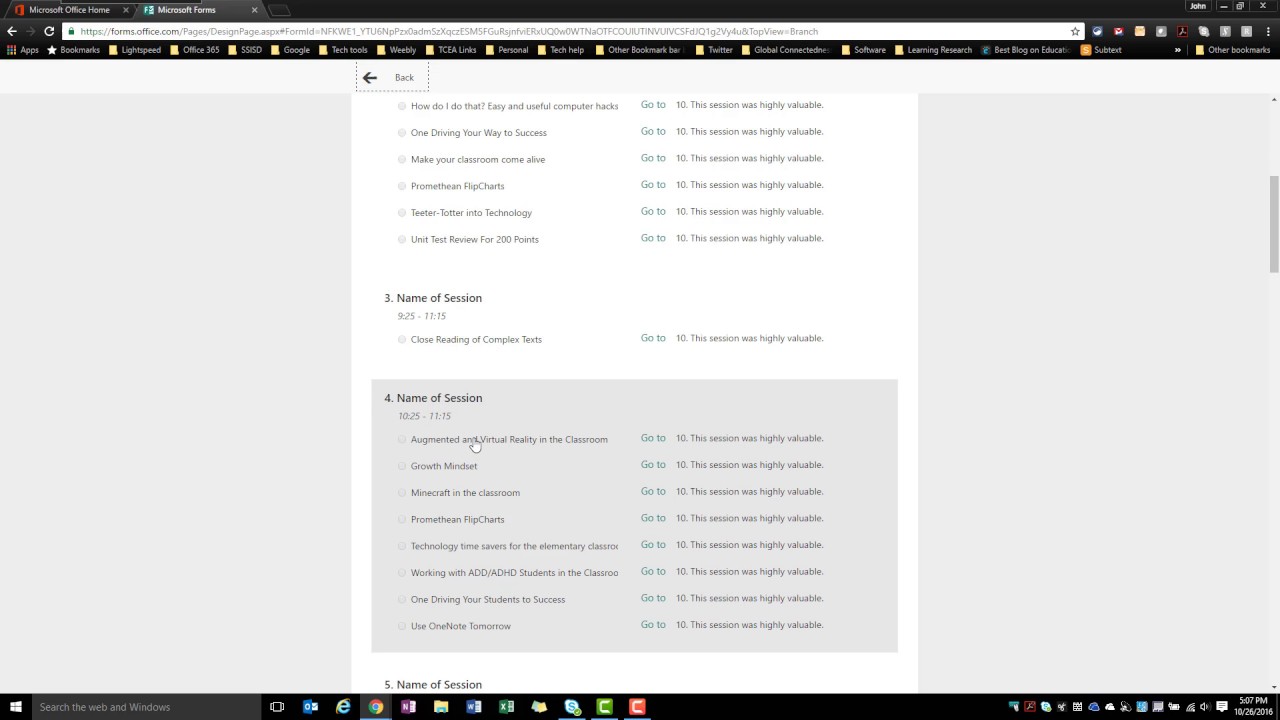
Web Dec 14 2020 nbsp 0183 32 1 Select Branching Go to Microsoft Forms Here click the New Form button to start The action will open a blank form Select Untitled Form option and enter a name for your survey Web Aug 12 2020 nbsp 0183 32 In this Microsoft Form tutorial I show you how to use Microsoft Forms branching this is an easy method to enhance your Microsoft Forms with branches You will learn how to start using branching
How To Add Branching In Microsoft Forms Very Easy Method Crazy Tech An Introduction To Microsoft Forms For Excel How To Excel Microsoft Forms The Hidden Options Of Branching In Forms Forms Branching Glitch Microsoft Community How To Set Up Branching In Microsoft Forms Cloud Design Box Blog Branching In Microsoft Forms YouTube Microsoft Forms Cheat Sheet How To Get Started Computerworld How To Add Branching In Microsoft Forms Branching Out ROOTS BRANCHES
Ms Forms Branching
 Ms Forms Branching
https://crazytechtricks.com/wp-content/uploads/2020/06/Now-in-section-one-update-your-branching-options-to-section-instead-of-questions-How-To-Add-Branching-In-Microsoft-Forms-Using-Sections.png
Web Jul 11 2018 nbsp 0183 32 1 Click onto the ellipses menu top right of the screen next to Share 2 Click onto Branching 3 Configure your questions as needed see image below In terms of whether it will take you to a particular question if you choose a particular answer yes it will work for things like Choice answers See if that works for you
Templates are pre-designed files or files that can be used for various functions. They can conserve effort and time by offering a ready-made format and layout for producing various type of content. Templates can be used for individual or expert jobs, such as resumes, invites, flyers, newsletters, reports, discussions, and more.
Ms Forms Branching
Microsoft Forms Branching YouTube
An Introduction To Microsoft Forms For Excel How To Excel

Microsoft Forms The Hidden Options Of Branching In Forms

Forms Branching Glitch Microsoft Community

Branching In Microsoft Forms YouTube
Microsoft Forms Cheat Sheet How To Get Started Computerworld

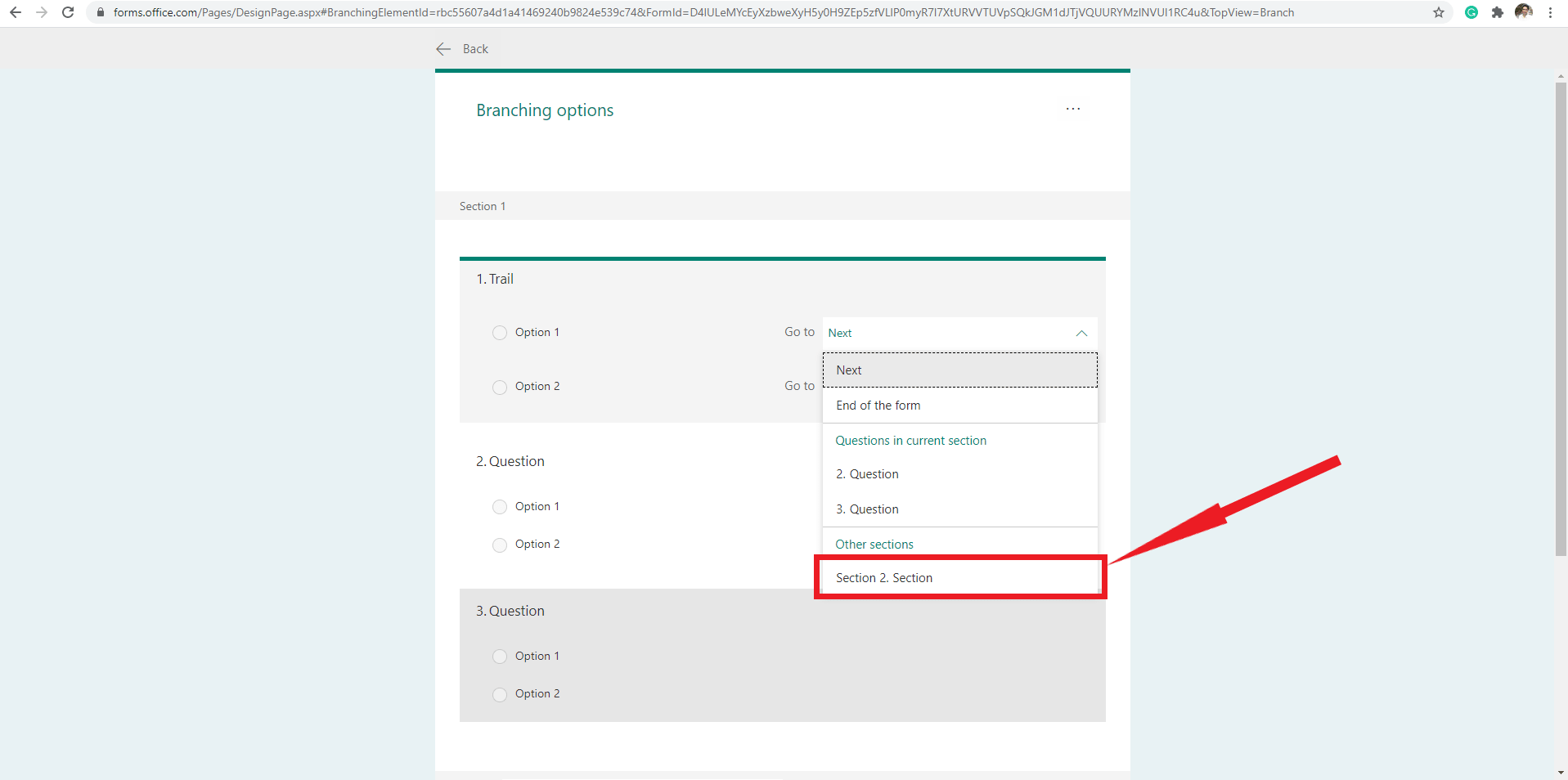
Web Try it Go to the question for which you want to add branching Select More settings for question and then choose Add On the Branching options page select the drop down list next to the question you want to branch Select the question that you want to branch to Note You can only branch to a

Web When you re ready to add branching follow these steps Open the quiz or form you d like to branch Select the question you d like to start branching from then More options gt Add branching For each possible response to the question select the question you want to branch to In this example if

Web Feb 28 2020 nbsp 0183 32 Here s how to add branching to your form To use Microsoft Forms you ll need a free Microsoft account or a paid Office 365 account Once you re logged in go to the Forms home page to start If you haven t used Forms before we

Web When you re ready to add branching follow these steps Open the quiz or form you d like to branch Select the question you d like to start branching from then More options gt Add branching For each possible response to the question select the question you want to branch to In this example if the student chooses the correct answer to

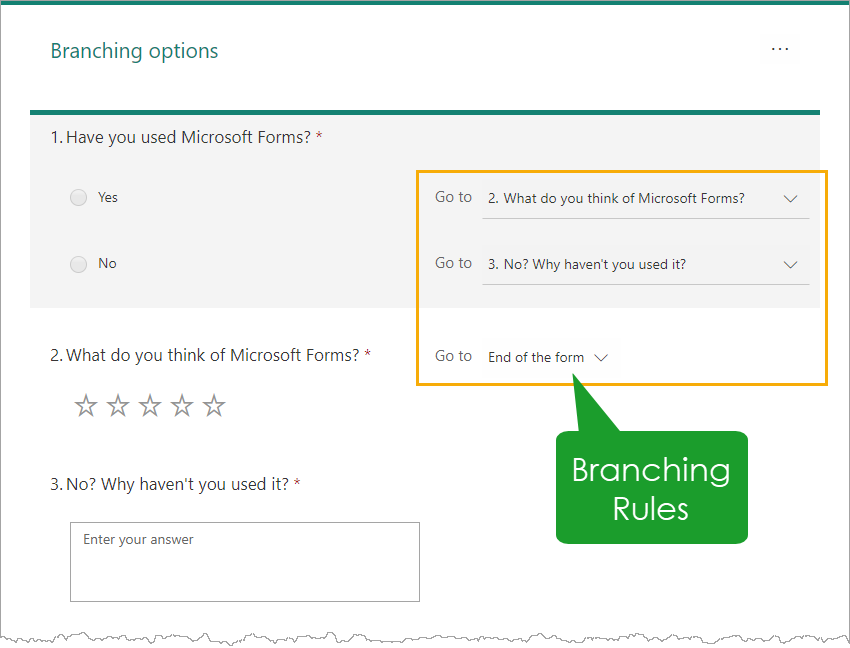
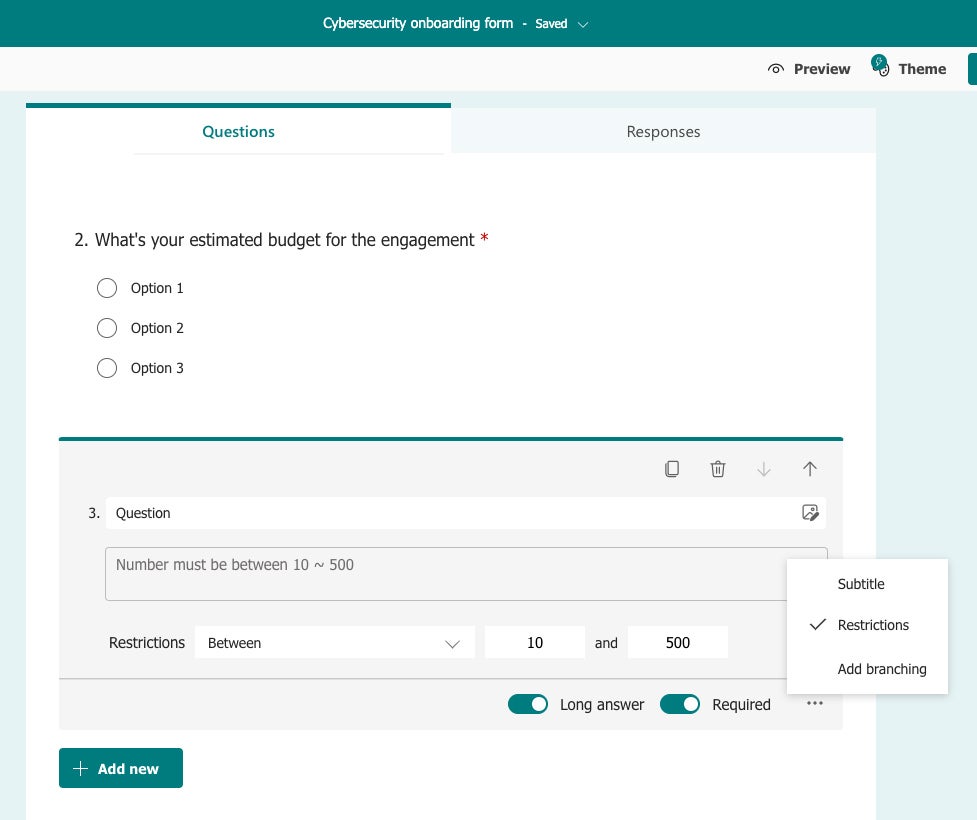
Web Nov 29 2022 nbsp 0183 32 Select the question from the Form Click the More settings for this question button in the bottom right corner Choose Add branching from the list The form will now display the Branching options with a drop down menu displayed next to each answer in your question You will see a prompt for Go to
Web Feb 24 2022 nbsp 0183 32 Adding Branching Logic to Microsoft Forms Click the three dots in the bottom right of the questions select More settings for question Click Add branching On the Branching options page add in your branching logic Add additional branches to the form on any question by repeating steps 1 and 2 Web Apr 2 2020 nbsp 0183 32 Mar 31 2021 05 28 PM ChrisBack I ve compared the two and Google Forms supports branching on Multichoice but not Checkbox which allows multiple selections to be made This is the same as Sharepoint Forms which supports branching on Choice but not when Multiple selections is enabled for it So there s no difference in
Web Feb 17 2020 nbsp 0183 32 Branching or skip logic also called conditional questioning is easy to add to a survey in MS Forms Branching is used to send someone to a specific question based on the previous question s answer