Microsoft Outlook Rules Not Running How To Fix Microsoft Outlook Rules Not Working On Phone YouTube Outlook Rules Not Working In Windows 10 Here s How To Fix It Outlook Rules Not Running Automatically Complete Fix 2023 Fix Outlook Rules Not Running When Closed Tested 2023 Outlook Rules Not Running Automatically School Calendar Event Calendar Web Nov 2 2023 nbsp 0183 32 Based on your description you ve been experiencing issues with Outlook rules not running automatically Here are some additional troubleshooting steps you can try 1 Check if the rules are in the correct order Make sure that the rules you want to run automatically are listed in the correct order
Web Mar 8 2023 nbsp 0183 32 1 Ensure Your Outlook Rules Are Enabled 2 Fix Outlook s Corrupt SRS File 3 Reduce the Space Used by Your Outlook Rules Shorten Your Rule Names Delete Old Outlook Rules Combine Multiple Outlook Rules 4 Turn Off Outlook s Stop Processing More Rules Option 5 Repair Outlook s Corrupt OST or PST File 6 Create and Use a Web Aug 10 2023 nbsp 0183 32 Symptoms You create or modify an Inbox rule in Outlook on the web or the new Outlook for Windows You expect to see and manage the rule in the classic Outlook for Windows but the rule doesn t appear in the Rules and Alerts dialog box Instead you see the following warning message in the dialog box There are rules created with a
Outlook Rules Not Running Automatically School Calendar Event Calendar Top 7 Methods To Fix Outlook Rules Not Working Error On Windows 10 Fix Outlook Rules Not Working On Phone Proven Method 2023 Outlook Rules Not Running Automatically Complete Fix 2023 My Outlook Rules Not Running Automatically MAILTOH Fix Outlook Rules Not Working After Migration To Office 365 How Do I Fix Outlook Rules Not Working WHAT TO DO IF OUTLOOK RULES WON T WORK AUTOMATICALLY Outlook Rules Not Working Solutions To Fix
Microsoft Outlook Rules Not Running
 Microsoft Outlook Rules Not Running
https://i.ytimg.com/vi/EiYpO7_NeTU/maxresdefault.jpg
Web Use inbox rules to automatically perform specific actions on email that arrives in your inbox For example you can create rules that will change the importance level of messages as they come in automatically move them to other folders or delete them based on certain criteria If you re not on Outlook for Windows check which Outlook version
Templates are pre-designed files or files that can be utilized for numerous purposes. They can save effort and time by offering a ready-made format and layout for developing different type of content. Templates can be utilized for personal or expert jobs, such as resumes, invitations, leaflets, newsletters, reports, discussions, and more.
Microsoft Outlook Rules Not Running

Fix Outlook Rules Not Running When Closed Tested 2023

Top 7 Methods To Fix Outlook Rules Not Working Error On Windows 10
Fix Outlook Rules Not Working On Phone Proven Method 2023
Outlook Rules Not Running Automatically Complete Fix 2023

Fix Outlook Rules Not Working After Migration To Office 365
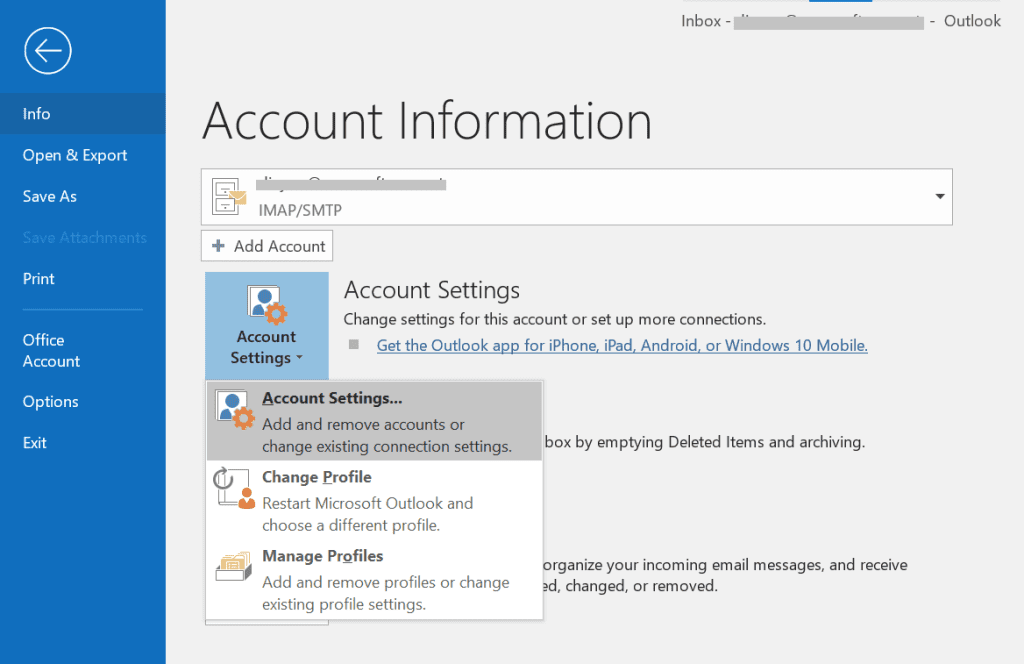
How Do I Fix Outlook Rules Not Working

Web Updated on April 30 2022 Outlook rules are automatic actions performed on incoming email messages For example a rule can filter one sender s mail to a certain folder for you to review later Setting up these rules can streamline
Web Cause Some rules created in Outlook for Mac are not saved on the Exchange server Solution Create rules with Outlook Web App or Outlook for Windows To create or edit server based rules in Outlook for Mac you must have a Microsoft Exchange account managed by Microsoft Exchange Server 2010 or later
Web Nov 28 2023 nbsp 0183 32 1 Check if the rules are enabled and set to run automatically 2 Verify that the rules are applied to the correct folder 3 Try running the rules manually to see if they work 4 Create a new Outlook profile and test the rules Create an Outlook profile 5 Check if there are any updates available for Outlook
Web Dec 11 2021 nbsp 0183 32 1 Removed all Rules and freshly created new rules 2 Consolidated rules to fewer rules 3 Tried to Repair Outlook Data Files pst and ost using SCANPST EXE which was suggested in Microsoft forum for similar issue 4 Running Outlook in Safe mode 5 Recreate send receive file srs

Web Oct 10 2023 nbsp 0183 32 When I trigger the rules manually no emails are moved Previously a small portion of the emails 500 were retroactively moved so the rule worked for a bit I was also able to make some rules work on the quot old quot version but I have since switched to the quot new quot version and cannot switch back
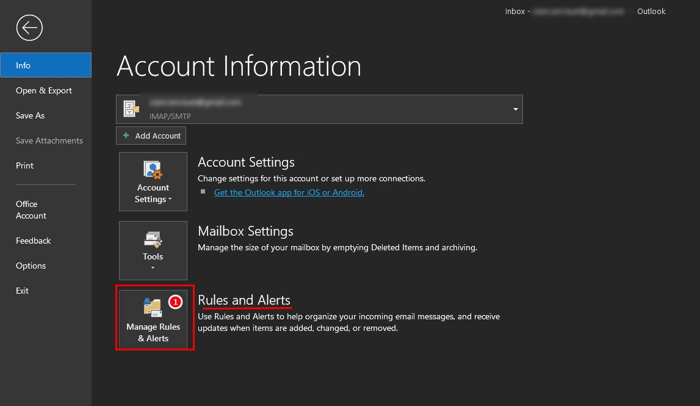
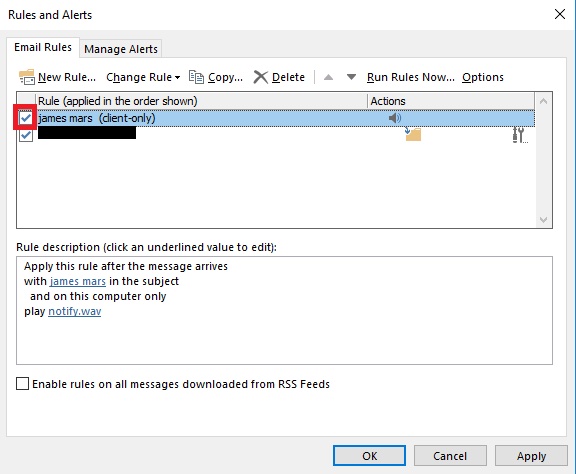
Web Select File gt Manage Rules amp Alerts to open the Rules and Alerts dialog box On the Email Rules tab select New Rule Select one of the templates from Step 1 To start from a blank rule select Apply rule on messages I receive or Apply rule on messages I send In the Step 2 Edit the rule description box click on any underlined options to set Web Sep 8 2020 nbsp 0183 32 A rule is an action in which Outlook for Windows runs automatically on incoming outgoing email messages If you re facing the issue of Outlook rules not working automatically then follow the steps below to fix the issue Ensure the Rules are Enabled Firstly open MS Outlook and navigate to Files gt Rules amp Alerts
Web Common causes for Outlook Rules not working Solved Outlook Rules not working Method 1 Optimize the size of your rules Method 2 Enable rules for your account Method 3 Delete and remake your rules Method 4 Update Outlook to the latest version Microsoft 365 Method 5 Change your email download settings Method 6