Microsoft Lists And Sharepoint Lists Webinar Microsoft Lists Smarter Information Tracking And Microsoft Lists And SharePoint Lists Column Settings In Grid View Microsoft Sharepoint Lists Complete Beginner Tutorial YouTube Microsoft Lists Evolving The Value Of SharePoint Lists And Beyond How To Upload A List Template To A SharePoint Site Kiefer Consulting Web Learn how to create or add a list to a SharePoint page For info about creating a list based on an existing list see Create a new SharePoint list based on the columns in another list To change properties delete the list add permissions manage columns and a number of other updates select Settings and then select List Settings For more info see Edit a list
Web Track information Organize work Customize for your team See plans and pricing Stay on top of it all with Lists your smart information tracking app in Microsoft 365 Work with anyone anywhere Configure your lists to better organize events issues assets and more Create share and track lists with anyone Web Nov 2 2022 nbsp 0183 32 What is Microsoft Lists Remember SharePoint lists Imagine being able to use it externally outside the context of SharePoint like an independent app That s basically what Microsoft Lists is It s a smart app for organizing work tracking data and info and managing workflows
How To Upload A List Template To A SharePoint Site Kiefer Consulting Sharepoint Inventory Management Template Printable Templates SharePoint Themes And Colors Microsoft Learn Getting Started With Microsoft Lists For SharePoint Online Bloom Software SharePoint List Experience In Microsoft Teams SharePoint Lists As How To Customize A Sharepoint Modern List Form Lightning Tools Vrogue Microsoft Dynamics Solutions Your Business Can Succeed By Using My Portfolio How To Open SharePoint Lists In Microsoft Lists HANDS ON Lists
Microsoft Lists And Sharepoint Lists
 Microsoft Lists And Sharepoint Lists
https://zaact.com/wp-content/uploads/2020/10/Microsoft-Certified-Partner-Lists.png
Web These scenarios become more powerful through deep integration of Microsoft Flow with SharePoint lists Flow automates workflow and data exchange between SharePoint and a variety of Microsoft and third party services Now you can create and launch Flows directly from a SharePoint list and store and modify that data within SharePoint
Templates are pre-designed documents or files that can be utilized for various purposes. They can conserve time and effort by providing a ready-made format and design for developing various sort of content. Templates can be utilized for personal or professional tasks, such as resumes, invites, leaflets, newsletters, reports, presentations, and more.
Microsoft Lists And Sharepoint Lists

Microsoft Lists Begins General Availability Roll Out To Microsoft 365

Sharepoint Inventory Management Template Printable Templates
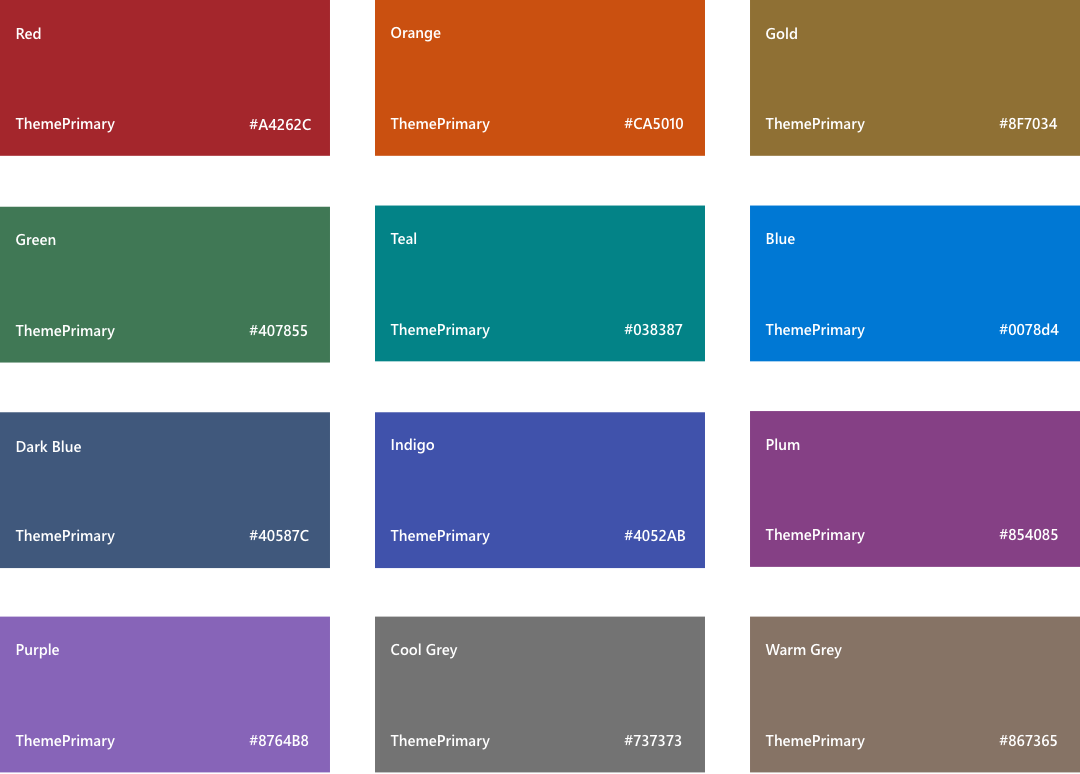
SharePoint Themes And Colors Microsoft Learn

Getting Started With Microsoft Lists For SharePoint Online Bloom Software

How To Customize A Sharepoint Modern List Form Lightning Tools Vrogue
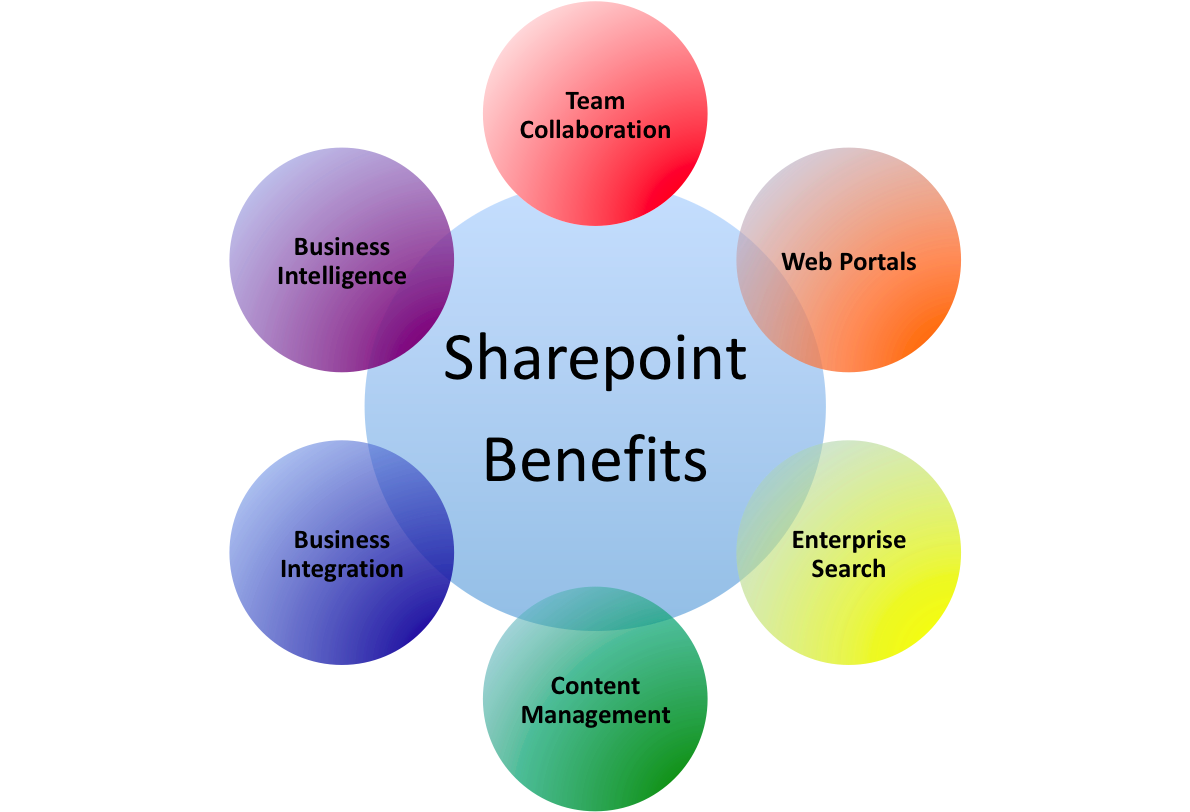
Microsoft Dynamics Solutions Your Business Can Succeed By Using

Web This article explains the concepts behind creating and using lists You can create lists in Microsoft SharePoint the Lists app in Microsoft 365 or Teams Learn to get started with Lists in Microsoft Teams See the following articles for information about lists Create a list Delete a list

Web Jan 29 2023 nbsp 0183 32 Microsoft lists are stored in the same place as OneDrive files on a personal site while a SharePoint List will be on the individual SharePoint site that its kept on What does the list app do Another major difference is that Microsoft Lists has its own dedicated web app and mobile app that is available via Google Play and the iOS app

Web Sep 8 2020 nbsp 0183 32 Microsoft Lists are Simple Easily create share and track lists with anyone on any device Track issues assets activities and more from anywhere Create a new list in the Lists app Lists app in Teams SharePoint or import a data table from Excel Jumpstart new lists using ready made templates

Web May 2 2023 nbsp 0183 32 Roadmap 124865 Microsoft Lists A new forms experience to collect information Collect Data like Never Before with List forms We are making it easier to collect and gather information through a new forms experience built

Web 2 days ago nbsp 0183 32 I always create SharePoint sites and add SharePoint list inside the SharePoint lists i add custom content types create power apps and power automate to automate the lists now today i came across the Microsoft lists where from my Office 365 page gt gt i click on quot Lists quot gt gt create a new list gt gt and chose an existing SharePoint site
Web Jul 13 2021 nbsp 0183 32 1 Favoriting a list for easy access Getting back to work is one of the top actions we do at the start of our days when we return from a lunch break of simply when we have a moment in the in between Thus it s important to be able to make your most important or active information easy and quick to get to Web Jul 13 2020 nbsp 0183 32 The following discusses the key differences between Microsoft lists and SharePoint lists and application fields What are Microsoft Lists Microsoft sums this up like this Track information Organize work Get things done Microsoft Lists are as the name suggests lists namely SharePoint lists
Web Microsoft Lists is a newer service that builds on SharePoint lists and provides additional features such as templates rules and views While SharePoint lists are primarily used within SharePoint sites Microsoft Lists are standalone apps that can be accessed from other Microsoft apps such as Teams and Outlook