Mapbox Examples Popup Mapbox Narrowsuppo News Alufelgen F r Mercedes S Klasse S65 S63 AMG 21Zoll Winterr der Senshu Skin Bone Special Shad Casting Raubfischrute 40 100g Default Popup Styling Is Poor Emulate Leaflet js Issue 8368 Slide Anything Popup Preview Spurengefl ster Step 2 Remove Markers in a Mapbox map I promised at the beginning that I would show you how to remove markers so here we go As a design decision I have decided to add my Remove button in the popup So when a user clicks on a marker a popup appears with the address and a remove button When clicked the marker will disappear from the map
Tour Start here for a quick overview of the site Help Center Detailed answers to any questions you might have Meta Discuss the workings and policies of this site Mapbox js is no longer in active development To learn more about our newer mapping tools see Mapbox GL JS Mapbox js API Examples Plugins Open popup programmatically Open a markers popup from a button Get a free Mapbox account to create your own custom map and use it in this example
Slide Anything Popup Preview Spurengefl ster Mapbox Review 5 Things We Like GIS Geography How To Search For Specific Text In A Popup Of Mapbox TechTalk7 Dictionary Generate A Popup Window In Android Map App Using Mapbox Kontakt Orthop de Traiskirchen Baden M dling Dr Godwin Toby 3D Features In Mapbox GL JS Mapbox A Mapbox Map That Contains Fake Markers Each With A Popup LaptrinhX Mapbox Gl Js V2 E START Mapbox Movement Vehicle Data Mapbox Blog
Mapbox Examples Popup
 Mapbox Examples Popup
https://cdn.hackersandslackers.com/2020/11/mapbox.jpg
To begin create a new application using Create React App and navigate into the project 1 npx create react app mapbox and popups 2 cd mapbox and popups 3 In the root of the project create a new env file and copy your Mapbox access token from your account page
Templates are pre-designed files or files that can be used for different functions. They can save time and effort by offering a ready-made format and design for producing various sort of material. Templates can be utilized for individual or expert tasks, such as resumes, invitations, flyers, newsletters, reports, presentations, and more.
Mapbox Examples Popup

Nerv zny ahko Sa Stane Guinness Add Pop Ups Mapbox Stlmi Vodi Frio
Mapbox Review 5 Things We Like GIS Geography

How To Search For Specific Text In A Popup Of Mapbox TechTalk7

Dictionary Generate A Popup Window In Android Map App Using Mapbox

3D Features In Mapbox GL JS Mapbox

A Mapbox Map That Contains Fake Markers Each With A Popup LaptrinhX
This example uses the Mapbox Streets style The icon image used in this example comes from the Mapbox Streets style s sprite To view all available images in a style s sprite or add additional images open the style in Mapbox Studio and click the Images tab To add a new image to the style at runtime see the Add an icon to the map example

Use mapbox gl draw to draw a polygon and Turf js to calculate its area in square meters Create and style clusters Use Mapbox GL JS built in functions to visualize points as clusters Add a polygon to a map using a GeoJSON source Style a polygon with the fill layer type Display a popup on click
Attach a popup to a marker and display it on click All docs chevron right Mapbox GL JS chevron right arrow left Examples chevron right Attach a popup to a marker instance Choose from Mapbox s core styles or make your own style with Mapbox Studio style mapbox
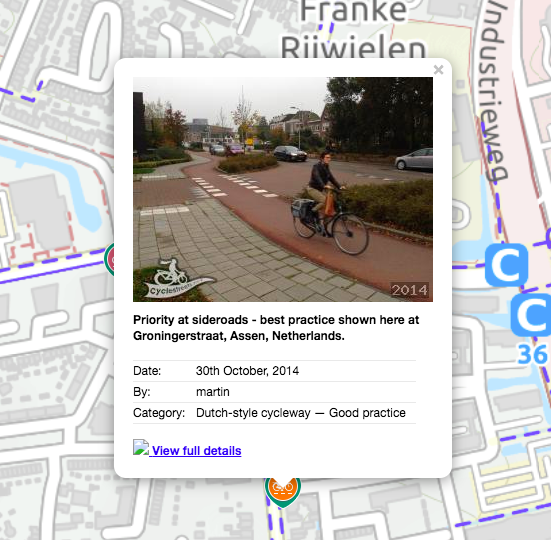
1 Answer Sorted by 1 You ll want to use on mousemove instead of on click After you initialize your map insert this code It s a Mapbox tileset so your access token should work Create a popup but don t add it to the map yet var popup new mapboxgl Popup closeButton false map on load function Add the source
In this example when a user clicks a polygon in a specified layer the map shows a popup containing information about the clicked feature When the map loads it uses addSource and addLayer to add and style a layer called states layer which contains state polygons When the user clicks a feature in the states layer layer the example uses the
If you need even more control over the styling of the popup e g set background color for different types of popups you can set a custom classname directly on the top level of the popup with JS new mapboxgl Popup className apple popup new mapboxgl Popup className banana popup and another css class CSS Map getCanvas style cursor pointer Copy coordinates array const coordinates e features 0 geometry coordinates slice const description e features 0 properties description Ensure that if the map is zoomed out such that multiple copies of the feature are visible the popup appears
Do not add the popup to the map on creation Events mb open Emitted when the popup is opened manually or programatically Params popup the object that was opened event the Mapbox event object sent by the layer mb close Emitted when the popup is closed manually or programatically Params popup the object that was closed