Make A Range In Excel Vba Online Classes In Excel VBA Maven Analytics Find Maximum Value From The Selected Ranges Using Excel VBA YouTube How To Create A Shaded Range In Excel Storytelling With Data How To Use Select Case Statement In Excel VBA How To Use VbCrLf In Excel VBA SpreadCheaters This article will demonstrate how to create a Dynamic Range in Excel VBA Declaring a specific range of cells as a variable in Excel VBA limits us to working only with those particular cells By declaring Dynamic Ranges in Excel we gain far more flexibility over our code and the functionality that it can perform Referencing Ranges and Cells
If you want to select a single cell in the active sheet say A1 then you can use the below code Sub SelectCell Range A1 Select End Sub The above code has the mandatory Sub and End Sub part and a line of code that selects cell A1 Range A1 tells VBA the address of the cell that we want to refer to You can declare a Range object by using the keywords Dim and Set Code Dim example As Range Set example Range A1 C4 example Value 8 Result Select An important method of the Range object is the Select method The Select method simply selects a range Code Dim example As Range
How To Use VbCrLf In Excel VBA SpreadCheaters Define Range In Excel VBA Making Text Bold Italic YouTube Excel How To Verify That Each Element Of A Range In A Worksheet Is Get Answer VBA IN EXCEL MAKE SURE TO WRITE THE VBA CODE IN EXCEL Excel How To Automatically Extend The Range Of A Chart Using VBA Making If Then Statements In Excel VBA Educational Research Techniques Regular Expression And Its Usage In Excel VBA Range Find In VBA Excel Stack Overflow Unlock Excel VBA And Excel Macros
Make A Range In Excel Vba
 Make A Range In Excel Vba
https://images.ctfassets.net/p80c52b4itd3/Mc9GWPFLgkx8VTYICNG3I/0f93b0baf248c2c682e10b983ad3f08b/Excel_VBA_Macros.png
Method 1 UsedRange The UsedRange method creates a range that includes every cell that contains data in it on the spreadsheet It is vital that you refresh recalculate the UsedRange before using it as the method will pick up ghost cells cells that had values in them and you used the Delete key to remove the values
Templates are pre-designed documents or files that can be utilized for various purposes. They can conserve time and effort by providing a ready-made format and design for producing various kinds of material. Templates can be utilized for individual or expert jobs, such as resumes, invitations, leaflets, newsletters, reports, presentations, and more.
Make A Range In Excel Vba

Excel VBA Tips And Trick Most Powerful Function In Excel VBA Excel
Define Range In Excel VBA Making Text Bold Italic YouTube

Excel How To Verify That Each Element Of A Range In A Worksheet Is
Get Answer VBA IN EXCEL MAKE SURE TO WRITE THE VBA CODE IN EXCEL

Making If Then Statements In Excel VBA Educational Research Techniques
Regular Expression And Its Usage In Excel VBA
If you d like to follow along open a blank workbook go to the Developer tab click Visual Basic and click Insert New Module In the blank module type the below code Sub Refer Range B1 End Sub This tells Excel to look at cell B1
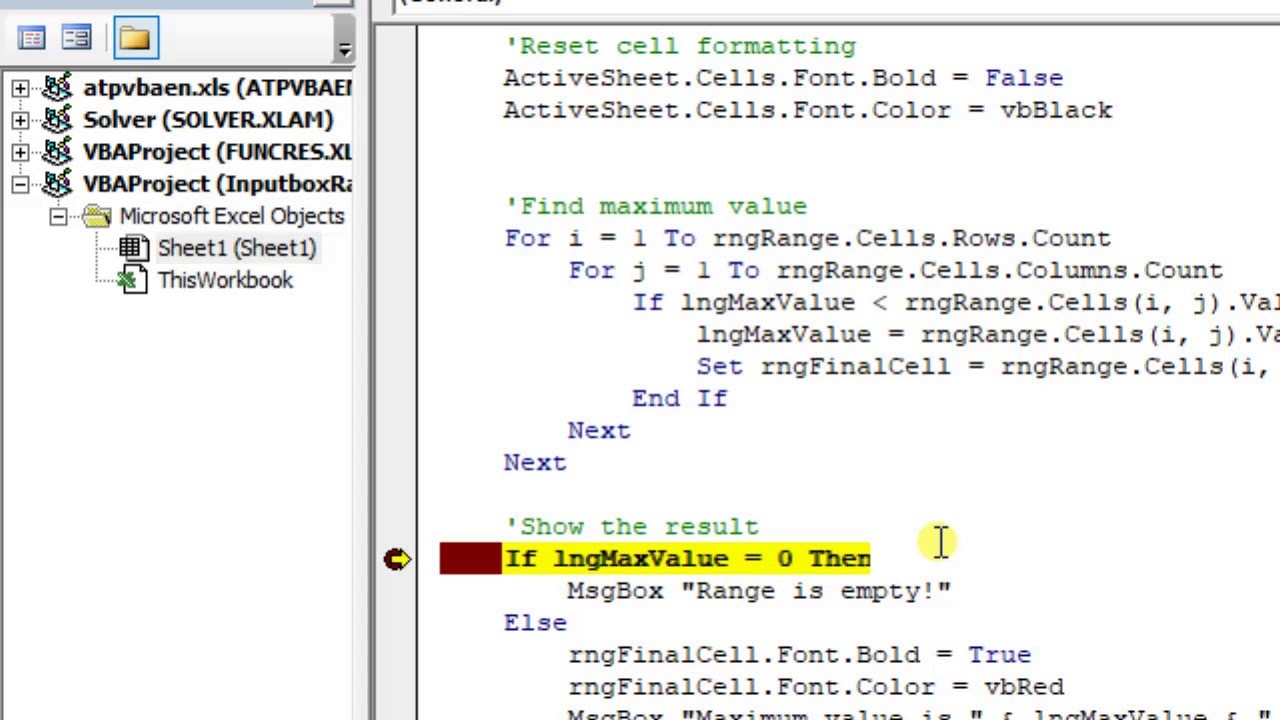
Below are two solutions to select the range A1 Cells 1 1 Select row 1 column 1 Range A1 Select Also check out this link http www excel vba vba code 2 6 cells ranges htm We strongly recommend that you use Range instead of Cells to work with cells and groups of cells

Range Address Range to Array Array to Range Sum Range Count Range Ranges and Cells in VBA Excel spreadsheets store data in Cells Cells are arranged into Rows and Columns Each cell can be identified by the intersection point of it s row and column Exs
This example loops on the range named TestRange and displays the number of empty cells in the range VB numBlanks 0 For Each c In Range TestRange If c Value Then numBlanks numBlanks 1 End If Next c MsgBox There are numBlanks empty cells in this range This example sets the font style in cells A1 C5 on Sheet1 of the

Excel VBA The Range object The Excel VBA Range object is used to represent a range in a worksheet A range can be a cell a group of cells or even all the 17 179 869 184 cells in a sheet When programming with Excel VBA the Range object is going to be your best friend That s because much of your work will focus on manipulating data within sheets
Reading a Range of Cells to an Array You can also copy values by assigning the value of one range to another Range A3 Z3 Value2 Range A1 Z1 Value2The value of range in this example is considered to be a variant array What this means is that you can easily read from a range of cells to an array 1 Create Named Range VBA Code to Create Named Range Process Followed by VBA to Create Named Range VBA Statement Explanation Macro Example to Create Named Range Effects of Executing Macro Example to Create Named Range 2 Create Named Range with Worksheet Scope VBA Code to Create Named Range with Worksheet Scope
To make the best of VBA you need to learn how to use cells and ranges in your codes For this you need to have a solid understanding of Range objects By using it you can refer to cells in your codes in the following ways A single cell A range of cells A row or a column A three dimensional range