Mac Terminal Opens With Process Completed Chinook s At Fisherman s Terminal Opens Today Westside Seattle New Ways To Display Poinsettias This Holiday Season Morristown NJ News TAPinto Mukilteo s New 187 Million Ferry Terminal Opens With Virtual Ceremonies On December 29 2020 PortCalls Asia Asian Shipping And Maritime News New Puerto Princesa International Airport From Third World To Soaring LaGuardia s New Central Terminal Opens Its Doors With Little Web Mar 24 2017 nbsp 0183 32 You can t just start a new shell in an existing window Opening a new window will start a new shell However you can use Terminal s restoration feature to start the shell in the same window once again by quitting and reopening Terminal
Web Aug 10 2018 nbsp 0183 32 In the mac terminal ctrl d closes down the shell If you run a simple julia program it should return to the command prompt when finished Example In a file called foo jl usr bin env julia x 2 2 println x Now in the terminal julia foo jl 4 Web Oct 23 2020 nbsp 0183 32 Broken terminal forkpty Resource temporarily unavailable Could not create a new process and open a pseudo tty 36 When I start my terminal I get quot login usr local bin bash No such file or directory Process completed quot and i
From Third World To Soaring LaGuardia s New Central Terminal Opens Its Doors With Little New Cargo Terminal Opens At Dominican Republic Airport Airport World New APMT Terminal Opens In Mexico Container Management Mukilteo s New 187 Million Ferry Terminal Opens With Virtual Ceremonies On December 29 2020 New Royal Caribbean Cruise Terminal Opens In Port Canaveral Royal Caribbean Blog New Mytilene Terminal Opens Doors Passenger Terminal Today Paine Field s New Terminal Opens With A Top notch Passenger Experience PaxEx Aero Excess Baggage Company Wins New Contract At Heathrow s Terminal 2 RFID News CSP Iberian Bilbao Terminal Opens Expanded Railway Terminal Container Management
Mac Terminal Opens With Process Completed
 Mac Terminal Opens With Process Completed
https://www.westsideseattle.com/sites/default/files/images/[domain-url]/[node-yyyy]/[node-mm]/copper_river_red_pepper_smaller.jpg
Web Apr 3 2019 nbsp 0183 32 process completed When I try to add another command the terminal is non responsive Why is it doing this I solved the problem by open in finder the bash profile pressed Command Shift gt to show hidden files reversed the commenting Terminal works again Still I need to know why
Templates are pre-designed files or files that can be utilized for numerous purposes. They can conserve time and effort by offering a ready-made format and design for creating different type of content. Templates can be used for individual or expert jobs, such as resumes, invites, leaflets, newsletters, reports, discussions, and more.
Mac Terminal Opens With Process Completed
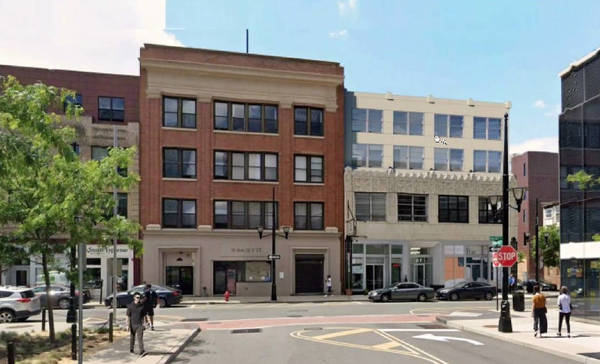
Halsey Street Building Approved For Additional Floors Units Newark NJ News TAPinto

New Cargo Terminal Opens At Dominican Republic Airport Airport World

New APMT Terminal Opens In Mexico Container Management

Mukilteo s New 187 Million Ferry Terminal Opens With Virtual Ceremonies On December 29 2020
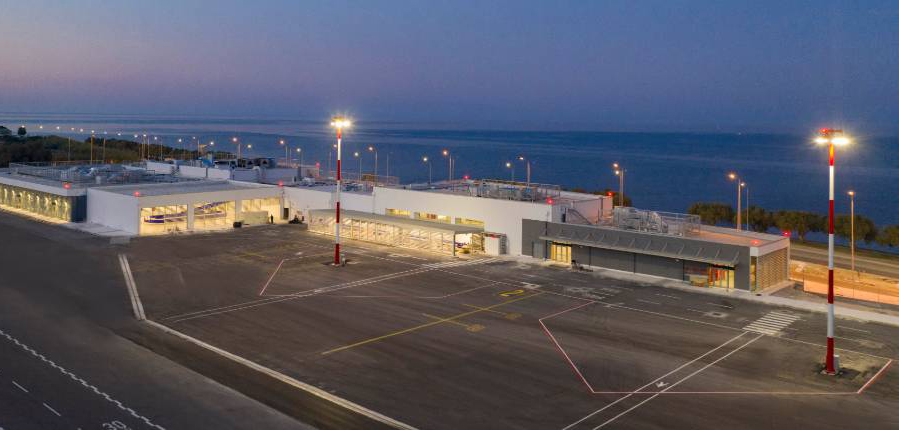
New Mytilene Terminal Opens Doors Passenger Terminal Today

Paine Field s New Terminal Opens With A Top notch Passenger Experience PaxEx Aero

Web Feb 25 2022 nbsp 0183 32 Depending on how you have Terminal configured pressing a control d may show a process completed message or close the Terminal window A process completed doesn t mean the Terminal is hung it means that you have quit the running shell need to either quit Terminal or select a Shell gt New Window or Tab to produce

Web Dec 19 2019 nbsp 0183 32 Close the Terminal Preferences window Open Terminal again it should work vi Users lt your user gt bash profile remove the lines found in step 2 Go to Preferences General and set Shells open with to Command and enter the following bin bash Open Terminal it should work now

Web In Terminal Preferences in Profiles pane select the Profile you use should say quot default quot under it s name select sub pane Shell and change 171 When the shell exits 187 to 171 Close if the shell exited cleanly 187 It will not hide the Process completed message but will close the window if exit code was successful

Web Changing Shell opens with in Terminal prefs to variously usr bin login bin bash bin sh Using Shell gt New Command in Terminal to run these and experimenting with the norc and noprofile switches Uninstalling MacPorts by following their instructions

Web Jun 28 2015 nbsp 0183 32 Last login Wed Aug 6 15 53 58 on ttys003 Process completed This started happening when terminal froze and I restarted it From then on this is the message that is displayed I can change the Shell to bin sh in Terminal s preferences but this prevents me from using my bash profile script
Web May 8 2014 nbsp 0183 32 A few days ago I installed two versions of Python on my Mac 2 7 6 and 3 4 0 I first installed the latter but it didn t seem to work so I installed the former Immediately afterwards my Terminal stopped working Now when I try to open a Terminal window instead of a command line I immediately get the Process completed message Web Feb 27 2023 nbsp 0183 32 When you find the one that has the exit command in it right click on it and open it in ideally a programmer s editor of your choice or TextEdit and remove the line with the exit command in it Save the file as plain text That should resolve the Terminal quitting upon launch
Web Sep 5 2022 nbsp 0183 32 1 Answer Sorted by 1 Some rust cargo binary looks like it s been added to your shell startup script and is causing it to fail on startup I would try navigating to your HOME folder using Finder and then turn on Hidden files Cmd Shift Look for bash profile or zshrc and try moving them temporarily to your Desktop