Mac Os Preview Edit Pdf 4 Things You Need To Know About Mac OS Preview Application The Best Features In MacOS Preview App Bestanden Zoeken In Time Machine Op Een Mac Appletips Course For Mac OS Preview Apps 148Apps Word For Mac Form With Text Guide In Text Box Boulderhigh power Web Dec 1 2023 nbsp 0183 32 macOS offers two different tools to view and edit PDFs Preview and Quick Look Preview the in built macOS tool comes packed with options like adding text annotations and signatures on Mac For more options like replacing existing text on a PDF on Mac you can try third party tools like Adobe Acrobat PDF
Web In the Preview app on your Mac open the PDF you want to change Do any of the following Add a page to a PDF Select the page you want to appear before the new page choose Edit gt Insert then choose Page from File or Blank Page The Web Aug 7 2023 nbsp 0183 32 Option 1 Using Preview Mac s Built in PDF Editor When it comes to basic PDF editing your built in Mac PDF Editor has you covered You can access the PDF Editor through your Mac s Preview function It s simple free and preinstalled on your machine
Word For Mac Form With Text Guide In Text Box Boulderhigh power IPad OS Preview It s Finally Here YouTube Make A Transparent Image PNG Or GIF Easily With Preview For Mac OS X MacOS Big Sur J Se Encontra Disponivel TugaTech How To Edit Images And Mark Up PDFs With Preview On Your Mac Apple Use Preview To Combine PDFs On Your Mac Apple Support Preview App Mac Crop To My Size How To Use Preview On Mac IMore Wear OS Developer Preview Update Re enables Alarms And Jobs For
Mac Os Preview Edit Pdf
 Mac Os Preview Edit Pdf
https://i.pinimg.com/originals/bf/be/a5/bfbea5a31eeda119e86f95090b2d46fe.jpg
Web Apr 24 2024 nbsp 0183 32 There is a free PDF editor built right into MacOS and it s really easy to use We show you how to edit a PDF on a Mac plus some alternatives that let you finesse the finished product a
Pre-crafted templates use a time-saving option for developing a varied range of files and files. These pre-designed formats and designs can be used for various individual and professional projects, including resumes, invites, flyers, newsletters, reports, discussions, and more, improving the material creation process.
Mac Os Preview Edit Pdf

Preview Icon OS X Yosemite Preview Iconset Johanchalibert

IPad OS Preview It s Finally Here YouTube
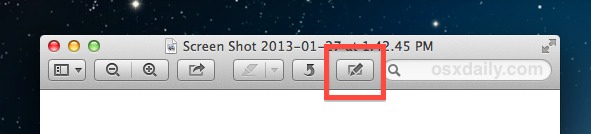
Make A Transparent Image PNG Or GIF Easily With Preview For Mac OS X

MacOS Big Sur J Se Encontra Disponivel TugaTech
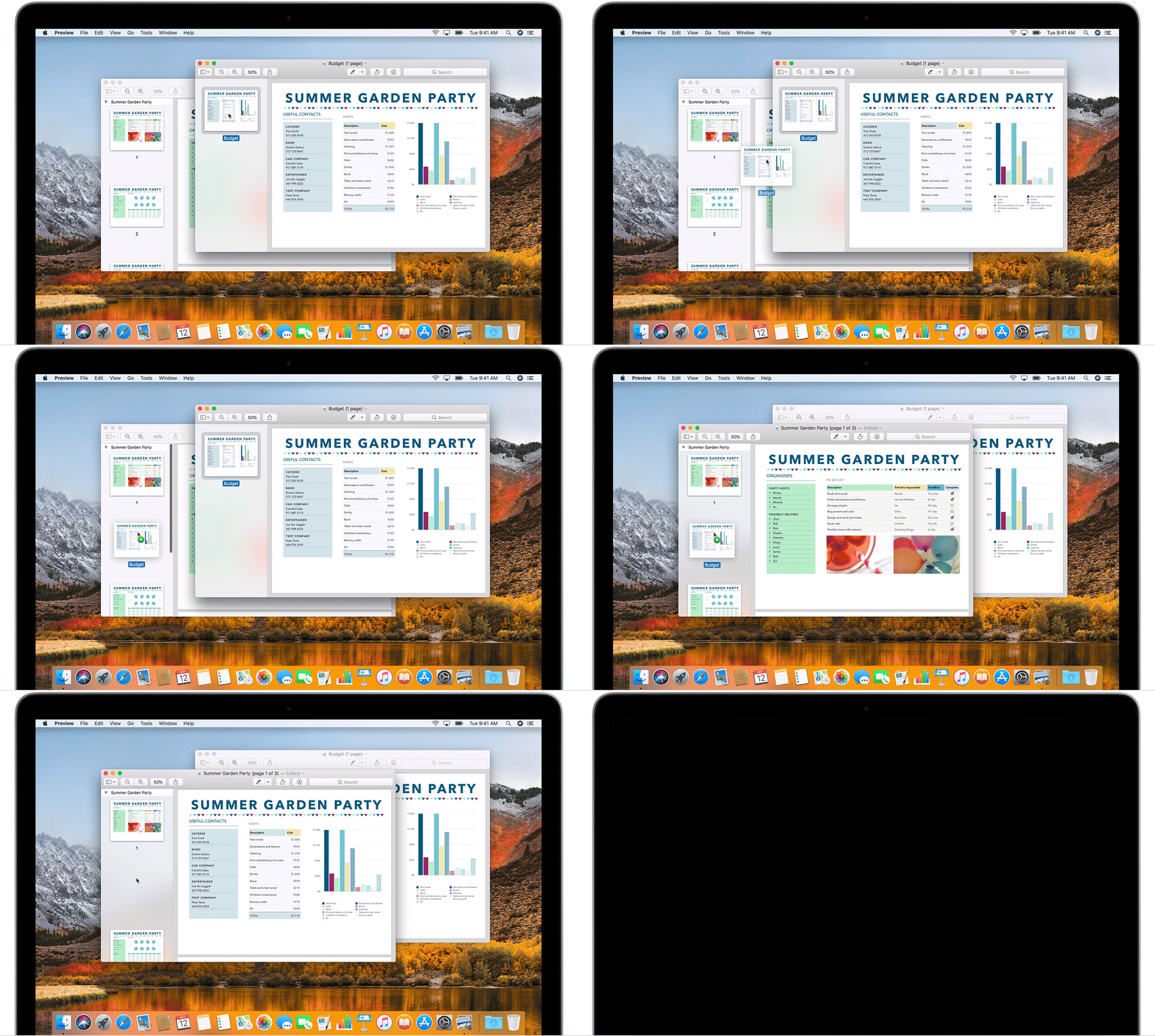
Use Preview To Combine PDFs On Your Mac Apple Support
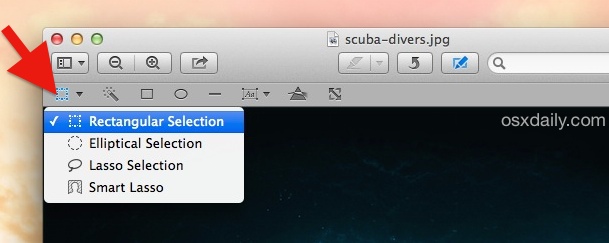
Preview App Mac Crop To My Size

Web Aug 26 2022 nbsp 0183 32 This guide reveals how to edit a PDF on Mac without the need to buy any extra software using Preview or Quick Look
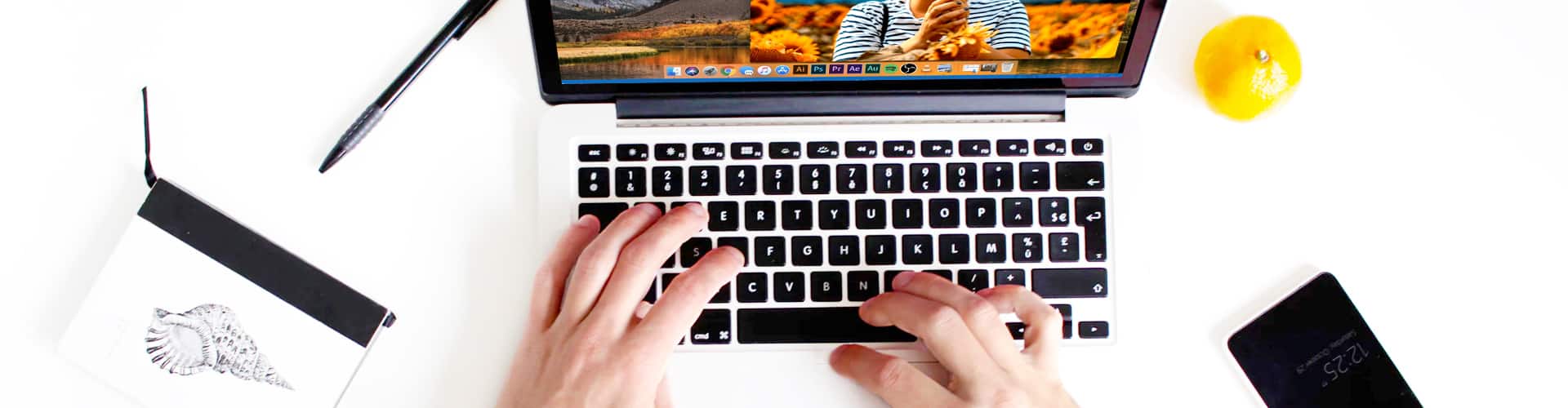
Web Aug 6 2019 nbsp 0183 32 You can edit PDFs on your Mac with Preview Hollis Johnson Business Insider If you need to edit a PDF on your Mac you can use Preview the Mac s default photo viewing

Web View information about PDFs and images Import images from a camera See where a photo was taken Display a PDF as a slideshow View an animated GIF s frames Edit PDFs Fill out and sign PDF forms Select and copy text in a PDF Highlight underline and strike out text Add notes and speech bubbles to a PDF Annotate a PDF Combine PDFs
Web MacOS the Mac operating system includes Preview a free PDF Mac app that lets users open view and comment on PDF files Preview is the default option when opening PDFs on a Mac So to open a PDF with Preview on a Mac just double click the document you want to view In Preview you can annotate a PDF on Mac with strike through underline

Web Jan 13 2022 nbsp 0183 32 The latest macOS lets you access PDF controls that previously required Adobe Acrobat or a third party PDF editor Mac 911 By Glenn Fleishman Senior Contributor JAN 13 2022 3 00 am PST
Web Aug 29 2023 nbsp 0183 32 Key Takeaways Adding an image to a PDF file using the Preview app on a Mac is not straightforward but there is a clever workaround that can be used The workaround involves copying and pasting the image into the PDF using Preview allowing for repositioning and resizing of the pasted image Web Jul 4 2017 nbsp 0183 32 5 Answers Sorted by 8 You could use a combination of tools to remove the old ToC and attach a new one use PDF SAM quot s plit a nd m erge quot it s FOSS and cross platform to take off the old ToC use PDF Outliner 4 99 in Mac App store to generate a new one See other helpful tools in another Q amp A Share Improve this answer
Web Mar 8 2024 nbsp 0183 32 1 Adobe Acrobat Pro DC 2 FineReader PDF For Mac 3 PDF Expert 4 pdfFiller 5 Foxit PDF Editor 6 Nitro PDF Pro 7 Kofax Power PDF 8 Soda PDF 9 Kdan PDF Reader Pro 10 PDF Reader Pro What We Looked For In These PDF Editors Is There an Apple PDF Editing Software Are There Any Free PDF Editing Apps For Macs