Mac Kill Process On Port 4200 How To Kill A Process On Mac OS X That s trying To Exit E 2 Kill Process On Port On Windows DEV Community Mac Task Manager Kill Process Terminal Holoserarchive How To Find And Kill Process On A Port In Windows 10 Windows Bulletin Proxy Id Vpn Cisco Web Mar 27 2023 nbsp 0183 32 In this case it is used to terminate the process that has an open connection on the specified port When you run lsof ti port number xargs kill the command will find the process that has an open connection on the specified port and then kill that process using the kill command
Web Mar 6 2022 nbsp 0183 32 Kill the process on port 4200 on mac terminal Sometimes you need to kill process forcefully use 9 for that Reference Find and kill process locking port 3000 on Mac Please fire this one on git cmd sudo lsof t i tcp 4200 xargs kill 9 Answer by Gunnar Watts For linux users sudo kill sudo lsof t i 4200 You could also try this Web Jun 11 2014 nbsp 0183 32 Option 1 You can install tcpkill It is part of the dsniff package which is in MacPorts You said you don t want to install other software Nevertheless MacPorts is really useful if you work from the command line I suggest you check it out Option 2 On StackOverflow there is a related post Find and kill process locking port 3000 on Mac
Proxy Id Vpn Cisco How To Kill A Process On Mac How To Kill A Process On A Port On Windows 11 Technipages Kill All Process On Port 8080 Mac Kill Process Port 8080 Honda Submersible Pump 1 25in Port 4200 GPH 1 3 HP Model Kill Process On Port 8080 In Windows OS How To Kill A Process On A Port On Windows 11 Technipages Proxy Alignment Software
Mac Kill Process On Port 4200
 Mac Kill Process On Port 4200
https://i.ytimg.com/vi/9rrXFnC4Qxw/maxresdefault.jpg
Web Oct 4 2010 nbsp 0183 32 To forcefully kill a process like that use the following command lsof n i4TCP 3000 OR lsof i 3000 Where 3000 is the port number the process is running at this returns the process id PID and run kill 9 quot PID quot Replace PID with the number you get after running the first command Why kill 9 PID does not work
Templates are pre-designed documents or files that can be used for different purposes. They can conserve effort and time by providing a ready-made format and layout for developing various kinds of material. Templates can be utilized for individual or expert tasks, such as resumes, invitations, leaflets, newsletters, reports, discussions, and more.
Mac Kill Process On Port 4200

Find And Kill Process On Port MacOS Tuts Make

How To Kill A Process On Mac

How To Kill A Process On A Port On Windows 11 Technipages

Kill All Process On Port 8080

Honda Submersible Pump 1 25in Port 4200 GPH 1 3 HP Model
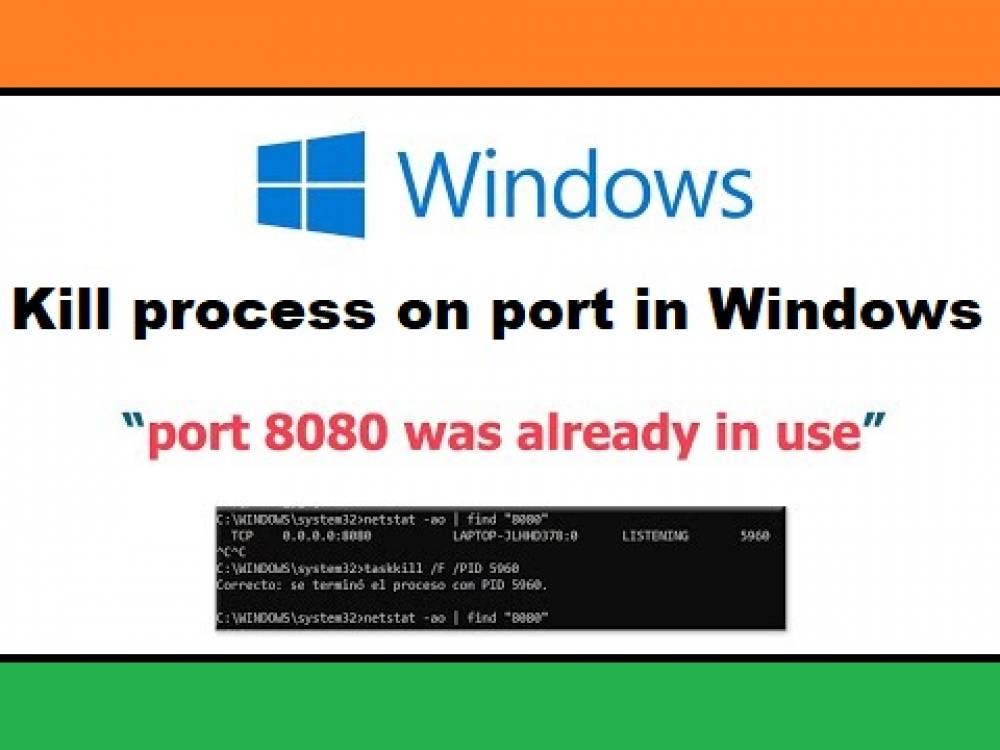
Kill Process On Port 8080 In Windows OS

Web Aug 23 2016 nbsp 0183 32 Now type ng serve Our angular application will be running on http localhost 4201 To fix port 4200 is already in use error in In Mac amp Linux OS Ubuntu etc use the following commands sudo kill sudo lsof t i 4200 Or sudo kill sudo lsof t i 4200 Or sudo lsof t i tcp 4200 xargs kill 9

Web Sep 12 2012 nbsp 0183 32 Kill the process which is currently using the port using its PID kill PID and then check to see if the port closed If not try kill 9 PID I would only do the following if the previous didnt work sudo kill 9 PID Just to be safe Again depending on how you opened the port this may not matter

Web Feb 17 2023 nbsp 0183 32 Key Takeaways Open Activity Monitor and find the process you want to kill by sorting by resource usage or by process ID Then click the X button at the top of Activity Monitor and select either quot Quit quot or quot Force Quit quot to kill the process Is an application or process causing problems on your Mac

Web Jul 19 2012 nbsp 0183 32 How to kill a process by port on MacOS a la fuser k 9000 tcp Asked 11 years 2 months ago Modified 2 years 5 months ago Viewed 114k times 25 On linux I can kill a process knowing only the port it is listening on using fuser k 9000 tcp how do I so the same on MacOS macos process port kill Share Improve this question Follow

Web Apr 9 2021 nbsp 0183 32 You can also kill the process on port For this method you ll need to use the Terminal and in the command prompt you must enter the following command lsof i port Once you ve found the specific port number please type the following command to kill the process kill lsof t i Port
Web Aug 15 2022 nbsp 0183 32 When doing development work on a Mac sometimes the process won t close down correctly and will end up locking a port which will provide an error when you try and start it up again In order to kill a process on a specific port you first need to get its ID lsof i 7020 And then using that Port ID PID you can kill the process kill 9 lt PID gt Web Apr 18 2023 nbsp 0183 32 illing a process running on a specific port on a Mac can be done using the command line tool lsof List Of Open Files and kill command Below are the steps and code examples to accomplish this task Step 1 Find the process ID PID of the process running on the specific port
Web Oct 19 2022 nbsp 0183 32 Steps Get the PID of the port you want to kill In terminal type the following sudo lsof i 3000 The port here should be the one giving issue A series of information should appear on your screen Take note of the PID number Type the following command to kill the port with the PID you specified kill 9 lt PID gt