Mac Kill Process On Port 3306 Bont sa Kibogoz Eltitkol s And Port Visszat r s F szek Referencia Proxy Id Vpn Cisco How To Kill A Process On Mac OS X That s trying To Exit E 2 Solutions YouTube 8080 8080 Q A Using PS Tools Pslist And Pskill To Remotely Kill Computer Processes Web Oct 4 2010 nbsp 0183 32 One of the ways to kill a process on a port is to use the python library freeport https pypi python pypi freeport 0 1 9 Once installed simply install freeport pip install freeport Once freeport is installed use it as follows freeport 3000 Port 3000 is free Process 16130 killed successfully
Web May 26 2011 nbsp 0183 32 If mysql is not starting in xampp it might be a port conflict issue Mysql run by default on port 3306 you need to check if another application is occupying that port use following command to check app occupying a port Linux netstat tulpn grep 3306 Window netstat a b Mac lsof nP i4TCP 3306 Web Apr 21 2020 nbsp 0183 32 hi do this quot ss lptn quot this will show you running process check the process running on port 3306 then kill that process by quot kill 9 process id quot and re run your proxy app It will run on 3306 then django will work fine Do comment if this works Rahul
Using PS Tools Pslist And Pskill To Remotely Kill Computer Processes How To Find And Kill Process On A Port In Windows 10 Windows Bulletin Tutorials How To Kill A Process On Mac Proxy Alignment Software Kill All Process On Port 8080 Kill Port In Windows 11 Vrogue Kill Process On Port 8080 In Windows OS Mac Task Manager Kill Process Terminal Holoserarchive Ip To Squid Proxy
Mac Kill Process On Port 3306
 Mac Kill Process On Port 3306
https://transportgeography.org/wp-content/uploads/main_port_dimensions.png
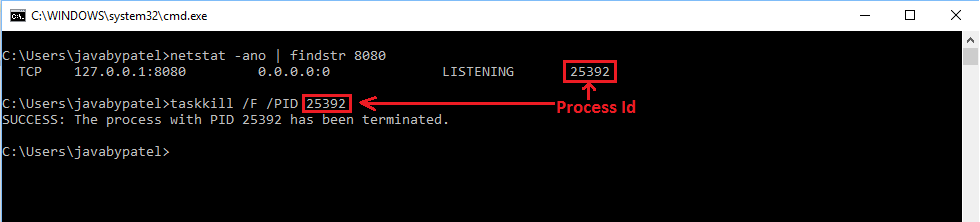
Web Mar 10 2023 nbsp 0183 32 Typing cmd in the Run Prompt and pressing Shift Ctrl Enter Type in the following command to list the process communicating on a specific port netstat ano findstr lt yourPortNumber gt Typing in the command This will list the process running on a specific port note the PID for the program
Templates are pre-designed documents or files that can be used for numerous functions. They can conserve time and effort by providing a ready-made format and layout for producing different kinds of content. Templates can be used for personal or professional jobs, such as resumes, invites, flyers, newsletters, reports, presentations, and more.
Mac Kill Process On Port 3306

Find And Kill Process On Port MacOS Tuts Make
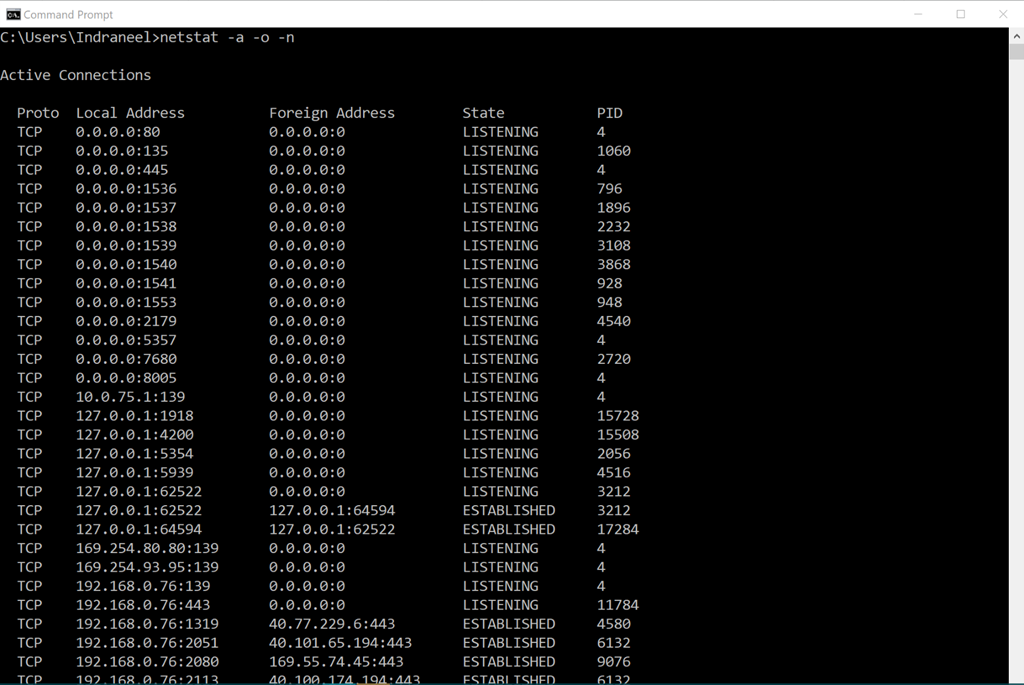
How To Find And Kill Process On A Port In Windows 10 Windows Bulletin Tutorials

How To Kill A Process On Mac

Proxy Alignment Software
Kill Port In Windows 11 Vrogue
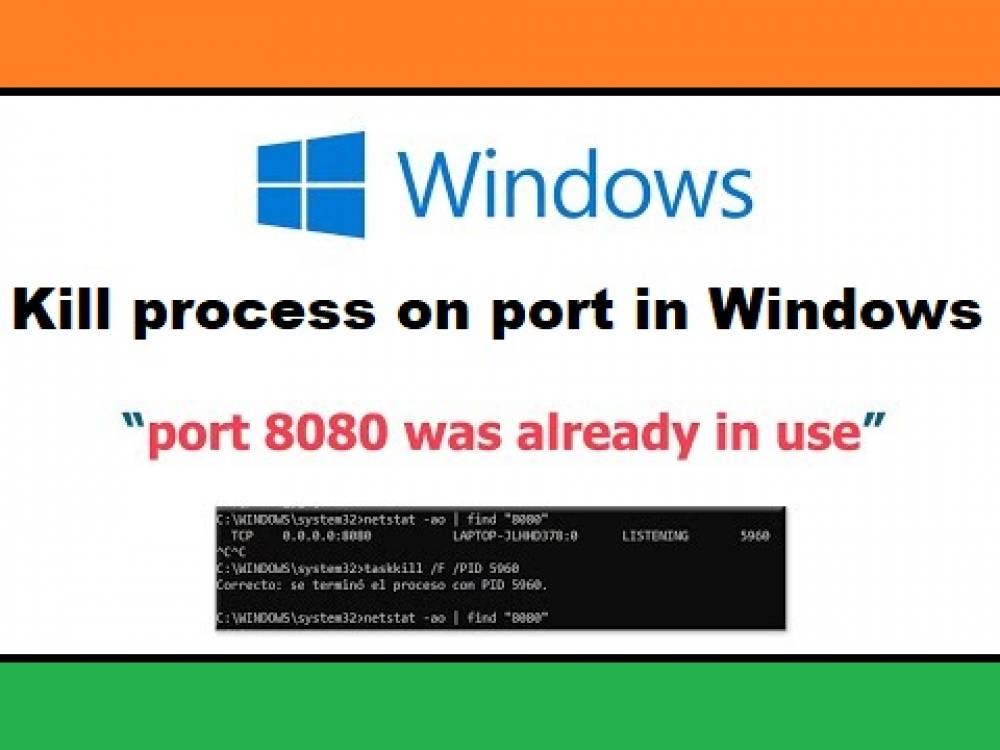
Kill Process On Port 8080 In Windows OS

Web Feb 17 2023 nbsp 0183 32 Key Takeaways Open Activity Monitor and find the process you want to kill by sorting by resource usage or by process ID Then click the X button at the top of Activity Monitor and select either quot Quit quot or quot Force Quit quot to kill the process Is an application or process causing problems on your Mac

Web Sep 11 2017 nbsp 0183 32 This works perfectly Initially used sudo kill 9 lt PID gt but MySQL gets assigned another Process Identification Number instead After using the suggestion above when you run sudo lsof i 3306 to check for processes running on port 3306 you should see nothing Benny64

Web Jul 19 2012 nbsp 0183 32 answered Jul 20 2012 at 22 24 stefano 356 3 2 2 I just had to add 9 to the end to get this to work but I believe that is due to the nature of the listening application and not generally recommended practice to kill 9 that is Kris Jul 24 2012 at 7 37 Kris lsof P grep NumberOfPort awk print 2 xargs kill 9 worked aces
Web Apr 9 2021 nbsp 0183 32 There are straightforward methods to force a program to stop for example the Force Quit command which you can activate by pressing esc in the Apple Menu You ll then see all the apps you can force quit but
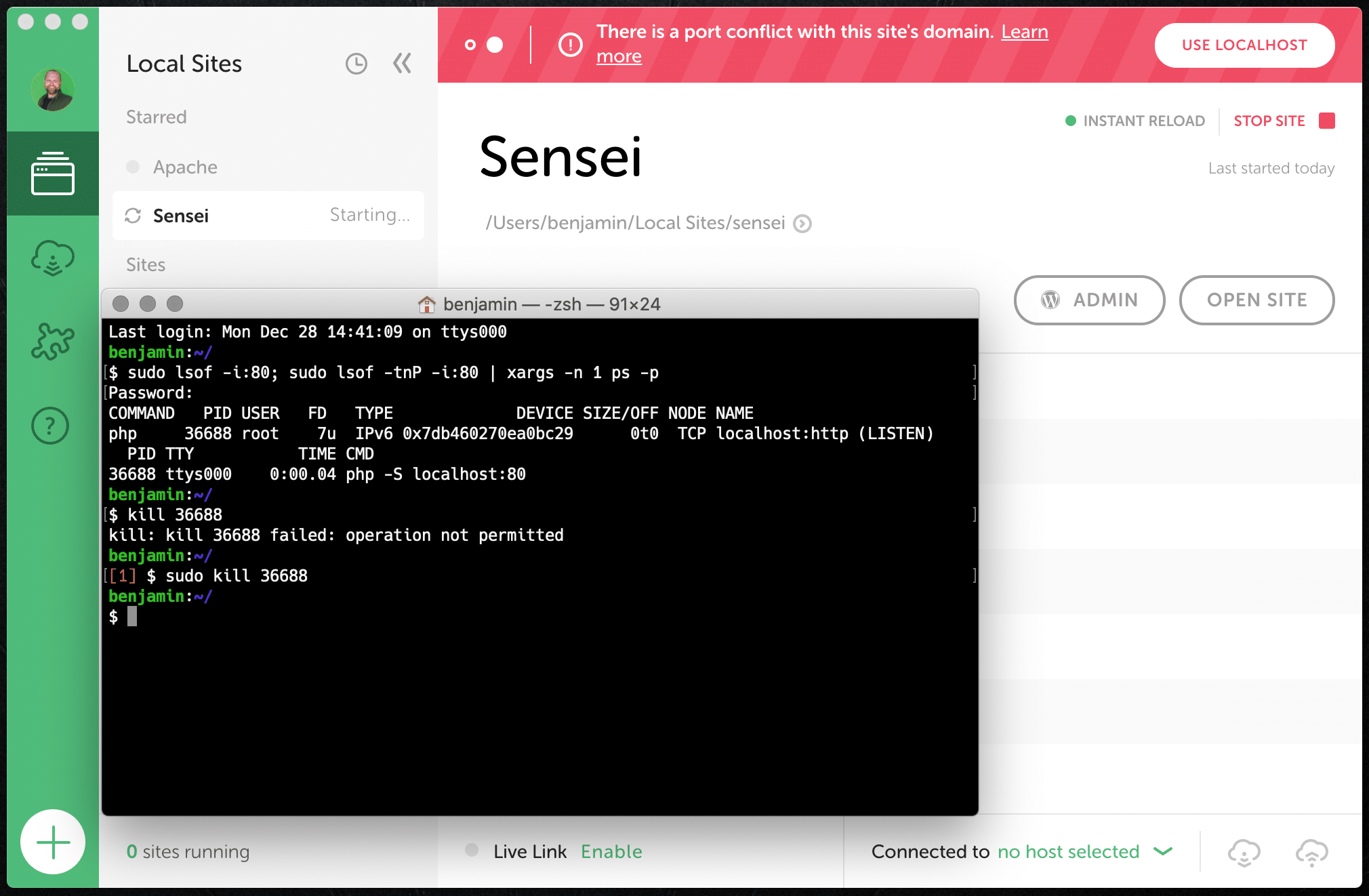
Web May 24 2009 nbsp 0183 32 You can list the process using a port with command lsof for example lsof i tcp PORT NUMBER HERE Replace the word PORT NUMBER HERE to the port number that you are using then the process running on the port will be listed Then you just have to kill the process ID founded like this kill PID NUMBER
Web Mar 26 2020 nbsp 0183 32 Kill the process running on a specific port on macOS We can use the kill command with the 9 option and the port PID number to kill a process on macOS Use the command above lsof i to find the PID for the port you want to kill bash 1 kill 9 lt PID gt Web Oct 19 2022 nbsp 0183 32 Steps Get the PID of the port you want to kill In terminal type the following sudo lsof i 3000 The port here should be the one giving issue A series of information should appear on your screen Take note of the PID number Type the following command to kill the port with the PID you specified kill 9 lt PID gt
Web Sep 20 2023 nbsp 0183 32 You must first kill the process to stop it This tutorial explains how to Find and kill the process locking port on Mac How to kill port number and stop the process in macOS There are many ways we can do this List out multiple ways in case one of the approaches is not working in Mac version types First approach Find process by port