List All Files In Directory Python Python Files In Directory Online Discounted Save 53 Jlcatj gob mx Get A List Of All Files In A Directory With Python with Code Use Python To List Files In A Directory Folder With Os And Glob Datagy Loop Through Files In Directory In Python Delft Stack Python Files In Directory Online Discounted Save 53 Jlcatj gob mx Import os filenames os listdir get all files and folders names in the current directory result for filename in filenames loop through all the files and folders if os path isdir os path join os path abspath filename check whether the current object is a folder or not result append filename result sort print
1 Use os listdir to Print All Files One way to list files in a Python directory is to use the os listdir method which is from Python s OS module import os os listdir The above code will print the names of If you want to list the files in a specific directory you can pass the directory path as an argument to the os listdir function import os path path to directory files os listdir path for file in files print file Try it Yourself You can also filter the files by their extension or other attributes using the python built in
Python Files In Directory Online Discounted Save 53 Jlcatj gob mx Python Get All Files In Directory Various Examples Python Guides 2022 Python Program To List Files In Directory How To List All Files Of A Directory In Python Youtube Gambaran Python List All Files In Directory And Subdirectories How To Get All Files In Directory In Node js Practical Examples C Program To List All Files In A Directory StackHowTo Python Get All Files In Directory Various Examples Python Guides Get Current Directory Using Python
List All Files In Directory Python
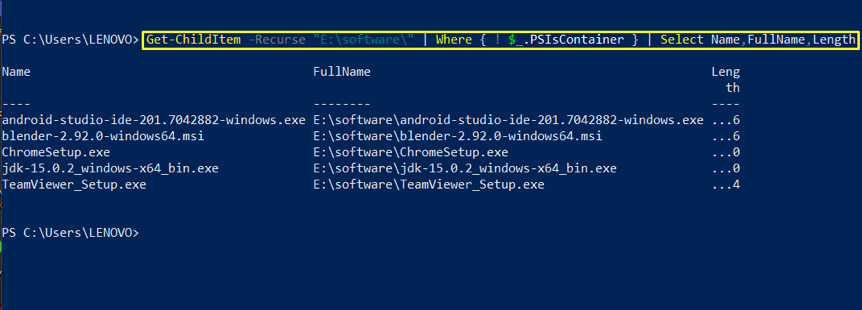 List All Files In Directory Python
https://linuxhint.com/wp-content/uploads/2021/08/list-files-directory-PowerShell-03.png
To get a list of all the files and folders in a particular directory in the filesystem use os listdir in legacy versions of Python or os scandir in Python 3 x os scandir is the preferred method to use if you also want to get file and directory properties such as file size and modification date
Templates are pre-designed documents or files that can be used for numerous functions. They can save effort and time by providing a ready-made format and design for developing various type of material. Templates can be used for personal or expert projects, such as resumes, invites, flyers, newsletters, reports, discussions, and more.
List All Files In Directory Python

Python Files In Directory Online Discounted Save 53 Jlcatj gob mx

Python Get All Files In Directory Various Examples Python Guides 2022
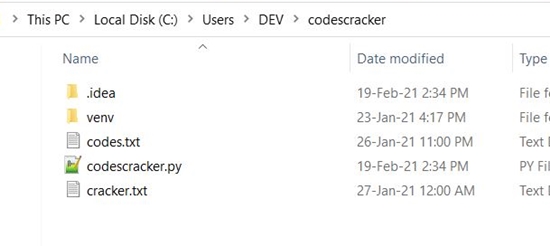
Python Program To List Files In Directory
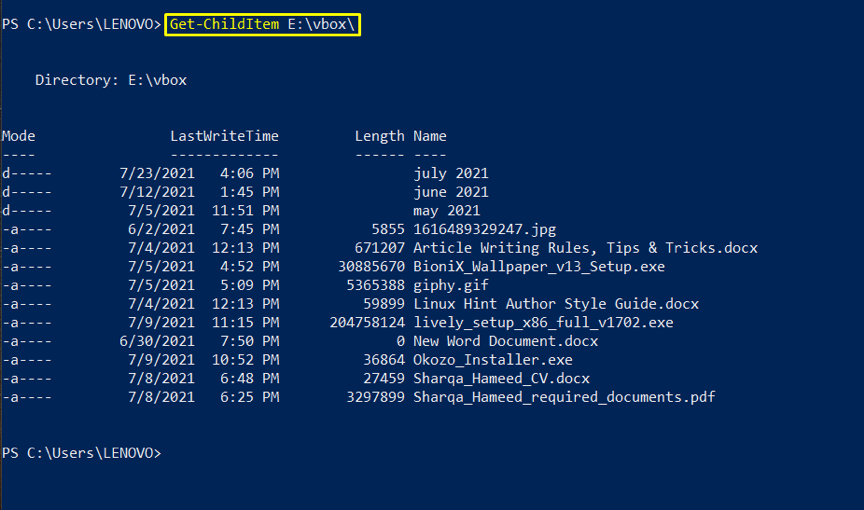
How To List All Files Of A Directory In Python Youtube Gambaran

How To Get All Files In Directory In Node js Practical Examples

C Program To List All Files In A Directory StackHowTo
Os listdir method gets the list of all files and directories in a specified directory By default it is the current directory Beyond the first level of folders os listdir does not return any files or folders Syntax os listdir path

How to Get a List of All Files in a Directory With Python Getting a List of All Files and Folders in a Directory in Python Before getting started on listing you ll want a set Recursively Listing With rglob Directories are often compared with trees because of their recursive nature In

11 Answers Sorted by 389 Use os path join to concatenate the directory and file name import os for path subdirs files in os walk root for name in files print os path join path name Note the usage of path and not root in the concatenation since using root would be incorrect

From pathlib import Path def searching all files directory Path file list A list for storing files existing in directories for x in directory iterdir if x is file file list append x else file list append searching all files directory x return file list p Path C Users akrio Desktop Test print se

How to List All Files in a Directory using Python Import os module First import the os module This module helps us to work with operating system dependent functionality Decide the path to the directory Next decide the path to the directory you want to list the files of Make sure you use
[desc-11] [desc-12]
[desc-13]