Linux Systemctl List Services Daemons In Linux Systemctl List Services DevOpsTuT Daemons In Linux Systemctl List Services DevOpsTuT Daemons In Linux Systemctl List Services DevOpsTuT How To List Services On Linux Devconnected How To List Services In Linux Using Systemctl Web Dec 6 2020 nbsp 0183 32 List Services using systemctl The easiest way to list services on Linux when you are on a systemd system is to use the systemctl command followed by list units You can specify the type service option in order to restrict the results to services only systemctl list units type service
Web Feb 20 2024 nbsp 0183 32 To list all running services on a Linux system managed by systemd the systemctl command is equipped with options that display a comprehensive overview of service states The basic command to achieve this is Web Mar 13 2024 nbsp 0183 32 systemd services are managed by the systemctl command If you run systemctl without any arguments it invokes the default list units sub command and it lists various types of systemd units like services sockets targets etc But your aim is to list the services so you specify the unit type with type flag like this systemctl type service
How To List Services In Linux Using Systemctl How To List Services In Linux Using Systemctl How To Use Systemctl To List Services On Systemd Linux Linux Linux Systemctl Services Exploitation Cyberseclabs Simple Ubuntu CodePre Linux Service Systemctl How To List Services In Linux Using Systemctl How To List Services In Linux Using Systemctl How To List Services In Linux Using Systemctl
Linux Systemctl List Services
 Linux Systemctl List Services
https://devopstut.com/wp-content/uploads/2020/11/Screenshot_8-9.png
Web 6 days ago nbsp 0183 32 Basic Systemctl Commands The systemctl command is your primary tool for interacting with systemd Here are the essential commands to control services start lt service name service gt Starts a service if it s currently inactive stop lt service name service gt Stops a currently running service
Pre-crafted templates offer a time-saving service for producing a varied range of files and files. These pre-designed formats and layouts can be made use of for numerous personal and professional tasks, consisting of resumes, invites, leaflets, newsletters, reports, presentations, and more, improving the material development process.
Linux Systemctl List Services
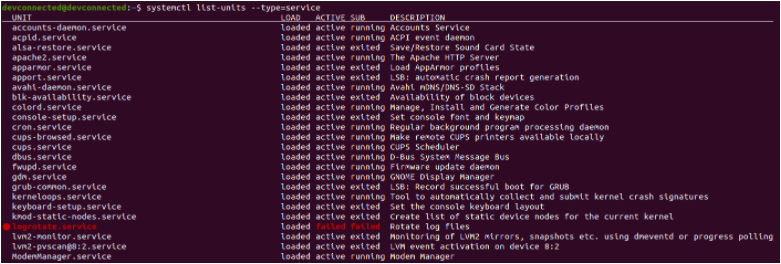
How To List Services On Linux Junos Notes
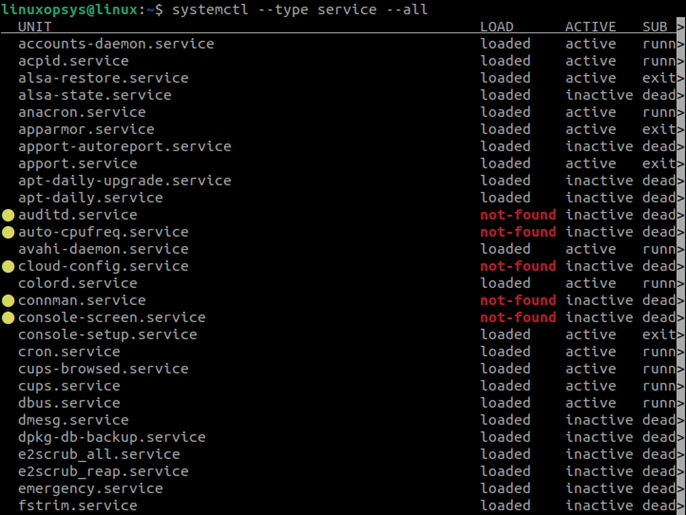
How To List Services In Linux Using Systemctl
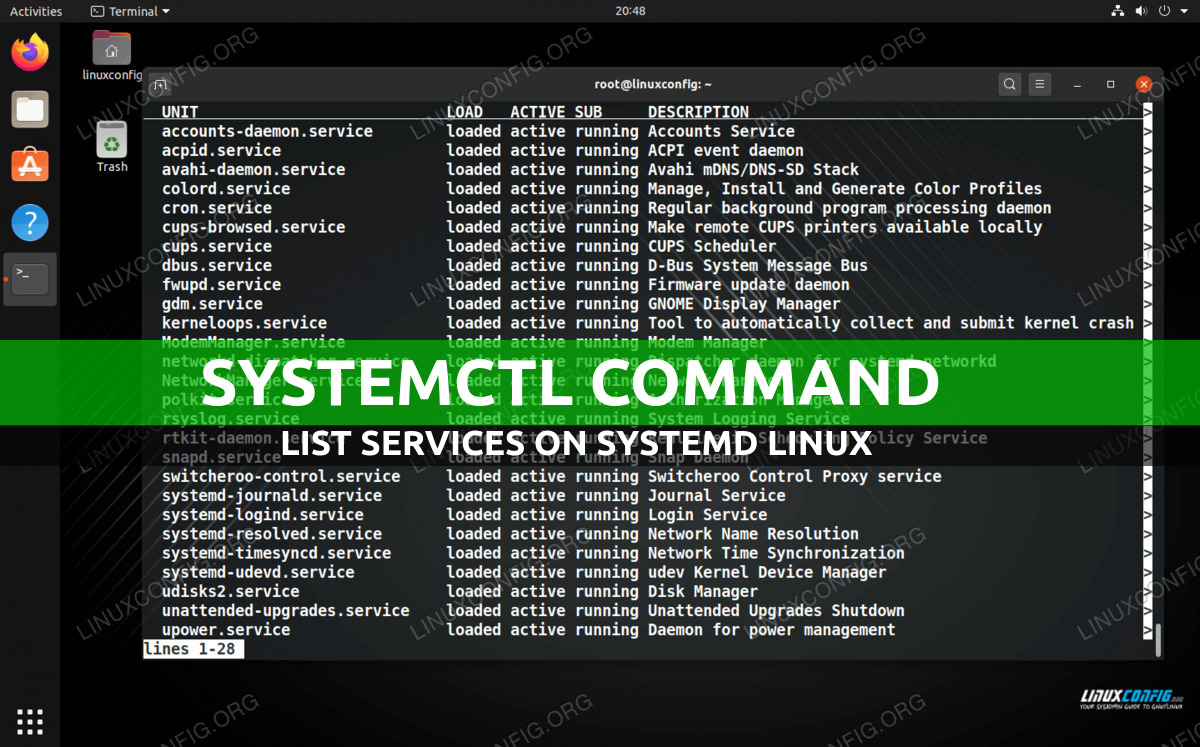
How To Use Systemctl To List Services On Systemd Linux Linux

Linux Systemctl Services Exploitation Cyberseclabs Simple
Linux Service Systemctl
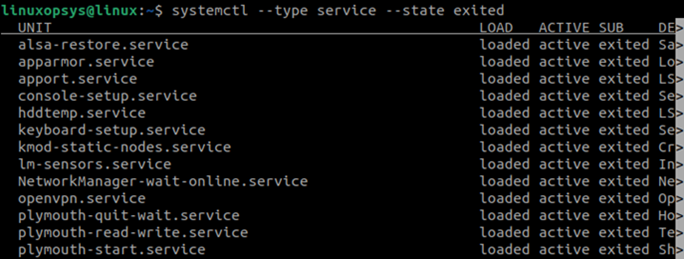
How To List Services In Linux Using Systemctl

Web Aug 18 2020 nbsp 0183 32 To see every loaded service on the system open a command line terminal and execute the following command systemctl list units type service List of all services marked as active

Web Jan 2 2024 nbsp 0183 32 To check if a service is enabled disabled static indirect you must use list unit files with systemctl while to check if a service is running active failed dead etc then you must use systemctl list units To get complete list of supported options with list units and state use systemctl state help

Web Jul 6 2016 nbsp 0183 32 To list all the systemd service which are in state active and sub running systemctl list units type service state running To list all the systemd serice which are in state active and sub either running or exited systemctl list units type service state active Share
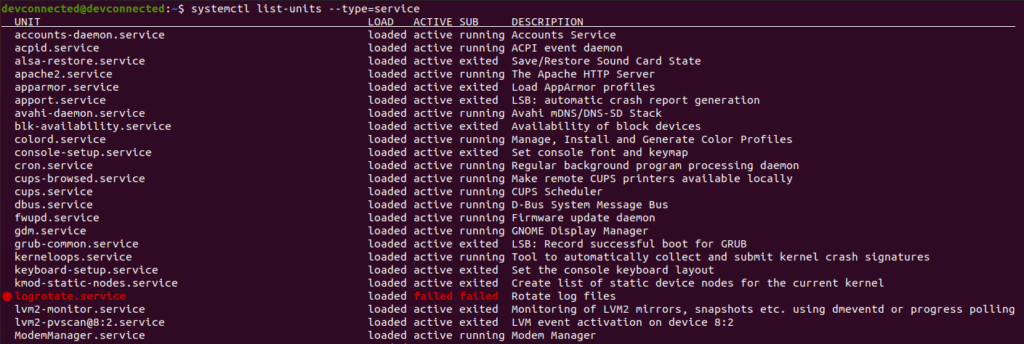
Web Dec 23 2020 nbsp 0183 32 systemctl is a command line utility that is used for controlling systemd and managing services It is part of the systemd ecosystem and is available by default on all systems To get a list of all loaded service units type sudo systemctl list units

Web Apr 26 2023 nbsp 0183 32 To list all the services on your Linux system run this command in the terminal sudo systemctl list units type service This will show you a table with five columns UNIT LOAD ACTIVE SUB and DESCRIPTION The UNIT column shows the name of the service unit file which is the service s configuration and definition file
[desc-11] [desc-12]
[desc-13]