Linux Reset Root Password For User How To Reset Forgotten Root Password In Ubuntu DesignLinux Simplest Way To Reset MySQL Root Password Krist ly jonnan rkez Hazugs g Windows Kali Root Password Helyi Kl n Elk vet Ubuntu Reset Root Password Or User Password Guide C mo Restablecer Una Contrase a De Root Olvidada En Linux Mint Dp Linux Web Nov 2 2023 nbsp 0183 32 You can use the following command to change the root password in Linux sudo passwd root After running this command you will be prompted to enter the current password for the root account Then you can enter
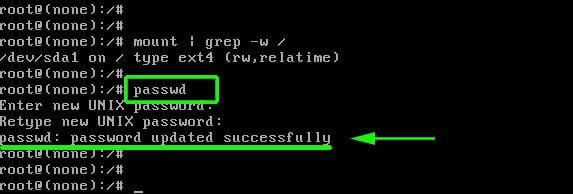
Web Press Ctrl Alt F9 to access it Use the passwd command to create a new password for the root user When done stop debug shell service Using bash as init Append the init bin bash kernel parameter to your boot loader s boot entry Your root file system is mounted as read only now so remount it as read write mount n o remount rw Web Nov 14 2023 nbsp 0183 32 Reset the Root Password The system will boot in single user mode and you will end up with a Bash shell with a logged root account Remount the file system with write access To update the password for the root user we simply need to execute the passwd command and then establish a new one passwd Resetting the root password
C mo Restablecer Una Contrase a De Root Olvidada En Linux Mint Dp Linux How To Change Root Password Of MySQL Or MariaDB In Linux LaptrinhX How To Reset MySQL Or MariaDB Root Password In Linux How To Reset MYSQL Root Password On Linux Prompt Web Hosting How To Reset The Kali Linux Root User Password 2020 Do It Yourself DIY Videos Het Root Wachtwoord Wijzigen In Linux met Afbeeldingen Wiki How To Nederlands Reset Root Password In RHEL CentOS And Fedora On GRUB Menu How To Reset Root User Password In CentOS RHEL 7 How To Reset Root Password On Ubuntu Linux Mining
Linux Reset Root Password For User
 Linux Reset Root Password For User
https://www.tecmint.com/wp-content/uploads/2020/04/Reset-Root-Password-in-Ubuntu.jpg
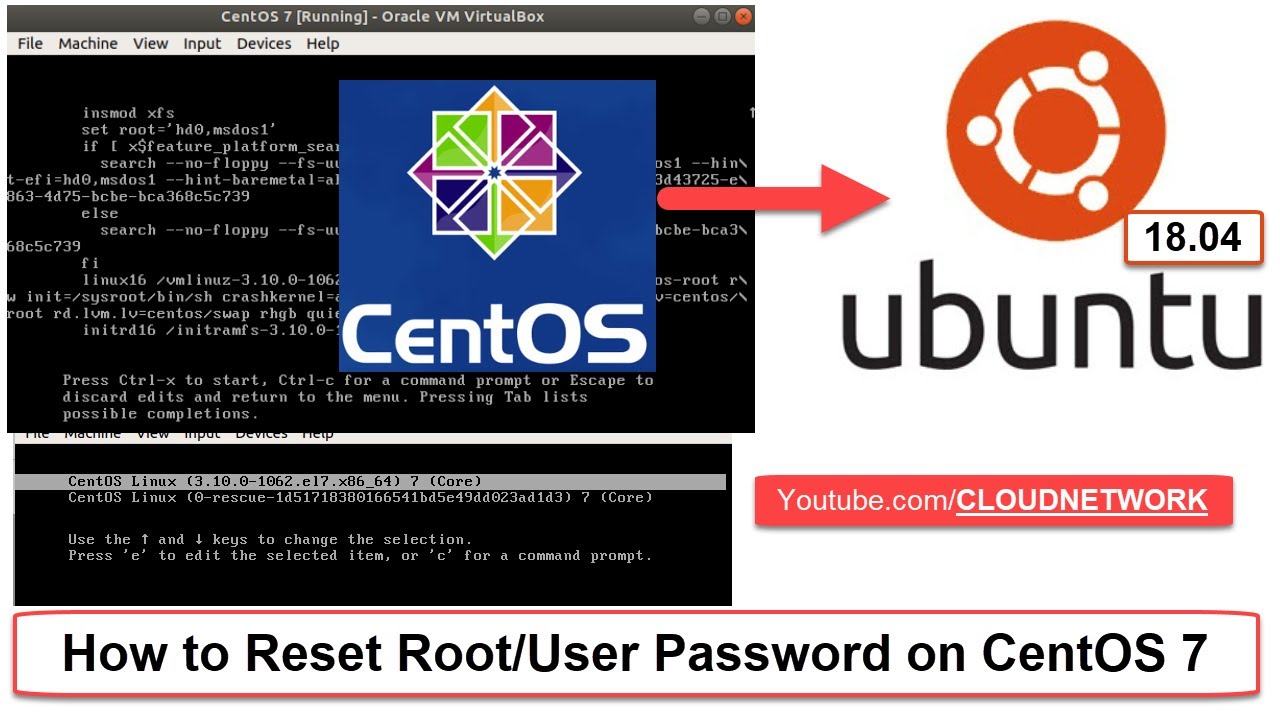
Web Sep 20 2021 nbsp 0183 32 1 First and foremost to recover a lost root password we need to restart the Linux host assuming you forgot the password for root 2 Once the GRUB page appears quickly select the Advanced options for GNU Linux option by pressing the down arrow key and Enter button 3 Now press e to edit the commands
Templates are pre-designed files or files that can be utilized for numerous purposes. They can conserve effort and time by supplying a ready-made format and design for developing different type of content. Templates can be used for personal or expert tasks, such as resumes, invites, flyers, newsletters, reports, presentations, and more.
Linux Reset Root Password For User
How To Reset Root User Password On CentOS 7 Resetting A Forgotten Root Password 2020 BENISNOUS
How To Change Root Password Of MySQL Or MariaDB In Linux LaptrinhX
How To Reset MySQL Or MariaDB Root Password In Linux

How To Reset MYSQL Root Password On Linux Prompt Web Hosting

Het Root Wachtwoord Wijzigen In Linux met Afbeeldingen Wiki How To Nederlands

Reset Root Password In RHEL CentOS And Fedora On GRUB Menu
Web May 12 2021 nbsp 0183 32 In this guide we ll take you through the step by step instructions of recovering a forgotten root password on Linux This will work regardless of the Linux distribution you re running as long as its using the GRUB bootloader Other bootloaders will have similar instructions

Web Nov 4 2022 nbsp 0183 32 In this tutorial we reviewed various ways to reset a lost user s password and recover this person s account First we very briefly covered the Linux privileges system Then we learned how to manipulate passwords as sudoers and to toggle the root account

Web Oct 26 2021 nbsp 0183 32 To reset the root password run passwd and enter the password twice pressing Enter after each prompt Finally after changing the password s restart the computer by running the reboot f command Reduce service desk calls amp update cache credentials for remote users even off VPN with a self service password reset solution
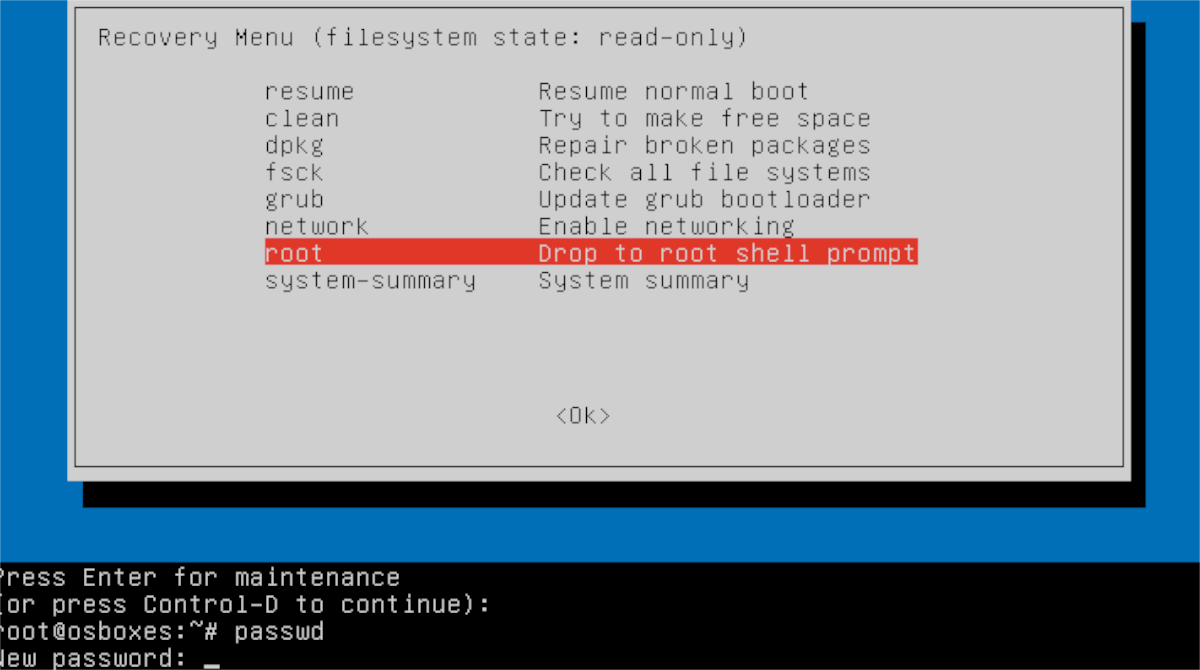
Web Feb 18 2016 nbsp 0183 32 Method 1 Method 2 4 Reset root user password in CentOS 6 x 5 Reset sudo user password in Ubuntu Method 1 Method 2 What if I don t know the user name Conclusion 1 Reset root user password in Arch Linux This method was tested in Arch Linux however It may work on other Arch based Linux distros such as Antergos
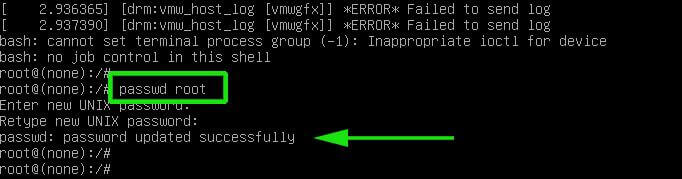
Web Method 1 You know the root password The first solution is to exit the desktop environment and open a session with root from a terminal Once logged in you can use the passwd command to reset the password of any user on the computer
Web Feb 25 2020 nbsp 0183 32 Enter the following mount o remount rw sysroot and then hit ENTER Now type chroot sysroot and hit enter This will change you into the sysroot directory and make that your path for executing commands Now you can simply change the password for root using the passwd command Web Aug 1 2012 nbsp 0183 32 Your system will boot up to a passwordless root shell Type in passwd username Set your password Type in reboot This should work too
Web Jan 11 2022 nbsp 0183 32 In some cases you need to reset the password of a regular user who forgot their password The easiest way to do that is to log in as a root or sudo user as you can use the passwd username command to change the user password easily Remember that non root sudo users will have to use the sudo passwd command instead Plus they will