Linux Mint Usb Flash Drive Not Detected How To REPAIR USB Flash Drive Not Detected Very Simple YouTube How To Fix USB Flash Drive After Jailbreak Fix Corrupted USB Sandisk Dual Usb Drive Not Detected By Phone You May Also Experience Usb Pen Drive Not Detected Vista Quietever My USB Flash Drive Is Not Detected Or The Files Are Not Saved On It Web Here are some things you can try While connected to the computer unplug the power and after a few seconds plug it in again Try using the USB device with another USB port if it works fine in another port the original port may have Shutdown the computer and disconnect it from the power for a
Web Feb 19 2011 nbsp 0183 32 Reboot and you should be able to find the device in your file manager and mount it as any user with read write access under the directory mnt usb This is my solution for a distro without an automounter Zenwalk You may have a problem with your automounter and that is a different can of worms Web Apr 11 2006 nbsp 0183 32 In order to access USB drive under Linux you need to load special USB driver and support must be included in running Linux kernel Try following command one by one to solve your problem nixCraft Privacy First Reader Supported nixCraft is a one person operation I create all the content myself with no help from AI or ML
My USB Flash Drive Is Not Detected Or The Files Are Not Saved On It How To Fix A Corrupted USB Flash Drive Using Command Prompt On Any Learn How To Use Linux Linux Mint 17 3 Cinnamon Bootable 8GB USB Flash How To Fix USB Flash Drive Not Detected 2023 Flash Drive Not Detected Bestxload Rotta Di Collisione Esperto Linea Del Sito Usb Flash Drive Not Detected Sandisk Cruzer Glide 16Gb Not Working Please Choose The Relevant How To Fix USB Flash Drive Not Detected 2023 How To Create A Bootable Linux Mint USB Drive Using Windows Everyday
Linux Mint Usb Flash Drive Not Detected
 Linux Mint Usb Flash Drive Not Detected
https://i.ytimg.com/vi/RjX3uhnohkI/maxresdefault.jpg
Web Dec 16 2020 nbsp 0183 32 Viewed 117 times 0 My removable usb flash memory is not detected in linux I test 2 systems suse and ubunto Off course it is listed by lsusb command but in fsdisk or df ty it is not listed It light on but not detected On the other hand It is detected in another windows 7 pc
Pre-crafted templates use a time-saving service for producing a varied variety of files and files. These pre-designed formats and layouts can be made use of for different personal and professional jobs, including resumes, invitations, leaflets, newsletters, reports, presentations, and more, enhancing the content development process.
Linux Mint Usb Flash Drive Not Detected

USB Stick Not Detected How To FIX Flash Drive Not Showing Up In

How To Fix A Corrupted USB Flash Drive Using Command Prompt On Any

Learn How To Use Linux Linux Mint 17 3 Cinnamon Bootable 8GB USB Flash

How To Fix USB Flash Drive Not Detected 2023
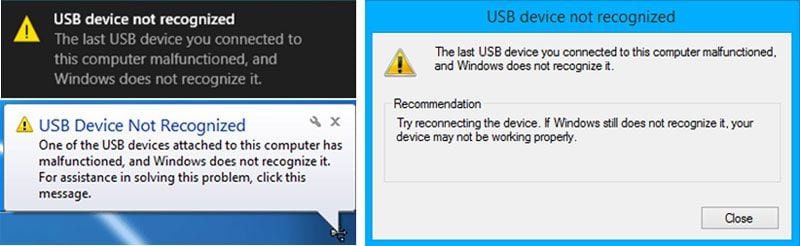
Rotta Di Collisione Esperto Linea Del Sito Usb Flash Drive Not Detected
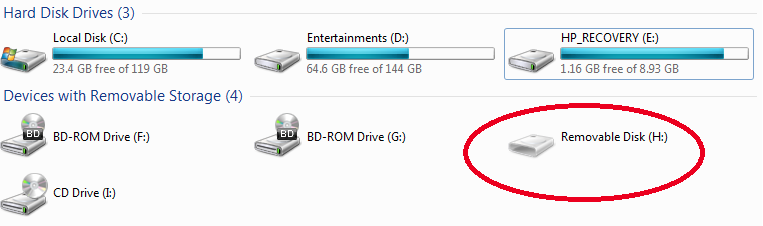
Sandisk Cruzer Glide 16Gb Not Working Please Choose The Relevant

Web Jan 2 2023 nbsp 0183 32 There are five steps to follow to fix USB issues in Linux Confirm the USB port is detected Make any necessary repairs to the port Fix or repair USB devices Reboot your Linux operating system Confirm the presence of device drivers Let s look at each of these in turn and learn how to deal with Linux not recognizing USB devices

Web Mar 13 2019 nbsp 0183 32 1 To access the USB drive first you need to mount it After you plug in your USB device to your USB port Linux system adds a new block device into dev Use command sudo fdisk l This command will list all the detected devices check out your USB by checking the storage of the list shown

Web Dec 28 2022 nbsp 0183 32 Try dmeg tail 20 from a terminal after inserting one to see what the kernel has to say and if nothing dire partition with e g sudo fdisk dev sdz for the correct sdz as obtained from that dmesg output or through gparted disks or whatever you like

Web Dec 28 2022 nbsp 0183 32 attach one of the USB drives and wait for the output on the terminal to be done press enter a few times in the terminal so there are some blank lines at the end of the output disconnect the USB drives and again wait for the output on the terminal to be done copy the output from the terminal and share it here
Web 4 I ve got a usb stick which isn t recognized correctly by my system Linux Mint 18 kernel version 4 4 0 34 generic With lsusb the device is shown it s the Kingston Technology DataTraveler G4
Web Sep 18 2020 nbsp 0183 32 Ask Question Asked 3 years ago Modified 7 months ago Viewed 1k times 1 Wasn t thinking I m going to end up here What happened I wanted to benchmark the speeds of a USB flash drive which was USB 2 0 My system is Debian bullseye sid 5 8 7 1 I used the same method which I use to benchmark my SSD Web To do this follow the following steps Open a terminal and run the following command sudo modprobe usb storage Restart the computer Check with sudo fdisk l that your USB memory is already mounted and working correctly What this simple command does is load the quot usb storage quot module into the kernel which sometimes stops loading
Web Dec 3 2018 nbsp 0183 32 There are five steps to follow to troubleshoot USB problems in Linux Confirm that the USB port is detected Make the necessary repairs in the port Fix or repair USB devices Restart the operating system Confirm the presence of device drivers Let s look at each of these and learn how to deal with these issues