Linux Edit Etc Apt Sources List etc apt sources list File Linux Bash Shell Scripting Tutorial Wiki Add Kali Linux Official Repositories To Sources list TECH DHEE How To Remove Malformed Entry In List File etc apt sources list Add Repository Modifier etc apt sources list Sur Debian Ou Ubuntu How To Create And Edit Text File In Linux By Using Terminal The file etc apt sources list in Debian contains the list of the sources from which the packages can be obtained sources list file can vary depending on various factors from which medium the Debian was installed was it updated from previous release etc This is the list we want on our system
If you look at the etc apt directory you ll notice a directory called sources list d The idea is that the primary sources list file is for the official Ubuntu repositories and for any external repositories and PPA you add a list file with the repository details in this sources list d directory This makes managing the repositories Apt Sources On Ubuntu and all other Debian based distributions the apt software repositories are defined in the etc apt sources list file or in separate files under the etc apt sources list d directory The names of the repository files inside the etc apt sources list d directory must end with list
How To Create And Edit Text File In Linux By Using Terminal Understanding And Using Debian Sources list LXQT No Debian Testing Understanding And Using Sources list For Ubuntu Installation Of Riak Cluster On Raspberry Pi Information Technology Ubuntu 20 04 Myfreax Unable To Edit etc apt sources list File YouTube Kali Linux apt update CSDN Install Webmin Using Repository On Ubuntu
Linux Edit Etc Apt Sources List
 Linux Edit Etc Apt Sources List
https://bash.cyberciti.biz/uploads/bashwiki/8/89/Sample_files_from_etc_apt_sources.list.d_directory.png
If you find the speed is low you can try substituting a mirror into your sources list from here for Brazil or Chile or somewhere else nearby After you finish editing your sources list file you can update your system by doing the following sudo apt get update sudo apt get upgrade Share Improve this answer
Pre-crafted templates offer a time-saving solution for producing a diverse variety of files and files. These pre-designed formats and layouts can be made use of for numerous personal and expert projects, including resumes, invites, leaflets, newsletters, reports, discussions, and more, enhancing the content creation process.
Linux Edit Etc Apt Sources List

Unable To Locate Etc apt sources list Ubuntu 16 04 Ask Ubuntu
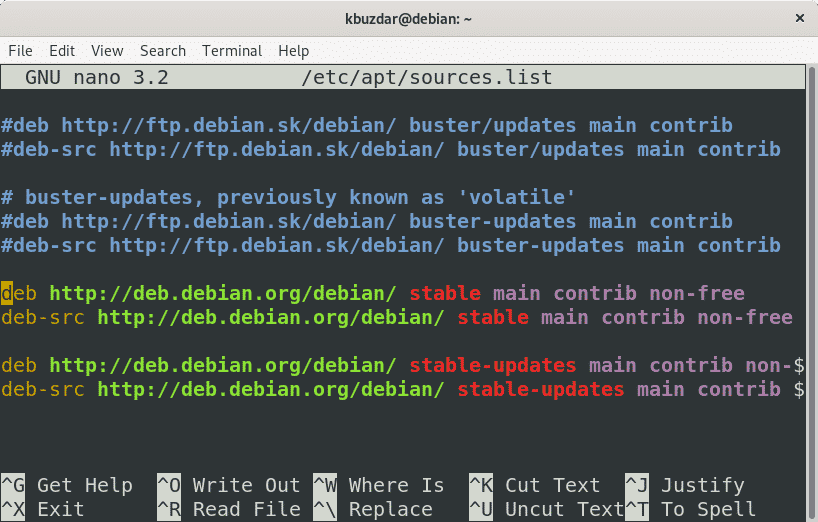
Understanding And Using Debian Sources list

LXQT No Debian Testing
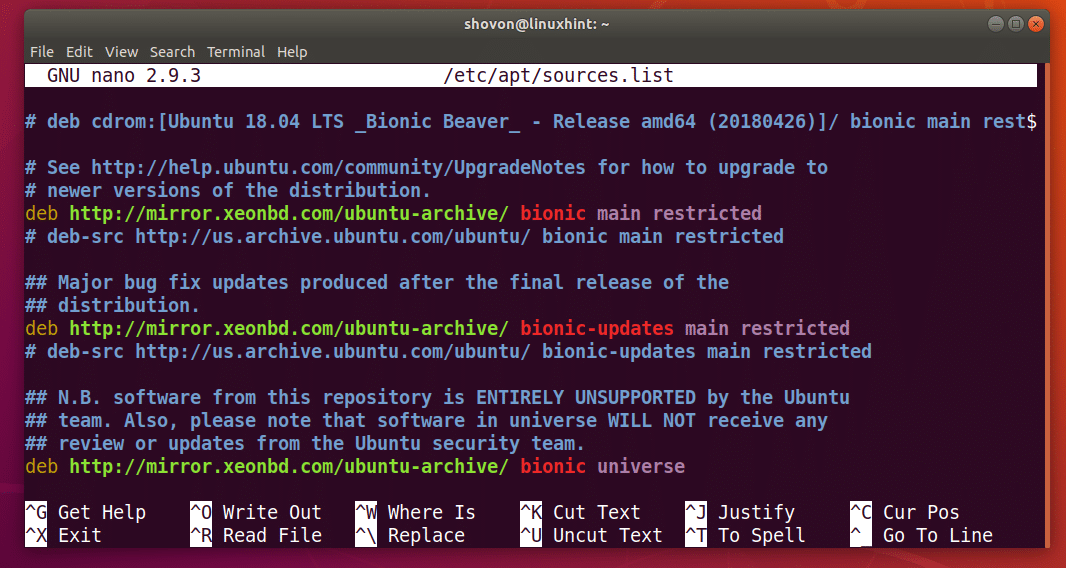
Understanding And Using Sources list For Ubuntu

Ubuntu 20 04 Myfreax

Unable To Edit etc apt sources list File YouTube

5 Answers Sorted by 10 Use the default terminal text editor program nano instead of gedit to edit etc apt sources list Open the terminal and type sudo nano etc apt sources list
If you need to edit the software sources list on your Ubuntu PC to add a repo disable an existing repo or remove a repo altogether but don t quite understand how to do it we can help Follow along to learn all about Ubuntu sources list editing Ubuntu sources list editing Software Updates app

Apt downloads packages from one or more software repositories sources and installs them onto your computer A repository is generally a network server such as the official DebianStable repository Local directories or CD DVD are also accepted The specific repositories package sources configured on your machine affect

76 I am new to linux and just beginning to learn bash I am using Ubuntu 9 04 and would like to add repositories to etc apt sources list from the command line Basically I would like to do this sudo echo some repository etc apt sources list However even when I use sudo I get this error bash etc apt sources list Permission denied

The file etc apt sources list contains a list of configured APT Advanced Package Tool data sources to fetch packages from the Internet or local repository on a Debian or Ubuntu Linux based system What is APT APT is an acronym for Advanced Package Tool
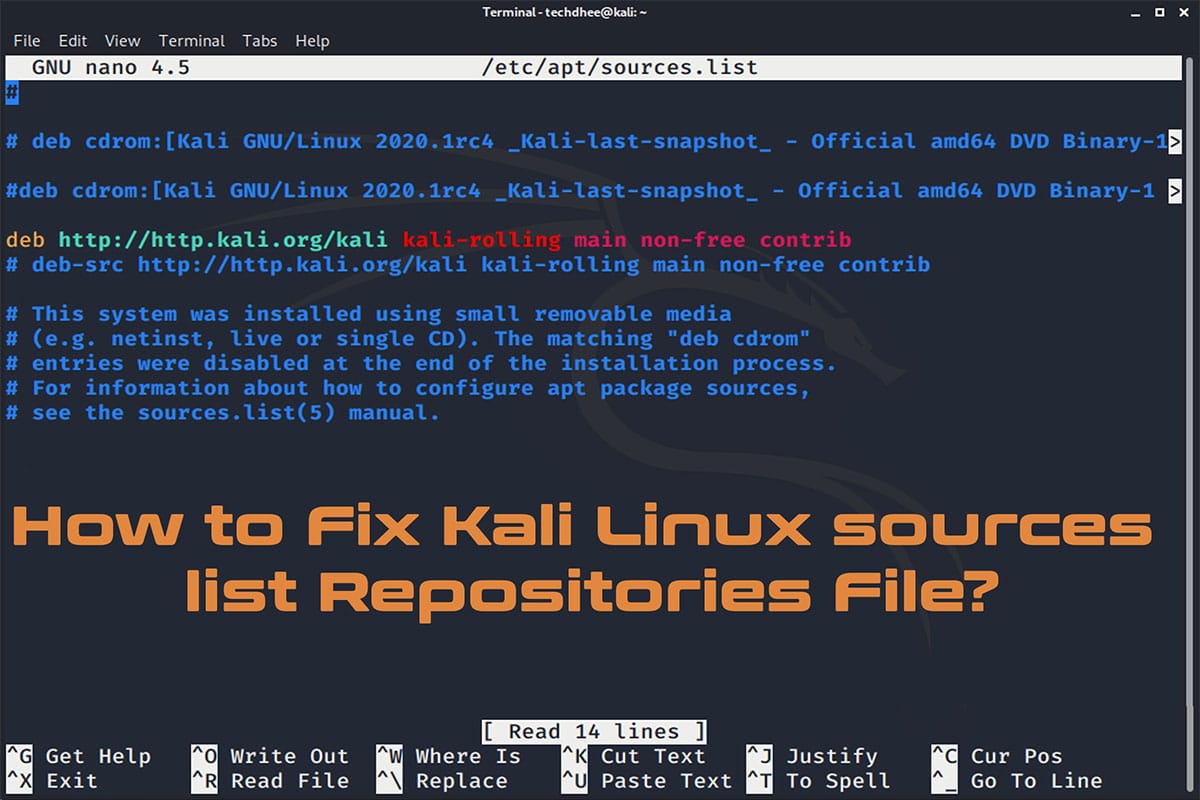
First make a backup of etc apt sources list using the following command Open the terminal app ctrl alt t and run sudo cp etc apt sources list etc apt sources list bak You can edit that file using GUI and command line methods Wike Wikipedia Reader for desktop Edit etc apt sources list GUI method In the terminal run this command LibreWolf is a free and open source web browser fork from Firefox The browser focuses on privacy and security and has uBlocker ad blocker out of the box The browser website has an official guide for installing in on Debian and Ubuntu based systems This tutorial is just a re write with screenshots and more explanations
RUN DEBIAN FRONTEND noninteractive apt get install y no install recommends tzdata apt get clean Added the following to the docker CMD script if z TZ then echo TZ etc timezone dpkg reconfigure f noninteractive tzdata fi This worked for me and allowed me to set the time zone when starting the container