Linux Default Sources List Sources list Completa Para O Debian 10 Buster Fixed Command add apt repository Not Found In Ubuntu TechPiezo Debian Sources list Verstehen Und Verwenden Linux Tipp Casa Nostra Add Kali Linux Official Repositories To Sources list TECH DHEE GNU Linux Distribution Timeline 11 10 GNU Linux Distribution Timeline The sources list file is a key factor in adding or upgrading applications to your Ubuntu installation This is also used by your system for system updates The file is basically the roadmap for your system to know where it may download programs for installation or upgrade
Restore default apt repositories in sources list from command line 2 answers Closed 6 years ago I accidentally removed my etc apt sources list file Is it hosted by Canonical somewhere so I can re add it to the system It s a bit of an emergency so I hope someone can provide a quick answer software sources Share Improve this question Follow Open a terminal by pressing Ctrl Alt T and enter the following command to change the directory to where the source file is located cd etc apt Now move the corrupted file to other location sudo mv sources list location sudo mv sources list sid home Desktop Create a new file using the touch command sudo touch etc apt sources list
GNU Linux Distribution Timeline 11 10 GNU Linux Distribution Timeline 25 GNU Linux Y NAS Podcast Linux Ubuntu 20 04 Myfreax Technology Linux Wallpaper How To Install Bodhi Linux The Linux User Linux Kernel Exploration How To Fix Kali Linux Sources list To Upgrade Downloading Speed Hindi How To Compile Kernel 4 13 7 On Debian 9 2 Edmond s Weblog Sources list Completa Para A Distribui o Linux Debian 11 Bullseye
Linux Default Sources List
 Linux Default Sources List
https://1.bp.blogspot.com/-iNGMS2XeaZ4/XRIiyw95xeI/AAAAAAAAr68/wgqNJJ188DMukk1NrBqfLqPvj7dyL4RwQCLcBGAs/s1600/Screenshot_20190625_103351.png
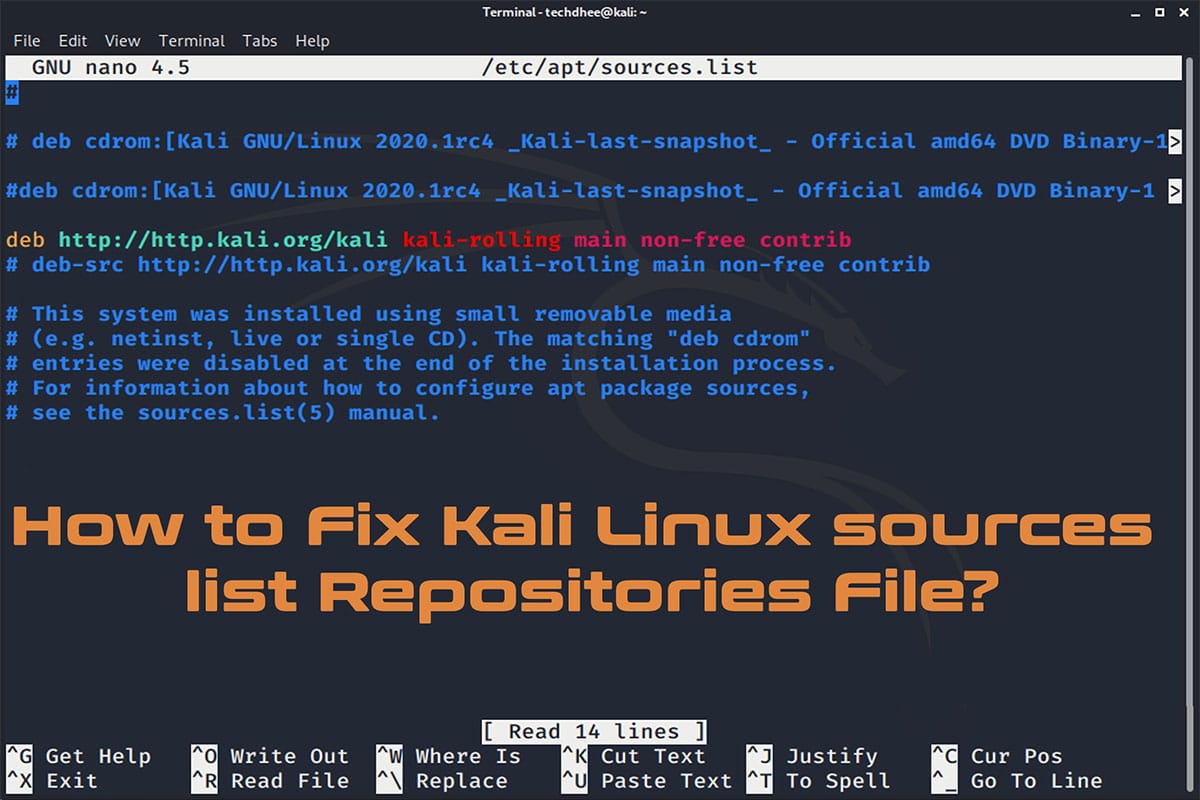
The file etc apt sources list in Debian contains the list of the sources from which the packages can be obtained sources list file can vary depending on various factors from which medium the Debian was installed was it updated from previous release etc This is the list we want on our system
Templates are pre-designed files or files that can be utilized for different functions. They can conserve time and effort by offering a ready-made format and design for creating various sort of content. Templates can be used for personal or expert tasks, such as resumes, invites, leaflets, newsletters, reports, discussions, and more.
Linux Default Sources List

39 GNU Linux Y M viles Podcast Linux

25 GNU Linux Y NAS Podcast Linux

Ubuntu 20 04 Myfreax

Technology Linux Wallpaper
Linux Kernel Exploration

How To Fix Kali Linux Sources list To Upgrade Downloading Speed Hindi
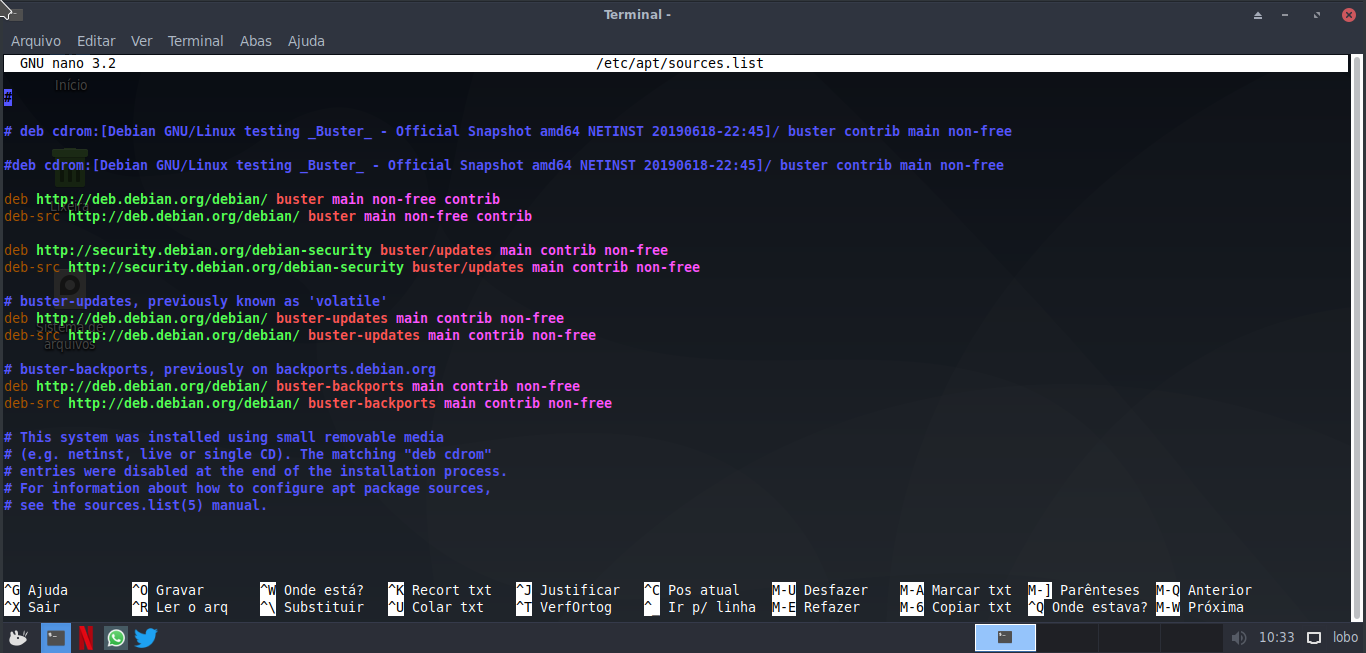
Using a text editor The main Apt sources configuration file is at etc apt sources list You can edit this file as root using your favorite text editor See the sources list manual page for more info To add custom sources creating separate files under etc apt sources list d in DEB822 source format is preferred
13 I installed Debian 11 Bullseye onto a device with no internet I used the firmware CD version of the ISO I have configured the network so I can do ping 8 8 8 8 I tried to run sudo apt update but I discovered that there weren t any sources in the sources list file e g it was empty
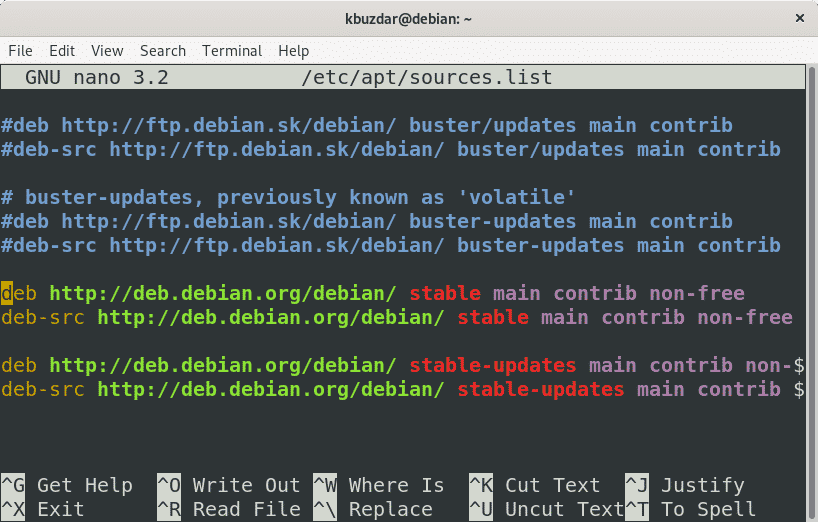
According to the Kali FAQ you linked to your sources list should contain exactly whatyou have posted Follow these steps to make it so Open a terminal and run sudo gedit etc apt sources list I am not sure if gedit is installed by default Apparently Kali uses gvim as its default editor if you know how to use vim and gedit is not installed replace gedit with gvim in the command above
Restore Default Debian and Ubuntu Repositories Last updated November 21 2023 Written by Hiks Gerganov Administration Installation Debian 1 Introduction Repositories hold data and metadata about packages on and available to a given Linux distribution

77 Make a backup copy of your current sources list file sudo cp etc apt sources list etc apt sources list bak Append new line of text to current sources list file CLI echo new line of text sudo tee a etc apt sources list GUI Text Editor sudo gedit etc apt sources list
Deb https repository url distro type The first field denotes the type of package provided by the repository On Debian and Ubuntu you ll find one of these two archive types deb and deb src By default Ubuntu disables the repositories that provide deb src packages The second field is reserved for the repository URL Enter a password when prompted Enable Ubuntu Repositories Close the window Click on Reload when prompted to fetch the package list from the repositories Install Software Updates Go back to the terminal Open the sources list file again and verify if Main and Restricted repositories have been added
Default content of sources list for Ubuntu 19 04 Desktop Shortcut in Linux workspaces cheat sheet Switch between workspaces Ubuntu CentOS etc GNOME etc How to move windows between workspaces modify workspace settings etc How to Check Show current Linux Ubuntu hostname computer name How to Change Linux Ubuntu hostname