Linux Command To See All Devices On Network Ping All Devices On Network Cmd Listten Ping Destination Host Unreachable Vs Request Timed Out OSHW Alchemist IGI Launches 90 Day Promotion To Help Businesses With Cybersecurity Linux Command To Show Devices Linux World How To Check Who s Connected To My Wifi In 2022 KeepTheTech Web Oct 21 2023 nbsp 0183 32 Run quot sudo apt install hwinfo quot on Ubuntu or quot sudo dnf install hwinfo quot on Fedora to install hwinfo then run quot hwinfo short quot to get a quick list of devices Find out exactly what devices are inside your Linux computer or connected to it We ll cover 12 commands for listing your connected devices
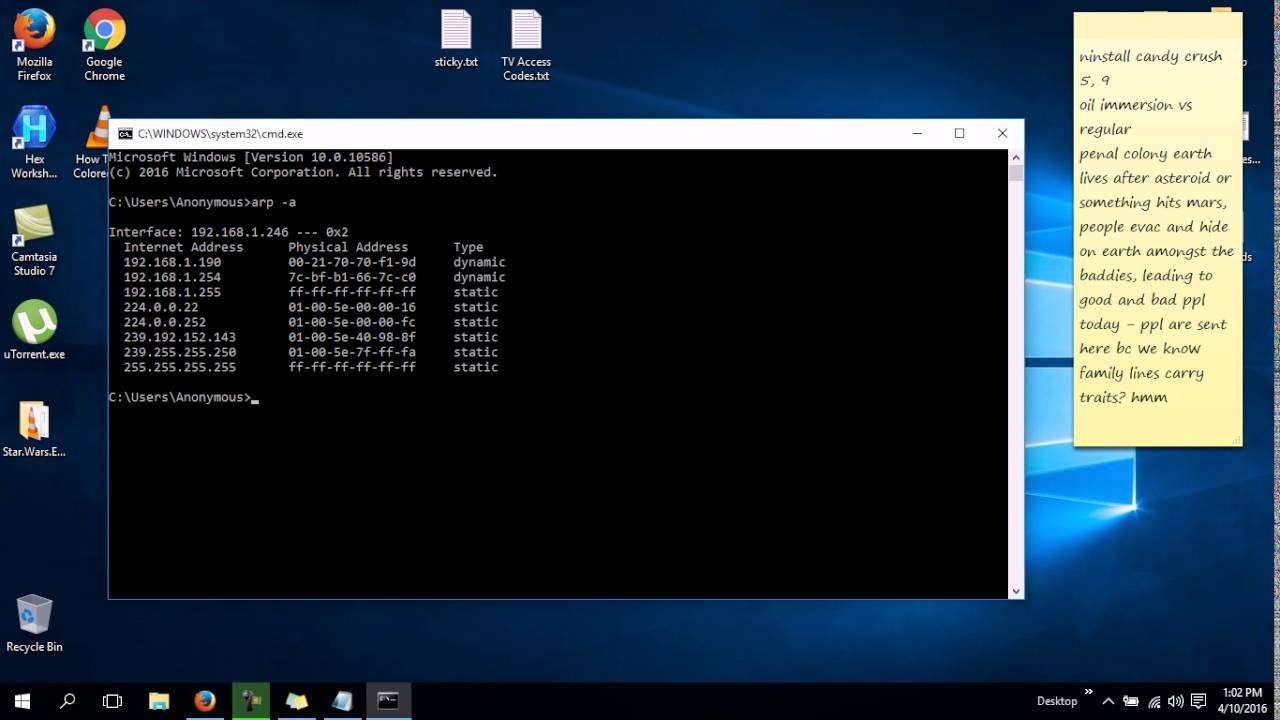
Web Feb 24 2023 nbsp 0183 32 Networking arp ifconfig nmap ping 1 Overview In this tutorial we ll talk about ways to detect devices connected to the network we re connected to We ll look at methods using different tools and choosing one over the other will depend on our specific needs and the tools in our system We ll focus on tools we can use from the command line Web networking Get names of devices on the network Unix amp Linux Stack Exchange Get names of devices on the network Ask Question Asked 8 years 10 months ago Modified 1 year 6 months ago Viewed 130k times 35 I wanted to
How To Check Who s Connected To My Wifi In 2022 KeepTheTech Get Mac Address From IP Address All Devices On Network How To See All Devices On Your Network With Nmap On Linux Askit Linux Command To Show Devices Linux World Terminal Command To Find Mac Address Mac Reachporet Linux Command To View Devices Linux World How To See All Devices On A Network Diaryrts Linux Command To Show Devices Linux World Modem NIC Repeater Hub Switch Bridge Router Gateway HSC
Linux Command To See All Devices On Network
 Linux Command To See All Devices On Network
http://3.143.69.110/wp-content/uploads/2022/08/RzXb5l50or5QPm7pwT7kBKoQMifPC0Q4ZyY531Yr.png
Web Sep 13 2023 nbsp 0183 32 man command The man command displays the manual page for the specified command in the terminal Below is a brief overview of 20 Linux networking commands ip The ip command is a unified networking tool for Linux systems The ip command helps view and configure routing interfaces network devices and tunnels
Templates are pre-designed files or files that can be used for different functions. They can save time and effort by providing a ready-made format and layout for creating various type of material. Templates can be used for individual or expert jobs, such as resumes, invitations, flyers, newsletters, reports, discussions, and more.
Linux Command To See All Devices On Network

Hoe U Het IP adres Van Elk Apparaat In Uw Netwerk Kunt Vinden CodePre
Get Mac Address From IP Address All Devices On Network

How To See All Devices On Your Network With Nmap On Linux Askit

Linux Command To Show Devices Linux World

Linux Command To View Devices Linux World

How To See All Devices On A Network Diaryrts

Web Jul 15 2011 nbsp 0183 32 Here s something I run to discover local network devices that s mostly copy paste able nmap sP or nmap sn scans by pinging There are other options for host discovery like with nmap sL or nmap Pn

Web Check out the arp scan command you will probably have to install it eg sudo apt get install arp scan http manpages ubuntu manpages hardy man1 arp scan 1 html And to give further detail sudo arp scan interface eth0 localnet Where eth0 is your device You can find your device with ifconfig

Web Sep 27 2023 nbsp 0183 32 Method 1 Use Linux command line to find devices on the network The nmap command can be used to scan your network and see who is on your network Step 1 Install nmap nmap is one of the most popular network scanning tool in Linux Use the following command to install nmap in Ubuntu based Linux distributions sudo apt get

Web Aug 29 2012 nbsp 0183 32 Use lspci command Linux command to show list of network cards Type the following lspci command along with egrep command to filter out devices lspci egrep i color network ethernet lspci egrep i color network ethernet wireless wi fi Sample outputs from my Linux server

Web Dec 26 2023 nbsp 0183 32 Checking the network interface on Linux using the tcpdump Type the following tcpdump command and for each Linux network interface a number and an interface name possibly followed by a text description of the interface is printed as follows tcpdump list interfaces Outputs
Web Dec 9 2022 nbsp 0183 32 Step 1 Open the Debian Terminal Launch the Terminal application in your system by going into the Activities tab in the top left corner of your Debian desktop Then in the search bar type terminal When the Terminal icon appears click on it to launch it Step 2 Install the network scanning tool Nmap Web Jul 17 2015 nbsp 0183 32 The most obvious command to obtain a network configuration is by using ip command ip ad show Vedor ID grep r sys class net device vendor sys class net enp0s25 device vendor 0x8086 sys class net wlp3s0 device vendor 0x8086 IRQ
Web Dec 2 2012 nbsp 0183 32 If all the computers in your network are Ubuntu or any other distribution that makes use of avahi daemon you can get a detailed list of them with hostname and IP address by doing avahi browse rt workstation tcp If you want to know all the IP addresses used in your network you can use arp scan sudo arp scan 192 168 1 0 24