Laravel Migration Create Table Example How To Create Table Migration In Laravel 9 How To Create Table Using Migration In Laravel By Raviya Technical Create Table Migration In Laravel 9 Tutorial How To Create Database Table Using Migration In Laravel Database Laravel Migration These are the three steps required to create and apply a migration to your database Step 1 Create a migration file using the php artisan make migration command For example we can create a new users table in the database using php artisan make migration create users table create users Step 2 Define or update the schema of your table by
Create Migration with Table php artisan make migration create posts table table posts Run Specific Migration php artisan migrate For example to create a new table in the database you can use the create method of the Schema Builder class In this article we have looked at how to use migrations in Laravel with an example Manage DateTime in Laravel migration Managing DateTime in Laravel migration is an important task that needs to be taken into consideration By
Database Laravel Migration Laravel 9 Migration Add Enum Column Example Laravel Create Model With Migration Controller And Generate DB Table Laravel No Such File Or Directory SQL Create Table migration Laravel Drop Table Using Migration Drop Function How To Delete Laravel Database Migrations Migration Function Create Table Rollback Your Database Migration In Laravel PHP Laravel Framework Migration Tutorial TheQuickBlog Laravel Create Table Using Migration Migration Function How To
Laravel Migration Create Table Example
 Laravel Migration Create Table Example
https://www.nicesnippets.com/upload/blog/1652881230_table-migration.png
To create a migration use the make migration Artisan command php artisan make migration create users table The new migration will be placed in your database migrations directory Each migration file name contains a timestamp which allows Laravel to determine the order of the migrations
Pre-crafted templates provide a time-saving option for creating a varied variety of files and files. These pre-designed formats and layouts can be used for numerous personal and professional tasks, including resumes, invites, flyers, newsletters, reports, discussions, and more, improving the material production procedure.
Laravel Migration Create Table Example

Laravel 7 x Creating Table Or Database Schema Migrations Extend Feature
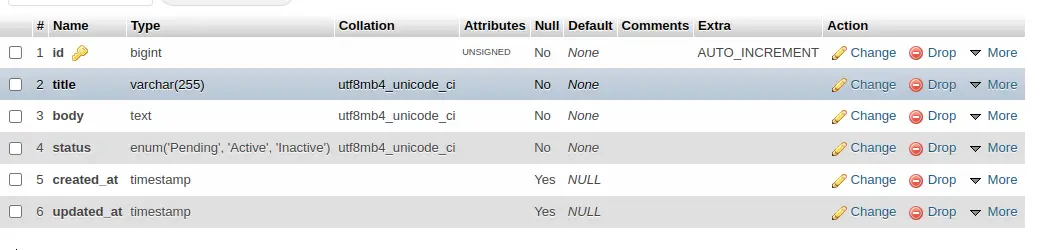
Laravel 9 Migration Add Enum Column Example
Laravel Create Model With Migration Controller And Generate DB Table
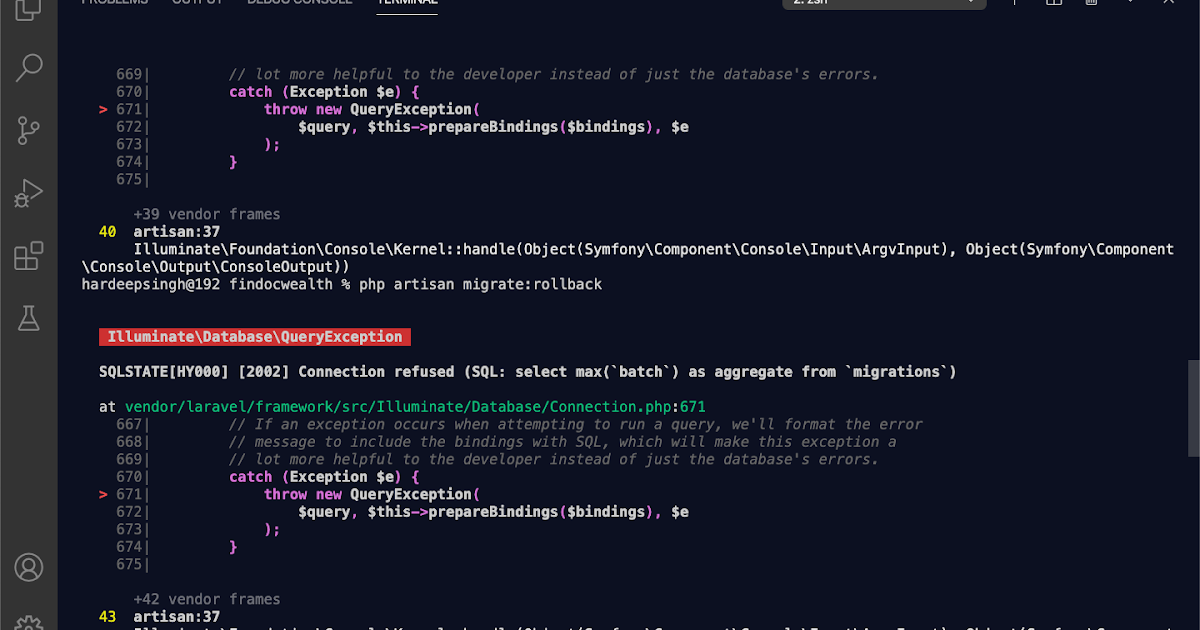
Laravel No Such File Or Directory SQL Create Table migration
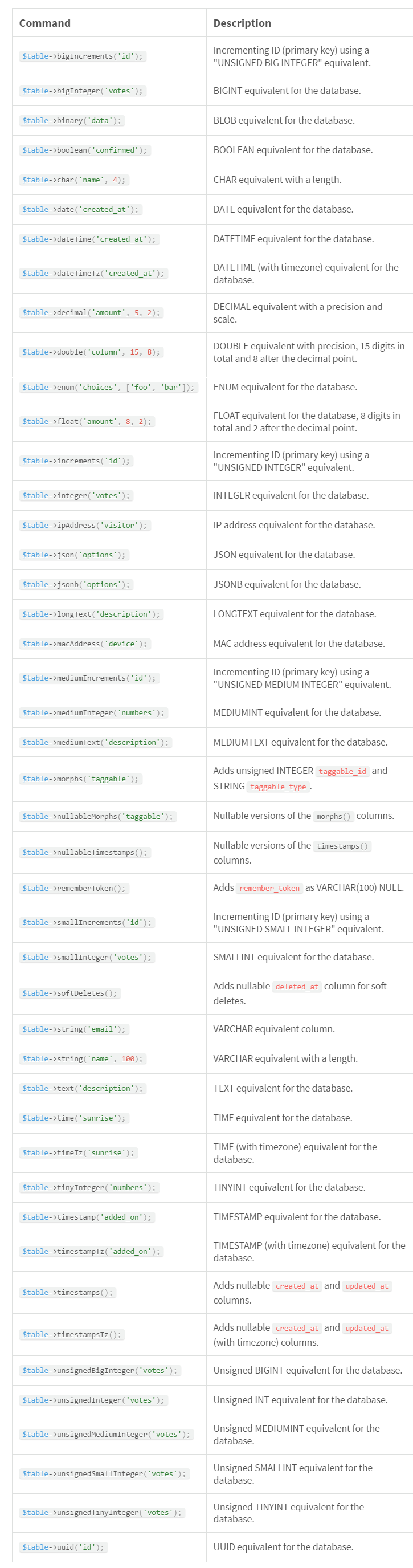
Laravel Database Migrations Migration Function Create Table

Rollback Your Database Migration In Laravel

Laravel Migrations allow developers to programmatically create update and destroy database tables working as a version control system for your database schema To create a new migration you can run the make migration Artisan command and that will bootstrap a new class on your Laravel application in the database migrations folder
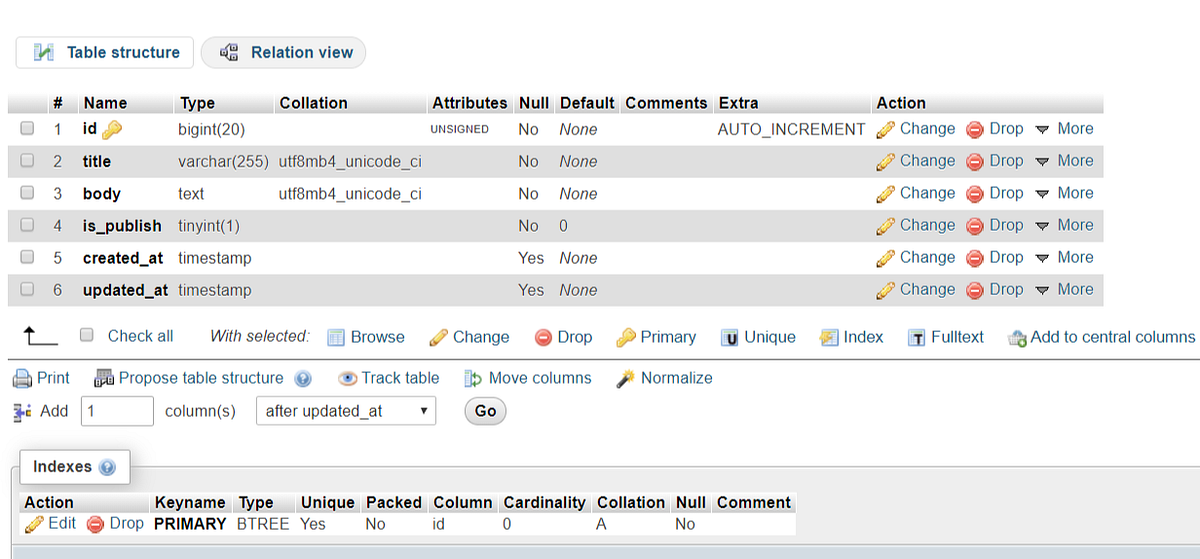
3 Answers Sorted by 4 You could mention the table name while making the migration file It will add some extra code including the table name in migration file Example php artisan make migration create datas table create datas And the model name should be the plural form the table name It will help you reduce some more code in Model Example

Create a Migration with Table php artisan make migration create products table table products Run Specific Migration php artisan migrate path database migrations 2021 11 20 022433 create products table php Migration Rollback php artisan migrate rollback To know more about Laravel migrations visit here I hope this tutorial can help you
In this post I will show you a guide on how to create a table using the Laravel migration artisan command If your using Laravel it allows us to create table easily using the artisan command and help us to modify the database and stay up to date without any mess Now let s create our first Laravel migration in this example we will create a

Modifying Existing Tables If you need to modify an existing table you can create a new migration file using the make migration command and use the appropriate Schema builder methods within the up method For example to add a phone column to the users table
That happen because migration will try to migrate address table before configuration so it will not found the foreign key config id you re referenced so you could change the name of migrations files then the migration commad could pass the configurations table migrate file first then the addresses table migrate file so just change 2016 02 26 104519 create configurations table php Create a migration inside the module Inside your module directory create a new migration file using the make migration Artisan command For example if your module is named MyModule run the following command
1 Create a Migration In Laravel you can create a migration using the make migration Artisan command Open your terminal and navigate to your Laravel project directory Then run the following command Step 1 Create migration php artisan make migration create products table