Kill Pid In Windows Command Prompt The Windows Taskkill Command Cloudeight InfoAve How To Kill A Running Process In Windows Using Command Prompt Latest The Process IDentifier PID In Windows What Is Mark Down How To Kill Process From Command Line In Windows How To Kill Process From Command Line In Windows Web Sep 25 2023 nbsp 0183 32 Click the CPU or RAM column header to sort all the processes based on their resource utilization Look for and select the process you wish to kill i e Firefox
Web Aug 1 2017 nbsp 0183 32 You can use taskkill to kill processes that have windows with a specified title Example Given the following window The command to kill that instance of notepad which is editing a file called test txt is Web Microsoft Windows and ReactOS The taskkill command on Microsoft Windows In Microsoft s command line interpreter Windows PowerShell kill is a predefined
How To Kill Process From Command Line In Windows Kill Processes From The Command Prompt In Windows 7 Kill A Process By Pid Or Name Via Cmd Windows YouTube Kill Process Using Command Prompt 4 Ways Explained How To Use Command Prompt To A Kill Process ATech Academy Kill Processes In Windows Urinberleu Kill A Process In Windows By Port Number Developer Docs By Indraneel Kill Process Using Command Prompt 4 Ways Explained Kill Process With Cmd Taskkill Victoria Park Computers Repairs Support
Kill Pid In Windows Command Prompt
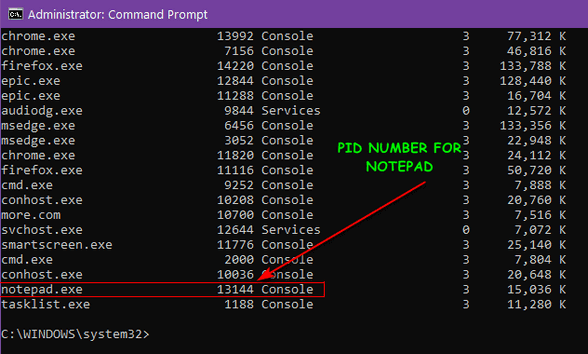 Kill Pid In Windows Command Prompt
https://thundercloud.net/infoave/images/2020/pid-notepad.png
Web Sep 19 2020 nbsp 0183 32 1 Start Task Manager Press the Ctrl key the Shift key and the Esc key in consecutive order at the same time to open Task
Templates are pre-designed files or files that can be utilized for numerous purposes. They can save time and effort by providing a ready-made format and layout for producing various type of material. Templates can be used for individual or professional projects, such as resumes, invites, flyers, newsletters, reports, presentations, and more.
Kill Pid In Windows Command Prompt

How To Launch Notepad From The Command Prompt On Windows 10 What Is

Kill Processes From The Command Prompt In Windows 7
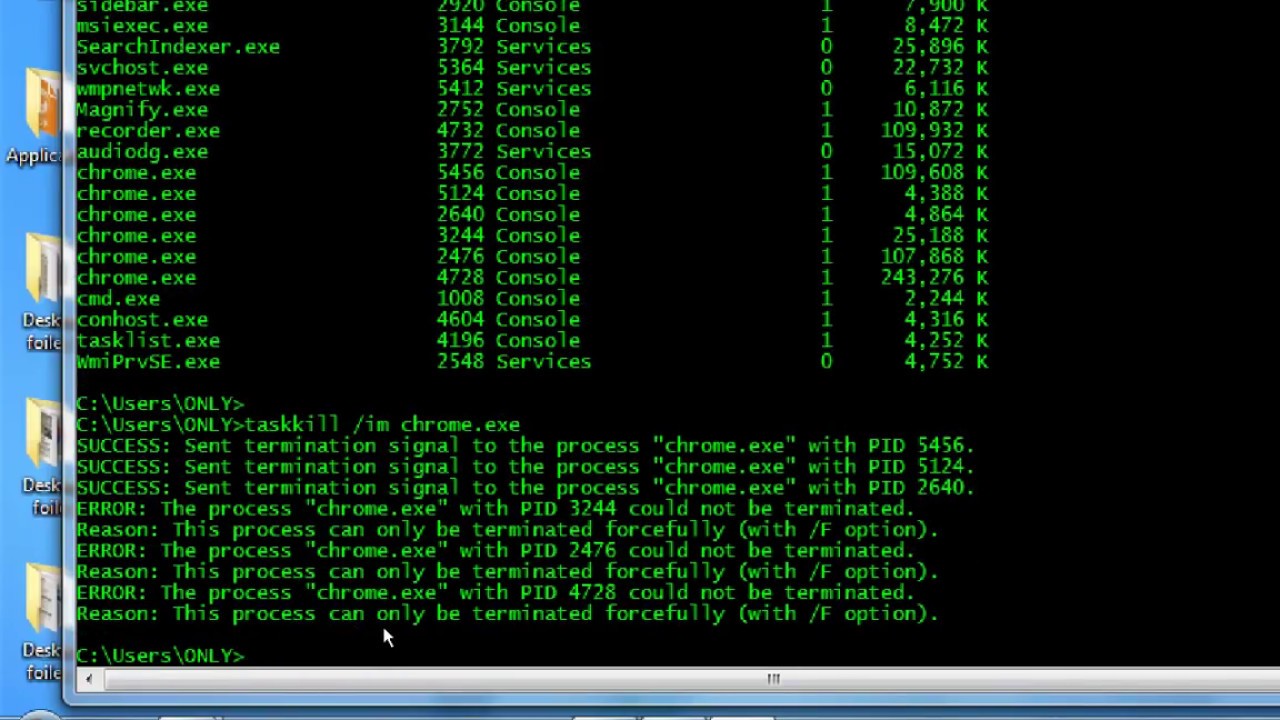
Kill A Process By Pid Or Name Via Cmd Windows YouTube

Kill Process Using Command Prompt 4 Ways Explained
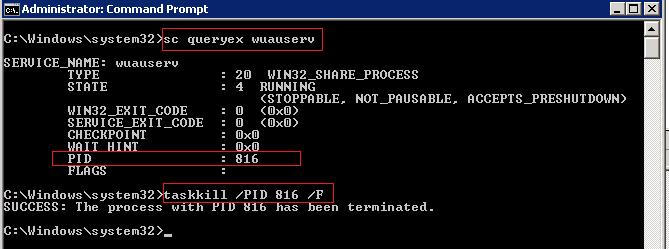
Kill Processes In Windows Urinberleu

Kill A Process In Windows By Port Number Developer Docs By Indraneel
Web Oct 15 2021 nbsp 0183 32 To kill a process by its PID type the command Taskkill F PID pid number Now to kill multiple processes simultaneously run the
Web Aug 24 2017 nbsp 0183 32 Open command prompt and issue below command netstat ano findstr quot PID 8888 quot Output will show the process id

Web Dec 4 2022 nbsp 0183 32 We can use below command to kill a process using process id pid taskkill PID processId Example Kill a process with pid 1234 taskkill PID 1234 Kill processes

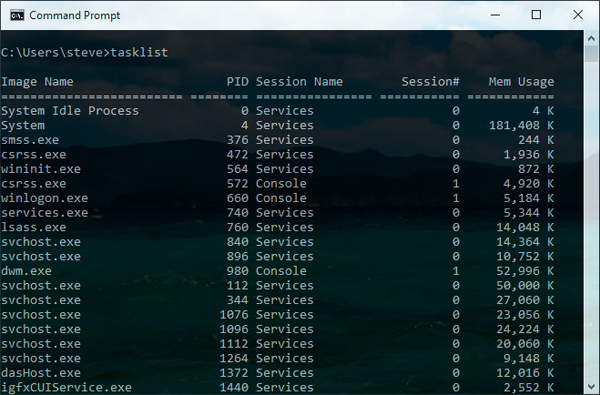
Web Feb 3 2023 nbsp 0183 32 You can use the tasklist command command to determine the process ID PID for the process to be ended Note This command replaces the kill tool Syntax

Web Jun 7 2023 nbsp 0183 32 You can kill the process in cmd using the taskkill command However you must either know its Process Identifier PID or the name of the process before you can
Web Nov 3 2023 nbsp 0183 32 1 CMD Kill Process How to let CMD kill process in Windows 10 11 Here you need to use the taskkill command that allows a user to kill a task from a Windows Web Apr 24 2020 nbsp 0183 32 Kill a service To kill a service launch the command prompt the PID is paramount as this will be used to kill the service See the images above on how to
Web Nov 15 2023 nbsp 0183 32 Step 1 Open task manager Note Windows 11 doesn t have an option to open task manager from the taskbar unlike earlier versions you can learn how to open